
1. Ro-ràdh
This manual provides essential information for setting up, operating, and maintaining your Beelink SER9 MAX Mini PC. Please read these instructions carefully before using the device to ensure optimal performance and longevity.
The Beelink SER9 MAX is a high-performance mini PC equipped with an AMD Ryzen 7 H 255 processor, 64GB DDR5 RAM, and a 1TB M.2 NVME SSD. It supports triple display output at 4K@240Hz, offering robust capabilities for various computing tasks.
2. Dè tha sa bhogsa
Dèan cinnteach gu bheil a h-uile nì anns a’ phacaid:
- 1 x Beelink SER9 MAX Mini PC
- 1 x càball HDMI
- 1 x Adaptor Cumhachd
- 1 x Leabhar-làimhe Cleachdaiche (an sgrìobhainn seo)
3. Stiùirich rèiteachaidh
- Ceangail ri cumhachd: Plug the power adapter into the DC-IN port on the mini PC, then connect it to a power outlet.
- Ceangail ris an taisbeanadh: Connect your monitor(s) to the mini PC using the HDMI, DisplayPort (DP), or USB4 (Type-C) ports. The device supports up to three displays simultaneously.
- Ceangail peripherals: Ceangail do mheur-chlàr, do luchag, agus innealan USB eile ris na puirt USB a tha rim faighinn.
- Ceangal lìonra: For wired internet, connect an Ethernet cable to the 10Gbps LAN port. For wireless internet, the device supports WiFi 6 (802.11ax) and Bluetooth 5.2.
- Cumhachd air: Press the power button located on the front or side of the mini PC. The power indicator light will illuminate.
Upon first boot, the system will guide you through the Windows 11 Pro setup process. Follow the on-screen instructions to complete the initial configuration.
4. Stiùireadh Obrachaidh
4.1 Cumhachd air / dheth
- Gus cumhachd a thoirt air: Brùth am putan cumhachd.
- Gus a dhùnadh sìos: Briog air a’ phutan Tòisich ann an Windows, agus an uairsin tagh Cumhachd > Dùin sìos.
- Gus ath-thòiseachadh: Briog air a’ phutan Tòisich ann an Windows, agus an uair sin tagh Cumhachd > Ath-thòisich.
- Gus cadal: Briog air a’ phutan Tòisich ann an Windows, agus an uair sin tagh Cumhachd > Cadal.
4.2 Initial Windows 11 Pro Configuration
The Beelink SER9 MAX comes pre-installed with Windows 11 Pro. During the first startup, you will be prompted to:
- Tagh do roinn agus cruth a’ mheur-chlàir.
- Connect to a network (wired or wireless).
- Sign in with a Microsoft account or create a local account.
- Suidhich roghainnean prìobhaideachd.
4.3 Coileanadh Tharview
The AMD Ryzen 7 H 255 processor (8 cores/16 threads, up to 4.9GHz) combined with the AMD Radeon 780M GPU (12 cores, 2600 MHz) provides strong performance for demanding applications, 4K video editing, and gaming.

Image: Beelink SER9 MAX Mini PC highlighting the AMD Ryzen 7 H 255 Processor for efficient work.

Image: Beelink SER9 MAX Mini PC showcasing the AMD Radeon 780M GPU for gaming performance.
5. Ceanglaichean agus Puirt
The Beelink SER9 MAX offers a comprehensive range of ports for versatile connectivity:
- Ethernet: 1 x 10Gbps RJ-45 LAN port for high-speed wired network.
- Puirt USB: 2 x USB 3.2 (10Gbps), 2 x USB 2.0.
- Toradh bhidio: 1 x HDMI 2.1, 1 x DisplayPort 1.4, 1 x USB-C (USB4 40Gbps) for triple display support.
- USB-C: 1 x USB-C (USB4 40Gbps, full-featured), 1 x USB-C (10Gbps, data only).
- Fuaim: 1 x 3.5mm Audio Jack (HP&MIC).
- Cumhachd: 1 x DC Jack.
- Wireless: Built-in WiFi 6 (802.11ax) and Bluetooth 5.2.

Ìomhaigh: Aghaidh is cùl views of the Beelink SER9 MAX Mini PC, detailing all available ports and interfaces.
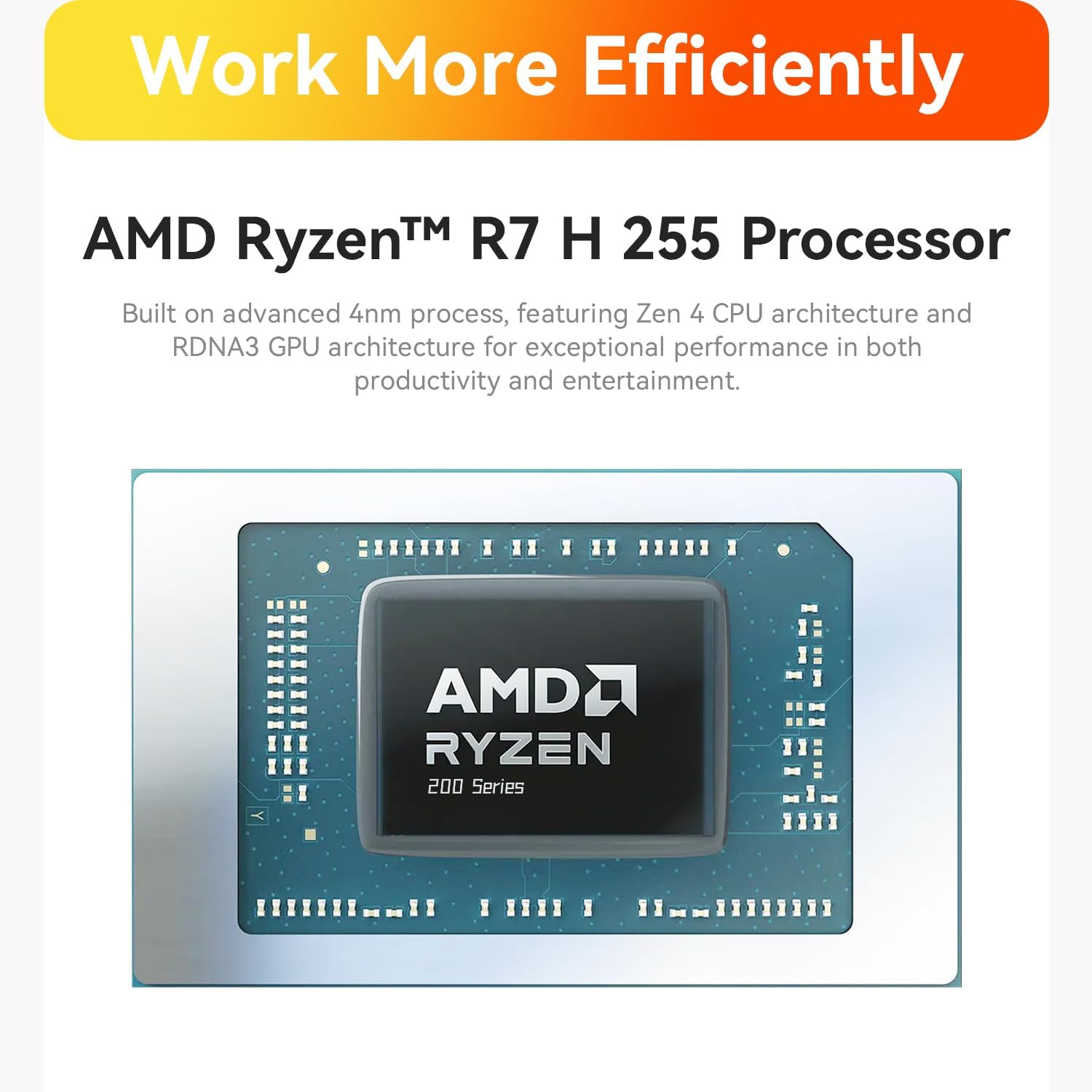
Image: Close-up of the 10Gbps Ethernet port on the Beelink SER9 MAX Mini PC, illustrating high-speed network capability.
6. Leudachadh Stòraidh is Cuimhne
The Beelink SER9 MAX is equipped with 64GB DDR5 RAM and a 1TB M.2 NVME SSD. It offers expansion capabilities:
- RAM: The system features two DDR5 SO-DIMM slots, allowing for memory upgrades up to 256GB (2 x 128GB).
- SSD: Dual M.2 PCIe 4.0 x4 SSD slots are available, supporting up to 8TB of internal storage.

Ìomhaigh: A-staigh view of the Beelink SER9 MAX Mini PC, highlighting the dual-channel DDR5 RAM and dual M.2 PCIe 4.0 SSD slots for storage expansion.
7. Rèiteachadh Taisbeanaidh
The mini PC supports triple display output, allowing you to connect up to three monitors simultaneously for enhanced productivity or immersive experiences. It supports resolutions up to 4K at a refresh rate of 240Hz via HDMI and DisplayPort.
- HDMI2.1: Connects to HDMI-compatible displays.
- Taisbeanadh Port 1.4: Connects to DisplayPort-compatible displays.
- USB4 (Type-C): Full-featured USB-C port supporting video output.
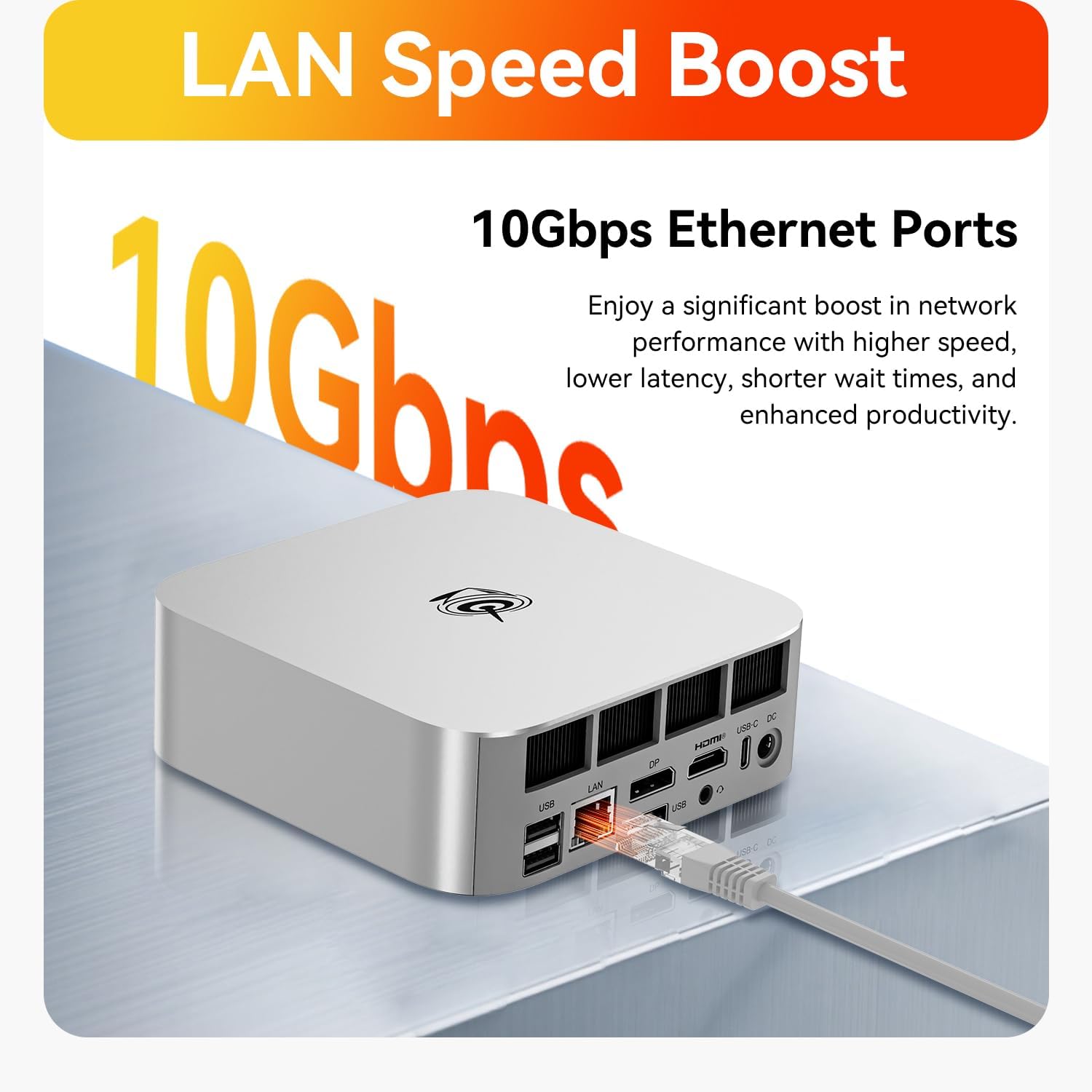
Image: The Beelink SER9 MAX Mini PC connected to three monitors, demonstrating its triple-display output capability at 4K 240Hz.
8. Siostam fuarachaidh
The Beelink SER9 MAX features the MSC2.0 cooling system, designed for efficient heat dissipation and quiet operation. It incorporates a vapor chamber technology that absorbs and spreads CPU heat evenly, ensuring sustained peak performance.

Image: Diagram illustrating the vapor chamber technology within the Beelink SER9 MAX Mini PC's cooling system, designed for superior thermal dissipation.
9. Sònrachaidhean
| Feart | Sònrachadh |
|---|---|
| Brand | Beelink |
| Ainm Modail | SER9 MAX |
| Modail CPU | AMD Ryzen 7 H 255 (8C/16T, up to 4.9GHz) |
| Grafaigeachd coprocessor | AMD Radeon 780M (12-cridhe 2600 MHz) |
| Meud Cuimhne RAM Stàlaichte | 64 GB DDR5 |
| Meud as motha de chuimhne RAM | 256 GB |
| Tuairisgeul diosc cruaidh | 1 TB M.2 NVME SSD |
| Siostam-obrachaidh | Windows 11 pro |
| Toradh bhidio | HDMI 2.1, DisplayPort 1.4, USB4 (Type-C) |
| Fuasgladh taisbeanaidh as àirde | 3840x2160 Pixels (4K@240Hz) |
| Ceangal gun uèir | Wi-Fi 6 (802.11ax), Bluetooth 5.2 |
| Ethernet | 10Gbps LAN (RJ-45) |
| Puirt USB | 2 x USB 3.2, 2 x USB 2.0, 1 x USB4 (Type-C), 1 x USB-C (10Gbps) |
| Jack fuaim | 1 x 3.5mm (HP&MIC) |
| Modh fuarachaidh | MSC2.0 Cooling System (Vapor Chamber) |
| Cuideam nì | 16 unnsa |
10. A ’dèanamh trioblaid
- Gun chumhachd: Ensure the power adapter is securely connected to both the mini PC and a working power outlet. Check the power indicator light.
- Gun taisbeanadh: Verify that the monitor is powered on and the video cable (HDMI, DP, or USB-C) is securely connected to both the mini PC and the monitor. Try a different video port or cable if available. Ensure the correct input source is selected on your monitor.
- Gun cheangal eadar-lìn: For wired connections, check the Ethernet cable and router status. For Wi-Fi, ensure Wi-Fi is enabled in Windows settings and you are connected to the correct network with the correct password.
- Coileanadh slaodach: Close unnecessary applications. Check for background processes consuming high CPU or RAM. Ensure the system has adequate ventilation.
- Overheating: Ensure the mini PC is placed in a well-ventilated area and that its vents are not obstructed. Avoid placing it on soft surfaces that can block airflow.
11. Cumail suas
- Cùm glan: Regularly clean the exterior of the mini PC with a soft, dry cloth. Use compressed air to gently clear dust from ventilation openings to maintain optimal airflow.
- Ùrachaidhean bathar-bog: Keep your Windows operating system and drivers updated to ensure system stability, security, and performance.
- Dàta cùl-taic: Dèan cùl-taic bho àm gu àm de dhàta cudromach gu draibh taobh a-muigh no stòradh sgòthan gus casg a chur air call dàta.
- Sguabadh ceart: Always shut down the mini PC properly through the operating system rather than simply unplugging it, to prevent data corruption.

Ìomhaigh: Spreadhadh view of the Beelink SER9 MAX Mini PC, showing its internal structure including the metal case, vapor chamber, motherboard, and SSD heatsink.
12. Barantas agus Taic
The Beelink SER9 MAX Mini PC comes with a Barantas 3-bliadhna. Beelink offers lifetime technical support and 24/7 after-sales service. For any questions or assistance, please contact Beelink customer support.
All Beelink products have passed strict inspections and obtained FCC, RoHS, and CE Certifications.