
1. Ro-ràdh
Tapadh leibh airson ceannachasing the Deeyaple G4 60W Gaming Soundbar. This manual provides essential information for setting up, operating, and maintaining your soundbar to ensure optimal performance and longevity. Please read this manual thoroughly before use and retain it for future reference.
2. Fiosrachadh Sàbhailteachd
- Do not expose the soundbar to extreme temperatures, humidity, or direct sunlight.
- Seachain a bhith a’ leigeil às no fo smachd an inneal gu buaidhean làidir.
- Keep the soundbar away from water and other liquids. The IPX5 rating indicates resistance to splashes, but it is not fully submersible.
- Do not attempt to disassemble, repair, or modify the soundbar yourself. Contact qualified service personnel for assistance.
- Cleachd an càball cumhachd agus na goireasan a tha air an toirt seachad a-mhàin.
- Ensure proper ventilation around the soundbar during operation.
3. Pasgan-susbaint
Thoir sùil air a’ phacaid airson nan nithean a leanas:
- Deeyaple G4 60W Gaming Soundbar
- Càball cumhachd
- Leabhar-làimhe cleachdaiche (an sgrìobhainn seo)
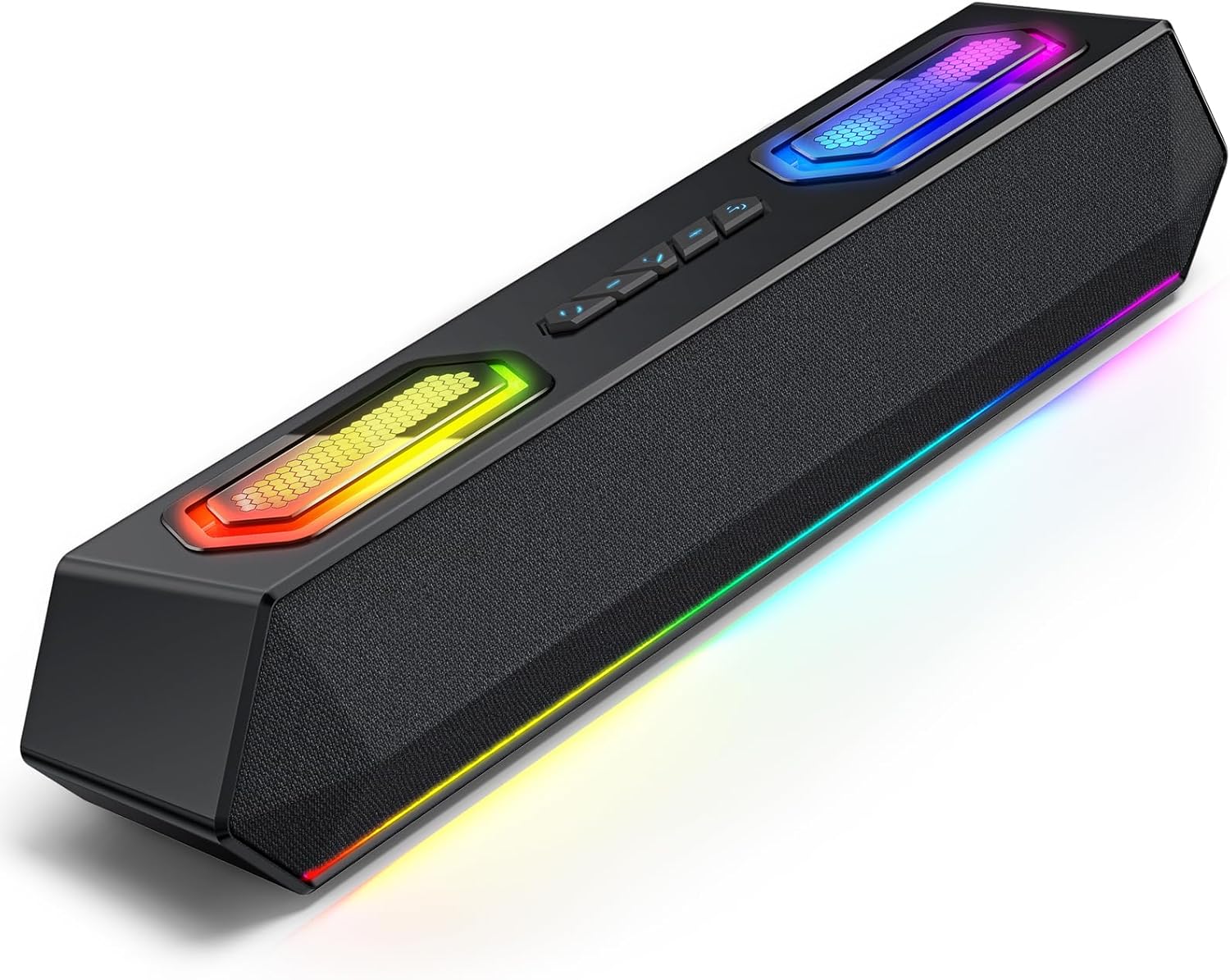
Image: Deeyaple G4 Soundbar, showcasina dhealbhadh agus a sholais RGB.
4. Toradh thallview
Prìomh fheartan:
- 60W Dual Speakers: Delivers rich bass, clear mids, and crisp highs.
- Solais RGB: Dynamic lights that pulse in sync with music, offering multiple atmosphere modes.
- Bluetooth 5.3: Stable wireless connectivity with a 66-foot range.
- Extended 20-Hour Battery: 2500mAh battery for long playback (at 50% volume with lights off).
- IPX5 uisge-dhìonach: Resistant to splashes and rain.
- Wireless Stereo Pairing (TWS): Connect two soundbars for immersive stereo sound.
- Precision Audio Positioning: Enhanced stereo sound effects for gaming.
Smachdan agus puirt:
The soundbar features intuitive controls for power, volume, and RGB lighting modes. Connection options include Bluetooth, USB, and 3.5mm AUX.

Ìomhaigh: Mullach view of the Deeyaple G4 Soundbar highlighting the control buttons and RGB lighting panels.

Image: Diagram illustrating the internal speaker components of the 60W soundbar.
5. Suidhich
A’ cur cumhachd air:
- Connect the provided power cable to the soundbar's power input.
- Plug ceann eile a’ chàball cumhachd a-steach gu ionad cumhachd iomchaidh.
- Press and hold the power button on the soundbar until the RGB lights illuminate, indicating the device is on.
A ’ceangal tro Bluetooth:
- Ensure the soundbar is powered on and in Bluetooth pairing mode (indicated by a flashing blue light, if applicable).
- Air an inneal agad (fòn cliste, tablet, coimpiutair), cuir Bluetooth an gnìomh agus rannsaich airson innealan a tha rim faighinn.
- Select "Deeyaple G4" from the list of devices.
- Once connected, the soundbar will indicate a successful pairing (e.g., a solid blue light or an audible prompt).
Video: Demonstrates connecting a soundbar via Bluetooth and other modes. While not the exact Deeyaple G4, the connection process is similar.
Connecting via AUX (3.5mm Audio Cable):
- Connect one end of a 3.5mm AUX audio cable (not included) to the AUX input port on the soundbar.
- Connect the other end of the AUX cable to the audio output jack of your device (e.g., computer, TV, smartphone).
- The soundbar should automatically switch to AUX mode. If not, use the mode button (if available) to select AUX.
A 'ceangal tro USB:
- Connect the soundbar to your computer's USB port using a compatible USB cable (not included).
- The soundbar should be recognized as an audio output device by your computer. Select it from your computer's sound settings.
- Some soundbars may also support USB drives for direct music playback. Insert a USB drive into the designated USB port.
Video: Shows a soundbar connecting via USB and demonstrating RGB lighting. This video is for a related product (LENRUE E-1103) but illustrates similar functionality.
6. Stiùireadh Obrachaidh
Smachd tomhas-lìonaidh:
- Rotate the main knob on the soundbar to adjust the volume.
- Air neo, atharraich an tomhas-lìonaidh gu dìreach bhon inneal ceangailte agad.
Modhan solais RGB:
- The soundbar features dynamic RGB lighting. Use the dedicated light effect button (if available) or a short press on the main knob to cycle through different lighting modes.
- Long press the light effect button or main knob to turn the lights on/off.

Image: Visual representation of different RGB pulse light modes available on the soundbar.
Playback Control (Bluetooth/USB Mode):
- Use the Play/Pause button to start or pause audio playback.
- Use the Next Track and Previous Track buttons to skip between songs.
Wireless Stereo Pairing (TWS):
To connect two Deeyaple G4 soundbars for a true stereo experience:
- Ensure both soundbars are powered on and in Bluetooth pairing mode.
- On one soundbar, long press the TWS pairing button (refer to product diagram if available, otherwise assume a dedicated button or combination).
- The soundbars will attempt to connect to each other. Once paired, they will function as a stereo pair.
- Connect your device to one of the paired soundbars via Bluetooth.
7. Cumail suas
- Glan am bàr-fuaime le clò bog, tioram. Na cleachd innealan-glanaidh sgrìobach no fuasglaidhean.
- Cùm na puirt saor bho dhuslach is sprùilleach.
- Store the soundbar in a cool, dry place when not in use for extended periods.
8. A ’dèanamh trioblaid
| Trioblaid | Fuasgladh comasach |
|---|---|
| Gun chumhachd | Ensure the power cable is securely connected to both the soundbar and the power outlet. Check if the outlet is functional. |
| Gun fhuaim | Check volume levels on both the soundbar and the connected device. Ensure the correct input mode (Bluetooth, AUX, USB) is selected. Verify audio cable connections. |
| Dh'fhàillig am paidhir Bluetooth | Ensure the soundbar is in pairing mode. Turn off and on Bluetooth on your device. Move closer to the soundbar. Clear previous Bluetooth connections on your device and try again. |
| Saobhadh fuaim | Reduce the volume on both the soundbar and the connected device. Check audio source quality. Ensure cables are not damaged. |
| Solais RGB nach eil ag obair | Press the light effect button to cycle through modes or turn them on/off. Ensure the soundbar is powered on. |
9. Sònrachaidhean
- Ainm a' mhodail: G4
- Seòrsa neach-labhairt: Labhraiche so-ghiùlain
- Neach-labhairt cumhachd toraidh as àirde: 60 watt
- Teicneòlas ceangail: Bluetooth
- Teicneòlas conaltraidh gun uèir: Bluetooth 5.3
- Raon as àirde: 66 troigh
- Modh Toraidh Fuaim: Stereo
- Feart sònraichte: Dìon-uisge (IPX5)
- Stòr cumhachd: Corded Electric (Internal 2500mAh battery for portable use)
- Meudan toraidh: 13D x 8W x 41.3H Ceudameatairean
- Cuideam nì: 1.18 kg
- Modh smachd: App, Touch (Physical buttons/knob)
- Dèanadair: Deeyaple
10. Barantas agus Taic
The Deeyaple G4 Soundbar comes with a limited warranty. For detailed warranty information, product support, or technical assistance, please refer to the official Deeyaple weblàrach-lìn no cuir fios chun t-seirbheis teachdaiche aca gu dìreach. Cùm do chuidhteas ceannach mar dhearbhadh ceannach.
Airson tuilleadh cuideachaidh, tadhail air an Deeyaple Store on Amazon.