
wo-we P5 (HU-MNPC07)
wo-we P5 Mini PC AMD Ryzen 5 3500U User Manual
Model: P5 (HU-MNPC07)
1. Ro-ràdh
This manual provides detailed instructions for setting up, operating, maintaining, and troubleshooting your wo-we P5 Mini PC. Please read this manual thoroughly before using the device to ensure proper functionality and longevity.
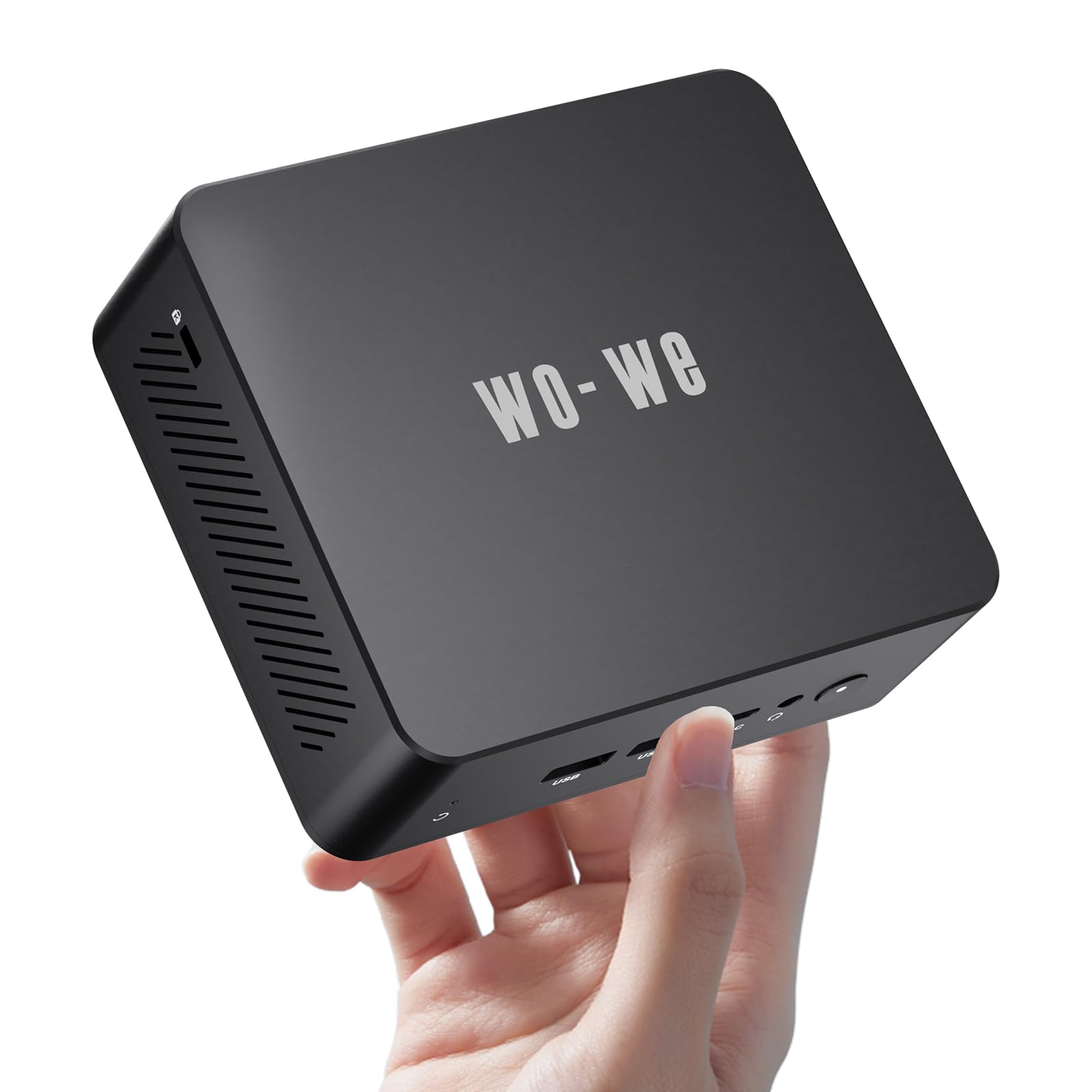
Figure 1: wo-we P5 Mini PC
2. Pasgan-susbaint
Dèan cinnteach gu bheil a h-uile nì anns a’ phacaid:
- Mini computer × 1
- Adapter cumhachd × 1
- Meur sreap × 1
3. Stiùirich rèiteachaidh
3.1 Ceangal iomaill
Connect your monitor(s), keyboard, mouse, and other peripherals to the appropriate ports on the Mini PC.

Figure 2: wo-we P5 Mini PC Interfaces
- Puirt cùil: 1000M RJ45 LAN, USB 2.0, USB 3.2, 2x HDMI, DC-IN Jack.
- Puirt aghaidh: Power Button, Audio Jack, USB-C, 2x USB 3.2.
3.2 Ceangal cumhachd
Connect the power adapter to the DC-IN jack on the Mini PC, then plug the adapter into a power outlet. Press the power button to turn on the device.
3.3 Suidheachadh Tùsail an t-Siostam Obrachaidh
The Mini PC comes with a pre-installed operating system (e.g., Windows 10 Home). Follow the on-screen instructions to complete the initial setup, including language, region, and user account creation.
For users wishing to upgrade to Windows 11, the AMD Ryzen 5 3500U processor is compatible. You can download the Windows 11 Installation Assistant from the official Microsoft website. Ensure your system meets all Windows 11 requirements before proceeding with the upgrade.
Video 1: Unboxing and Windows 11 Upgrade Process. This video demonstrates the unboxing of the wo-we P5 Mini PC, an overview of its internal components, and the steps to check for Windows 11 compatibility and perform an upgrade.
4. Stiùireadh Obrachaidh
4.1 Triple Display Output
The wo-we P5 Mini PC supports up to three 4K displays simultaneously. Connect your monitors using the two HDMI 2.0 ports and the USB-C port (which supports 4K@60Hz output). This feature enhances multitasking and productivity.

Figear 3: Suidheachadh Trì-thaisbeanaidh
4.2 Ceangal Lìonra is Gun Uèir
- Wi-Fi: The Mini PC is equipped with Wi-Fi 5 for stable wireless internet access. Connect to your preferred Wi-Fi network through the operating system settings.
- Bluetooth: Bluetooth 5.0 allows for seamless connection to wireless peripherals such as keyboards, mice, and audio devices.
- Ethernet: For a wired connection, use the 1000Mbps RJ45 LAN port.
4.3 Cleachdadh Coitcheann
The AMD Ryzen 5 3500U processor provides sufficient performance for daily office tasks, home entertainment, and business applications. Its compact size makes it suitable for various environments.

Figear 4: Seallaidhean Iarrtais Eadar-mheasgte
5. Cumail suas agus ùrachadh
5.1 Leudachadh Stòraidh
The Mini PC includes a 256GB M.2 NVME 2280 SSD. For additional storage, you can upgrade the M.2 SSD up to 2TB (not included) or add a 2.5-inch SATA hard drive (SSD or HDD) using the provided SATA cable and mounting bracket.
Thoir an aire: While a 2.5-inch drive can be installed, it is important to consider that adding an internal drive may trap more heat within the compact chassis, potentially affecting the operating temperature of other components like RAM and the NVME drive. It is generally recommended to use external storage solutions if heat management is a concern.

Figure 5: Internal Components (M.2 SSD and RAM)
5.2 Ùrachadh RAM
The device comes with 8GB DDR4 RAM and features two memory slots, allowing for an upgrade to a maximum of 32GB DDR4 memory.
5.3 Sgaoileadh teas
The P5 Mini PC incorporates a built-in silent fan and heat sink designed to cool the CPU processor and reduce hardware wear, ensuring stable performance. Maintain proper ventilation around the device to optimize cooling.

Figure 6: Advanced Cooling Technology
6. A ’dèanamh trioblaid
If you encounter issues with your wo-we P5 Mini PC, consider the following basic troubleshooting steps:
- Gun chumhachd: Dèan cinnteach gu bheil an inneal-atharrachaidh cumhachd ceangailte gu tèarainte ris a’ Mini PC agus ri socaid cumhachd a tha ag obair.
- Gun taisbeanadh: Check all display cable connections (HDMI, USB-C) to your monitor(s). Verify that the monitor is set to the correct input source.
- Innealan-iomaill gun lorg: Ensure USB devices are properly plugged into the correct ports. Try a different USB port or restart the Mini PC.
- Coileanadh slaodach: Close unnecessary applications. Check for available operating system updates. Consider upgrading RAM or storage if performance issues persist after basic optimization.
- Cùisean Siostam Obrachaidh: For Windows 11 compatibility, use the PC Health Check app from Microsoft. If issues persist, consider reinstalling the operating system or contacting support.
7. Sònrachaidhean
| Feart | Mion-fhiosrachadh |
|---|---|
| Brand | wo-we |
| Modail Àireamh | HU-MNPC07 (P5) |
| Pròiseasar | AMD Ryzen 5 3500U (2.1 GHz, up to 3.70GHz) |
| CPU Cores/Threads | 4 Cridheachan / 4 Snàithleanan |
| Meud tasgadan | 4 MB |
| Grafaigeachd coprocessor | AMD Radeon (Integrated, 8 cores, 1200MHz) |
| RAM | 8GB DDR4 (3200 MHz, upgradable to 32GB) |
| Stòradh | 256GB M.2 NVME SSD (PCIE x 4, upgradable to 2TB), supports 2.5'' SATA drive |
| Siostam-obrachaidh | OS/10 H (Supports Linux, Ubuntu) |
| Fuasgladh sgrion as àirde | 3840x2160 piogsail (4K) |
| Puirt USB | 3x USB 3.2 Gen1 (5Gbps), 1x USB 2.0, 1x USB-C (4K@60Hz) |
| Toradh bhidio | 2x HDMI 2.0 (4K@60Hz), 1x USB-C (4K@60Hz) - Triple Display Support |
| Lìonra | WiFi 5, Bluetooth 5.0, 1000M LAN (RJ45) |
| Fuaim | Jack fuaim 1x |
| Puirt eile | 1x DC Jack, 1x TF Card Slot |
| TDP | 15W |
| Cuideam nì | 2.07 not |
| Meud pacaid | 9.49 x 6.77 x 3.39 òirleach |
8. Barantas agus Taic
wo-we provides the following support for your Mini PC:
- Barantas: 1-year full warranty.
- Tilleadh: 30-day hassle-free returns.
- Teisteanasan: FCC/CE/ROHS certified.
- Taic Teicnigeach: 24/7 technical support is available.
- Cuir fios gu: For support, log into your Amazon account, navigate to "Your Account" > "Your order" and select "Ask Product Questions," or contact seirbheis@wo-we.com.

Figure 7: After-Sales Support Information
Ask a question about this manual
Ask about setup, troubleshooting, compatibility, parts, safety, or missing instructions. Manuals+ will review the question and use this page’s manual context to help answer it.