
Ro-ràdh
This manual provides essential information for the safe and efficient operation, maintenance, and troubleshooting of your Leitz IQ Slim Paper Shredder. Please read this manual thoroughly before using the shredder and retain it for future reference.
The Leitz IQ Slim Paper Shredder is designed for home and home office use, offering P4 cross-cut security for confidential documents. It features a compact design, quiet operation, and anti-jam technology to ensure a smooth shredding experience.
Fiosrachadh Sàbhailteachd
RABHADH: Dh’ fhaodadh fàilligeadh ann a bhith a’ leantainn nan stiùiridhean sàbhailteachd seo teine, clisgeadh dealain no leòn adhbhrachadh.
- Cùm làmhan, falt, agus aodach sgaoilte air falbh bhon t-sloc inntrigidh pàipeir.
- Cùm clann is peataichean air falbh bhon inneal shredder.
- Unplug the shredder when not in use or before moving, cleaning, or emptying the waste bin.
- Na reub nithean meatailt, bileagan steigeach, no pàipear fliuch.
- Na obraich an inneal-reubaidh ma tha an càball cumhachd millte.
- Do not attempt to service the shredder yourself. Refer all servicing to qualified service personnel.
- Dèan cinnteach gu bheil an inneal-reubaidh air uachdar seasmhach, rèidh.
Suidhich
- A' dì-phapadh: Carefully remove the shredder from its packaging. Ensure all components are present, including the shredder head, waste bin, and power cord.
- Suidheachadh: Position the shredder on a flat, stable surface in your desired home or office location. Ensure there is adequate space around the unit for ventilation and access to the power outlet.
- Bin Installation: Place the waste bin securely into the shredder base. The shredder head should sit firmly on top of the bin. The unit will not operate if the head is not correctly seated.
- Ceangal cumhachd: Plug an sreang cumhachd a-steach do ionad dealain àbhaisteach.

Figear 1: Aghaidh view of the Leitz IQ Slim Paper Shredder, illustrating its compact design suitable for home or office environments.
Stiùireadh Obrachaidh
Pannal Smachd Os a chionnview
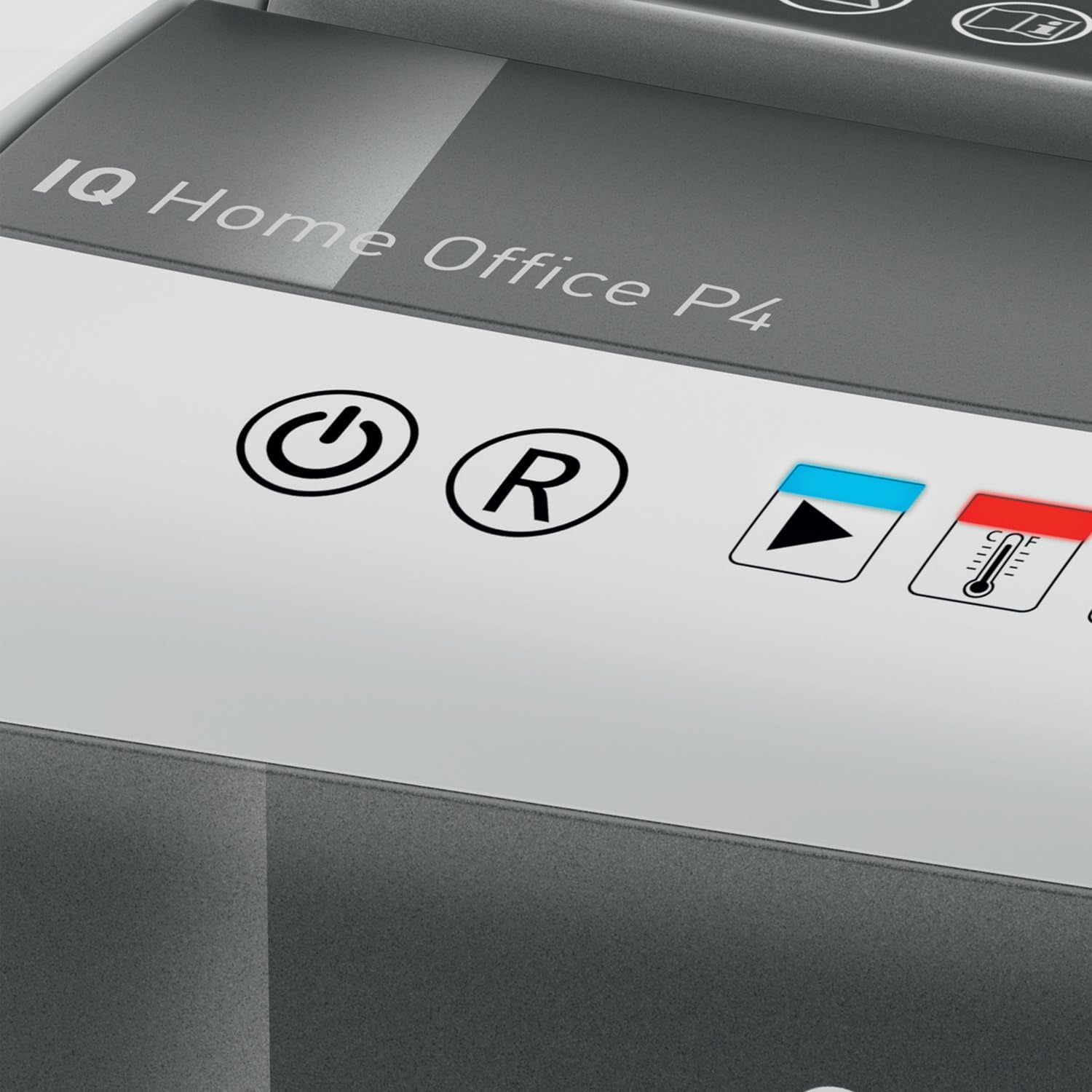
Figear 2: Close-up of the shredder's touch control panel, showing the power, reverse, and status indicators.
The shredder features intuitive touch controls for easy operation.
- Power Button (⌛): Press to turn the shredder ON or OFF.
- Reverse Button (R): Press to reverse the shredding mechanism, useful for clearing minor paper jams.
- Overload Indicator (Red LED): Illuminates if too much paper is inserted, indicating a potential jam.
- Overheat Indicator (Red LED with Thermometer): Illuminates when the shredder has reached its maximum continuous run time and needs to cool down.
Sgrìobhainnean a’ Reubadh
- Ensure the shredder is plugged in and powered ON.
- Cuir a-steach suas ri 10 duilleagan of letter-size (8.5" x 11") paper into the paper entry slot. The shredder will automatically begin shredding.
- The shredder can also process staples and small paper clips.
- Airson an coileanadh as fheàrr agus gus casg a chur air bacadh sgrìobhaidh, seachain a bhith a’ dol thairis air comas na duilleige as àirde.

Figear 3: The shredder in operation, demonstrating the secure cross-cut shredding of a confidential document.

Figear 4: Visual representation of the shredder's capacity, capable of shredding up to 10 letter-size sheets simultaneously.
Continuous Run Time and Cool Down
The shredder has a continuous run time of approximately 6 mionaid. After this period, the overheat indicator LED will illuminate, and the shredder will automatically shut off to prevent damage. Allow the shredder to cool down for at least 30 minutes before resuming operation. This helps prolong the life of the motor.
Cumail suas
A' falmhachadh a' Bhiona Sgudail
Gu riaghailteach falamh an 6-gallon (225 sheet capacity) waste bin to prevent paper jams and maintain optimal shredder performance. The transparent window on the bin allows for easy monitoring of the shredded paper level.
- Ensure the shredder is turned OFF and unplugged from the power outlet.
- Carefully lift the shredder head off the waste bin.
- Empty the shredded paper into a suitable recycling container.
- Replace the shredder head securely onto the waste bin.

Figear 5: The shredder head lifted from the waste bin, revealing the shredded paper inside and demonstrating the bin's capacity.
Glanadh
To clean the exterior of the shredder, wipe it with a soft, dry cloth. Do not use abrasive cleaners or solvents. For optimal performance, consider using shredder oil sheets periodically to lubricate the cutting blades. Follow the instructions provided with the shredder oil sheets.
Fuasgladh thrioblaidean
| Trioblaid | Adhbhar a dh’fhaodadh a bhith ann | Fuasgladh |
|---|---|---|
| Chan eil an inneal-sgrios a’ tòiseachadh. | Not plugged in; shredder head not properly seated; power switch off. | Ensure power cord is securely plugged in. Re-seat the shredder head firmly onto the waste bin. Turn the power switch ON. |
| Suim pàipeir. | Too much paper inserted; paper folded or crumpled. | Brùth an Cùl (R) button to clear the paper. If necessary, unplug the shredder, carefully remove the shredder head, and manually clear the paper. Do not force paper. |
| Stadaidh an reubadair fhad ’s a tha e ag obair agus tha an LED Cus Teasachaidh air. | Exceeded continuous run time. | Allow the shredder to cool down for at least 30 minutes. The LED will turn off when it is ready for use again. |
| Shredder is noisy. | Blades require lubrication; waste bin is full. | Use shredder oil sheets to lubricate the blades. Empty the waste bin. |
Sònrachaidhean
| Feart | Sònrachadh |
|---|---|
| Modail Àireamh | 170004 |
| Seòrsa Shred | Tar-ghearradh |
| Ìre tèarainteachd | DIN P4 |
| Comas Bileag | Up to 10 sheets (8.5" x 11" paper) |
| Comas Bin | 6 galan (mu 225 duilleag) |
| Ùine ruith leantainneach | 6 mionaid |
| Cool Down Time | Mu thuairmeas. 30 mionaid |
| Luas Shred | 6 troigh sa mhionaid |
| Shreds | Paper, staples, paper clips |
| Teicneòlas an-aghaidh jam | Automatic stop and reverse |
| Smachdan | Smachdan suathaidh |
| Meudan toraidh (W x H x D) | 10 x 14.7 x 14.5 òirleach |
| Cuideam nì | 15.12 not |
| Dèanadair | Brandan ACCO |
Barantas agus Taic
Barantas cuibhrichte
Your Leitz IQ Slim Paper Shredder is covered by a Barantas Earranta 2-bliadhna from the date of purchase. This warranty covers defects in materials and workmanship under normal use. It does not cover damage resulting from misuse, abuse, accident, unauthorized service, or normal wear and tear.
Feuch an glèidh thu an dearbhadh ceannach agad airson tagraidhean barantais.
Taic Luchd-cleachdaidh
For technical assistance, warranty inquiries, or to order replacement parts, please contact Leitz customer support. Refer to the contact information provided on the official Leitz weblàrach no pacaigeadh an toraidh agad.
Online resources and FAQs may also be available on the Leitz brand weblàrach: Visit the Leitz Store on Amazon