
1. Ro-ràdh
Tapadh leibh airson ceannachasing the Promate Beamer-A250 4K UHD LCD Projector. This manual provides essential information for setting up, operating, and maintaining your device. Please read it thoroughly before use to ensure optimal performance and safety.
2. Feartan toraidh
- Fuasgladh 4K UHD: Experience stunning visuals with 3840 x 2160 resolution, powered by advanced LCD technology for vibrant colors and sharp clarity.
- Soilleireachd 250 ANSI Lumens: Enjoy clear and vivid images even in well-lit environments, ideal for daytime presentations or movie nights.
- Integrated Telescopic Monopod Stand: The built-in adjustable stand allows for effortless setup and perfect alignment with any screen or wall.
- Automatic Keystone Correction & Manual Focus: Achieve a perfectly aligned and sharp image every time with automatic angle adjustment and precise manual focus.
- Siostam-obrachaidh Android 11: Access your favorite streaming platforms like Netflix, YouTube, and Prime Video directly from the projector without additional devices.
- Ceangal HDMI: Connect laptops, gaming consoles, or Blu-ray players via the HDMI port, supporting up to 4K resolution at 30Hz for smooth visuals.
- USB & HDD Storage Support: Play content directly from external storage devices, supporting USB flash drives up to 64GB and hard drives up to 512GB.
- Built-in Speaker & Bluetooth Audio: Enjoy clear and immersive sound from the integrated speaker or connect Bluetooth speakers/headphones for a personalized audio experience.
- Mini and Portable Design: Compact and lightweight, featuring a lens cover that doubles as a comfortable carrying handle, making it ideal for on-the-go use.
3. Pasgan-susbaint
Dèan cinnteach gu bheil a h-uile nì anns a’ phacaid:
- Promate Beamer-A250 Projector
- Smachd Iomallach
- Adapter cumhachd
- Leabhar-làimhe cleachdaiche
Ma tha nithean sam bith a dhìth no millte, cuir fios gu taic luchd-cleachdaidh.
4. Suidhich
4.1. Cumhachdachadh Air adhart
- Ceangail an inneal-atharrachaidh cumhachd ri port cuir a-steach cumhachd a’ phròiseictar.
- Plug an adapter cumhachd a-steach do bhalla a-muigh.
- Brùth am putan cumhachd air an proiseactair no an smachd iomallach gus an inneal a thionndadh.
4.2. Adjusting the Stand
The Beamer-A250 features an integrated telescopic monopod stand. Gently pull the stand to extend it to your desired height for optimal projection angle. Ensure the projector is stable on a flat surface.
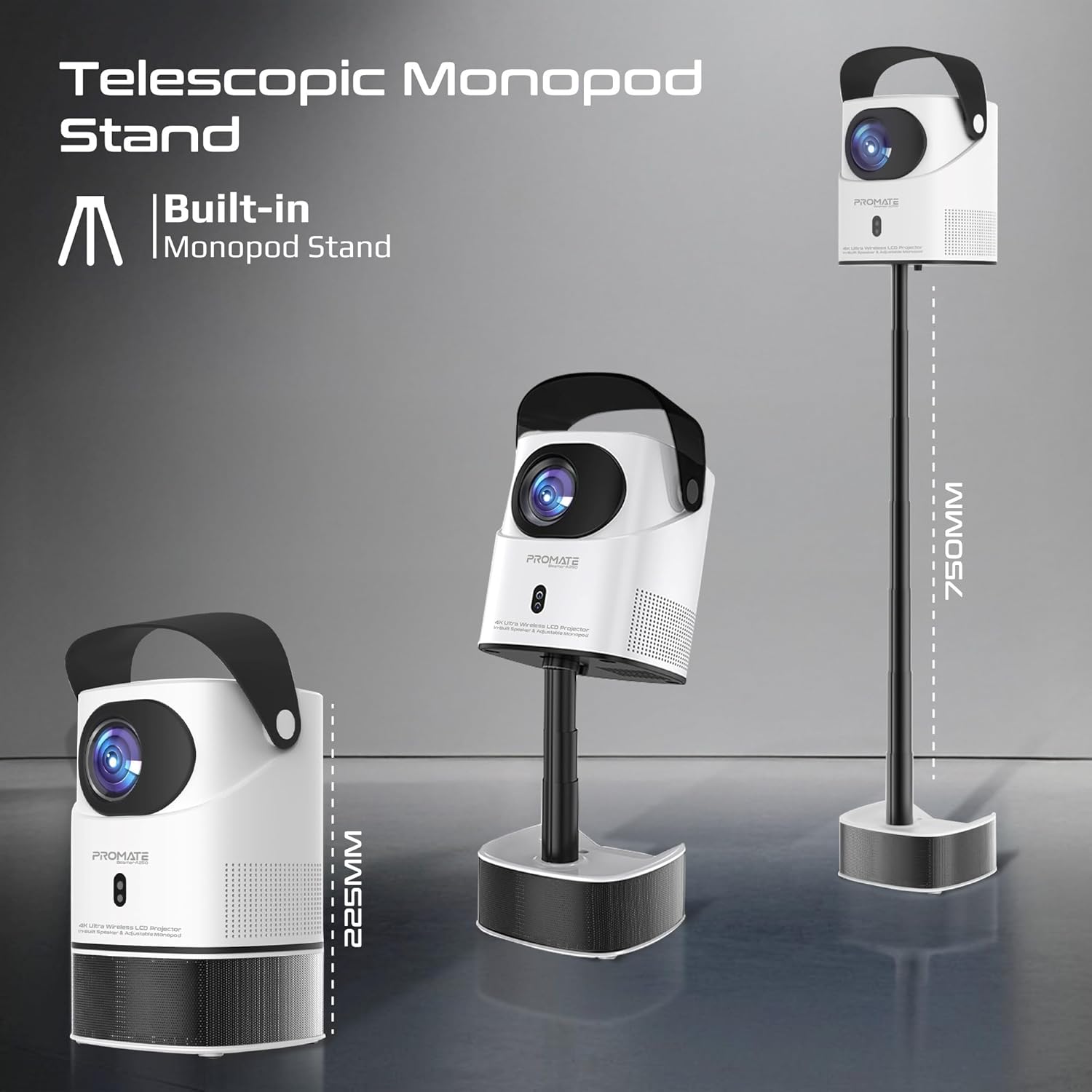
Image: The Promate Beamer-A250 projector demonstrating its adjustable telescopic monopod stand.
5. Stiùireadh Obrachaidh
5.1. Suidheachadh Tùsail (Android 11)
Nuair a chuireas tu an cumhachd air an toiseach, lean na stiùiridhean air an sgrion gus:
- Tagh do chànan.
- Ceangail ri lìonra Wi-Fi.
- Log in with your Google account (optional, for app access).
- Atharraich roghainnean ceann-latha is ùine.

Image: The projector's interface showing the Android 11 home screen with streaming applications.
5.2. Fòcas agus Keystone Correction
The projector features automatic keystone correction and manual focus for a clear, rectangular image.
- Ceartachadh clach-iuchrach fèin-ghluasadach: The projector will automatically adjust the image angle to correct for distortion when placed at an angle.
- Fòcas làimhe: Use the focus ring on the projector lens or the remote control to fine-tune the image sharpness until it is perfectly clear.

Image: Visual representation of auto keystone correction and manual focus adjustment.
5.3. Roghainnean ceangail
The Beamer-A250 offers multiple ways to connect your devices:
- HDMI: Connect external devices like laptops, gaming consoles, or Blu-ray players using an HDMI cable. The projector supports 4K@30Hz input.
- USB: Insert a USB flash drive (up to 64GB) or an external hard drive (up to 512GB) into the USB port to play media files gu dìreach.
- Bluetooth: Pair Bluetooth speakers or headphones for enhanced audio. Navigate to Settings > Bluetooth to connect.
- Wi-Fi: Connect to your home Wi-Fi network to access online streaming services and apps.

Ìomhaigh: Cùl view of the projector showing USB and HDMI ports.
5.4. Toradh claisneachd
The projector has a built-in speaker. For external audio, use the Bluetooth connectivity feature to pair with your preferred audio devices.
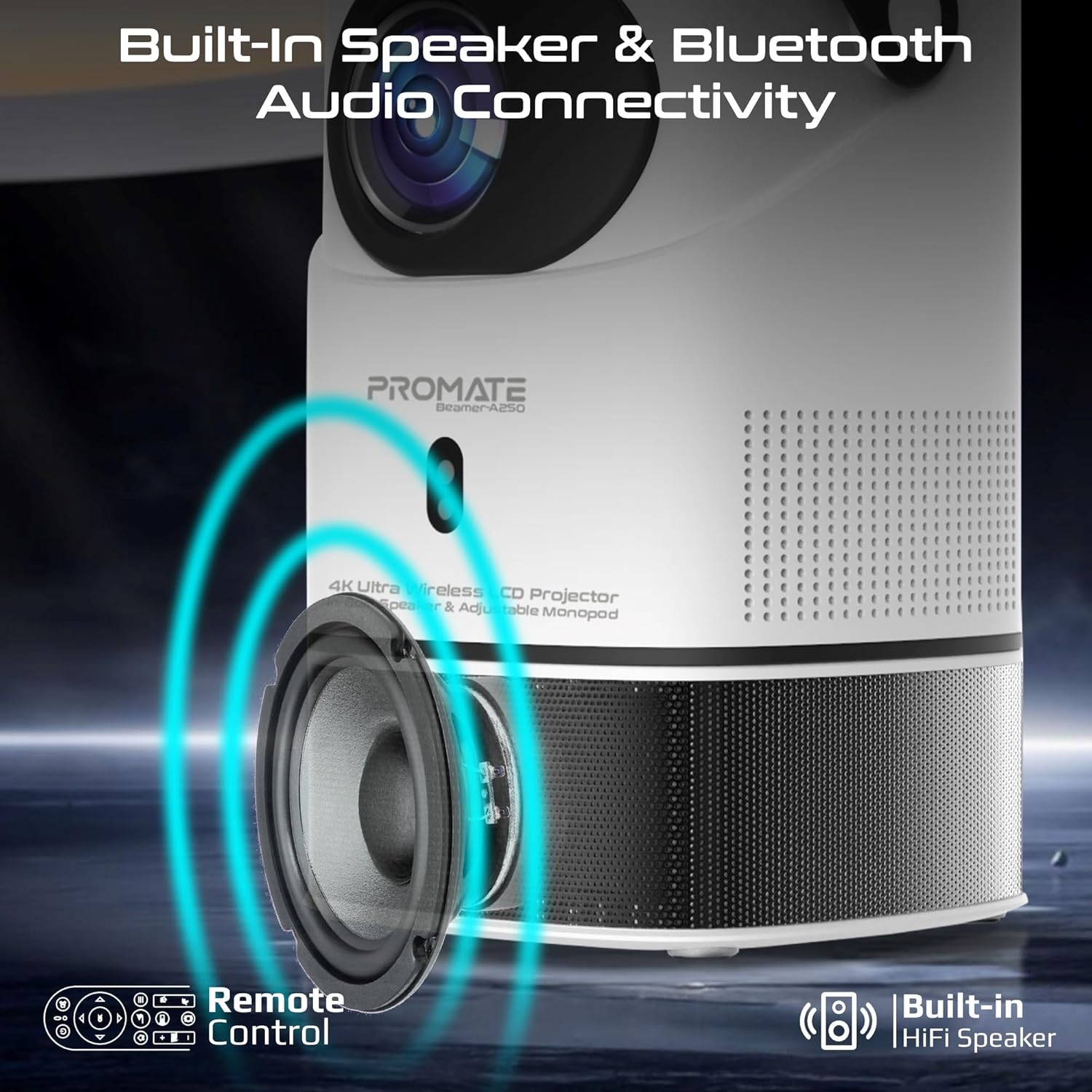
Image: Illustration of the projector's built-in speaker and Bluetooth audio capabilities.
6. Cumail suas
6.1. Glanadh an Lionsa
Cleachd clò bog, gun lint, a chaidh a dhealbhadh gu sònraichte airson lionsan optigeach, gus lionsa a’ phròiseictar a sguabadh gu socair. Seachain innealan-glanaidh sgrìobach no clòthan a chleachdadh a dh’ fhaodadh an lionsa a sgrìobadh.
6.2. Glanadh Coitcheann
Sguab taobh a-muigh a’ phròiseictar le clò bog, tioram. Na cleachd innealan-glanaidh leaghaidh no fuasglaidhean.
6.3. Stòradh
When not in use, store the projector in a cool, dry place away from direct sunlight and extreme temperatures. Use the integrated lens cover/handle for protection and easy transport.

Image: The projector's lens cover doubles as a handle for portability.
7. A ’dèanamh trioblaid
| Trioblaid | Adhbhar a dh’fhaodadh a bhith ann | Fuasgladh |
|---|---|---|
| Gun ìomhaigh air a taisbeanadh | Power not connected; Input source incorrect; Lens cap on | Check power connection; Select correct input source (HDMI, USB); Remove lens cap |
| Tha an ìomhaigh blurry | Focus not adjusted; Projector too close/far from screen | Adjust manual focus; Reposition projector within throw distance |
| Tha an ìomhaigh air a shaobhadh (cruth trapesoid) | Keystone not corrected | Ensure auto keystone correction is enabled or manually adjust in settings |
| Gun fhuaim | Volume too low; External audio device not connected/paired | Increase volume; Connect/pair Bluetooth audio device |
| Chan urrainn dhomh ceangal ri Wi-Fi/Bluetooth | Incorrect password; Device out of range; Interference | Verify password; Move closer to router/device; Reduce interference |
8. Sònrachaidhean
| Feart | Mion-fhiosrachadh |
|---|---|
| Brand | Brosnaich |
| Ainm Modail | Beamer-A250 |
| Teicneòlas taisbeanadh | LCD |
| Fuasgladh Dùthchasach | 3840 x 2160 (4K UHD) |
| Gile | 250 Lumens ANSI |
| Co-mheas coimeas | 2000:1 |
| Siostam-obrachaidh | Android 11 |
| Ceangalachd | Wi-Fi, Bluetooth 4.0, HDMI (4K@30Hz input), USB |
| USB Storage Support | Up to 64GB (Flash Drive), Up to 512GB (Hard Drive) |
| Meud Ìomhaigh | 2 to 10 meters (throw distance), Up to 150 inches (image size) |
| Meudan | 18L x 18W x 31H cm |
| Cuideam | 2.34 kg |
| Co-phàirtean air an toirt a-steach | User Manual, Power Adapter |
9. Barantas & Taic
The Promate Beamer-A250 projector comes with a two-year manufacturer's warranty. For warranty claims, technical support, or any inquiries, please contact Promate customer service through their official weblàrach no an neach-reic far an deach an toradh a cheannach.
10. Bhideothan Bathar
10.1. Proiseactair Tharview
Bhidio: Thar-shealladhview of a 4K Android projector, showcasing features like auto-focus, keystone correction, and screen mirroring. This video provides a general demonstration of similar projector functionalities.