
1. Ro-ràdh
The ORGBRO Z3 Bluetooth Thermal Label Printer is a versatile and portable device designed for efficient label creation. It supports a wide range of label sizes from 0.8 to 3.15 inches, making it suitable for various applications including home organization, small business needs, and office use. This manual provides detailed instructions to help you set up, operate, and maintain your label printer.
2. Pasgan-susbaint
Dèan cinnteach gu bheil na nithean gu lèir a tha air an liostadh gu h-ìosal air an toirt a-steach don phacaid agad:
- ORGBRO Z3 Label Printer
- Càball cosgais USB
- Stiùireadh Cleachdaiche
- Roll of Labels (1.97"x1.18" square labels)
- USB Flash Drive (for PC drivers)
3. Toradh thallview
Familiarize yourself with the physical components and controls of your ORGBRO Z3 Label Printer.
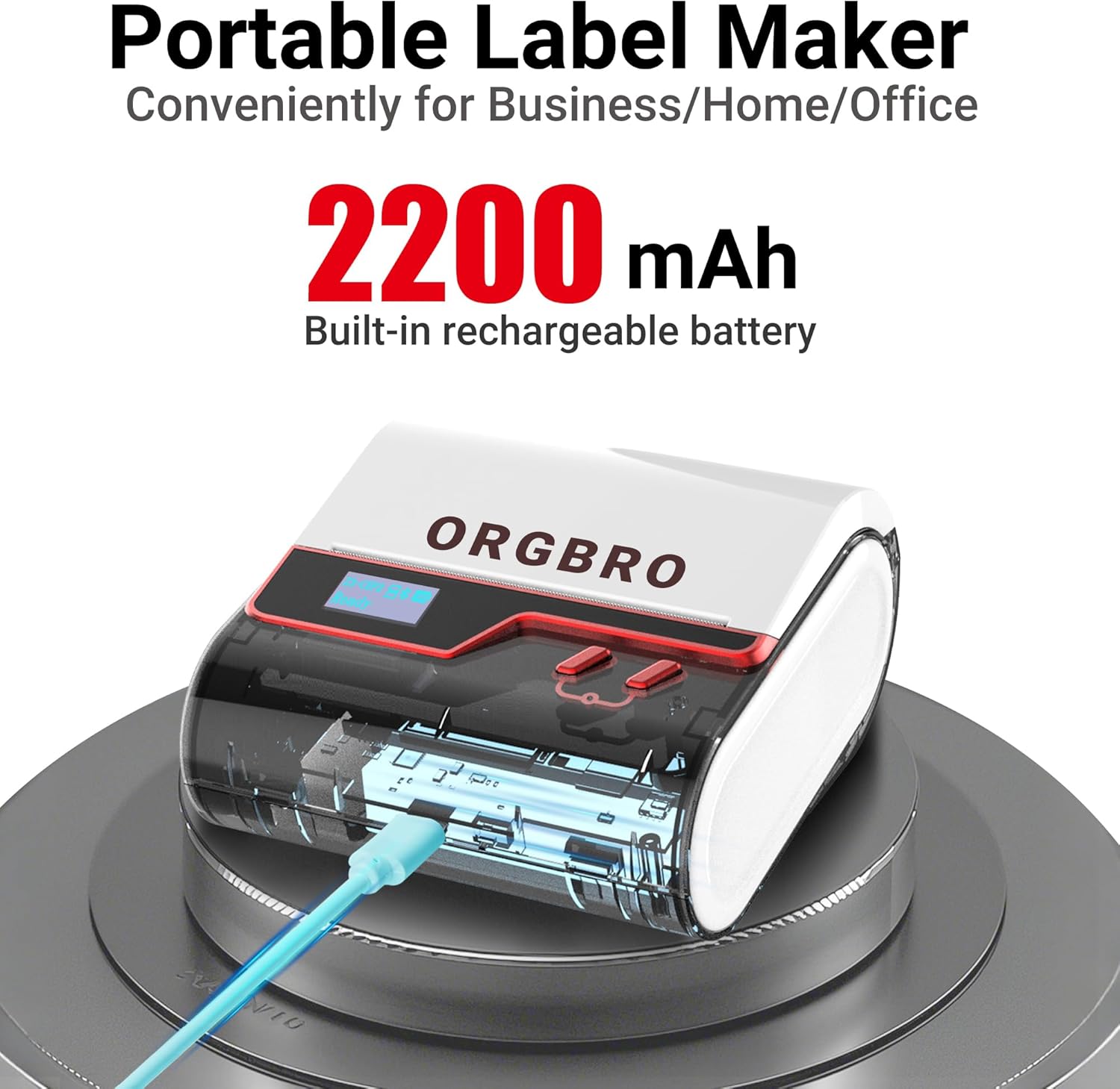
The ORGBRO Z3 Label Maker features a portable design with a built-in 2200mAh rechargeable battery, ensuring long-lasting use on the go.
The device includes a power button, an open cover button for loading labels, and a charging port. An LED screen displays essential information such as battery life, Bluetooth status, and print progress.
4. Prìomh fheartan
- Versatile Label Compatibility: Supports labels from 0.8 to 3.15 inches wide, including square, round, transparent, and file bileagan.
- Clò-bhualadh de chàileachd àrd: Achieves crisp 203dpi resolution at speeds up to 50mm/s, ensuring clear text, graphics, and barcodes without smudging.
- Clò-bhualadh teirmeach gun inc: Utilizes thermal printing technology, eliminating the need for ink or toner cartridges.
- Bataraidh a mhaireas fada: Equipped with a 2200mAh rechargeable battery, providing up to 4 weeks of runtime on a single charge.
- Amalachadh Aplacaid Ghlic: Connects via Bluetooth to the free '4BarCode' app (Android/iOS) or via USB to computers (Windows/Mac/Chrome OS/Linux) for label customization.
- Bileagan gnàthaichte: The '4BarCode' app offers over 80 fonts, 150+ frames, 670+ icons, and allows importing images for personalized labels.

The ORGBRO Z3 supports a wide range of label paper widths, from 0.78 to 3.15 inches, accommodating various label styles for diverse applications.

Experience fast and clear printing with the ORGBRO Z3, capable of producing up to 52 labels per minute with a crisp 203 DPI resolution.

The ORGBRO Z3 is ideal for various business applications, including creating shipping labels, product labels, QR codes, and clothing tags.

Organize your home efficiently with the ORGBRO Z3, perfect for labeling kitchen canisters, storage bins, and other household items.
5. Stiùirich rèiteachaidh
5.1. A 'cur cosgais air an inneal
Before first use, fully charge the ORGBRO Z3 Label Printer using the provided USB cable. Connect the cable to the charging port on the device and a compatible USB power source. The LED screen will indicate charging status.
5.2. A 'luchdachadh Labels
- Press the open cover button on the side of the printer to open the top cover.
- Insert the roll of thermal labels into the compartment, ensuring the printing side faces upwards and the label edge is aligned with the print head.
- Dùin am mullach còmhdach gu daingeann gus an cliog e na àite.
5.3. Stàladh is Ceangal an Aplacaid
The ORGBRO Z3 can be connected via Bluetooth to your smartphone or via USB to your computer.
5.3.1. Smartphone Connection (Bluetooth)
- Download the free '4BarCode' app from your device's app store (available for Android and iOS).
- Dèan cinnteach gu bheil Bluetooth air a chomasachadh air an fhòn-smart agad.
- Power on the ORGBRO Z3 Label Printer.
- Open the '4BarCode' app and follow the on-screen instructions to connect to your printer via Bluetooth. The printer's name (e.g., Z3-XXXX) should appear in the app's device list.
5.3.2. Computer Connection (USB)
- Connect the ORGBRO Z3 Label Printer to your computer using the provided USB cable.
- Install the necessary drivers from the included USB flash drive or download them from the official ORGBRO weblàrach.
- Follow the installation prompts to complete the driver setup.

The ORGBRO Z3 supports seamless connection to both phones (Android/iOS via Bluetooth) and computers (Windows/Mac/Chrome OS/Linux via USB).
6. Stiùireadh Obrachaidh
Once connected, you can start creating and printing labels.
6.1. Creating Labels (Using '4BarCode' App)
- Open the '4BarCode' app on your smartphone.
- Select 'Create' to start a new label project.
- Choose your desired label size and orientation.
- Use the app's tools to add text, icons, images, barcodes, or QR codes. You can customize fonts, sizes, and styles.
- Arrange elements on the label canvas as needed.
6.2. Clò-bhualadh Labels
- After designing your label, tap the 'Print' button in the app.
- Review an ro-chlò-bhualadhview to ensure the layout is correct.
- Adjust printing density or number of copies if necessary.
- Confirm the print command. The label will be printed from the device.
- Gently tear off the printed label along the serrated edge.

The '4BarCode' app provides multiple labels and templates, along with extensive customization options including over 80 fonts, 150+ frames, and 670+ icons.
7. Sònrachaidhean
| Feart | Mion-fhiosrachadh |
|---|---|
| Meadhanan Clò-bhualaidh | Pàipear Teirmeach |
| Comas duilleag cuir a-steach as àirde | 230 duilleagan |
| Astar lethbhreac as àirde (dubh is geal) | 2 ppm |
| Fuasgladh Clò-bhualaidh as àirde | 203 dpi |
| Sheet Size (Included) | 1.97 òirleach (leud) |
| Meud as motha de na meadhanan | 3.15 òirleach (leud) |
| Clò-bhualadh dà-thaobhach | Chan eil (Simplex) |
| Eadar-aghaidh bathar-cruaidh | USB |
| Teicneòlas ceangail | Bluetooth, USB |
| Feart sònraichte | So-ghiùlain |
| Toradh Clò-bhualadair | Monochrome |
| Cuideam nì | 1.21 not (0.55 cileagram) |
| Meudan toraidh | 4.42 x 4.42 x 2.41 òirleach |
| Bataraidhean | 1 AA batteries required (included) - 2200mAh rechargeable |
8. Cumail suas
- Glanadh: Regularly clean the print head with a soft, lint-free cloth moistened with isopropyl alcohol. Ensure the device is powered off before cleaning.
- Stòradh: Stòraich am clò-bhualadair ann an àite fionnar, tioram air falbh bho sholas dìreach na grèine agus teòthachd anabarrach.
- Cùram Bataraidh: Gus beatha a’ bhataraidh a leudachadh, seachain a bhith ga leigeil às gu tur gu tric. Cuir cosgais air an inneal gu cunbhalach, eadhon ged nach eilear ga chleachdadh airson ùine mhòr.
- Rolagan leubail: Use only high-quality thermal label rolls compatible with the ORGBRO Z3 to ensure optimal print quality and prevent damage to the print head.
9. A ’dèanamh trioblaid
- Clò-bhualadair gun cheangal:
- Dèan cinnteach gu bheil am clò-bhualadair air agus gu bheil e làn-luchdaichte.
- Verify Bluetooth is enabled on your device and the '4BarCode' app has permission to use it.
- For USB connection, ensure drivers are correctly installed and the cable is securely connected.
- Try restarting both the printer and your connecting device.
- Càileachd clò truagh:
- Check if the label roll is inserted correctly with the printing side facing up.
- Glan ceann a’ chlò-bhualaidh mar a tha air a mhìneachadh san earrann Cumail suas.
- Adjust the printing density settings in the '4BarCode' app.
- Ensure you are using compatible thermal labels.
- Leubail nach eil gan biathadh gu ceart:
- Ensure the label roll is properly seated and not jammed.
- Thoir sùil airson bacadh sam bith ann an slighe an leubail.
- Verify the label width is within the supported range (0.8-3.15 inches).
10. Barantas agus Taic
ORGBRO products are designed for reliability and performance. For warranty information, technical support, or service inquiries, please refer to the contact details provided in your product packaging or visit the official ORGBRO weblàrach. Cùm do chuidhteas ceannach mar dhearbhadh ceannach airson tagraidhean barantais.