1. Ro-ràdh
The CrossBeats Hawk Gaming TWS in-Ear Buds are designed to provide an immersive audio experience for gaming and music. Featuring ultra-low latency, dynamic RGB lighting, and environmental noise cancellation, these earbuds offer high-performance audio and clear communication. This manual provides detailed instructions for setup, operation, and maintenance to ensure optimal use of your device.
2. Dè tha sa bhogsa
- CrossBeats Hawk Gaming TWS Earbuds
- Charging Case with Type-C Dongle
- Càball cosgais USB
- Leabhar-làimhe cleachdaiche
- Cluasagan-cluaise (diofar mheudan)
- Cairt Barantais
3. Toradh thallview
Familiarize yourself with the components and features of your CrossBeats Hawk earbuds.
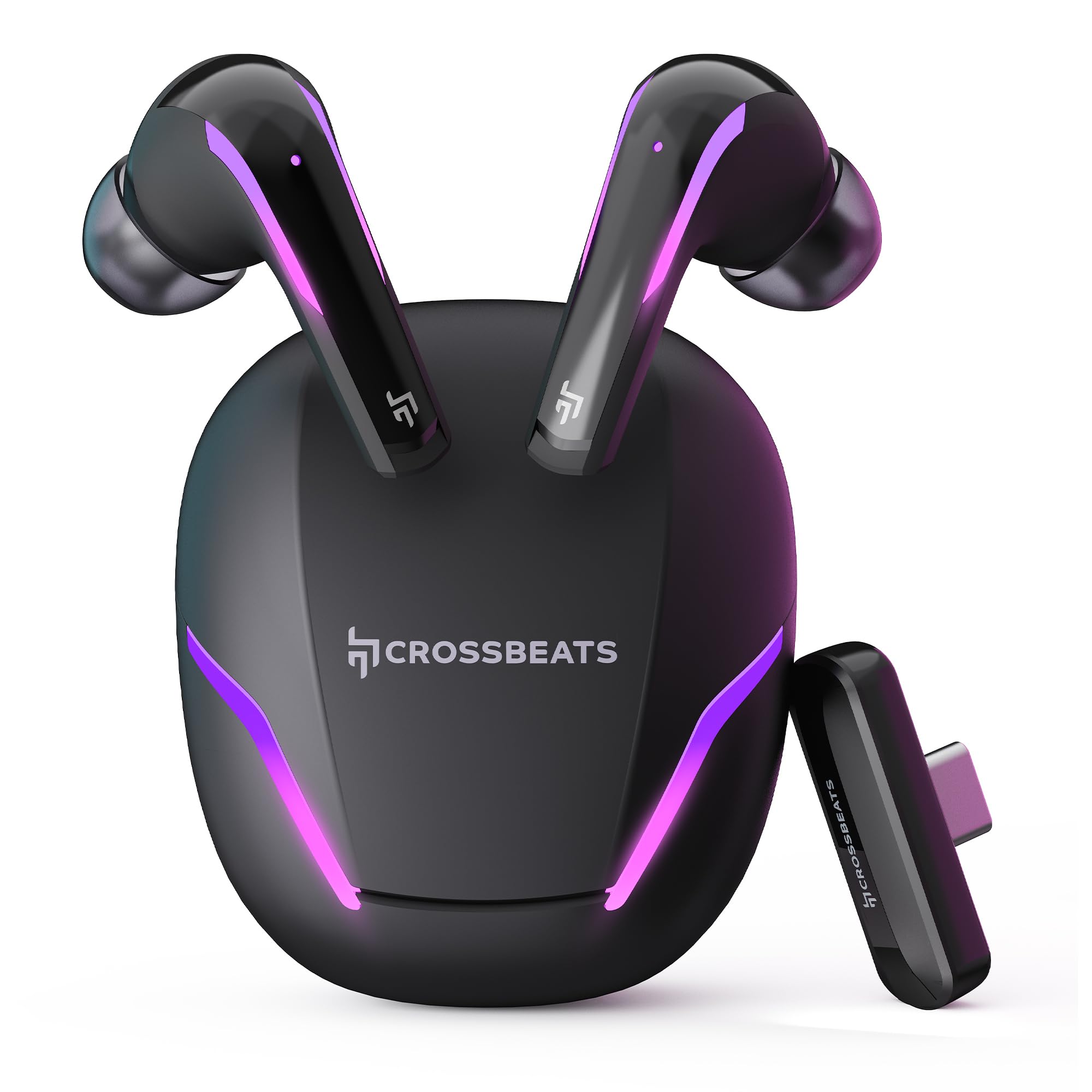
Figure 1: CrossBeats Hawk Gaming TWS Earbuds and Charging Case with highlighted features.
3.1 Charging Case and Dongle

Figure 2: The 2.4G Type C Dongle for direct connection to compatible devices.
3.2 Earbud Design and Features

Figear 3: Taobh a-staigh view of an earbud showcasing the 14mm Titanium Driver.

Figure 4: Earbud with Dedicated Gaming DSP for optimized audio processing.

Figure 5: Earbud with AI Environmental Noise Cancellation (ENC) for clear calls.

Figure 6: Illustration of Music Mode and Gaming Mode.
4. Suidhich
4.1 Paidhreachadh Bluetooth tùsail
- Dèan cinnteach gu bheilear a’ cur cosgais air na earbuds.
- Open the charging case. The earbuds will automatically enter pairing mode, indicated by flashing RGB lights.
- Air an inneal agad (fòn cliste, tablet, laptop), rach gu roghainnean Bluetooth agus cuir Bluetooth air.
- Lorg airson available devices and select "CrossBeats Hawk" from the list.
- Aon uair ‘s gu bheil iad ceangailte, nochdaidh na fònaichean-cluaise gu bheil iad air am paidhreachadh gu soirbheachail.
4.2 Connecting via Type-C Dongle (2.4GHz Wireless)
For ultra-low latency gaming, use the included Type-C dongle.
- Remove the Type-C dongle from its slot in the charging case.
- Plug the dongle into the Type-C port of your compatible gaming device (smartphone, tablet, PC, console).
- The earbuds will automatically connect to the dongle, entering dedicated Game Mode.
- Ensure your device's audio output is set to the dongle if necessary.
Video 1: Demonstration of connecting the Type-C dongle to a smartphone and launching a mobile game, showcasing the seamless integration for gaming.
5. Stiùireadh Obrachaidh
5.1 Cumhachd air / dheth
- Cumhachd air: Fosgail a’ chùis cosgais, no thoir na fònaichean-cluaise a-mach às a’ chùis. Tionndaidh iad air gu fèin-ghluasadach.
- Cumhachd dheth: Cuir na cluasan-cluaise air ais anns a’ chùis cosgais agus dùin am mullach. Cuiridh iad dheth gu fèin-ghluasadach.
Video 2: Visual guide on opening the CrossBeats Hawk charging case, removing the earbuds, and observing the dynamic RGB lighting effects.
5.2 Smachdan suathadh
The CrossBeats Hawk earbuds feature touch controls for various functions:
- Cluich / Stad: Tap singilte air gach earbud.
- An ath cheum: Tap dà uair air a’ chluas-cinn dheas.
- Rian roimhe: Tap dà uair air a’ chluas-cinn chlì.
- Freagairt/Cuireadh Call: Tap singilte air gach earbud.
- Call a dhiùltadh: Brùth agus cum an dàrna cuid earbud airson 2 dhiog.
- Cuir an gnìomh neach-taic guth: Tap trì tursan air gach cluais-fòn.
- Switch EQ Mode (Music/Gaming): Brùth agus cum an earbud cheart airson 2 dhiog.
5.3 Switching EQ Modes
The earbuds support two Equalizer (EQ) modes: E-Sports (Gaming) and Music. To switch between modes, press and hold the right earbud for 2 seconds. A voice prompt will confirm the mode change.
6. Gaming Mode with Dongle
The dedicated Game Mode, activated via the Type-C dongle, provides ultra-low latency (under 10ms) for a synchronized audio and video experience, crucial for competitive gaming.

Figure 7: Ultra-low latency for instant action in gaming.

Figure 8: Sonic-Link Technology for high-speed wireless connection.
When the dongle is connected, the earbuds prioritize the 2.4GHz wireless connection for minimal audio delay. This mode is ideal for fast-paced games where audio cues are critical.
7. A 'cur cosgais
To charge the CrossBeats Hawk earbuds and charging case:
- Cuir an dà chluas-cinn anns a’ chùis cosgais. Dèan cinnteach gu bheil iad nan suidhe gu ceart.
- Ceangail an càball cosgais USB Seòrsa-C a tha air a thoirt seachad ris a’ phort cosgais air a’ chùis agus ri stòr cumhachd.
- The RGB lights on the case will indicate charging status. A full charge takes approximately 2 hours.
- The earbuds offer up to 10 hours of listening time on a single charge, with the charging case extending total playtime to 100 hours.

Figure 9: Charging case and earbuds illustrating extended battery life.
8. Cumail suas
Gus dèanamh cinnteach gum mair na fònaichean-cluaise agad fad-beatha agus gum bi iad ag obair gu math:
- Glanadh: Glan na cluasan-cluaise agus a’ chùis cosgais gu cunbhalach le clò bog, tioram, gun lint. Na cleachd ceimigean cruaidh no stuthan sgrìobach.
- Molaidhean cluas: Thoir air falbh agus glan na cinn-cluaise bho àm gu àm. Dèan cinnteach gu bheil iad gu tur tioram mus cuir thu iad air ais.
- Luchd-fios cosgais: Keep the charging contacts on both the earbuds and the case clean and free of debris.
- Stòradh: Nuair nach eilear gan cleachdadh, stòraich na fònaichean-cluaise anns a’ chùis cosgais aca gus an dìon agus an cumail fo chasaid.
- Seasmhachd uisge: Tha na cluasan-cluaise dìonach an aghaidh uisge, ach chan eil iad dìonach an aghaidh uisge. Seachain an cur ann an uisge no an nochdadh do dh’uisge throm. Tiormaich iad gu mionaideach ma dh’fhàsas iad fliuch.
9. A ’dèanamh trioblaid
If you encounter issues with your CrossBeats Hawk earbuds, refer to the following common solutions:
- Gun fhuaim/ceangal:
- Dèan cinnteach gu bheilear a’ cur cosgais air fònaichean-cluaise agus air an cur air.
- Check Bluetooth settings on your device and ensure "CrossBeats Hawk" is connected.
- If using the dongle, ensure it is securely plugged in and your device's audio output is directed to the dongle.
- Try resetting the earbuds by placing them in the case, closing the lid for 10 seconds, then reopening.
- Fòn-cluaise nach eil a’ togail cosgais:
- Dèan cinnteach gu bheil an càball cosgais ceangailte gu tèarainte ris a’ chùis agus ris an stòr cumhachd.
- Verify the charging contacts on the earbuds and case are clean.
- Feuch càball cosgais no inneal-atharrachaidh cumhachd eadar-dhealaichte.
- Low Latency Issues:
- Ensure you are using the Type-C dongle for Game Mode. Bluetooth connection will have higher latency.
- Minimize interference by staying close to your device.
- Cùisean Micreofon:
- Dèan cinnteach nach eil bacadh air na microfònan.
- Check your device's audio input settings to confirm the earbuds are selected.
10. Sònrachaidhean
| Feart | Sònrachadh |
|---|---|
| Ainm Modail | Hawk (CB-Hawk) |
| Teicneòlas ceangail | Wireless (Bluetooth 5.4, 2.4GHz Dongle) |
| Tionndadh Bluetooth | 5.4 |
| Raon Bluetooth | 10 Meatairean |
| Seòrsa fuaim driver | Draibhear Fiùghantach Titanium 14mm |
| Laideachd | Ultra Low <10ms (with Dongle) |
| Micreofon | 6 (4 with AI ENC) |
| Beatha bataraidh | Suas ri 100 uairean (le cùis cosgais) |
| Ùine cosgais | 2 Uairean |
| Smachd fuaim | Sound Isolation, AI ENC |
| Seòrsa smachd | Smachd-suathaidh |
| Ìre an aghaidh uisge | Frith-uisge |
| Cuideam nì | 48 gram |
| Stuth | Plastaig |
| Feartan sònraichte | RGB Lights, AI ENC, Ultra-Low Latency Gaming Mode, Water Resistance |
11. Barantas agus Taic
Your CrossBeats Hawk Gaming TWS in-Ear Buds come with a manufacturer's warranty. Please refer to the included Warranty Card for detailed terms and conditions. For technical support, product inquiries, or warranty claims, please contact CrossBeats customer service through their official weblàrach no am fiosrachadh conaltraidh a tha air a’ chairt barantais.