
Ro-ràdh
Thank you for choosing the Ensenior 52 Inch Smart Ceiling Fan with Light. This manual provides detailed instructions for the safe installation, operation, and maintenance of your new ceiling fan. Please read this manual thoroughly before installation and keep it for future reference.
Bhidio: Tharview of the Ensenior 52 Inch Smart Ceiling Fan with Light, showcasing its features and design in a living space.
Stàladh agus stàladh
This ceiling fan is designed for easy installation. Follow the steps below carefully. Professional installation is recommended if you are unsure about any part of the process.
Beachdachaidhean ro-stàladh
- The fan includes 6-inch and 10-inch downrods to accommodate various ceiling heights.
- It supports angled mounts for sloped ceilings up to 10 degrees.
- Dèan cinnteach gum faod an t-àite stàlaidh cuideam an neach-leantainn a ghiùlan (timcheall air 12.97 not).
Ceumannan Stàladh
- Install the Hanger Bracket: Securely attach the hanger bracket to your ceiling's electrical box. Ensure it is firmly mounted to a structural beam.
- Cuir ri chèile pàirtean an luchd-leantainn: Attach the downrod to the motor housing. Feed the wires through the downrod.
- Stàlaich lannan luchd-leantainn: Secure each of the five fan blades to the motor housing using the provided screws. The blades are reversible, offering a choice between a dark wood grain and a solid black finish.
- Stàlaich an solas LED: Connect the LED light module to the fan's wiring and secure it to the bottom of the motor housing.
- Uèirich an Fan: Connect the fan's electrical wires to your household wiring according to local electrical codes. Ensure all connections are secure.
- Croch an uidheam: Carefully lift the fan assembly and hang it onto the installed hanger bracket. Secure the canopy to cover the wiring.

Image: Step-by-step visual guide for installing the Ensenior 52 Inch Smart Ceiling Fan.
Video: Detailed installation guide for the Ensenior 52 Inch Smart Ceiling Fan.

Image: Downrod options and sloped ceiling compatibility for installation.

Image: Reversible fan blades, allowing choice between dark wood grain and black finishes.
Stiùireadh Obrachaidh
Your Ensenior Smart Ceiling Fan offers multiple convenient control methods to enhance your comfort.
Dòighean smachd
- Smachd air astar: Use the included remote for direct control over fan speeds, light settings, and timer functions.
- Smachd App Smart: Connect the fan to the Smartlife/Tuya app (2.4GHz Wi-Fi required) for comprehensive control from your smartphone or tablet.
- Smachd guth: Integrate with Alexa or Google Assistant for hands-free operation. Simply say, "Alexa, turn on the fan."

Image: Three ways to control your smart ceiling fan: App, Alexa, and Remote.
Video: Demonstrates the various control options for the Ensenior Ceiling Fan, including remote, app, and voice commands.
Gnìomhan Luchd-leantainn
- 6-Speed Reversible DC Motor: Adjust airflow with six fan speeds. The reversible motor allows for downdraft (cooling in summer) and updraft (circulating warm air in winter) modes.
- Obrachadh sàmhach: The DC motor operates at less than 35dB, ensuring a quiet environment.

Image: Fan speed settings and reversible motor function for year-round comfort.
Feartan solais
- Teòthachd dath a ghabhas atharrachadh: Choose from 3000K (warm white), 4000K (natural white), and 6000K (clear white) to set the desired ambiance.
- Soilleireachd dimmable: Adjust the light brightness from 1% to 100% (2500 lumens) to suit your needs.
- Gnìomh cuimhne aotrom: The fan remembers your last light setting when turned off and on.
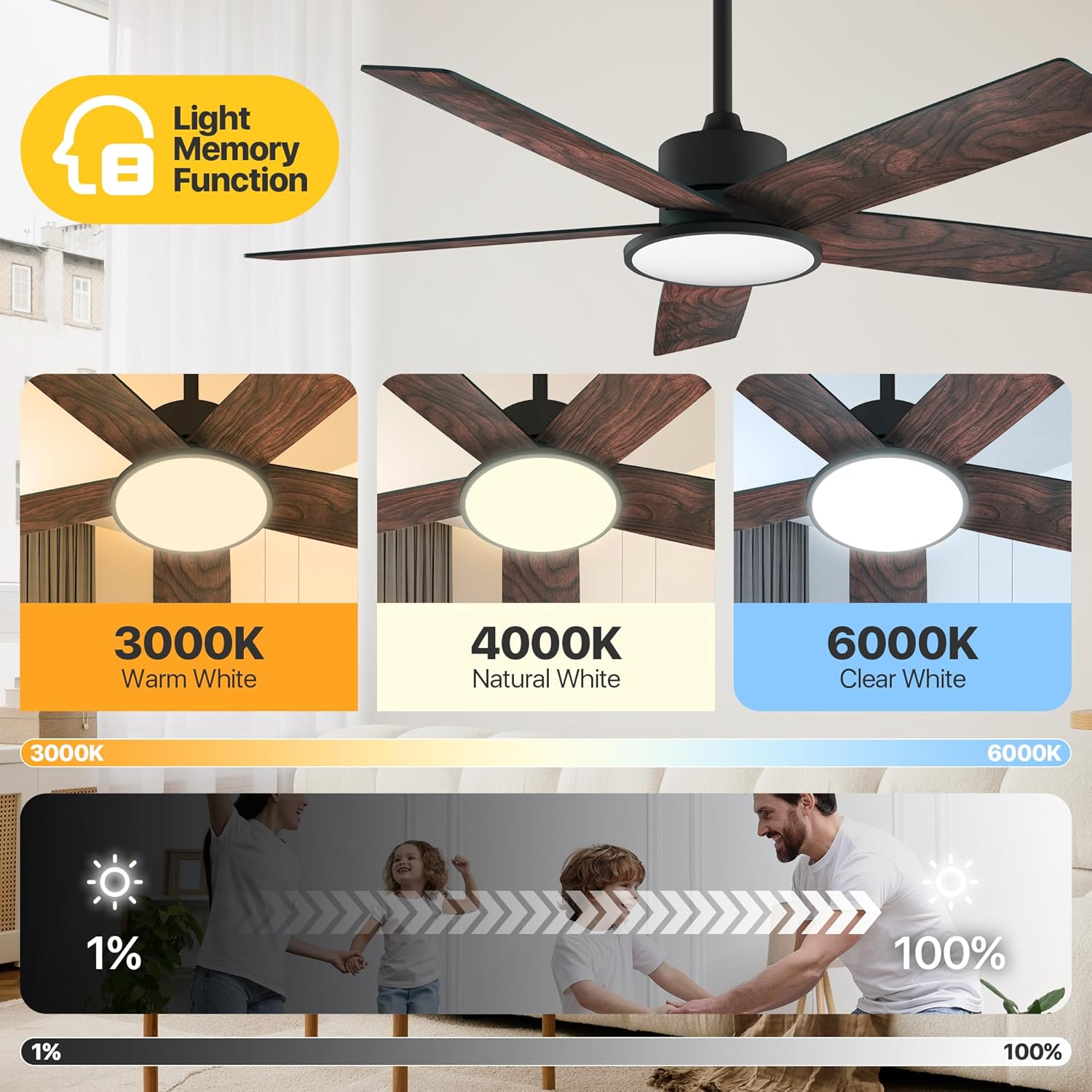
Image: Adjustable color temperatures and dimmable brightness for the integrated LED light.
Suidheachadh timer
Utilize the timer function via the remote or app to schedule fan and light operation, promoting energy efficiency and convenience.

Image: App interface for setting the fan's timer and illustrating quiet operation.
Cumail suas
Bidh cumail suas cunbhalach a’ dèanamh cinnteach à coileanadh as fheàrr agus fad-beatha an neach-leantainn mullaich agad.
- Glanadh: Sguab às lannan an luchd-leantainn agus taigheadas a’ motair bho àm gu àm le clò bog, tioram.amp clò. Seachain innealan-glanaidh sgrìobach a chleachdadh a dh’ fhaodadh milleadh a dhèanamh air a’ chrìochnachadh.
- Teannachd lann: Check blade screws annually to ensure they are secure. Loose blades can cause wobbling and noise.
- Stòr solais: The integrated LED light module is designed for long-term use and typically does not require replacement.
Fuasgladh thrioblaidean
If you encounter issues with your fan, refer to the following common solutions:
| Trioblaid | Adhbhar a dh’fhaodadh a bhith ann | Fuasgladh |
|---|---|---|
| Chan eil fan a 'tòiseachadh | No power supply; Loose wiring; Remote/App not paired. | Check circuit breaker; Verify all wire connections; Re-pair remote/app. |
| Fan a’ suathadh | Sgriothan lann sgaoilte; Lannan neo-chothromach; Bracaid sreap sgaoilte. | Tighten all blade screws; Use balancing kit (if included); Ensure mounting bracket is secure. |
| Chan eil solas ag obair | Loose light wiring; Faulty LED module. | Check light connections; Contact customer support if LED module is faulty. |
| Remote nach eil ag obair | Dead batteries; Remote not paired. | Replace batteries; Re-pair the remote with the fan. |
Ma mhaireas an duilgheadas às dèidh dhut na fuasglaidhean seo fheuchainn, cuir fios gu taic luchd-cleachdaidh.
Sònrachaidhean
Detailed technical specifications for the Ensenior 52 Inch Smart Ceiling Fan.
| Feart | Mion-fhiosrachadh |
|---|---|
| Brand | Ensenior |
| Ainm Modail | Fan mullach le solas |
| Àireamh Modail Nì | ZF2-52-5Y-SM |
| Meud | 52 Inch |
| Meudan toraidh | 51.97"D x 51.97"W x 17.99"H |
| Cuideam nì | 12.97 not |
| Àireamh de lannan | 5 |
| Seòrsa motair | DC |
| An àireamh de ìrean cumhachd | 6 |
| Comas Sruth Adhair | 5500 troighean ciùbach gach mionaid |
| Ìre fuaim | 35 Deicibeil |
| Dètage | 33 watt |
| Modh smachd | App, Iomallach, Guth |
| Feartan sònraichte | App Operable, LED Light, Quiet Reversible DC Motor, Remote Controlled, Timer |
| Teòthachd dath aotrom | 3000K-6000K Dimmable LED |
| Co-phàirtean air an toirt a-steach | Kit aotrom |
| Cleachdadh a-staigh / a-muigh | A-staigh |
| Seòrsa stàladh | Sliabh mullach |
| Stòr cumhachd | AC/DC |
| UPC | 769044681834 |

Image: Product dimensions and recommended room size for the 52-inch fan.

Image: Benefits of the high-efficiency DC motor, including energy savings and quiet operation.
Barantas agus Taic
The Ensenior 52 Inch Smart Ceiling Fan is backed by a Barantas 3-bliadhna. For any questions, technical assistance, or warranty claims, please contact our professional customer support team. Refer to your purchase documentation for specific contact details.