
Ro-ràdh
This manual provides essential information for the proper setup, operation, maintenance, and troubleshooting of your KTC H27T27 27-inch WQHD IPS Flat Monitor. Please read this manual thoroughly before using the product to ensure optimal performance and safety.
The KTC H27T27 monitor features a 27-inch WQHD (2560x1440) IPS panel with a 100Hz refresh rate, designed to deliver clear and detailed images with smooth motion. It includes FreeSync technology for enhanced visual fluidity during dynamic content. The IPS panel ensures vivid colors and wide viewing ceàrnan.

Figure 1: KTC H27T27 27-inch WQHD IPS Flat Monitor Front View
Suidhich
1. A' dì-phapadh
Carefully remove all components from the packaging. Ensure all items listed in the packing list are present and undamaged. Retain the original packaging for future transport or service needs.
2. Seasamh Seanadh
- Cuir am monitor aghaidh sìos air uachdar bog, glan gus casg a chur air sgrìoban.
- Ceangail bonn an t-seasamh ri amhach an t-seasamh a’ cleachdadh nan sgriothan a tha air an toirt seachad.
- Cuir an seasamh cruinnichte ris an t-sloc-shuidheachaidh air cùl a’ mhonatair agus daingnich gu daingeann e.
3. Stàladh VESA (Roghainneil)
The monitor supports VESA 100x100mm mounting. If using a VESA mount, remove the stand and attach the VESA compatible bracket to the monitor's rear panel using appropriate screws.
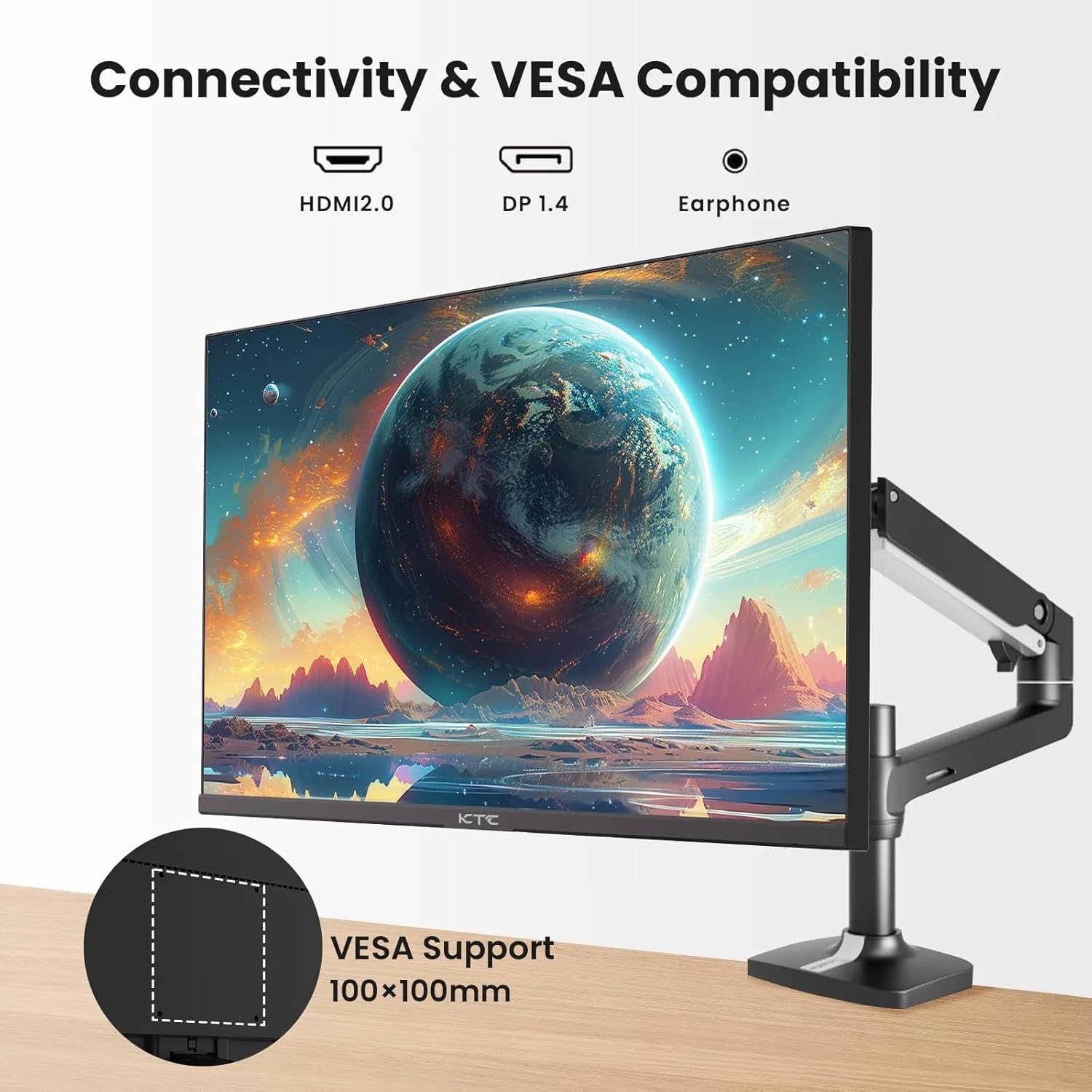
Figure 2: VESA Compatibility and Connectivity Ports
4. Ceangal Càbaill
Ceangail na càbaill riatanach ris a’ mhonatair agus ris a’ choimpiutair agad no innealan eile. Dèan cinnteach gu bheil a h-uile ceangal tèarainte.
- Càball cumhachd: Connect the power adapter to the monitor's DC input port, then plug the power cable into a power outlet.
- Càball Bhidio: Connect either an HDMI cable (HDMI 2.0) or a DisplayPort cable (DP 1.4) from your computer's graphics card to the corresponding input port on the monitor.
- Toradh claisneachd: If desired, connect headphones or external speakers to the 3.5mm audio output jack.

Figear 3: Puirt Ion-chuir Monitor
5. A’ chiad chumhachd air
Press the power button on the monitor. The power indicator light will illuminate. If no image appears, ensure your computer is powered on and the correct input source is selected on the monitor.
Ag obrachadh
1. Cumhachd air / dheth
Press the power button located on the monitor to turn it on or off. The power indicator will show the monitor's status.
2. Clàr-taice Taisbeanaidh On-Screen (OSD).
The OSD menu allows you to adjust various monitor settings. Use the control buttons (usually located on the back or bottom of the monitor) to navigate the menu.
- Press a button to activate the OSD menu.
- Cleachd na putanan seòlaidh gus gluasad tro roghainnean a’ chlàir-taice.
- Press a selection button to enter a sub-menu or confirm a setting.
- Press an exit button to close the OSD menu.
3. Suidhichidhean atharrachadh
Am measg nan roghainnean atharrachail cumanta tha:
- Gile / coimeas: Atharraich an soilleireachd iomlan agus an diofar eadar raointean soilleir is dorcha.
- Roghainnean dath: Atharraich teòthachd dath, gamma, agus luachan RGB fa leth.
- Tobar a-steach: Manually select between HDMI 1, HDMI 2, or DisplayPort inputs.
- Modh Dealbh: Select predefined display modes (e.g., Standard, Game, Movie).
4. Ìre Ùrachaidh
The KTC H27T27 supports a 100Hz refresh rate, providing smoother motion compared to standard 60Hz displays. Ensure your graphics card and operating system are configured to output at 100Hz for the best experience.

Figure 4: 100Hz Refresh Rate Benefit
5. FreeSync Technology
This monitor is compatible with AMD FreeSync technology, which synchronizes the monitor's refresh rate with your graphics card's frame rate. This helps eliminate screen tearing and stuttering for a smoother gaming and video experience. Ensure FreeSync is enabled in both the monitor's OSD menu and your graphics card's control panel.
Figure 5: FreeSync Technology in Action
Cumail suas
1. Glanadh an Sgrion
- Cuir dheth an monitor agus thoir air falbh an sreang cumhachd.
- Sguab an scrion gu socair le clò bog gun lint.
- Airson comharran stòlda, cuir beagan uisge orra.ampnigh an clò le uisge no le inneal-glanaidh sgrion sònraichte (na spraeadh gu dìreach air an sgrion).
- Seachain a bhith a’ cleachdadh innealan-glanaidh sgrìobach, deoch làidir, no fuasglaidhean stèidhichte air ammonia, oir faodaidh iad sin milleadh a dhèanamh air uachdar na sgrìn.
2. Cùram Coitcheann
- Cùm am monitor air falbh bho sholas dìreach na grèine, teas ro mhòr agus taiseachd.
- Dèan cinnteach gu bheil fionnarachadh iomchaidh timcheall air an monitor gus casg a chur air cus teasachadh.
- Seachain nithean troma a chur air an monitor no na càbaill aige.
Fuasgladh thrioblaidean
Ma thachras tu ri duilgheadasan leis an sgrìn agad, thoir sùil air na duilgheadasan agus na fuasglaidhean cumanta a leanas:
- Gun chumhachd:
- Ensure the power cable is securely connected to both the monitor and the power outlet.
- Verify the power outlet is functional. - Gun chomharradh:
- Check that the video cable (HDMI or DisplayPort) is securely connected to both the monitor and your computer.
- Ensure your computer is powered on and not in sleep mode.
- Select the correct input source via the monitor's OSD menu. - Ìomhaigh a’ priobadh no air a shaobhadh:
- Check the video cable for damage or loose connections.
- Adjust the refresh rate settings on your computer.
- Disable or enable FreeSync in the OSD menu and graphics card settings to test. - Dathan ceàrr:
- Reset color settings to factory defaults in the OSD menu.
- Adjust color temperature or individual RGB values.
Ma mhaireas an duilgheadas às dèidh dhut na fuasglaidhean seo fheuchainn, cuir fios gu taic luchd-cleachdaidh.
Sònrachaidhean
| Feart | Sònrachadh |
|---|---|
| Brand | CTC |
| Modail Àireamh | H27T27 |
| Meud sgrion | 27 òirlich |
| Fuasgladh | 2560 x 1440 (WQHD) |
| Ìre Ath-nuadhachaidh | 100 Hz |
| Seòrsa Taisbeanaidh | IPS |
| Àm Freagairt | 7 milliseconds |
| Adaptive Sync | FreeSync |
| Ceangalachd | 2x HDMI 2.0, 1x DisplayPort 1.4, 1x Toradh Fuaime 3.5mm |
| Co-mheas taobh | 1.78:1 |
| Uachdar na Sgrion | Mata |
| Meudan nì (D x W x H) | 1.85"D x 24.25"W x 14.33"H |
| Cuideam nì | 4 cileagram |
Barantas agus Taic
Fiosrachadh Barantais
This KTC monitor is covered by a manufacturer's warranty. Please refer to the warranty card included in your product packaging for specific terms, conditions, and duration of coverage. Keep your purchase receipt as proof of purchase for warranty claims.
Taic Luchd-cleachdaidh
For technical assistance, warranty service, or any product-related inquiries, please contact KTC customer support. Contact details can typically be found on the official KTC weban làrach no air a’ chairt barantais.
When contacting support, please have your monitor's model number (H27T27) and serial number ready.