
1. Ro-ràdh
This manual provides essential information for the proper use and care of your Yunseity R36PRO Handheld Game Console. The R36PRO is a portable gaming device featuring a 3.5-inch high-resolution screen, dual 3D joysticks, and a powerful RK3326 chipset, designed to support a wide range of retro emulator games. Please read this manual thoroughly before operating the device to ensure optimal performance and longevity.

Figure 1: Yunseity R36PRO Handheld Game Console overview. This image displays the console's front view with its screen showing a racing game, surrounded by other game screenshots in the background.
2. Suidhich
2.1 Fosgladh a’ bhogsa agus na pàirtean a tha air an toirt a-steach
Carefully unpack your Yunseity R36PRO Handheld Game Console. Verify that all components listed below are present.
- Yunseity R36PRO Handheld Game Console
- Leabhar-làimhe cleachdaiche (an sgrìobhainn seo)
- Càball cosgais (USB-A gu USB-C)
- Game Console Case
- Cairt-chuimhne (air a stàladh ro-làimh no air a ghabhail a-steach air leth)

Figure 2: Included accessories. This image shows the Yunseity R36PRO console, its USB charging cable, and the protective carrying case.
2.2 A’ cur cosgais air an inneal
Before first use, fully charge the console.
- Connect the small end of the charging cable (USB-C) to the charging port on the console.
- Connect the large end of the charging cable (USB-A) to a compatible USB power adapter (not included) or a computer's USB port.
- The charging indicator light will illuminate. A full charge typically takes approximately 2-3 hours.
- Aon uair ‘s gu bheil e làn-luchdaichte, faodaidh an solas comharrachaidh dath atharrachadh no tionndadh dheth. Dì-cheangail an càball cosgais.
2.3 Cuir a-steach a ’chairt cuimhne
The console requires a memory card to store games and system files. A memory card is typically included.
- Locate the TF card slot on the side of the console.
- Gently insert the memory card into the slot with the gold contacts facing down until it clicks into place.
- Gus a thoirt a-mach, brùth a’ chairt a-steach beagan gus an leum i a-mach.
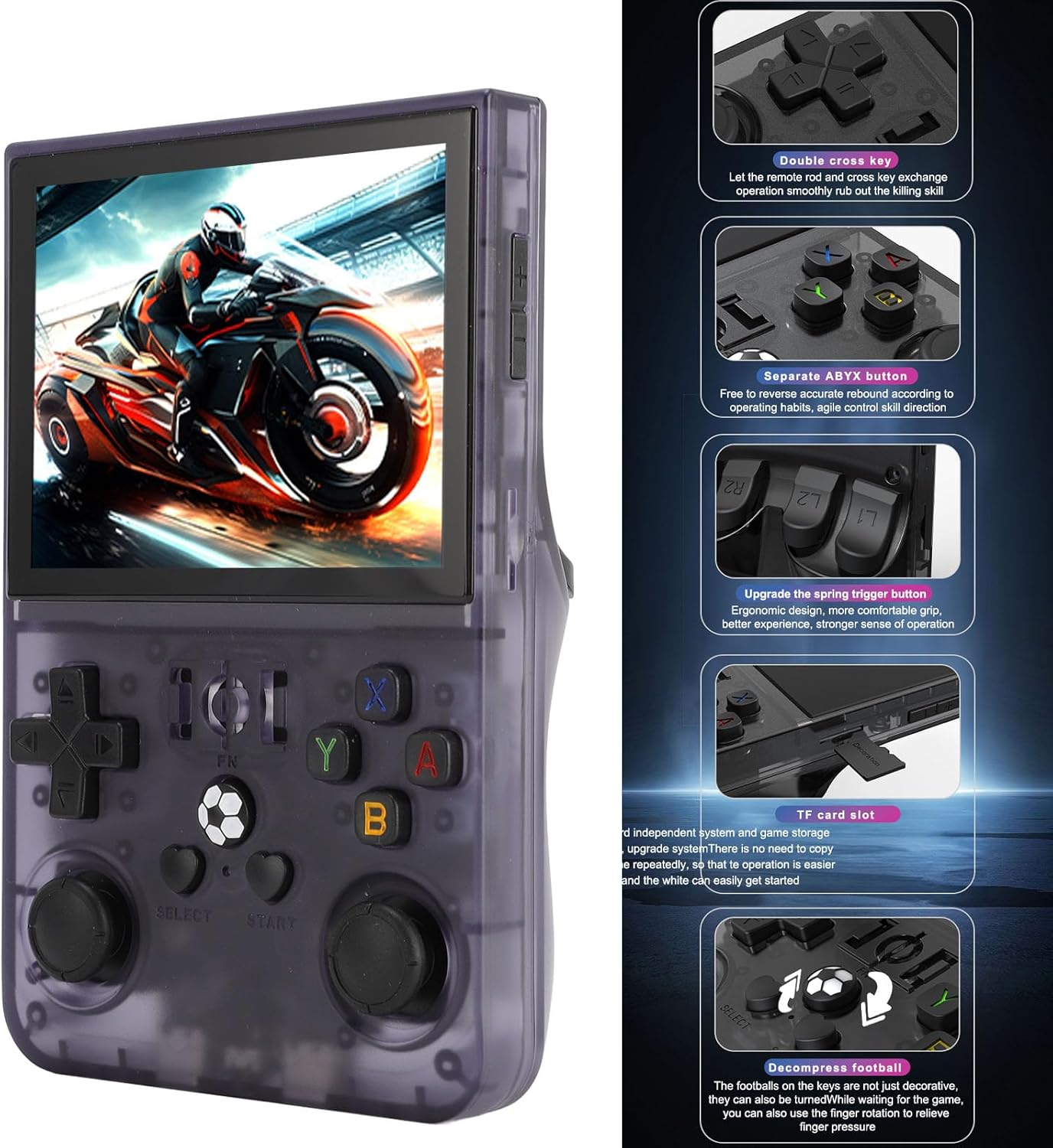
Figure 3: Console features and TF card slot location. This image highlights various buttons and the TF card slot on the side of the Yunseity R36PRO console.
2.4 A’ cur cumhachd air/dheth
- Gus cumhachd a thoirt air: Brùth is cum sìos am putan Cumhachd (mar as trice suidhichte air a’ mhullach no air an taobh) airson beagan dhiog gus an las an sgrion suas.
- Gus cumhachd a thoirt dheth: Press and hold the Power button until a power-off menu appears on the screen. Select "Power Off" or "Shutdown". Alternatively, a quick press may put the device into sleep mode.
3. Stiùireadh Obrachaidh
3.1 Smachdan thairisview
The Yunseity R36PRO features a standard set of gaming controls. Refer to Figure 3 for button locations.
- D-Pad (Pad Stiùiridh): For directional input in games and menu navigation.
- Dual 3D Joysticks: Analog input for precise movement and camera control in supported games.
- Putanan Gnìomh (A, B, X, Y): Primary action buttons for gameplay.
- L1/L2, R1/R2 (Shoulder/Trigger Buttons): Located on the top rear of the console, used for various in-game actions.
- Putanan TAIGH/TÒISICH: For in-game menus, pausing, or system functions.
- Putan FN: Function button, typically used for system-level shortcuts or emulator specific functions.
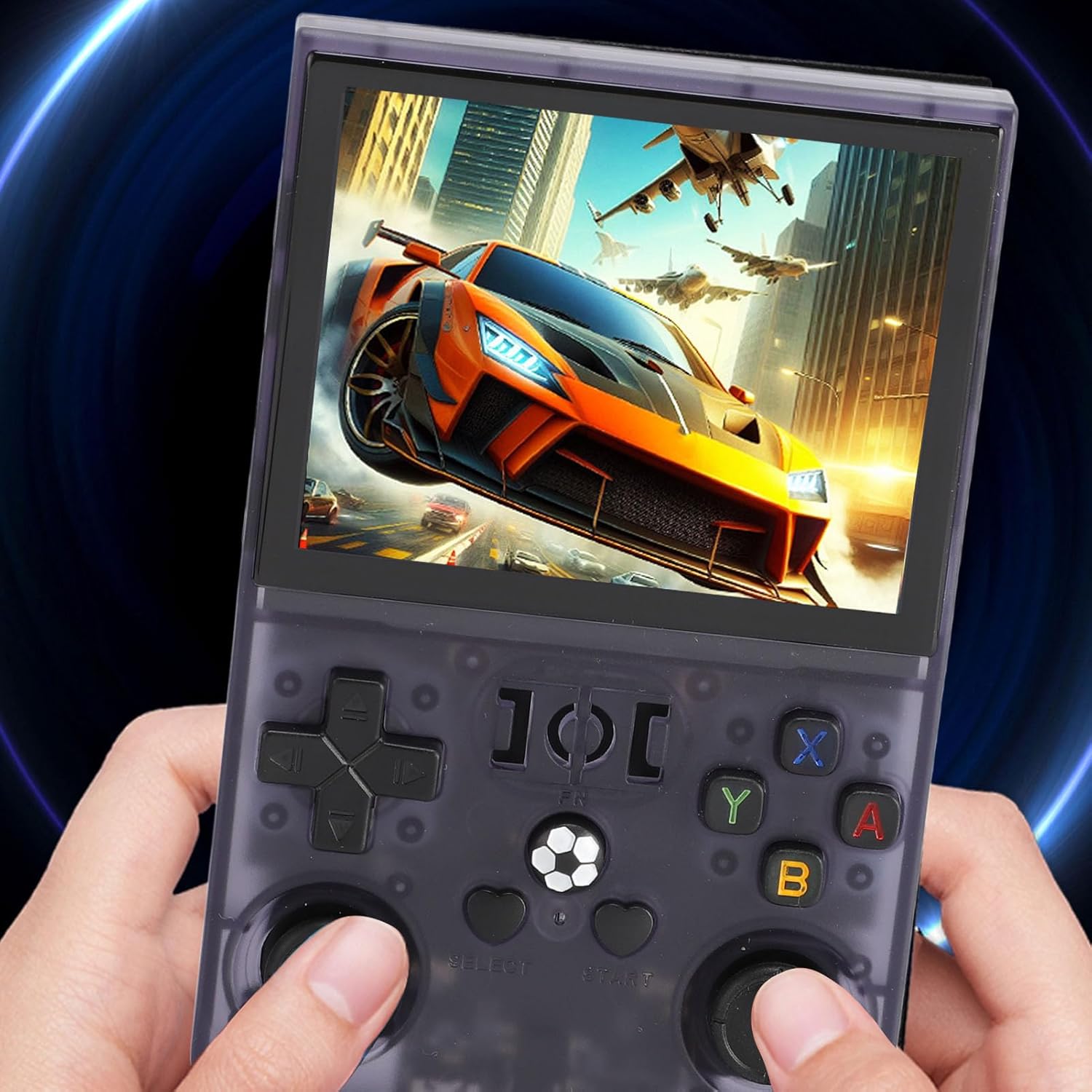
Figure 4: Console in use. This image shows a user holding the Yunseity R36PRO console, demonstrating its ergonomic design during gameplay.
3.2 Navigating the System Interface
Upon powering on, the console will display its main operating system interface.
- Cleachd an D-Pad or Joystick clì to navigate through menus and select options.
- Brùth an A phutan (or equivalent) to confirm a selection.
- Brùth an putan B (or equivalent) to go back to the previous screen.
- The main interface typically categorizes games by emulator or allows browsing of game files.
3.3 Loading and Playing Games
The console supports over 60 emulators. Games are typically pre-loaded on the memory card or can be added by the user.
- From the main menu, navigate to the desired emulator or game category.
- Select the game you wish to play from the list.
- Brùth an A phutan gus an geama a chuir air bhog.
- During gameplay, specific button combinations (often involving the putan FN) may be used to access emulator menus for saving/loading states, exiting games, or adjusting settings. Refer to the emulator's specific documentation if available.
3.4 suidheachadh siostam
Access system settings to adjust display brightness, volume, language, and other console-specific options. The method to access settings may vary depending on the installed operating system (e.g., a dedicated "Settings" icon or a combination of buttons).
4. Cumail suas
4.1 A ’glanadh an inneal
- Use a soft, dry, lint-free cloth to wipe the screen and console body.
- Airson smùid stòlda, beagan dampnigh an clò le uisge no le inneal-glanaidh a tha sàbhailte airson sgrionaichean. Seachain ceimigean làidir.
- Do not spray liquids directly onto the console.
- Use a soft brush or compressed air to clean dust from ports and button crevices.
4.2 Cùram Bataraidh
- Seachain a bhith a’ leigeil às a’ bhataraidh gu tur gu tric.
- Cuir cosgais air an inneal gu cunbhalach, fiù mura h-eil e ga chleachdadh, gus slàinte a’ bhataraidh a chumail suas.
- Stòraich an consol ann an àite fionnar, tioram nuair nach eilear ga chleachdadh airson ùine mhòr.
- The 4000mAh polymer battery is designed to be removable for intuitive status checks and safer charging/discharging.
4.3 Ùrachaidhean bathar-bog
Thoir sùil bho àm gu àm air fiosrachadh oifigeil an neach-dèanamh website or community forums for potential firmware or operating system updates. Updates can improve performance, add features, or fix bugs. Follow update instructions carefully to avoid damaging the device.
4.4 Stòradh
When not in use, store the console in its protective case to prevent scratches and damage from dust or impacts. Keep it away from extreme temperatures, direct sunlight, and moisture.
5. A ’dèanamh trioblaid
| Trioblaid | Adhbhar a dh’fhaodadh a bhith ann | Fuasgladh |
|---|---|---|
| Cha tionndaidh an inneal air. | Bataraidh ìosal; Tubaist siostaim. | Charge the device for at least 30 minutes. Perform a hard reset by holding the Power button for 10-15 seconds. |
| Games not loading or crashing. | Corrupt game file; Incompatible emulator settings; Memory card issue. | Ensure game files are correct and compatible. Check emulator settings. Reinsert or reformat the memory card (backup data first). |
| Screen flickering or no display. | Software glitch; Hardware issue. | Restart the device. Ensure the battery is charged. If the problem persists, contact support. |
| Putanan gun fhreagairt. | Software freeze; Physical damage. | Restart the device. Check for any physical obstructions or damage to the buttons. |
| Beatha bataraidh goirid. | High screen brightness; Background processes; Aging battery. | Reduce screen brightness. Close unnecessary applications. Ensure the battery is fully charged before use. |
If you encounter issues not listed here or if the suggested solutions do not resolve the problem, please refer to the Warranty & Support section for further assistance.
6. Sònrachaidhean
| Modail | R36PRO |
| Brand | Yunseity |
| Meud sgrion | 3.5 òirlich |
| Fuasgladh sgrion | 640x480 |
| Chipset | RK3326 (64-bit, 1.5Ghz) |
| Emulators Supported | 60+ (e.g., MD, CPS, SMD) |
| Comas Bataraidh | Bataraidh Polymer 4000mAh |
| Beatha bataraidh | Approximately 4 hours on a full charge |
| Stòradh | Memory card expansion slot (128GB version specified) |
| Stuth | ABS |
| Meudan nì | 6.3 x 5.12 x 1.97 òirleach |
7. Barantas agus Taic
7.1 Barantas toraidh
The Yunseity R36PRO Handheld Game Console comes with a standard manufacturer's warranty. Please refer to the warranty card included in your product packaging or visit the official Yunseity weblàrach-lìn airson teirmichean is cumhaichean barantais mionaideach. Cùm do dhearbhadh ceannach airson tagraidhean barantais.
7.2 Taic teachdaiche
For technical assistance, troubleshooting beyond this manual, or warranty inquiries, please contact Yunseity customer support.
- Taic air-loidhne: Visit the official Yunseity weblàrach airson Ceistean Cumanta, goireasan taic, agus foirmean conaltraidh.
- Taic Post-d: Thoir sùil air pacaigeadh an toraidh agad no air an làrach-lìn oifigeil weblàrach airson seòladh puist-d taic luchd-cleachdaidh.
When contacting support, please have your product model number (R36PRO) and purchase information ready.