
1. Ro-ràdh
This manual provides essential information for the safe and efficient use of your MESWAO 15.6 Inch Pro Android 14 Tablet. Please read this manual thoroughly before operating the device and retain it for future reference.
2. Fiosrachadh Sàbhailteachd
- Na cuir an tablet fo theodhachd anabarrach, solas dìreach na grèine, no taiseachd àrd.
- Seachain a bhith a’ leigeil an tablet sìos no ga chur fo bhuaidh throm.
- Use only the provided power adapter and Type-C cable for charging.
- Cùm an clàr air falbh bho uisge agus lionntan eile.
- Na feuch ri an clàr a thoirt às a chèile no a chàradh thu fhèin. Cuir fios gu taic luchd-cleachdaidh airson cuideachadh.
- Ensure proper ventilation when using the tablet for extended periods.
3. Pasgan-susbaint
Dèan cinnteach gu bheil a h-uile nì anns a’ phacaid:
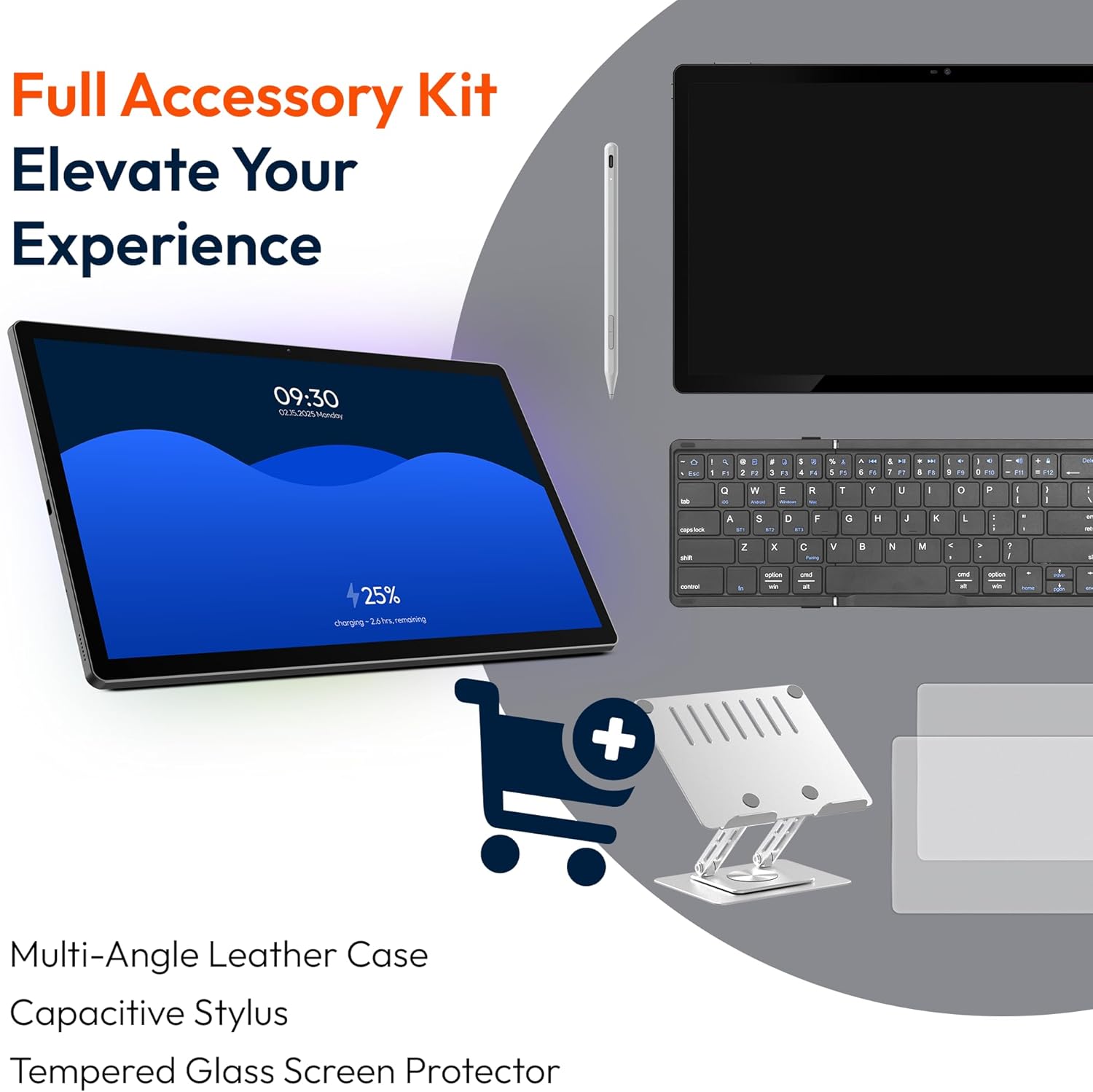
- 1 x MESWAO 15.6 inch Android Tablet
- 1 x Adaptor Cumhachd
- 1 x Càball Seòrsa C
- 1 x Leabhar-làimhe Cleachdaiche
- 1 x Type-C gu inneal-atharrachaidh USB
- 1 x Stuck pin
4. Inneal thairisview
Familiarize yourself with the physical components of your MESWAO tablet.
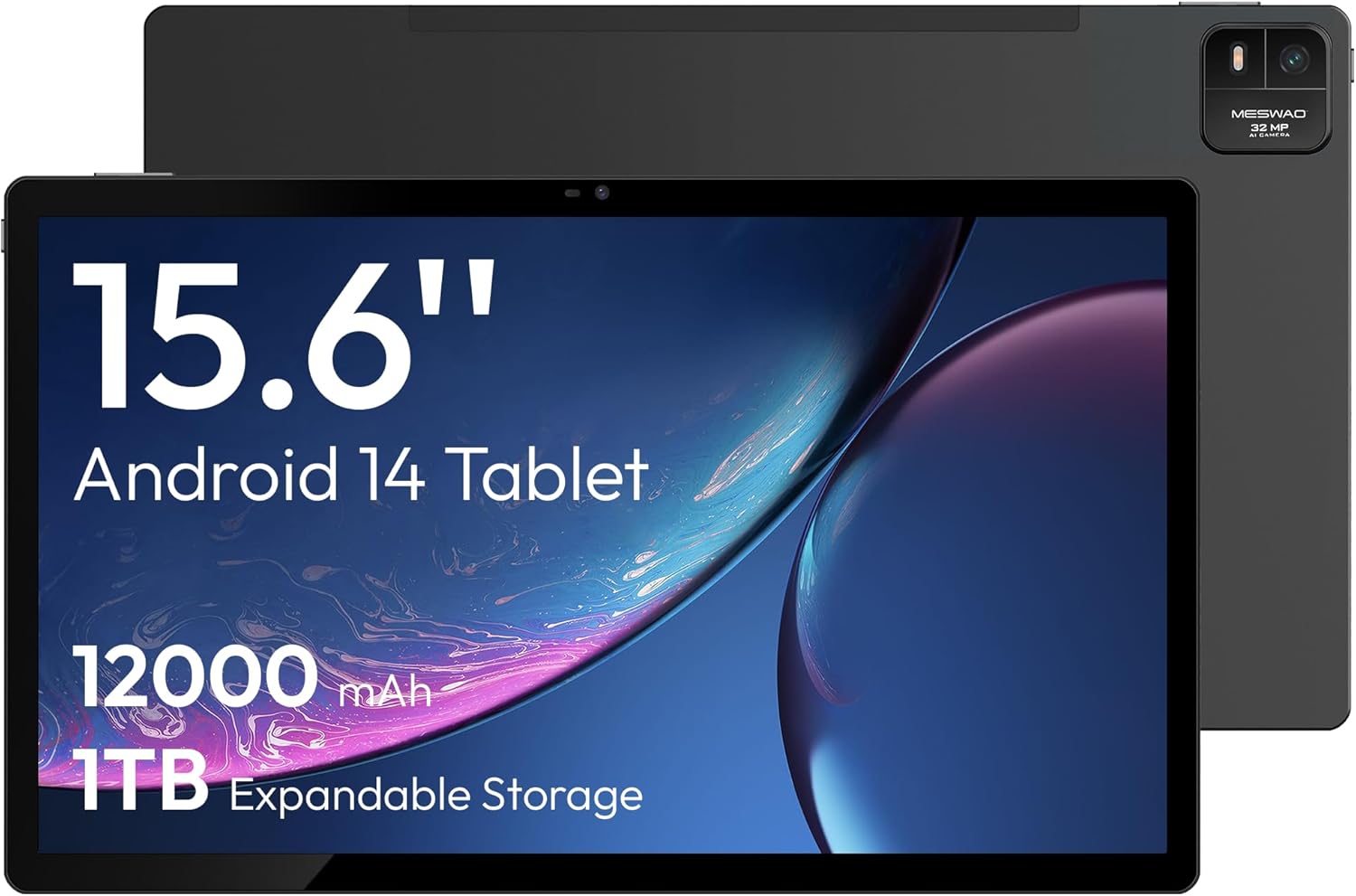
Figear 4.1: Aghaidh view of the MESWAO 15.6-inch Android 14 Tablet, highlighting the large display and key specifications such as 12000mAh battery and 1TB expandable storage.
Figear 4.2: Taobh agus cùl view of the tablet, indicating the location of the quad speakers, Type-C port, TF card slot, power button, volume controls, and front/rear cameras.
Prìomh cho-phàirtean:
- Taisbeanadh IPS FHD 15.6-òirleach: Large screen for immersive viewing.
- Camara aghaidh: Airson gairmean bhidio agus selfies.
- Camara Cùil (32MP): Airson dealbhan is bhideothan a ghlacadh.
- Putan Cumhachd: To turn the tablet on/off or put it to sleep.
- Putanan tomhas-lìonaidh: Gus ìrean fuaime atharrachadh.
- Port Seòrsa C: Airson cosgais agus gluasad dàta.
- Slot cairt TF: For expandable storage (MicroSD card).
- Ceithir Luchd-labhairt: Airson toradh claisneachd.
5. Suidhich
5.1 Cìs tòiseachaidh
Before first use, fully charge the tablet. Connect the provided Type-C cable to the tablet's Type-C port and the power adapter to a wall outlet. The tablet supports 30W fast charging.

Figear 5.1: The tablet connected to its charger, showing the charging indicator on the screen.
5.2 Cumhachd air / dheth
- Gus cumhachd a thoirt air: Brùth agus cum sìos am putan Cumhachd gus an soillsich an scrion.
- Gus cumhachd a thoirt dheth: Brùth is cum sìos am putan Cumhachd, agus an uair sin tagh ‘Cumhachd dheth’ bho na roghainnean air an sgrion.
- Gus cadal/dùsgadh: Goirid brùth air a ’phutan Power.
5.3 Rèiteachadh tùsail
Upon first power-on, follow the on-screen prompts to set up your Android 14 operating system. This includes selecting your language, connecting to Wi-Fi, and signing in with your Google account.
Ceangal Wi-Fi 5.4
- Rach gu Suidhichidhean > Lìonra & eadar-lìon > Wi-Fi.
- Toglaich Wi-Fi On.
- Tagh an lìonra a tha thu ag iarraidh bhon liosta.
- Cuir a-steach am facal-faire ma thèid iarraidh ort agus tap air Ceangail. The tablet supports dual-band Wi-Fi (2.4GHz and 5GHz).
5.5 A’ cur a-steach cairt MicroSD
To expand storage up to 1TB, insert a MicroSD card:
- Lorg an t-sliotan cairt TF air taobh a’ chlàir-bhùird.
- Use the provided stuck pin to gently press into the small hole next to the slot to eject the tray.
- Place the MicroSD card into the tray with the gold contacts facing down.
- Cuir an treidhe air ais dhan chlàr gu faiceallach.

Figear 5.2: Illustration of the tablet's internal storage and the option for expandable storage via MicroSD card.
6. A’ cleachdadh an tablaid
6.1 Seòladh Bunaiteach
The Android 14 operating system uses touch gestures for navigation:
- Tap: Tagh nì no fosgail aplacaid.
- Swipe: Scrollaich tro scrionaichean no liostaichean.
- Pinch: Meudaich a-steach no a-mach air ìomhaighean agus web duilleagan.
- Clò Long: Faigh cothrom air clàir-taice co-theacsa no gluais ìomhaighean.
6.2 Feartan taisbeanaidh
The 15.6-inch FHD IPS display offers a resolution of 1920 x 1080 pixels, providing clear and vibrant visuals for various applications.

Figear 6.1: Comparison of the MESWAO 15.6-inch display size to an A4 sheet of paper and a smaller tablet, emphasizing its expansive viewsgìre.
6.3 Coileanadh
Powered by the Helio G99 octa-core processor and 8GB RAM, the tablet delivers efficient performance for multitasking, gaming, and media consumption.

Figear 6.2: An illustration of the Helio G99 Octa-Core chipset, detailing its technical specifications and performance benefits.
6.4 Cleachdadh Camara
The tablet features a 32MP rear camera and a 5MP front camera. Open the Camera app to capture photos and videos.
6.5 Fuaim
The quad speakers provide clear audio. You can connect Bluetooth headphones or use the Type-C port for audio output with a suitable adapter.
6.6 Feartan Android 14
The tablet runs on Android 14, offering features such as:
- Smooth Multitasking: Efficiently switch between applications.
- Smachd Phàrant: Manage content and usage for children.
- Enhanced Privacy & UI: Improved security and user interface experience.

Figear 6.3: The Android 14 operating system interface, showcasing various applications and system features.
7. Cumail suas
7.1 A ’glanadh an inneal
Cleachd clò bog, gun lint gus an sgrion agus corp an tablaid a ghlanadh. Seachain ceimigean cruaidh no stuthan sgrìobach a chleachdadh.
7.2 Ùrachaidhean bathar-bog
Thoir sùil gu cunbhalach airson ùrachaidhean siostaim gus dèanamh cinnteach à coileanadh agus tèarainteachd aig an ìre as fheàrr. Rach gu Suidhichidhean > Siostam > Ùrachadh siostam.
7.3 Cùram Bataraidh
Gus beatha bataraidh a leudachadh:
- Seachain a bhith a’ leigeil às a’ bhataraidh gu tur gu tric.
- Do not expose the tablet to high temperatures.
- Dì-phlugaich an charger aon uair ‘s gu bheil am bataraidh làn.
8. A ’dèanamh trioblaid
8.1 Clàr gun a bhith a’ tionndadh air
- Dèan cinnteach gu bheil am bataraidh air a luchdadh. Ceangail an charger agus feith beagan mhionaidean mus feuch thu ri a chumhachdachadh air.
- Brùth is cum sìos am putan Cumhachd airson co-dhiù 10-15 diogan gus ath-thòiseachadh a sparradh.
8.2 Duilgheadasan Ceangail Wi-Fi
- Ath-thòisich an router Wi-Fi agad.
- Dìochuimhnich an lìonra ann an roghainnean an tablet agus ceangail a-rithist.
- Dèan cinnteach gu bheil an tablet taobh a-staigh ruigsinneachd an t-soidhne Wi-Fi.
8.3 Coileanadh Mall
- Dùin tagraidhean cùl-fhiosrachaidh neo-riatanach.
- Glan dàta tasgadan airson aplacaidean.
- Dèan cinnteach gu bheil àite stòraidh an-asgaidh gu leòr ann.
8.4 Sgrion Neo-fhreagairteach
- Ath-thòisich am tablet.
- Dèan cinnteach gu bheil an sgrion glan agus saor bho sprùilleach.
9. Sònrachaidhean
| Feart | Sònrachadh |
|---|---|
| Ainm Modail | MES-B3 |
| Siostam-obrachaidh | Android 14 |
| Meud taisbeanaidh | 15.6 òirlich |
| Fuasgladh sgrion | 1920 x 1080 piogsail (FHD) |
| Pròiseasar | MediaTek Helio G99 Ochd-cridhe |
| Grafaigeachd coprocessor | Mali-G75 |
| RAM | 8 GB |
| Stòradh a-staigh (ROM) | 256 GB |
| Stòradh a ghabhas leudachadh | Suas ri 1TB tro chairt MicroSD |
| Camara cùil | 32MP |
| Camara aghaidh | 5MP |
| Comas Bataraidh | 12000 mAh |
| A 'cur cosgais | 30W cosgais luath |
| Ceangal gun uèir | Dual-Band Wi-Fi (802.11a/b/ac/ad/ax), Bluetooth |
| Cuideam nì | 4.55 not |
| Meudan toraidh | 14.49 x 8.66 x 0.39 òirleach |
10. Barantas agus Taic
10.1 Fiosrachadh Barantais
Your MESWAO tablet comes with a Barantas 12 mìosan a’ còmhdach lochdan saothrachaidh. Cùm dearbhadh ceannach airson tagraidhean barantais.
10.2 Taic teachdaiche
For technical assistance, troubleshooting, or warranty inquiries, please contact MESWAO customer support. Our support team is available to assist you.
- Taic teachdaiche 24-uair: Tha taic ri fhaighinn fad na h-uaire.
- Local After-sales Centers: Service centers are available in regions including the US, Germany, Japan, and more.
- Quick Response Flow: Issues reported receive a team response within 24 hours, aiming for prompt problem resolution or replacement.