
Ro-ràdh
Welcome to the GUHUAVMI GT4 Pro Smartwatch user manual. This guide provides detailed instructions on how to set up, operate, and maintain your new smartwatch. The GT4 Pro combines advanced health monitoring, comprehensive fitness tracking, and smart connectivity features in a durable, stylish design. Please read this manual carefully to ensure optimal performance and longevity of your device.
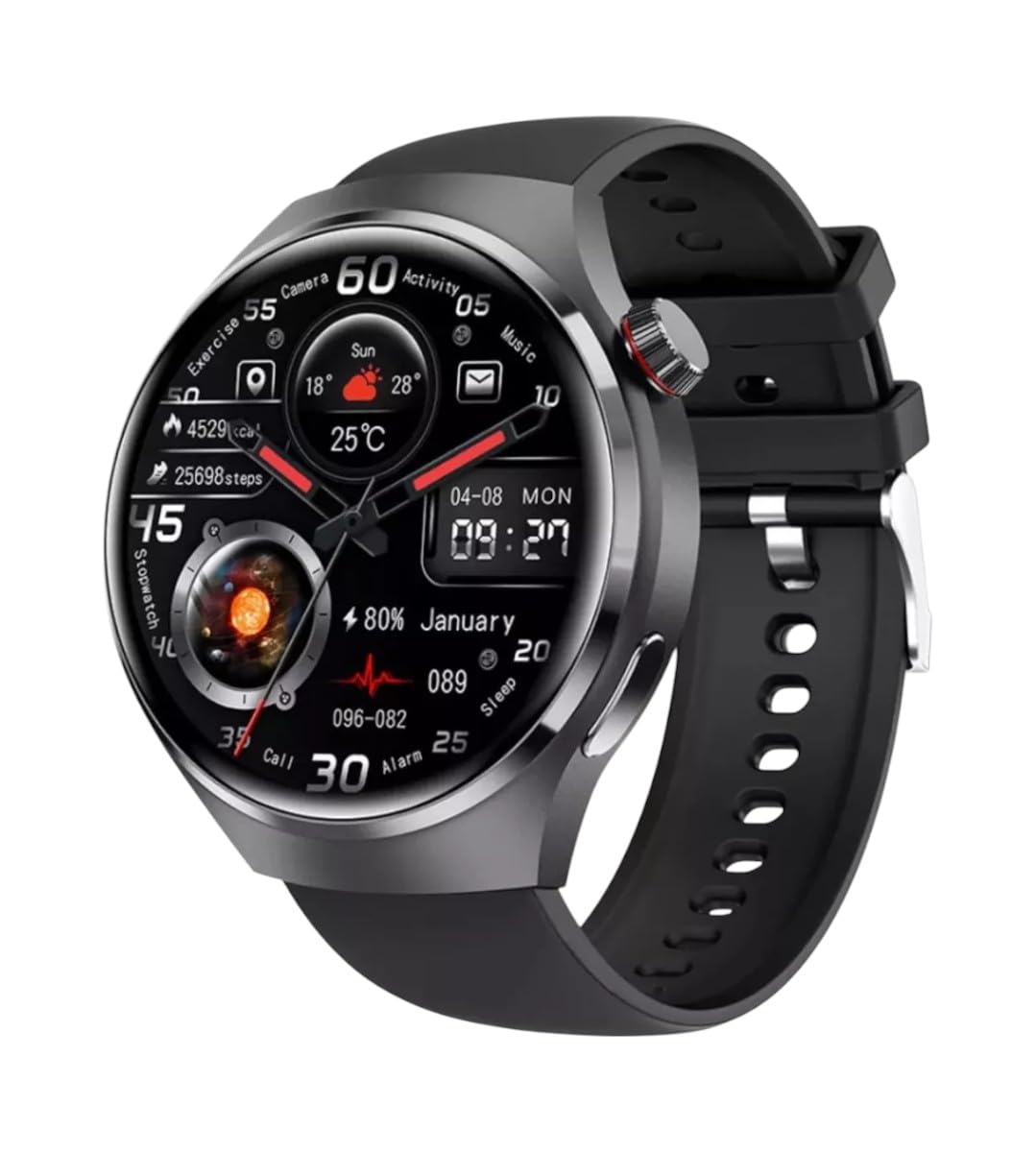
Ìomhaigh: Aghaidh view of the GUHUAVMI GT4 Pro Smartwatch, showcasina dhealbhadh agus a thaisbeanadh caol.
Suidhich
1. Fosgladh a’ bhogsa agus pàirtean
Mus tòisich thu, dèan cinnteach gu bheil na pàirtean uile anns a’ phacaid:
- GUHUAVMI GT4 Pro Smartwatch
- Wireless Charger
- Leabhar-làimhe cleachdaiche (an sgrìobhainn seo)
2. A’ cur cosgais air an uaireadair-smart
For first-time use, fully charge your GT4 Pro Smartwatch. Connect the wireless charger to a USB power adapter (not included) and place the smartwatch onto the magnetic charging base. The watch will indicate charging status on its screen.
- Ùine cosgais: Mu 3 uair a thìde airson làn chosgais.
- Beatha bataraidh: Typical usage provides 5-7 days of battery life.

Image: The GUHUAVMI GT4 Pro Smartwatch placed on its magnetic wireless charger, displaying battery life and charging time information.
3. Cumhachd air / dheth
- Cumhachd air: Brùth is cum sìos am putan taobh gus an las an scrion suas.
- Cumhachd dheth: Brùth is cum sìos am putan taobh, agus an uairsin tagh an roghainn ‘Cumhachd dheth’ air an sgrion.
4. Luchdaich sìos an aplacaid agus paidhreachadh
To unlock the full potential of your GT4 Pro, download the companion app on your smartphone. Scan the QR code provided in the watch's initial setup screen or search for the app name (usually indicated on the watch or packaging) in your phone's app store.
- Dèan comas air Bluetooth air an fhòn-smart agad.
- Fosgail an aplacaid co-cheangailte agus lean an stiùireadh air an sgrion gus cunntas a chruthachadh no logadh a-steach.
- In the app, select 'Add Device' or 'Pair Device' and choose 'GT4 Pro' from the list of available devices.
- Dearbhaich an t-iarrtas paidhreachaidh air an fhòn-smart agus an uaireadair smart agad.
Stiùireadh Obrachaidh
1. Seòladh Bunaiteach
The GT4 Pro features a 1.6-inch HD AMOLED touchscreen and a side crown button for navigation.
- Swipe Up / Down: Scrollaich tro chlàran-bìdh agus fiosan.
- Swipe clì/deas: Faigh cothrom air widgets luath no aghaidhean uaireadair eadar-dhealaichte.
- Tap: Tagh nì no fosgail aplacaid.
- Brùth am putan taobh: Till air ais chun sgrìn dachaigh no faigh cothrom air liosta nan aplacaidean.
2. Neach-cuideachaidh Guth AI
Your GT4 Pro is equipped with an integrated AI voice assistant for hands-free operation.
- Gnìomhachadh: Tap the voice assistant icon on the watch face or use a designated gesture/button press (refer to watch settings).
- Òrduighean: Speak clearly to ask questions, set reminders, make calls, or control music.
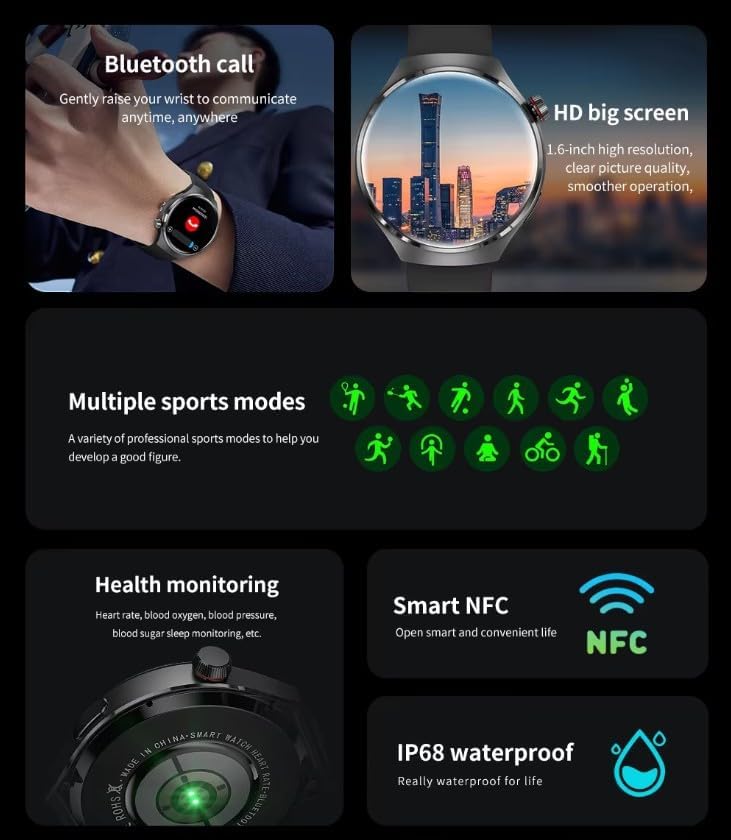
Image: The GUHUAVMI GT4 Pro Smartwatch displaying the AI voice assistant interface, showing exampnas lugha de òrdughan gutha.
3. Gairm Bluetooth
Aon uair ‘s gu bheil thu air do cheangal ris an fhòn-smart agad, faodaidh tu gairmean a dhèanamh agus fhaighinn gu dìreach bhon uaireadair smart agad.
- A’ dèanamh gairmean: Access the dialer or contacts list on your watch.
- A’ faighinn gairmean: Answer or reject incoming calls directly from the watch screen.
4. Sgrùdadh Slàinte
The GT4 Pro provides real-time health data to help you monitor your well-being.
- Ìre cridhe: Sgrùdadh leantainneach tron latha.
- Ocsaidean fala (SpO2): Tomhais ìrean sùghaidh ocsaidean san fhuil agad.
- Blood Sugar: Provides estimated blood sugar readings.
- Rianachd cadail: A’ cumail sùil air cadaltagagus càileachd.
View detailed health reports in the companion app.
5. Tracadh Fallaineachd
Track your workouts and daily activity with precision.
- Ioma modhan spòrs: Select from various activities like running, cycling, swimming, and more for accurate data.
- GPS togte: Records your route, distance, and pace during outdoor activities.
- Compass: Provides directional guidance for outdoor adventures.

Image: The GUHUAVMI GT4 Pro Smartwatch showcasing icons for NFC, GPS, compass, heart rate, and Bluetooth call, highlighting its comprehensive features.
6. NFC Features
The GT4 Pro supports NFC for convenient interactions.
- Smachd ruigsinneachd: Use your watch for compatible access systems.
- Find My iPhone: Utilize NFC to locate your paired iPhone.
7. Dynamic Island Function
Experience enhanced interactive displays for notifications, music, and charging status.
- Interactive Displays: Smart displays adapt to show relevant information dynamically.
- Ùrachaidhean OTA: New functional interactive displays may be added through future over-the-air updates.
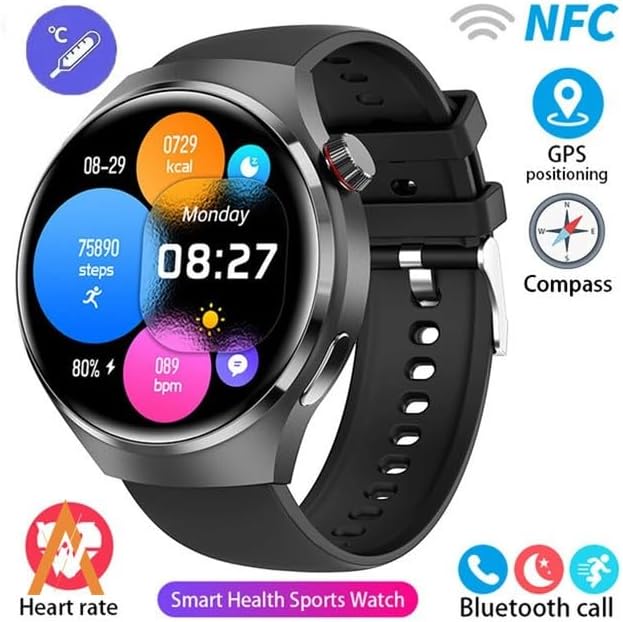
Image: The GUHUAVMI GT4 Pro Smartwatch screen demonstrating the Dynamic Island function, showing notifications and active processes.
8. Other Utility Features
The smartwatch includes several convenient tools:
- Camara Iomallach: Stiùirich camara an fhòn-smart agad air astar.
- Cloc rabhaidh: Suidhich innealan-rabhaidh gu dìreach bhon dùirn agad.
- Stad-uaireadair & Uaireadair: Airson clàradh ùine mionaideach.
- Tomhas Teòthachd: Monitor ambient temperature.
- Multi-Time Zone Settings: Keep track of different time zones.
- Smachd ath-chluich ciùil: Manage music on your paired smartphone.
Cumail suas
1. Seasmhachd Uisge (IP68)
The GT4 Pro has an IP68 waterproof rating, meaning it is resistant to dust and can withstand immersion in water up to 1.5 meters for 30 minutes. It is suitable for swimming and use in rainy conditions.
- Do not use in hot water, saunas, or steam rooms.
- Avoid exposure to high-velocity water.
- After exposure to water, wipe the watch dry with a soft cloth.
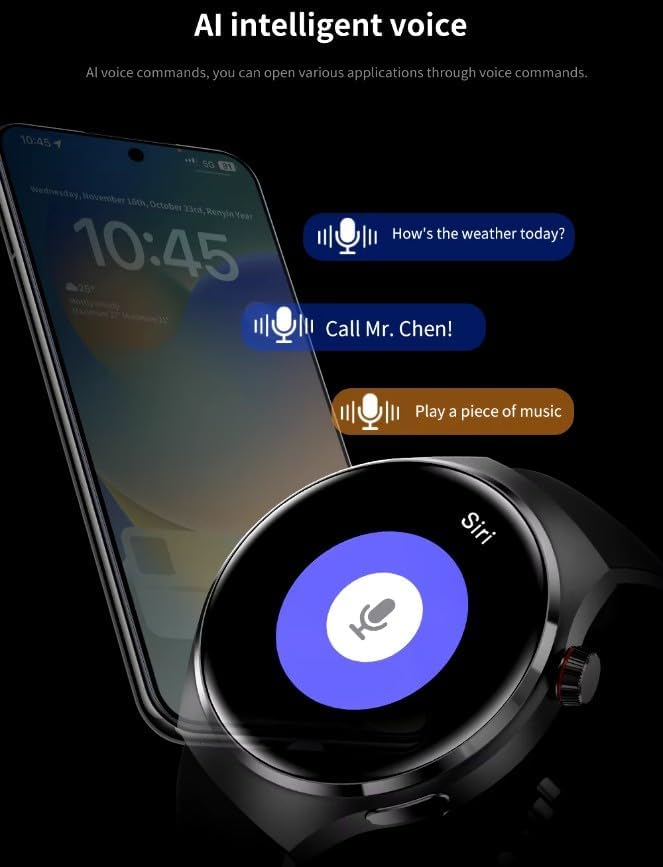
Image: Two GUHUAVMI GT4 Pro Smartwatches shown with water droplets, illustrating their IP68 waterproof capability.
2. Glanadh
Regularly clean your smartwatch to maintain its appearance and sensor accuracy.
- Sguab an sgrion agus a' bhodhaig le clò bog, tioram.amp, aodach gun lint.
- Clean the charging contacts and heart rate sensor on the back of the watch to ensure proper function.
- Seachain a bhith a 'cleachdadh cheimigean cruaidh no stuthan sgrìobach.
3. Ùrachaidhean bathar-bog
Periodically check for software updates through the companion app. Updates can provide new features, performance improvements, and bug fixes.
Fuasgladh thrioblaidean
- Uaireadair nach eil a’ tionndadh air: Dèan cinnteach gu bheil an uaireadair làn-luchdaichte. Ceangail e ris an charger airson co-dhiù 30 mionaid.
- Chan urrainnear paidhir a dhèanamh le fòn cliste:
- Dèan cinnteach gu bheil Bluetooth air a chomasachadh air an fhòn agad agus an uaireadair.
- Dèan cinnteach gu bheil an uaireadair taobh a-staigh ruigsinneachd do fhòn.
- Ath-thòisich an uaireadair agus am fòn agad.
- Thoir sùil a bheil an aplacaid co-cheangailte air ùrachadh chun dreach as ùire.
- Dàta slàinte neo-mhearachdach:
- Dèan cinnteach gu bheil an uaireadair air a chaitheamh gu teann air do chaol-dùirn, gun a bhith ro theann no ro sgaoilte.
- Glan na mothachairean air cùl an uaireadair.
- Seachain cus gluasad rè tomhais.
- Beatha bataraidh goirid:
- Lùghdaich soilleireachd sgrion.
- Cuir dheth fiosan no feartan neo-riatanach.
- Cuir crìoch air sgrùdadh leantainneach air ìre cridhe mura h-eil feum air.
Sònrachaidhean
| Feart | Tuairisgeul |
|---|---|
| Modail Àireamh | GT 4 Pro |
| Taisbeanadh | 1.6-inch HD AMOLED, 360x360 resolution |
| Ceangalachd | Bluetooth 5.0 |
| Ìre dìon-uisge | IP68 |
| Sgrùdadh Slàinte | Heart Rate, Blood Oxygen, Blood Sugar, Sleep Tracking |
| Rianachd fallaineachd | Built-in GPS, Compass, Multiple Sports Modes |
| Neach-taic Guth | AI Voice Assistant Integrated |
| NFC | Supported (e.g., Find My iPhone, Access Control) |
| Seòrsa cosgais | Cìs uèirleas magnetach |
| Beatha bataraidh àbhaisteach | 5-7 làithean |
| Ùine cosgais | Mu thuairmeas. 3 uairean |
| Co-phàirtean air an toirt a-steach | Smartwatch, User Manual, Wireless Charger |
Barantas agus Taic
Fiosrachadh Barantais
The GUHUAVMI GT4 Pro Smartwatch comes with a Barantas 6 mìosan bho cheann-latha a’ cheannaich. Tha am barantas seo a’ còmhdach lochdan saothrachaidh fo chleachdadh àbhaisteach. Chan eil e a’ còmhdach milleadh air adhbhrachadh le droch chleachdadh, tubaistean, atharrachaidhean gun chead, no caitheamh is deòir àbhaisteach.
Taic Luchd-cleachdaidh
If you encounter any issues or have questions regarding your GUHUAVMI GT4 Pro Smartwatch, please refer to the troubleshooting section of this manual. For further assistance, contact your retailer or the manufacturer's customer support channel. Please have your purchase receipt and product model number (GT4 Pro) ready when contacting support.