
1. Ro-ràdh
Tapadh leibh airson ceannachasing the Sharp KI-TX75-W Humidifying Air Purifier. This appliance is designed to improve your indoor air quality through advanced air purification and humidification technologies. It features Plasmacluster NEXT for high-density ion emission, AI AUTO mode for intelligent operation, Coanda flow for efficient dust collection, an AI monitor for real-time air quality feedback, and COCORO AIR for smart control via a smartphone app.
This manual provides essential information for the safe and efficient use, maintenance, and troubleshooting of your air purifier. Please read it thoroughly before use and keep it for future reference.
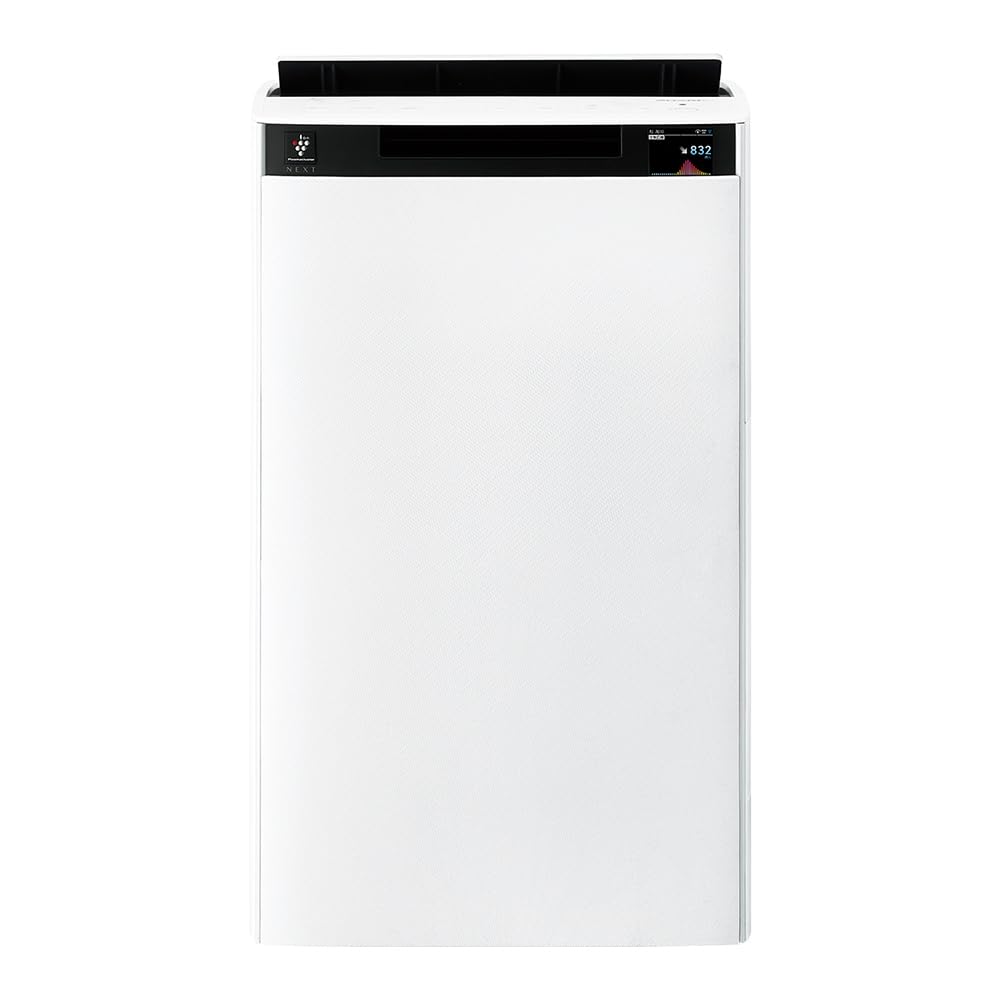
Aghaidh view of the Sharp KI-TX75-W Humidifying Air Purifier.
2. Fiosrachadh Sàbhailteachd
Gus dèanamh cinnteach à obrachadh sàbhailte agus gus casg a chur air milleadh, feuch an lean thu na ceumannan sàbhailteachd a leanas:
- Cleachd an inneal leis an tomhas-lìonaidh cheart an-còmhnaidhtage mar a tha air a shònrachadh air an leubail rangachaidh.
- Na cuir bacadh air na bealaichean-adhair a-steach no a-mach.
- Keep the appliance away from water and moisture. Do not operate with wet hands.
- Thoir a-mach an càball cumhachd mus glan thu no mus dèan thu obair-chàraidh sam bith.
- Na leig le clann an inneal obrachadh gun stiùireadh.
- Ma thèid an sreang cumhachd a mhilleadh, feumaidh an neach-dèanamh, an neach-ionaid seirbheis aige, no daoine le teisteanas coltach ris a chuir na àite gus cunnart a sheachnadh.
- Na cuir a-steach stuthan cèin ann am fosglaidhean sam bith.
- Cuir an aonad air uachdar seasmhach, còmhnard.
3. Suidhich
3.1 Dì-phapadh agus suidheachadh
- Thoir an inneal-glanaidh adhair a-mach às a phacaid gu faiceallach.
- Choose a location with adequate space around the unit for optimal airflow. Avoid placing it directly against walls or furniture.
- Ensure the unit is placed on a flat, stable surface. The built-in casters with stoppers allow for easy movement and secure positioning.

The unit features casters with stoppers for convenient movement and secure placement.
3.2 Stàladh Filter
The unit comes with pre-installed filters. Verify they are correctly seated before first use.
- Open the back panel of the air purifier.
- Ensure the HEPA filter, deodorizing filter, and pre-filter are securely in place.
- Dùin am pannal cùil.

The air purifier utilizes a three-layer filter system: pre-filter, deodorizing filter, and HEPA filter.
3.3 lìonadh tanca uisge
For humidification, fill the water tank with clean tap water.
- Remove the water tank from the side of the unit.
- Open the water tank cap and fill it with fresh tap water.
- Dùin an caip gu tèarainte agus cuir an tanca uisge a-steach don aonad a-rithist.

Remove the water tank from the side of the unit to fill it with water.
3.4 A’ chiad chumhachd air agus ceangal lìonra
- Plug an sreang cumhachd a-steach do bhalla a-muigh.
- Brùth am putan cumhachd air a ’phannal smachd.
- To utilize smart features, download the COCORO AIR app on your smartphone and follow the in-app instructions to connect the air purifier to your wireless LAN network.
4. Stiùireadh Obrachaidh
4.1 Pannal Smachd Os a chionnview

The control panel allows selection of various modes and settings.
4.2 Modhan Obrachaidh
- AI AUTO Mode: This intelligent mode automatically adjusts operation based on detected air quality, aiming for a cleanroom Class 8 level environment. It optimizes airflow to effectively collect pollen, dust, and fine particles.
- Modh glanaidh adhair: Operates solely as an air purifier, removing airborne particles and odors.
- Modh Taiseachaidh: Adds moisture to the air while purifying. The unit can deliver up to 900 mL/h of humidification.
- Plasmacluster NEXT: This technology generates high-density Plasmacluster ions (50,000 ions/cm³) to suppress airborne and adhering viruses, allergens, and odors.

AI AUTO mode significantly reduces airborne particles to maintain a clean environment.
4.3 AI Monitor
The AI Monitor visualizes the number of particles in the room and provides feedback on air quality. It displays real-time particle counts and indicates when the air is clean or needs purification.

The AI Monitor provides a visual representation of airborne particle levels.
The AI Monitor also provides notifications for humidification status, maintenance timing, and estimated electricity costs.

Notifications include humidification status, maintenance alerts, and electricity usage.
4.4 COCORO AIR App
Connect your air purifier to the COCORO AIR app via Wi-Fi for enhanced control and monitoring. The app allows you to:
- Monitor air quality and operating status remotely.
- Customize operation schedules and settings.
- Receive notifications for filter replacement and maintenance.
- Access special operating modes, such as pet-specific modes.

The COCORO AIR app provides remote control and monitoring capabilities.
5. Cumail suas
Bidh cumail suas cunbhalach a’ dèanamh cinnteach à coileanadh as fheàrr agus a’ leudachadh fad-beatha an inneal-glanaidh adhair agad.
5.1 Glanadh is Ath-chur Criathrag
- Ro-shìoladh: Clean regularly (e.g., once a month) by vacuuming or washing with water.
- HEPA Filter & Deodorizing Filter: These filters are not washable. Replace them according to the recommended schedule (typically every 1-2 years, depending on usage and environment). The COCORO AIR app will notify you when replacement is due.
Regularly clean the pre-filter to maintain air purification efficiency.
5.2 Humidifying Filter Maintenance
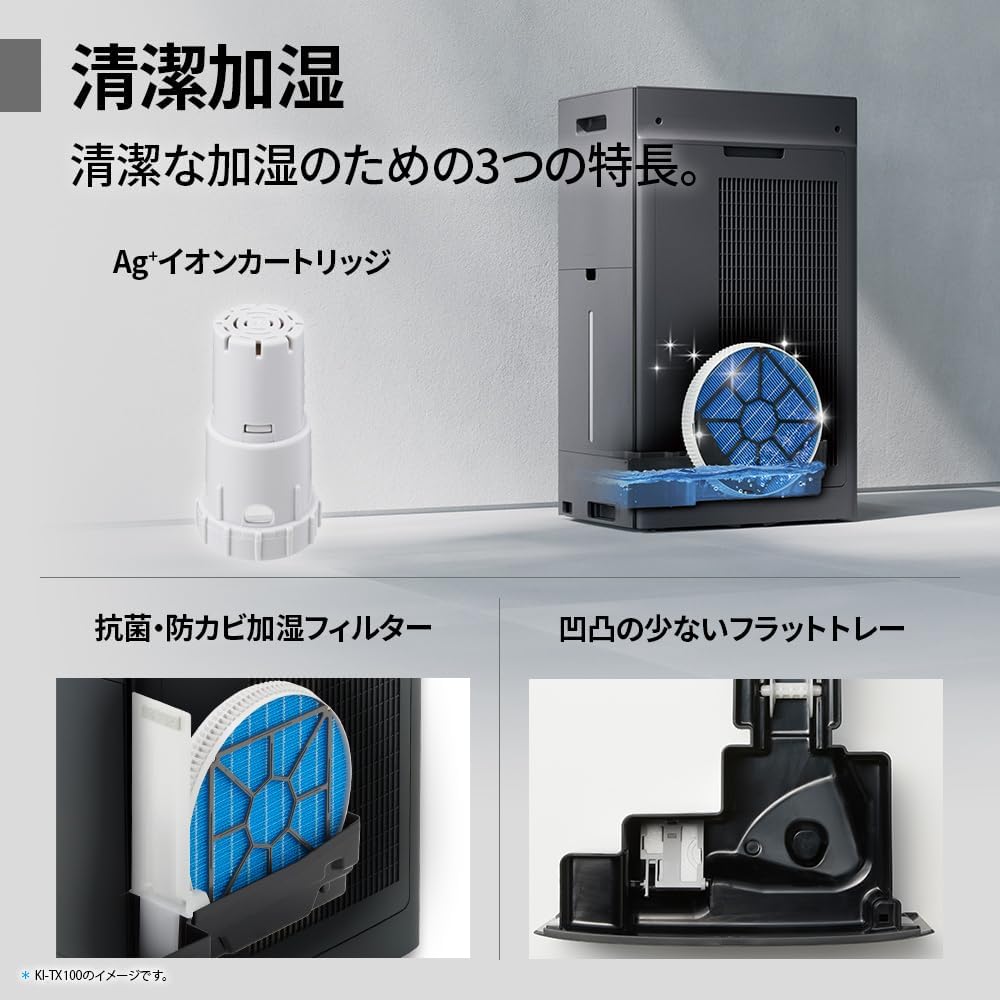
The humidifying filter can be automatically cleaned using the unit's internal cleaning function. This helps prevent scale buildup.
- Remove the water tank and humidifying filter assembly.
- Add a small spoon of citric acid (commercially available) to the water tank and fill with water.
- Press the internal humidification cleaning button on the unit.
- After the cleaning cycle, rinse the tank and filter thoroughly.

The humidifying filter can be automatically cleaned using citric acid and water.
5.3 Ag+ Ion Cartridge Replacement
The Ag+ ion cartridge helps keep the water in the tank clean. Replace it approximately once a year.

Replace the Ag+ ion cartridge annually for optimal water tank hygiene.
6. A ’dèanamh trioblaid
Ma thachras tu ri duilgheadasan leis an inneal-glanaidh adhair agad, thoir sùil air na duilgheadasan agus na fuasglaidhean cumanta a leanas:
| Trioblaid | Adhbhar a dh’fhaodadh a bhith ann | Fuasgladh |
|---|---|---|
| Chan eil cumhachd aig an aonad. | Càball cumhachd gun cheangal ceart. Chan eil cumhachd bhon socaid. | Thoir sùil air ceangal a’ chàball cumhachd. Dèan deuchainn air an t-socaid le inneal eile. |
| Weak airflow or poor purification. | Filters are dirty or clogged. Air intake/outlet blocked. | Clean or replace filters. Ensure vents are clear. |
| No humidification or low humidity output. | Water tank is empty. Humidifying filter is dirty. | Refill water tank. Clean the humidifying filter. |
| Fuaim neo-àbhaisteach rè obrachadh. | Unit not on a level surface. Foreign object in fan. | Ensure unit is stable. Check for obstructions (unplug first). |
| AI Monitor shows high particle count despite operation. | Filters need cleaning/replacement. Room size exceeds recommended area. | Perform filter maintenance. Consider unit placement or additional units for larger spaces. |
Ma mhaireas an duilgheadas às dèidh dhut na fuasglaidhean seo fheuchainn, cuir fios gu taic luchd-cleachdaidh.
7. Sònrachaidhean
| Feart | Sònrachadh |
|---|---|
| Modail Àireamh | KI-TX75-W |
| Brand | biorach |
| Meudan (W x D x H) | 39.5 cm x 26.5 cm x 65 cm |
| Cuideam | 12 kg |
| Stòr cumhachd | Electric Corded |
| Ìre fuaim | 20-52 dB |
| Recommended Room Size (Plasmacluster) | Up to 18 tatami (~29.7 m²) |
| Recommended Room Size (Air Purification) | Up to 34 tatami (~56.1 m²) |
| Maximum Humidification Capacity | 900 mL/u |
| Air Purification Time (8 tatami) | 9 mionaid |
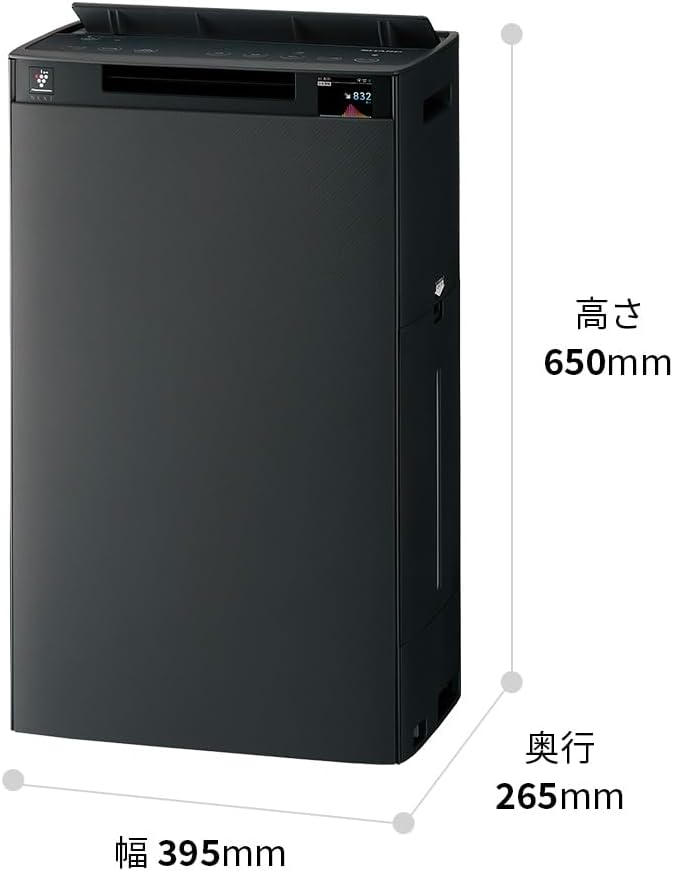
Detailed dimensions of the Sharp KI-TX75-W.
8. Barantas agus Taic
8.1 Barantas an Neach-dèanamh
This Sharp KI-TX75-W Humidifying Air Purifier comes with a Barantas an neach-dèanamh 1-bliadhna bho cheann-latha a’ cheannaich. Tha am barantas seo a’ còmhdach lochdan ann an stuthan agus obair-ciùird fo chleachdadh àbhaisteach. Cùm dearbhadh do cheannach airson tagraidhean barantais.
Chan eil am barantas a’ còmhdach milleadh air adhbhrachadh le droch chleachdadh, tubaist, atharrachadh gun chead, no fàilligeadh ann a bhith a’ leantainn an stiùiridh san leabhar-làimhe seo.
8.2 Taic teachdaiche
For technical assistance, warranty service, or inquiries about replacement parts, please contact Sharp customer support.
You can find additional support resources and FAQs on the official Sharp weblàrach: