
Ro-ràdh
Thank you for choosing the Phomemo M836 A4 Portable Thermal Printer. This device offers convenient, inkless printing for various document types, making it ideal for business, travel, and personal use. This manual will guide you through the setup, operation, and maintenance of your printer to ensure optimal performance.
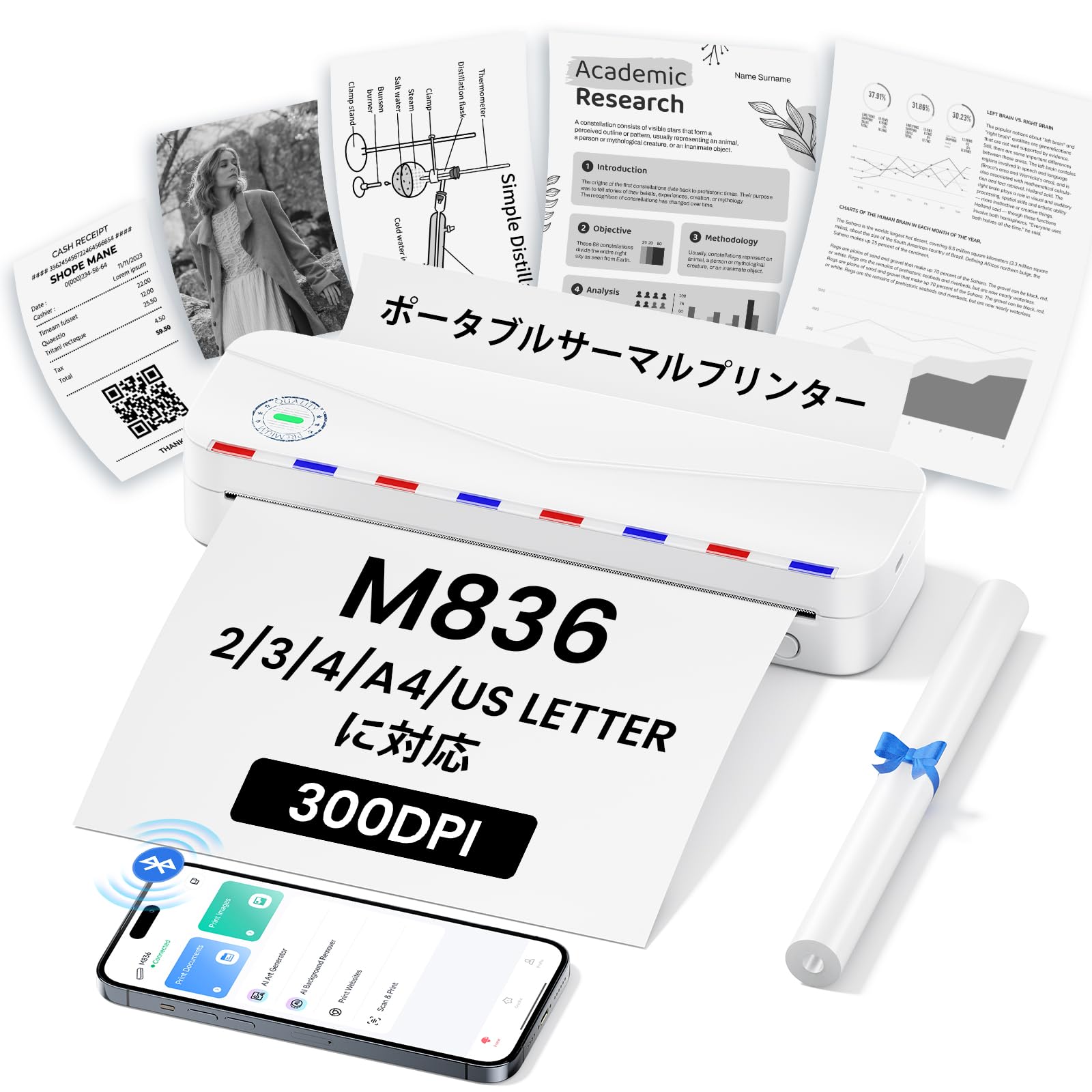
Image: The Phomemo M836 A4 Portable Thermal Printer, showcasing its compact design and portability.
Bathar seachadview
Prìomh fheartan
- Clò-bhualadh teirmeach gun inc: Utilizes advanced thermal printing technology, eliminating the need for ink cartridges or toner.
- Compact agus so-ghiùlain: Weighing approximately 750g, it is designed for easy transport in a bag, perfect for on-the-go printing.
- Taic Pàipeir Ioma-mheud: Compatible with A4 (8.27 x 11.69 inches) and other thermal paper sizes including 53mm, 80mm, and 110mm. Supports standard thermal sheets, roll paper, and fanfold thermal paper.
- Fuasgladh Àrd: Delivers clear and vivid prints at 304dpi resolution.
- Co-fhreagarrachd farsaing: Connects via Bluetooth to iPhones, Android phones, and iPads, and via USB cable to laptops and computers (Windows, macOS).
- Bataraidh maireannach: Equipped with an upgraded 2600mAh battery, ensuring extended use throughout the day.
- Clò-bhualadh ioma-chruthach: Capable of printing PDF, Word, image (JPG), web pages, TXT, office documents, receipts, contracts, resumes, invoices, drawings, and school notes.

Image: The Phomemo M836 printer highlighting its compact dimensions (264mm length, 78mm width, 45mm height) and light weight (715g).

Image: The printer demonstrating compatibility with single sheets, fanfold paper, and roll paper. Note: Only thermal paper is supported, not ordinary copy paper.
Stiùiridhean rèiteachaidh
1. A’ luchdadh pàipear teirmeach
- Open the paper cover of the printer.
- Insert the thermal paper with the printable side facing up. Ensure the paper is aligned correctly.
- Close the paper cover. The printer will automatically adjust the paper.

Image: Illustration of how to load thermal paper into the printer, showing the adjustable snaps for different paper widths.
2. Mobile Device Connection (Bluetooth)
- Download the "Phomemo" app from the Apple App Store or Google Play Store.
- Turn on your mobile phone's Bluetooth.
- Press and hold the power button on the M836 printer to turn it on.
- Open the "Phomemo" app and connect to the printer via Bluetooth within the app.

Image: Step-by-step guide for connecting the Phomemo M836 to a smartphone via the Phomemo app and Bluetooth.
3. PC Connection (USB)
- Turn on the printer by pressing and holding the power button. Ensure thermal paper is loaded.
- Connect the printer to your computer using the provided Type-C USB cable.
- Download and install the printer driver from M836.phomemo.com.
- After driver installation, select "[M836] Printer" from your computer's print options to begin printing.

Image: Instructions for connecting the Phomemo M836 to a PC via USB, including driver download and print selection.
Stiùireadh Obrachaidh
General Printing Steps
- Ensure the printer is powered on and connected to your device (mobile or PC) as described in the Setup section.
- Fosgail an sgrìobhainn no an ìomhaigh a tha thu airson a chlò-bhualadh air an inneal agad.
- Initiate the print function from your application (e.g., "Print" in the Phomemo app, or "File" > "Print" on PC).
- Select the "M836 Printer" from the list of available printers.
- Atharraich roghainnean clò-bhualaidh leithid meud pàipeir, treòrachadh, agus àireamh lethbhric mar a dh’ fheumar.
- Confirm and send the print job to the printer.

Image: The Phomemo app interface, showing options to print various file types like Word, TXT, PDF, Excel, Web pages, and images, along with scanning functionality.
Cumail suas
A 'glanadh ceann a' chlò-bhualadair
- Turn off the printer and disconnect it from any power source.
- Fosgail an còmhdach pàipeir.
- Sguab ceann a’ chlò-bhualaidh teirmeach gu socair le swab cotain.ampair a dhèanamh le deoch-làidir isopropyl.
- Leig leis a’ cheann clò-bhualaidh tiormachadh gu tur mus dùin thu an còmhdach agus mus tòisich thu air a chleachdadh a-rithist.
- Do not touch the print head with bare hands to avoid damage or residue transfer.
Cùram Bataraidh
- Charge the printer regularly, especially if it will not be used for an extended period, to maintain battery health.
- Use the provided Type-C USB cable for charging.
- Avoid exposing the printer to extreme temperatures, which can affect battery life.
Fuasgladh thrioblaidean
| Trioblaid | Adhbhar a dh’fhaodadh a bhith ann | Fuasgladh |
|---|---|---|
| Chan eil an clò-bhualadair a’ tionndadh air. | Bataraidh ìosal no trioblaid cumhachd. | Charge the printer using the Type-C USB cable. Ensure the power adapter is working. |
| Chan urrainnear ceangal a dhèanamh tro Bluetooth. | Bluetooth is off, incorrect pairing, or app issue. | Ensure Bluetooth is enabled on your device. Restart the printer and your device. Try pairing again through the Phomemo app. |
| Poor print quality (faint or blank). | Incorrect paper loading, non-thermal paper, or dirty print head. | Ensure thermal paper is loaded correctly with the printable side up. Verify you are using thermal paper. Clean the print head as described in the Maintenance section. |
| Printer not recognized by PC. | Driver not installed or USB cable issue. | Stàlaich an draibhear ceart bho M836.phomemo.com. Try a different USB port or cable. |
| Suim pàipeir. | Improper paper loading or foreign object. | Turn off the printer. Carefully open the paper cover and remove any jammed paper or obstructions. Reload paper correctly. |
Sònrachaidhean
| Feart | Mion-fhiosrachadh |
|---|---|
| Brand | Phomemo |
| Ainm Modail | M836 |
| Teicneòlas ceangail | Bluetooth, USB |
| Teicneòlas clò-bhualaidh | Teirmeach |
| Feart sònraichte | So-ghiùlain |
| Dath | Geal |
| Toradh Clò-bhualadair | Monochrome |
| Astar Clò-bhualaidh as Motha (Moncromach) | 20 duilleag / mionaid |
| Meudan toraidh (D x W x H) | 210mm x 47mm x 65mm |
| Max Media (Paper) Size | 8.5 x 11 inches (A4) |
| Seòrsa Meadhanan Clò-bhualaidh | Pàipear teirmeach |
| Gnìomhan Clò-bhualadair a bharrachd | Clò-bhuail a-mhàin |
| Fuasgladh | 304 dpi |
| Comas duilleag cuir a-steach as àirde | 10 duilleagan |
| Eadar-aghaidh bathar-cruaidh | USB-C |
| Clò-bhualadh Duplex | Chan eil (Simplex) |
| Comas Bataraidh | 2600 mAh |
Barantas agus Taic
The Phomemo M836 A4 Portable Thermal Printer comes with a Barantas an neach-dèanamh 1-bliadhna bhon cheann-latha ceannach. Tha am barantas seo a’ còmhdach uireasbhaidhean ann an stuthan agus obair-obrach fo chleachdadh àbhaisteach.
For technical support, warranty claims, or any questions regarding your product, please contact Phomemo customer service through their official weblàrach no an neach-reic far an do cheannaich thu an toradh. Feuch an dèan thu cinnteach gu bheil an àireamh modail agad (M836) agus dearbhadh ceannach deiseil nuair a chuireas tu fios chun taic.