
1. Ro-ràdh
The Promate AirClip True Wireless Earbuds feature Open Wearable Stereo (OWS) technology, providing an open-ear listening experience. This design allows for enhanced environmental awareness while delivering clear audio. The earbuds are equipped with IntelliTouch controls and an ergonomic clip design for stable wear.

Image: Promate AirClip True Wireless Earbuds in their white charging case.

Image: Close-up of Promate AirClip earbuds highlighting the Open Wearable Stereo (OWS) clip-on design.
2. Pasgan-susbaint
Dèan cinnteach gu bheil a h-uile nì an làthair sa phacaid agad:
- Promate AirClip True Wireless Earbuds (Left and Right)
- Cùis Cìse
- Càball cosgais USB
- Leabhar-làimhe cleachdaiche

Image: The Promate AirClip earbuds and their charging case, representing the main components.
3. Suidhich
3.1 A’ cur cosgais air na cluasan-cluaise agus a’ chùis
Before first use, fully charge the earbuds and charging case. The charging case has a 500mAh battery, providing extended playtime.
- Ceangail an càball cosgais USB a tha air a thoirt seachad ris a’ phort cosgais air a’ chùis agus ri stòr cumhachd USB co-chòrdail.
- Seallaidh an solas comharrachaidh air a’ chùis cosgais inbhe a’ chosgais.
- Cuir na fònaichean-cluaise anns a’ chùis cosgais. Dèan cinnteach gu bheil iad nan suidhe gu ceart gus an cosgais a thòiseachadh.
- A full charge for the case takes approximately 2-3 hours, and for the earbuds, it takes about 30 minutes.
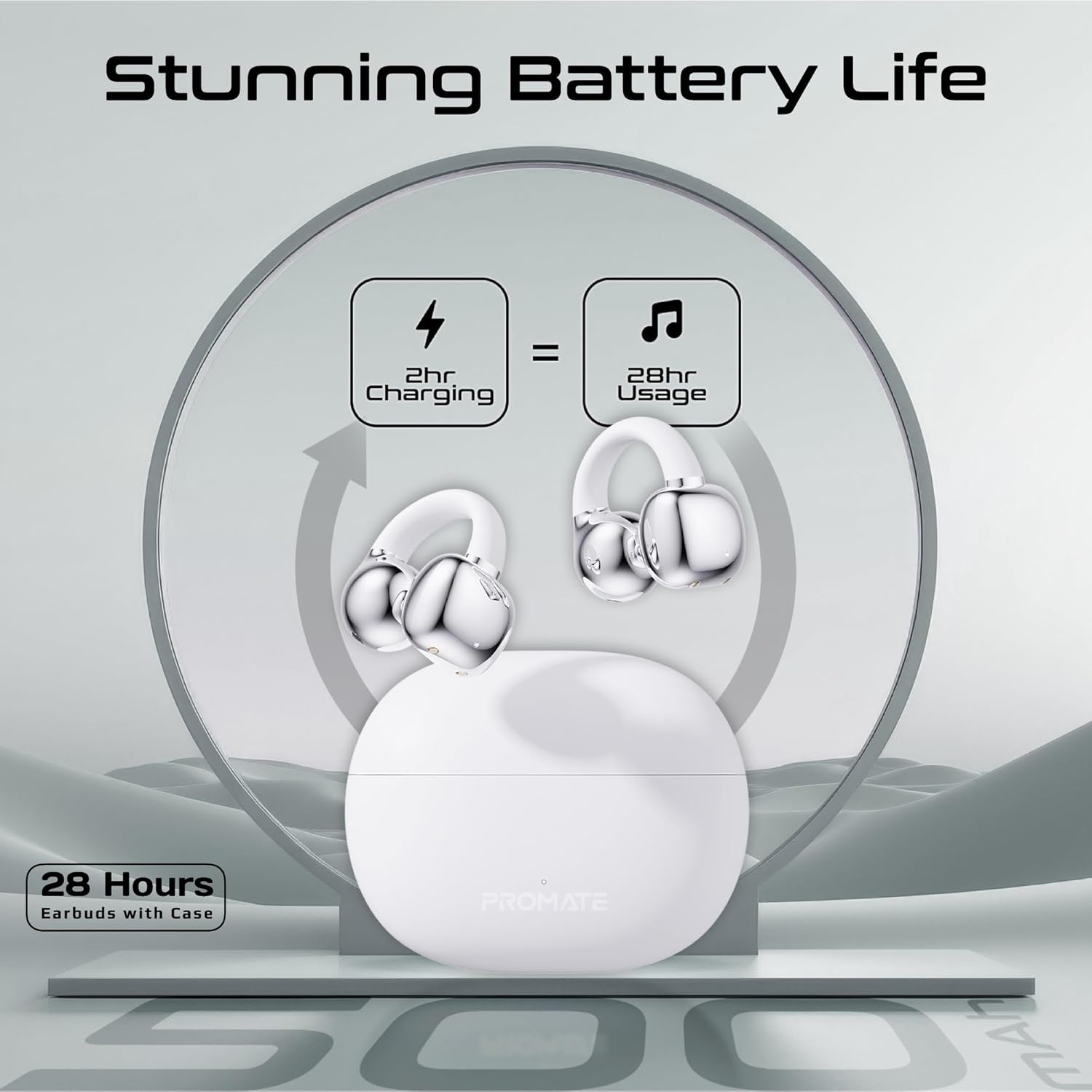
Image: An illustration demonstrating the battery life, indicating 2 hours of charging provides 28 hours of usage with the case.
3.2 Pairing Bluetooth
Follow these steps to pair your Promate AirClip earbuds with your device:
- Fosgail a’ chùis cosgais. Thèid na fònaichean-cluaise a-steach don mhodh paidhreachaidh gu fèin-ghluasadach.
- Air an inneal agad (fòn cliste, tablet, msaa.), cuir Bluetooth an gnìomh.
- Lorg airson available Bluetooth devices and select "Promate AirClip" from the list.
- Aon uair ‘s gu bheil ceangal ann, dearbhaidh guth gu bheil am paidhir soirbheachail.
- Ath-cheanglaicheidh na fònaichean-cluaise gu fèin-ghluasadach ris an inneal mu dheireadh a chaidh a phaireadh nuair a thèid an toirt a-mach às a’ chùis, ma tha Bluetooth air a chomasachadh air an inneal.
4. Stiùireadh Obrachaidh
4.1 A’ caitheamh nan cluasan-cluaise
The AirClip earbuds feature an ergonomic open-ear clip design for a secure and comfortable fit.
- Comharraich na cluas-fònaichean Clì (L) agus Deas (D).
- Gently clip the earbud onto your ear, ensuring the speaker portion is positioned correctly for optimal sound and the clip rests comfortably around your ear.
- Adjust for a snug fit that remains stable during movement.

Image: A person wearing the Promate AirClip earbud, illustrating the AudioFit stable design and open-ear placement.
4.2 IntelliTouch Controls
The earbuds are equipped with touch-sensitive controls for easy management of audio and calls.
- Cluich / Stad: Tap singilte air gach earbud.
- An ath cheum: Tap dà uair air a’ chluas-cinn dheas.
- Rian roimhe: Tap dà uair air a’ chluas-cinn chlì.
- Freagairt/Cuireadh Call: Tap singilte air gach earbud.
- Call a dhiùltadh: Brùth agus cum an dàrna cuid earbud airson 2 dhiog.
- Activate Voice Assistant (Google Assistant/Amazon Alexa): Tap trì tursan air gach cluais-fòn.
- Modh Gèam: Press and hold the right earbud for 2 seconds to toggle low latency game mode.

Ìomhaigh: Sealladh dlùth view of a hand interacting with the Promate AirClip earbud, demonstrating the IntelliTouch control feature.

Image: Promate AirClip earbuds shown alongside a smartphone displaying an incoming call, emphasizing crystal clear stereo calls and connectivity.
5. Cumail suas
Nì deagh chumail suas cinnteach gum mair na fònaichean-cluaise agad fad-beatha agus gum bi iad ag obair gu math.
- Glanadh: Cleachd clò bog, tioram, gun lint gus na cluasan-cluaise agus a’ chùis cosgais a ghlanadh. Na cleachd innealan-glanaidh sgrìobach no fuasglaidhean.
- Seasmhachd uisge: The earbuds are IPX4 water-resistant, meaning they are protected against splashing water from any direction. Do not submerge them in water or expose them to heavy rain. Dry them thoroughly if they get wet.
- Stòradh: Nuair nach eilear gan cleachdadh, stòraich na fònaichean-cluaise anns a’ chùis cosgais aca gus an dìon agus an cumail fo chasaid. Stòraich ann an àite fionnar, tioram air falbh bho theodhachd anabarrach.

Image: Promate AirClip earbuds and charging case depicted with a water splash effect, indicating IPX4 water resistance.
6. A ’dèanamh trioblaid
If you encounter issues with your Promate AirClip earbuds, refer to the following common solutions:
- Fònaichean-cluaise gun a bhith a’ paidhreachadh: Dèan cinnteach gu bheil an dà chluas-cinn anns a’ chùis cosgais, an uairsin fosgail am mullach gus modh càraideachaidh a ghnìomhachadh. Thoir sùil air roghainnean Bluetooth an uidheim agad agus feuch ri ath-cheangal.
- Gun fhuaim bho aon chluas-fòn: Place both earbuds back into the charging case, close the lid, wait a few seconds, then open it again. This can reset the connection.
- Cùisean cosgais: Dèan cinnteach gu bheil an càball cosgais ceangailte gu tèarainte ris a’ chùis agus ris an stòr cumhachd. Dèan cinnteach gu bheil na ceanglaichean cosgais air na fònaichean-cluaise agus taobh a-staigh a’ chùis glan agus saor bho sprùilleach.
- Meud ìosal: Adjust the volume on both your connected device and through the earbud controls. Ensure the earbuds are worn correctly.
- Ceangal eadar-amail: Gluais nas fhaisge air an inneal ceangailte agad gus bacadh a lughdachadh. Dèan cinnteach nach eil cnapan-starra mòra eadar na fònaichean-cluaise agus an inneal agad.
7. Sònrachaidhean
Key technical specifications for the Promate AirClip True Wireless Earbuds:
| Feart | Sònrachadh |
|---|---|
| Ainm Modail | AIRCLIP |
| Tionndadh Bluetooth | 5.3 |
| Teicneòlas ceangail | Uèirleas |
| Suidheachadh cluais | Cluas Fosgailte |
| Beatha Bataraidh (Cluais-fònaichean) | Suas ri 6 uairean a thìde |
| Beatha Bataraidh (le Cùis) | Suas ri 28 uairean a thìde |
| Comas cùis cosgais | 500 mAh |
| Ùine cosgais (Earbuds) | Mu thuairmeas. 30 mionaid |
| Ùine cosgais (cùis) | Mu thuairmeas. 2-3 uairean |
| Ìre an aghaidh uisge | IPX4 |
| Meud driver fuaim | 30mm |
| Cuideam nì | 42g |
| Innealan co-fhreagarrach | Gaming Consoles, Samsung, Television, Windows, iPhone |
| Seòrsa smachd | Touch, Google Assistant, Amazon Alexa |

Image: A detailed chart outlining various technical specifications for the Promate AirClip earbuds.
8. Barantas agus Taic
Promate products are designed with quality and reliability in mind. For warranty information and customer support, please refer to the warranty card included in your package or visit the official Promate weblàrach. Cùm dearbhadh ceannach airson tagraidhean barantais.
For further assistance, you may contact Promate customer service through their official channels.