
1. Ro-ràdh
Thank you for choosing the Nikai 85-inch 4K QLED Smart TV, model NIK85MEU4QLED. This manual provides essential information for the safe and efficient use of your new television. Please read it thoroughly before operating the device and retain it for future reference.
This television features a frameless design, 4K QLED display for stunning visuals, and runs on Web OS with built-in Wi-Fi, offering access to various streaming services and smart functionalities.

Image: The Nikai 85-inch 4K QLED Smart TV showcasing a crystal clear 4K image with vibrant colors.
2. Fiosrachadh Sàbhailteachd
- Solar cumhachd: Ensure the TV is connected to a power source matching the voltage specified on the product label (220V AC, 50Hz).
- Fionnarachadh: Na cuir bacadh air fosglaidhean fionnarachaidh. Fàg àite gu leòr timcheall air an telebhisean airson sruth-adhair ceart gus casg a chur air cus teasachadh.
- Uisge agus Taiseachd: Na cuir an telebhisean fosgailte do uisge, taiseachd agus na cuir nithean làn lionntan air no faisg air an telebhisean.
- Glanadh: Tarraing a-mach am pluga bhon telebhisean mus glan thu e. Cleachd clò bog, tioram. Na cleachd innealan-glanaidh leaghaidh no innealan-glanaidh aerosol.
- Suidheachadh: Place the TV on a stable, level surface or mount it securely to a wall. Keep it away from direct sunlight, heat sources, and strong magnetic fields.
- Clann: Supervise children to prevent them from climbing on the TV or playing with the remote control.
- Seirbheis: Na feuch ris an toradh seo a sheirbheis dhut fhèin. Thoir sùil air gach seirbheis gu luchd-obrach le teisteanas.
3. Pasgan-susbaint
Dèan cinnteach gu bheil a h-uile nì anns a’ phacaid:
- Nikai 85-inch 4K QLED Smart TV Unit
- Smachd iomallach àbhaisteach
- Magic Remote Control
- Càball cumhachd
- Leabhar-làimhe cleachdaiche (an sgrìobhainn seo)
- Pàirtean Seasamh Tbh (ma tha sin iomchaidh)
- Screws for TV Stand (if applicable)
4. Suidhich
4.1 A’ dì-phapadh
Thoir an telebhisean gu faiceallach a-mach às a phacaid. Thathar a’ moladh gum bi dithis ann airson a’ phròiseis seo air sgàth meud is cuideam an telebhisein.
4.2 Stàladh Seasamh (Roghainneil)
If you plan to place the TV on a tabletop, attach the stand according to the instructions provided with the stand components. Ensure all screws are tightened securely.
4.3 Gèilleadh Balla (Roghainneil)
If you plan to wall-mount the TV, use a VESA-compatible wall mount (VESA standard: 75 x 100 mm). Consult a professional for wall mounting to ensure safety and proper installation. Note: The VESA standard provided (75x100mm) is unusually small for an 85-inch TV. Please verify the correct VESA pattern with your wall mount manufacturer or the TV's physical specifications before installation.
4.4 Cumhachd ceangail
Plug the power cable into the TV's power input, then into a wall outlet. Do not power on the TV yet.
4.5 A’ ceangal innealan taobh a-muigh
Connect your external devices (e.g., cable box, Blu-ray player, gaming console) to the TV's input ports:
- Puirt HDMI (3 gu h-iomlan): Airson innealan claisneachd is bhidio àrd-mhìneachaidh.
- USB Ports (3 total, 2 are USB 3.0): For USB storage devices or other compatible peripherals.
- Port Ethernet: Airson ceangal eadar-lìn uèirleas.
- Toradh claisneachd didseatach optigeach: Airson ceangal ri siostaman claisneachd taobh a-muigh.
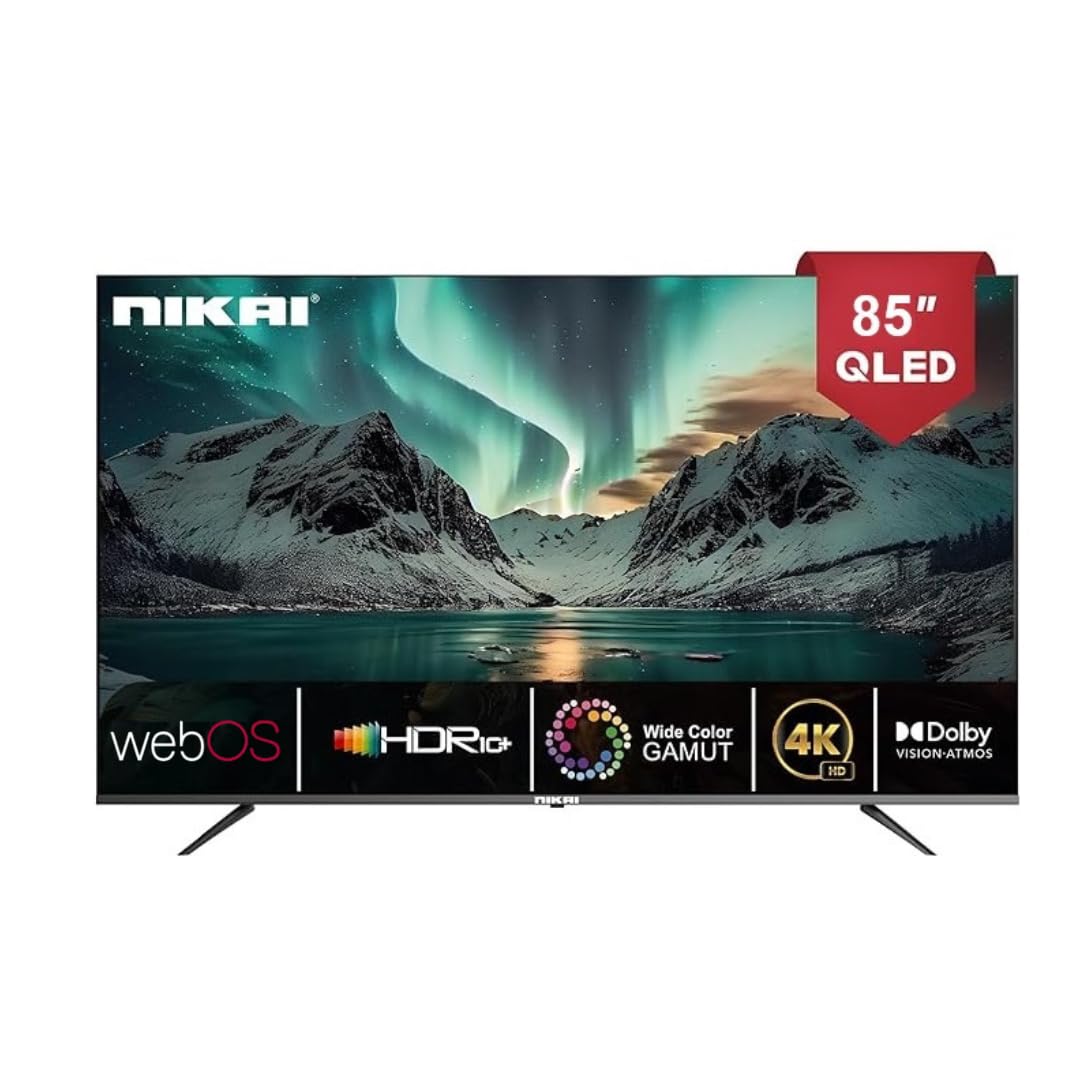
Image: The back of the Nikai 85-inch 4K QLED Smart TV, illustrating connection points for various devices.
4.6 A’ chiad chumhachd air agus a’ chiad shuidheachadh
After connecting all necessary cables, plug the TV into the power outlet and press the power button on the TV or remote control. Follow the on-screen instructions for initial setup, which typically includes language selection, network connection, and channel scanning.
5. Stiùireadh Obrachaidh
5.1 Gnìomhan Smachd Iomallach
Your TV comes with two remote controls. The Magic Remote offers advanced features:

Image: A detailed diagram of the Magic Remote, highlighting its key functions such as Air Mouse, Voice Control, and Quick Access buttons.
- Putan Cumhachd: Tionndaidh an telebhisean air no dheth.
- Putanan àireamh: For direct channel selection.
- Meud suas/sìos: A ’gleusadh an ìre fuaim.
- Sianal Suas/Sìos: Ag atharrachadh seanalan Tbh.
- Teachd a-steach/Tobar: A’ taghadh an stòr cuir-a-steach (HDMI, USB, msaa.).
- Navigation Buttons (Arrow Keys, OK/Enter): Airson seòladh clàr-taice.
- Magic Remote Specifics:
- Luch an Adhair: Use air gestures for convenient control.
- Smachd uile-choitcheann: Control your set-top box, speakers, and satellite TV.
- Smachd guth: Command your remote to find desired content.
- Cuibhle Scroll: Use to scroll vertically and horizontally, and adjust zoom level.
- Putanan Ruigsinneachd Luath: Putanan sònraichte airson seirbheisean sruthadh mòr-chòrdte leithid Netflix agus Prime Video.
5.2 Gnìomhan Bunasach Tbh
- Cumhachd air / dheth: Brùth am putan cumhachd air an smachd iomallach no an telebhisean.
- A’ taghadh an stòr cuir a-steach: Press the 'Input' or 'Source' button on the remote and select the desired input (e.g., HDMI 1, USB).
- Ag atharrachadh roghainnean dealbhan: Navigate to the TV's settings menu to adjust brightness, contrast, color, and picture modes.
- Ag atharrachadh roghainnean fuaim: Access the sound settings to modify bass, treble, balance, and select sound modes. This TV supports Dolby Atmos for immersive audio.

Image: A family enjoying content on the Nikai 85-inch 4K QLED Smart TV, highlighting the Dolby Audio feature for rich sound.
6. Feartan snasail agus Ceangal
6.1 Web Eadar-aghaidh OS
Your TV operates on Web OS, providing an intuitive and user-friendly interface for accessing apps, settings, and content.
6.2 Ceangal lìonra
- Wi-Fi: Navigate to Network Settings to connect to your home Wi-Fi network.
- Ethernet: Connect an Ethernet cable from your router to the TV's Ethernet port for a stable wired connection.
6.3 Streaming Services and Apps
Access a variety of pre-installed and officially licensed streaming applications directly from your TV, including:
- Netflix
- YouTube
- Prìomh bhidio
- Tbh Apple
- Disney+
- StarzPlay Arabia
- OSN Stream
- MBC Shahid
- Viu
- Sony Liv
- HBO Max
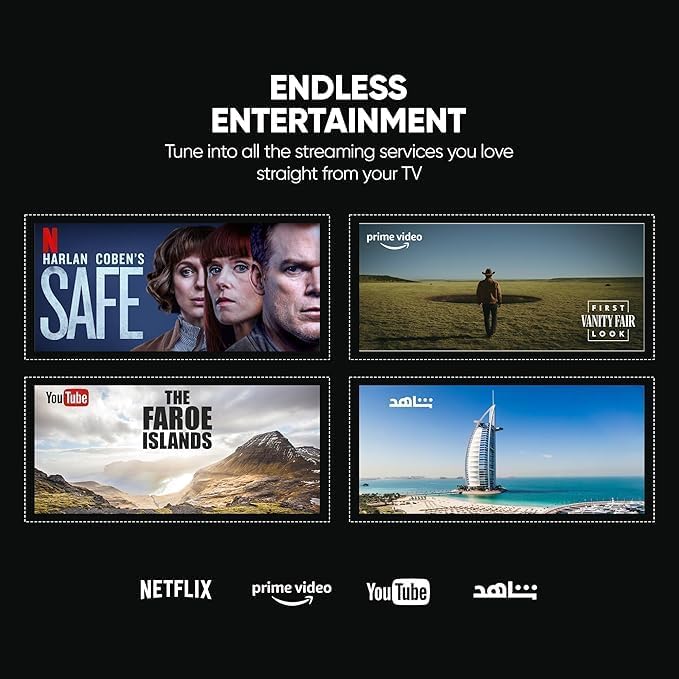
Image: The Nikai Smart TV displaying various streaming service interfaces, demonstrating its entertainment capabilities.
6.4 Sgàthan sgrion
Share content from your mobile devices to the TV using:
- AirPlay: Airson innealan Apple.
- Miracast: For compatible Android devices.
6.5 Smachd Gutha agus Feartan AI
Utilize voice commands for easy control and content search through integrated AI features. The TV supports Google Assistant, Amazon Alexa, and Apple AirPlay for smart home integration.

Image: The Nikai Smart TV demonstrating ThinQ AI and voice control capabilities, compatible with various smart home ecosystems.
7. Cumail suas
- Glanadh sgrion: Sguab an sgrion gu socair le clò bog, gun lint. Airson comharran stòlda, sguab beaganampnigh an clò le uisge no le inneal-glanaidh sgrion sònraichte (na spraeadh gu dìreach air an sgrion).
- Glanadh Bodhaig Tbh: Use a soft, dry cloth to clean the TV's frame and back panel.
- Ùrachaidhean bathar-bog: Periodically check for and install software updates via the TV's settings menu to ensure optimal performance and access to new features.
- Stiùireadh Stòraidh: The TV has 16GB of internal storage (ROM). Manage installed apps and media to ensure sufficient space for smooth operation.
8. A ’dèanamh trioblaid
Ma thachras tu ri duilgheadasan leis an telebhisean agad, thoir sùil air na duilgheadasan agus na fuasglaidhean cumanta a leanas:
| Trioblaid | Adhbhar a dh’fhaodadh a bhith ann | Fuasgladh |
|---|---|---|
| Gun chumhachd | Càball cumhachd air a dhì-cheangal, duilgheadas leis a’ phuing cumhachd. | Thoir sùil air ceangal càball cumhachd. Feuch socaid eadar-dhealaichte. |
| Gun Dealbh, ach Tha Fuaim An làthair | Incorrect input source selected, faulty HDMI cable. | Verify input source. Check/replace HDMI cable. |
| Gun fhuaim, ach tha dealbh an làthair | Tha an tomhas-fuaime air a mhùchadh no ro ìosal, duilgheadas leis an t-siostam claisneachd taobh a-muigh. | Unmute volume, increase volume. Check external audio connections. |
| Iomallach smachd nach eil ag obair | Batteries depleted, obstruction, remote not paired. | Replace batteries. Remove obstructions. Re-pair Magic Remote if necessary. |
| Cùisean Ceangal Lìonra | Comharra Wi-Fi lag, facal-faire ceàrr, duilgheadas leis an router. | Check Wi-Fi signal strength. Re-enter password. Restart router. Try wired Ethernet connection. |
| Aplacaidean gun a bhith a’ luchdachadh/a’ tuiteam | Insufficient memory, app error, outdated software. | Close other apps. Clear app cache. Update TV software. Reinstall app. |
Ma mhaireas an duilgheadas às dèidh dhut na fuasglaidhean seo fheuchainn, cuir fios gu taic luchd-cleachdaidh.
9. Sònrachaidhean
| Feart | Sònrachadh |
|---|---|
| Ainm Modail | NIK85MEU4QLED |
| Meud sgrion | 85 òirlich |
| Teicneòlas taisbeanadh | QLED |
| Fuasgladh | 4K (3840 x 2160) |
| Ìre Ath-nuadhachaidh | 60 Hz |
| Siostam-obrachaidh | Web OS |
| RAM | 2 GB |
| Stòradh a-staigh (ROM) | 16 GB |
| Taic HDR | HDR10, HDR10+, Dolby Vision Atmos |
| Meudachadh Gluasad | MEMC (Motion Estimation, Motion Compensation) |
| Toradh Fuaim | 2.1 Channel, Dolby Atmos |
| Ceangalachd | Wi-Fi, Bluetooth, Ethernet |
| Puirt a-steach | 3 x HDMI, 3 x USB (2 x USB 3.0), Ethernet, Optical Audio |
| Sgrionadh Sgrion | AirPlay, Miracast |
| Smachd guth | Google Assistant, Amazon Alexa, Apple AirPlay |
| Meudan toraidh (W x H x D) | 189 cm x 114 cm x 15 cm (approximate, based on 15D x 189W x 114H cm) |
| Cuideam nì | 35 kg |
| Solar cumhachd | 220V AC, 50Hz |
| Inbhe sreap VESA | 75 x 100 mm (Please verify with wall mount manufacturer) |
10. Barantas agus Taic
10.1 Fiosrachadh Barantais
This Nikai 85-inch 4K QLED Smart TV comes with a two-year agent warranty. Please retain your proof of purchase for warranty claims. The warranty covers manufacturing defects under normal use conditions. It does not cover damage caused by misuse, accidents, unauthorized repairs, or natural disasters.
10.2 Taic teachdaiche
For technical assistance, troubleshooting beyond this manual, or warranty service, please contact your local Nikai authorized service center or the retailer where you purchased the product. Refer to your warranty card or Nikai's official weblàrach-lìn airson fiosrachadh conaltraidh sònraichte.