
1. Ro-ràdh
The Hello Kitty Sunrise Alarm Clock is designed to provide a gentle and natural waking experience with its sunrise simulation feature. This digital alarm clock includes multicolor lights, an LED display showing time, date, and temperature, a USB charging port, and a convenient snooze function. Its charming Cinnamoroll design adds a whimsical touch to any room.

Image 1: Hello Kitty Cinnamoroll Sunrise Alarm Clock with multicolor lighting.
2. Fiosrachadh Sàbhailteachd
- Na cuir an inneal fo theodhachd anabarrach, solas dìreach na grèine, no taiseachd àrd.
- Use only the provided USB power cable or a certified equivalent.
- Cùm an inneal air falbh bho uisge no lioftaichean eile.
- Na feuch ri an inneal a thoirt às a chèile no a chàradh thu fhèin. Cuir fios gu luchd-obrach seirbheis teisteanasach.
- Dèan cinnteach gu bheil an inneal air a chuir air uachdar seasmhach, còmhnard.
3. Pasgan-susbaint
Thoir sùil air a’ phacaid airson nan nithean a leanas:
- Hello Kitty Sunrise Alarm Clock (Cinnamoroll design)
- Càball cumhachd USB
- Leabhar-làimhe cleachdaiche (an sgrìobhainn seo)
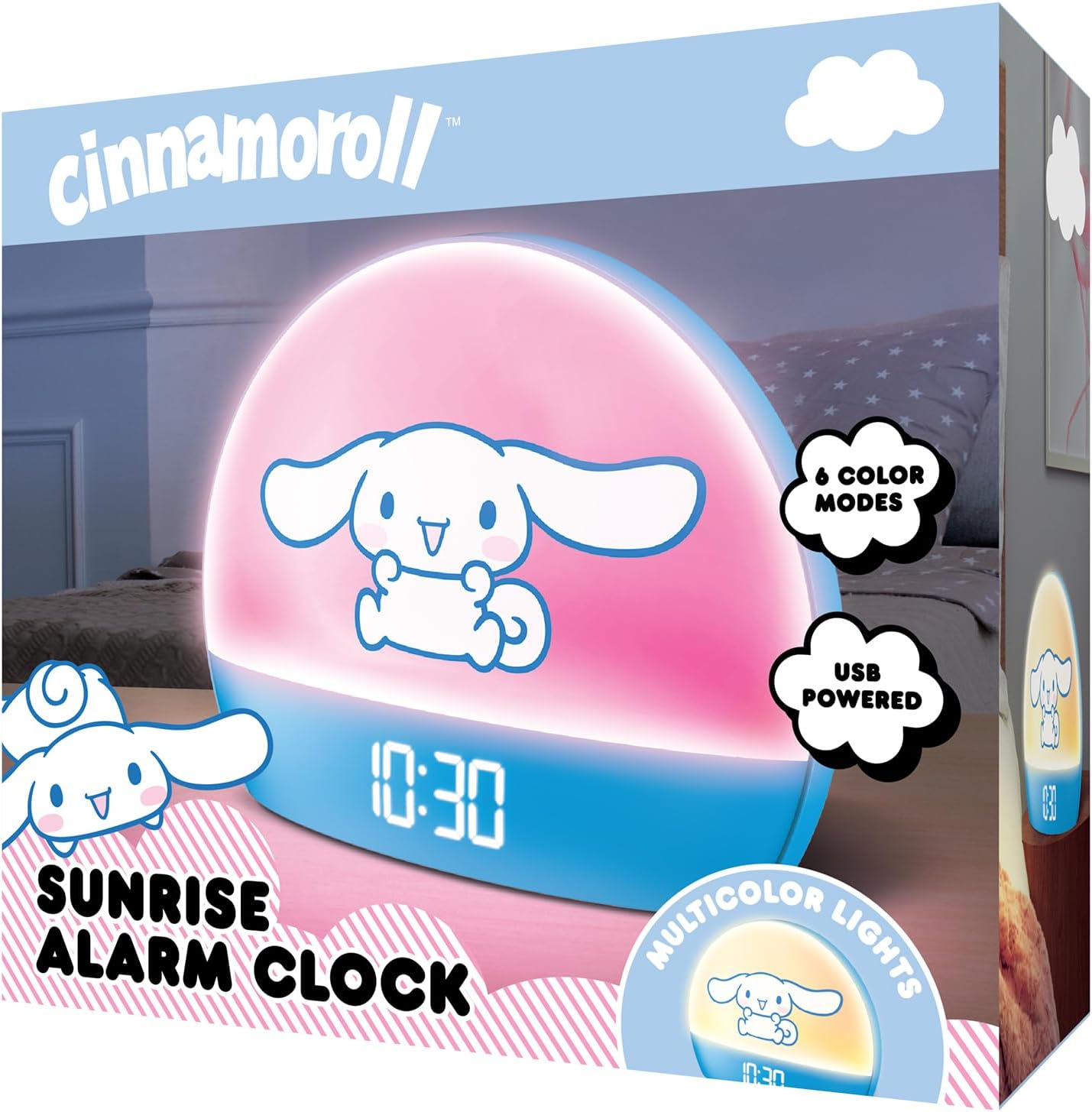
Image 2: Front packaging of the Hello Kitty Cinnamoroll Sunrise Alarm Clock.
4. Toradh thallview
Dèan eòlas ort fhèin air prìomh phàirtean do chloc-rabhaidh.
- Taisbeanadh LED: Shows time, date, and temperature.
- Pannal Solais: Emits multicolor and sunrise simulation lights.
- Putanan smachd: Located on the back or bottom for setting time, alarm, and light functions.
- Port Cìsean USB: For powering the device and charging external devices.
- Putan Snooze: Typically a prominent button on the top or front.

Image 3: Hello Kitty Cinnamoroll Sunrise Alarm Clock in a bedroom setting.
5. Suidhich
5.1 Ceangal cumhachd
- Connect the provided USB power cable to the USB port on the back of the alarm clock.
- Cuir ceann eile a’ chàball USB a-steach do inneal-atharrachaidh cumhachd USB co-chòrdail (nach eil air a ghabhail a-steach) no do phort USB le cumhachd.
- The LED display will light up, indicating the device is powered on.
5.2 A' suidheachadh Àm agus Ceann-latha
Specific button names are not provided, so general instructions are given. Refer to the physical device for exact button labels.
- Press the "SET" or "TIME" button to enter time setting mode.
- Use the "UP" and "DOWN" buttons to adjust the hour. Press "SET" again to confirm.
- Adjust the minute using "UP" and "DOWN" buttons. Press "SET" to confirm.
- Lean air adhart leis a’ phròiseas seo gus a’ bhliadhna, a’ mhìos agus an latha a shuidheachadh.
- The clock may offer 12-hour or 24-hour format selection. Follow on-screen prompts or consult the device's specific button functions.
6. Stiùireadh Obrachaidh
6.1 A' suidheachadh an Alarm
- Brùth air a’ phutan “ALARM” gus modh suidheachadh rabhaidh a ruighinn.
- Use "UP" and "DOWN" buttons to set the desired alarm hour. Press "ALARM" to confirm.
- Adjust the alarm minute. Press "ALARM" to confirm.
- Some models may allow setting alarm volume or sound. Follow prompts if available.
- To activate/deactivate the alarm, look for an "ALARM ON/OFF" button or a toggle within the alarm setting menu.
6.2 Samhlachadh Èirigh na Grèine
The sunrise simulation feature gradually increases light intensity before your set alarm time, mimicking a natural sunrise.
- This feature is typically linked to the alarm function. When the alarm is active, the light will begin to brighten a set period (e.g., 30 minutes) before the alarm sounds.
- Consult the device's specific controls for adjusting the duration or intensity of the sunrise simulation, if applicable.
6.3 solais ioma-dathach
The clock offers various color modes for ambient lighting.
- Press the "LIGHT" or "COLOR" button to cycle through different color options or activate a color-changing mode.
- Press and hold the "LIGHT" button to turn off the ambient light.
- Brightness of the display and ambient light can often be adjusted using dedicated buttons or by holding the "LIGHT" button.
6.4 Gnìomh Snooze
When the alarm sounds, press the large "SNOOZE" button (usually on top) to temporarily pause the alarm. The alarm will sound again after a short interval (e.g., 5-10 minutes).
6.5 Port USB Charging
The integrated USB port can be used to charge small electronic devices like smartphones or tablets. Simply connect your device's charging cable to the USB port on the alarm clock.
6.6 Taisbeanadh Teòthachd
The LED display shows the current room temperature. No specific action is usually required to view this, as it cycles with time and date or is displayed continuously.
7. Cumail suas
- Glan an gleoc le clò bog, tioram. Na cleachd innealan-glanaidh sgrìobach no fuasglaidhean.
- Ensure the USB port is free from dust and debris.
- Stòraich an uaireadair ann an àite fionnar, tioram nuair nach eilear ga chleachdadh airson ùine mhòr.
8. A ’dèanamh trioblaid
| Trioblaid | Adhbhar a dh’fhaodadh a bhith ann | Fuasgladh |
|---|---|---|
| Chan eil an uaireadair a’ dol air. | USB cable not connected properly or power source issue. | Check USB cable connection. Try a different USB power adapter or port. Ensure the cable is securely inserted. |
| Time is incorrect or drifts. | Time not set correctly or internal clock issue. | Re-set the time following Section 5.2. If the issue persists, try disconnecting and reconnecting power. |
| Chan eil an inneal-rabhaidh a’ fuaimeachadh. | Cha deach an inneal-rabhaidh a ghnìomhachadh no chaidh a shuidheachadh gu ceàrr. | Verify the alarm is set and activated (check for an alarm icon on the display). Ensure the volume is not set to zero if adjustable. |
| Tha na putanan neo-fhreagairt. | Duilgheadas sealach leis a’ phutan no leis a’ bhathar-bhog. | Disconnect power for a few seconds and reconnect to reset the device. If buttons remain unresponsive, contact support. |
| Chan eil port cosgais USB ag obair. | Cable issue, device not fully powered, or port malfunction. | Ensure the clock is properly powered. Try a different USB charging cable. Check if the port is clean and free of debris. |
9. Sònrachaidhean
| Brand | Halo Kitty |
| Modail Àireamh | HKCLK01CR-MFN |
| Dath | Cinnamoroll |
| Seòrsa Taisbeanaidh | Didseatach |
| Feartan sònraichte | Adjustable Brightness, Alarm, Charging Port, LED Display, Temperature Display, Sunrise Simulation, Multicolor Lights |
| Meudan toraidh | 7"L x 6"À |
| Stòr cumhachd | Electric Corded (USB) |
| Stuth | Plastaig |
| Cuideam nì | 0.4 cileagram (14 unnsa) |
| Teicneòlas ceangail | USB |
| Dèanadair | Telecom a Deas |
10. Barantas agus Taic
For warranty information or technical support, please refer to the contact details provided on the product packaging or visit the official Hello Kitty product support weblàrach. Cùm do chuidhteas ceannach airson tagraidhean barantais.