
1. Ro-ràdh
The Awei H15 Smartwatch is designed to integrate seamlessly into your daily life, offering health monitoring, communication features, and smart notifications. This manual provides essential information for setting up, operating, and maintaining your device.
2. Dè tha sa bhogsa
- 1 x Awei H15 Smartwatch
- 1 x càball cosgais
- 1 x Leabhar-làimhe Cleachdaiche (an sgrìobhainn seo)
3. Toradh thallview
Familiarize yourself with the key components of your Awei H15 Smartwatch.
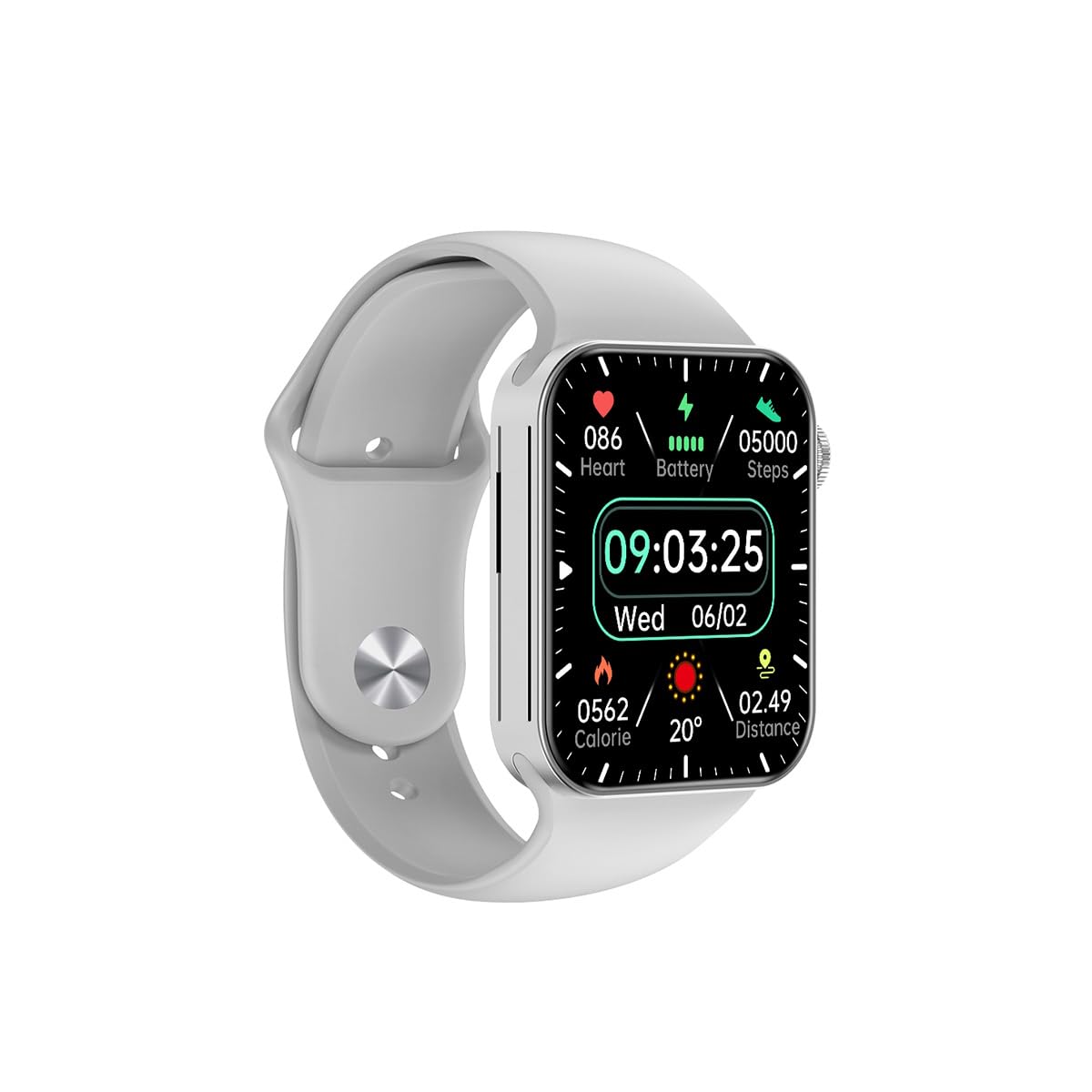
Figear 3.1: Aghaidh view of the Awei H15 Smartwatch display, illustrating various health metrics and time.

Figear 3.2: Taobh view of the smartwatch, highlighting the rotary crown for navigation and an additional button.
4. Suidhich
4.1 A’ cur cosgais air an uaireadair-smart
Before first use, fully charge your Awei H15 Smartwatch. Connect the provided charging cable to the charging port on the back of the watch and to a standard USB power adapter (not included).
- Ùine Cosgais: Mu 2-3 uairean a thìde airson làn chosgais.
- Battery Life: Up to 7 days with calls, up to 15 days without calls.
4.2 Cumhachd air / dheth
- Gus cumhachd a thoirt air: Press and hold the side button until the Awei logo appears.
- Gus cumhachd a thoirt dheth: Brùth is cum sìos am putan taobh, agus an uair sin tagh ‘Cumhachd Dheth’ air an sgrion.
4.3 A’ paidhreachadh leis an fhòn-smart agad
The Awei H15 Smartwatch uses Dual Bluetooth 3.0/5.0 for stable connectivity. To unlock full features, download the companion app (refer to the packaging or quick start guide for app name) from your smartphone's app store.
- Ensure your smartwatch is powered on and fully charged.
- Dèan comas air Bluetooth air an fhòn-smart agad.
- Open the companion app and follow the on-screen instructions to search for and connect to your Awei H15 Smartwatch.
- Dearbhaich an t-iarrtas paidhreachaidh air an fhòn-smart agus an uaireadair smart agad.
5. Stiùireadh Obrachaidh
5.1 Seòladh Bunaiteach
- Sgrion-suathaidh: Sguab clì, deas, suas no sìos gus seòladh tro chlàran-taice agus scrionaichean. Tap gus nithean a thaghadh.
- Crùn rothlach: Rotate the crown to scroll through lists or zoom in/out (where applicable). Press the crown to return to the home screen or confirm selections.
5.2 Multi-Dial Switching
Customize your smartwatch's appearance by switching between various watch faces.

Figear 5.1: Examples of different watch faces available on the Awei H15 Smartwatch.
Gus an aghaidh faire atharrachadh:
- From the home screen, press and hold the display.
- Sguab clì no deas gus coimhead air na h-aghaidhean uaireadair a tha rim faighinn.
- Tap on a watch face to select it.
5.3 Sgrùdadh Slàinte
The Awei H15 Smartwatch tracks various health metrics to support your active lifestyle.
- Ìre cridhe: Monitor your heart rate throughout the day.
- Rianachd gnìomhachd: The built-in G-Sensor (MSA311) accurately tracks steps, distance, and calories burned.
- Sgrùdadh cadail: Track your sleep patterns (light sleep, deep sleep, wake-up times).
Access detailed health data through the companion app on your smartphone.
5.4 Smart Feartan
- Glaodh: Dèan agus faigh gairmean gu dìreach bhon smartwatch agad nuair a tha e ceangailte ris an fhòn agad tro Bluetooth.
- Brathan: Receive alerts for messages, emails, and app notifications.
- Ùrachaidhean sìde: Faigh fiosrachadh sìde fìor-ùine.
- Smachd Ciùil: Smachd air ath-chluich ciùil air an fhòn-smart agad.
6. Cumail suas
6.1 Glanadh
Regularly clean your smartwatch to ensure optimal performance and hygiene.
- Sguab an sgrion agus a’ bhodhaig le clò bog, gun lint.
- Airson salachar stòlda, beagan dampnigh an clò le uisge. Seachain ceimigean làidir.
- Glan na ceanglaichean cosgais bho àm gu àm gus dèanamh cinnteach gu bheil ceangal math ann.
6.2 Dìon-uisge (IP67)
The Awei H15 Smartwatch is IP67 water-resistant, meaning it is protected against dust and can withstand immersion in water up to 1 meter for 30 minutes.
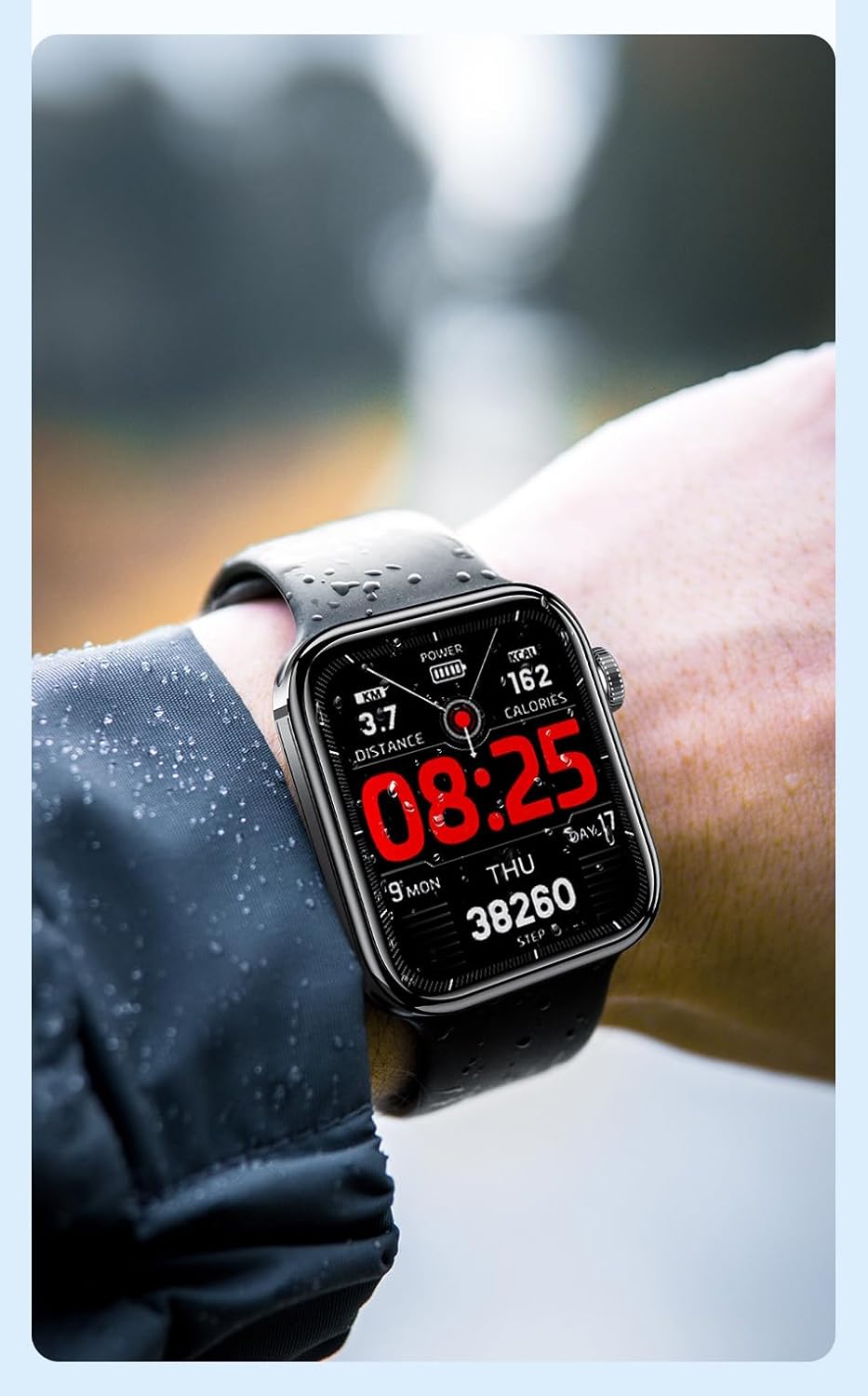
Figear 6.1: The Awei H15 Smartwatch is designed to withstand splashes and dust.
Important: IP67 rating does not mean the watch is suitable for swimming, showering, or diving. Avoid exposing the watch to hot water, steam, or high-velocity water.
7. A ’dèanamh trioblaid
- Uaireadair nach eil a’ tionndadh air: Dèan cinnteach gu bheil an uaireadair làn-luchdaichte. Ceangail e ris an charger airson co-dhiù 30 mionaid.
- Chan urrainnear paidhir a dhèanamh le fòn cliste:
- Dèan cinnteach gu bheil Bluetooth air a chomasachadh air an fhòn agad agus an uaireadair.
- Dèan cinnteach gu bheil an uaireadair taobh a-staigh ruigsinneachd do fhòn.
- Ath-thòisich an uaireadair agus am fòn agad.
- Thoir sùil a bheil an aplacaid co-cheangailte air ùrachadh chun dreach as ùire.
- Dàta slàinte neo-mhearachdach: Dèan cinnteach gu bheil an uaireadair air a chaitheamh gu teann air do chaol-dùirn, gun a bhith ro theann no ro sgaoilte. Glan am mothachair air cùl an uaireadair.
- Beatha bataraidh goirid: Reduce screen brightness, disable unnecessary notifications, and limit continuous heart rate monitoring.
8. Sònrachaidhean
| Feart | Sònrachadh |
|---|---|
| Modail | H15 |
| Teicneòlas ceangail | Bluetooth 3.0/5.0 |
| Frith-aghaidh uisge | IP67 |
| Comas Bataraidh | 260 mAh |
| Ùine cosgais | 2-3 uairean |
| Uair Cleachdaidh | Up to 7 days (with calls), 15 days (without calls) |
| G-Brathadair | MSA311 |
| Meudan | 36.8 × 42.5 × 13.2mm |
| Fad bann-làimhe | 270mm |
| Dèanadair | Awei |
9. Barantas agus Taic
Your Awei H15 Smartwatch comes with a Barantas 6 mìosan bho cheann-latha a’ cheannaich. Tha am barantas seo a’ còmhdach lochdan saothrachaidh fo chleachdadh àbhaisteach.
For warranty claims or technical support, please contact your retailer or the official Awei customer service. Keep your proof of purchase for warranty validation.