
1. Ro-ràdh
Thank you for choosing the Norwii N76 Rechargeable Wireless Presentation Remote. This device is designed to enhance your presentations with seamless slide control and a powerful green laser pointer. It offers broad compatibility across various operating systems and presentation software, ensuring a smooth and engaging experience for your audience.
Please read this manual carefully to understand the features and proper operation of your new presentation remote. Keep this manual for future reference.
2. Pasgan-susbaint
Dèan cinnteach gu bheil a h-uile rud anns a’ phacaid agad:
- Preseantair gun uèir Norwii N76
- Glacadair USB-A
- Càball cosgais USB
- Premium Portable Case
- Leabhar-làimhe cleachdaiche

3. Toradh thallview
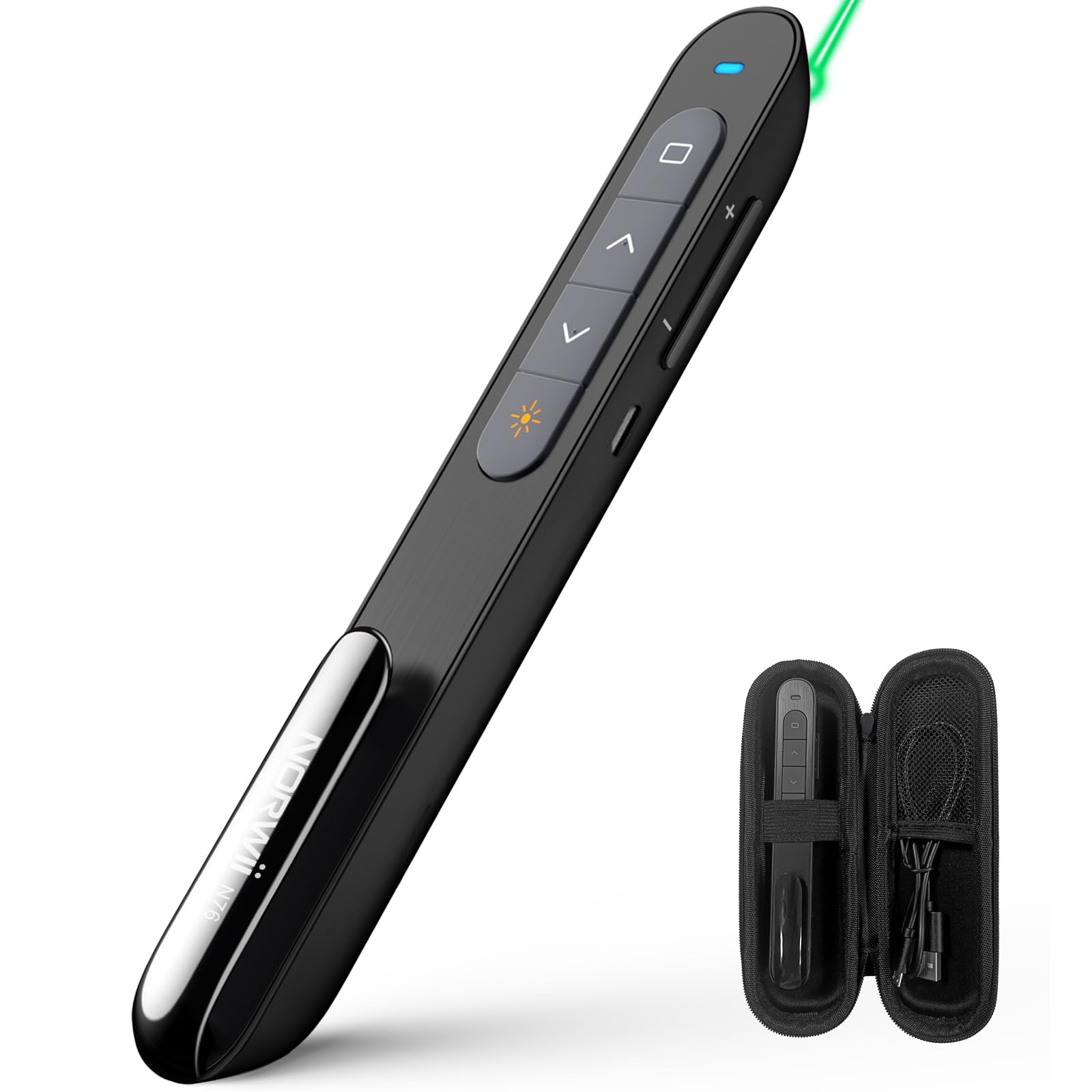
The Norwii N76 features an ergonomic design with clearly labeled, tactile buttons for intuitive control during presentations. The device includes a built-in USB-A receiver for convenient storage and connectivity.

Prìomh dhleastanasan:
- Putan Comharraiche Laser: Activates the green laser.
- Page Up/Down Buttons: Navigates through presentation slides.
- Full Screen/Black Screen Button: Toggles full screen mode or blacks out the screen.
- Hyperlink/Switch Window Button: Allows opening hyperlinks or switching between active windows.
- Smachd tomhas-lìonaidh: A’ gleusadh fuaim an t-siostaim.
- Switch AIR / OFF: Located on the side for power management.

4. Suidhich
4.1. Connecting the USB-A Receiver
- Locate the USB-A receiver stored inside the tail cap of the Norwii N76 presenter. Gently pull it out.
- Insert the USB-A receiver into an available USB-A port on your computer.
- The computer will automatically detect and install the necessary drivers. This is a plug-and-play device, so no manual driver installation is typically required.
- Turn on the Norwii N76 presenter using the ON/OFF switch on its side.

4.2. A 'cur cosgais air an inneal
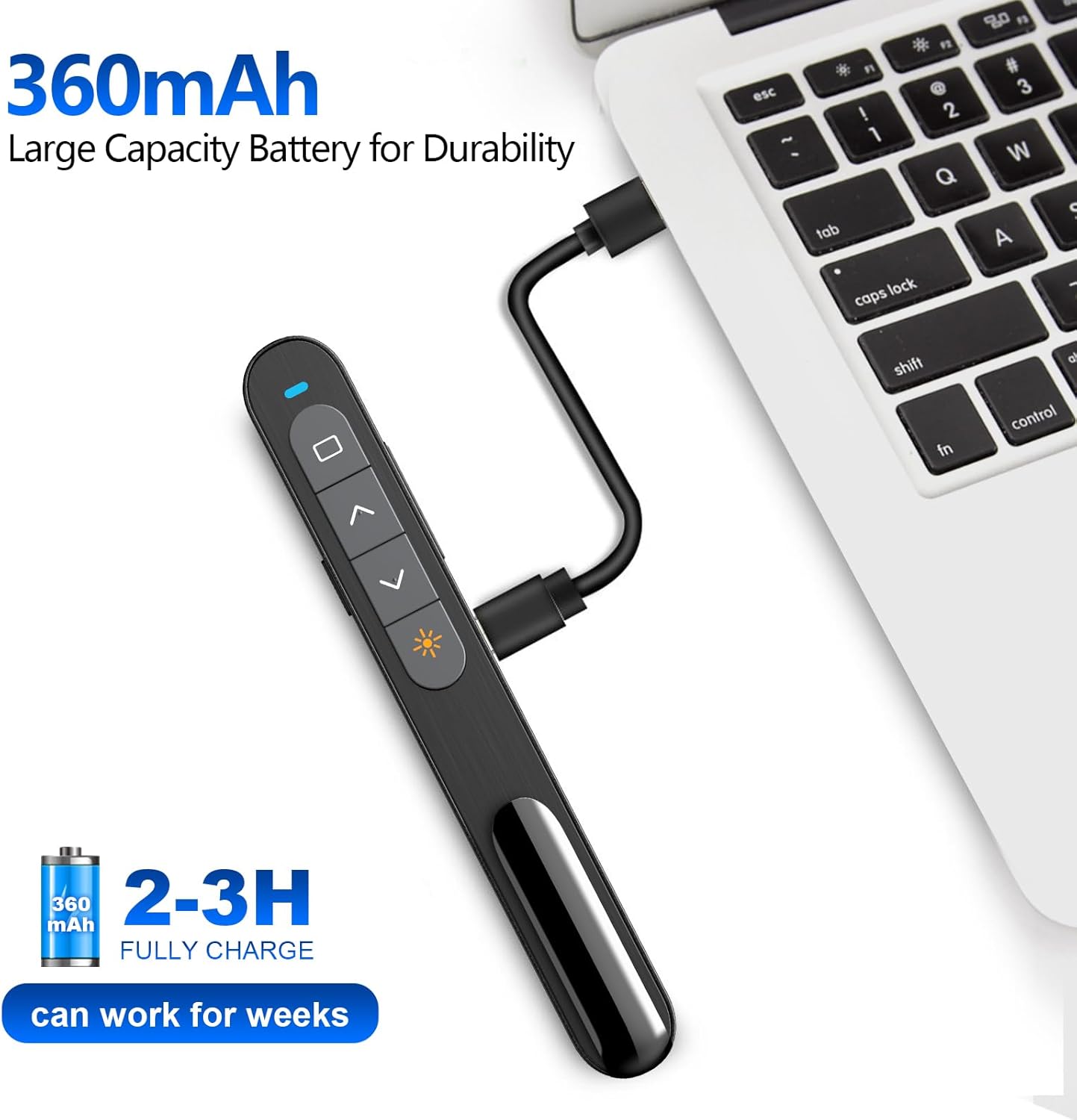
The Norwii N76 is equipped with a built-in 360mAh rechargeable Li-ion battery. To charge the device:
- Connect the provided USB charging cable to the charging port on the presenter.
- Connect the other end of the USB charging cable to a USB power source (e.g., computer USB port, USB wall adapter).
- Lasaidh an solas comharra cosgais fhad ’s a bhios e a’ cur cosgais agus cuiridh e dheth e aon uair ‘s gu bheil e làn-chosgais.
- Mar as trice bidh cosgais iomlan a 'toirt 1.5-2 uairean.

5. Stiùireadh Obrachaidh
5.1. Cumhachd air / dheth
Slide the ON/OFF switch located on the side of the presenter to the 'ON' position to power on the device. Slide it to 'OFF' when not in use to conserve battery life.
5.2. Basic Slide Control
- Brùth an Page Up (▲) button to move to the previous slide.
- Brùth an Page Down (▼) button to move to the next slide.
5.3. Laser Pointer Function
Brùth agus cùm an Comharra laser button (often marked with a sun or star icon) to activate the green laser. Release the button to turn off the laser. The green laser is 8 times brighter than a red laser, providing clear visibility on most screens. Note: The laser is not intended for use on TV screens.
5.4. Gnìomhan Adhartach
- Làn-sgrìn/Sgrìn Dubh: Press the dedicated button (often a square icon) to toggle between full screen mode and a black screen.
- Hyperlink/Switch Window: Use the designated button (often a chain link or window icon) to activate hyperlinks within your presentation or switch between open applications.
- Smachd tomhas-lìonaidh: Use the volume up (+) and volume down (-) buttons on the side of the presenter to adjust the audio output of your computer.

5.5. Customizable Buttons
The Norwii N76 allows for button reprogramming via the Norwii Presenter software. This software enables you to assign custom functions to buttons for a personalized workflow. Refer to the Norwii weblàrach-lìn airson bathar-bog a luchdachadh sìos agus stiùireadh mionaideach.

6. Cumail suas
6.1. Cùram Bataraidh
- Cuir cosgais iomlan air an inneal mus cleachd thu an toiseach.
- Seachain a bhith a’ drèanadh a’ bhataraidh gu tur gu cunbhalach gus a fad-beatha a leudachadh.
- If storing the device for an extended period, charge it to approximately 50% every few months.
6.2. Glanadh
Wipe the device with a soft, dry cloth. Do not use harsh chemicals or abrasive cleaners. Ensure no liquid enters the device openings.
7. A ’dèanamh trioblaid
If you encounter issues with your Norwii N76, refer to the following common problems and solutions:
| Trioblaid | Fuasgladh |
|---|---|
| Chan eil an neach-aithris a’ freagairt |
|
| Puing laser nach eil ag obair |
|
| Raon gun uèir cuibhrichte |
|
8. Sònrachaidhean
| Feart | Mion-fhiosrachadh |
|---|---|
| Modail Àireamh | N76 |
| Ceangalachd | Gun Uèir 2.4GHz (Glacadair USB-A) |
| Raon gun uèir | Suas gu 100 meatairean (328 troighean) |
| Seòrsa laser | Green Light (656 feet laser range) |
| Bataraidh | Polymer lithium ath-thagraidh 360mAh |
| Ùine cosgais | 1.5-2 uairean |
| Meudan toraidh | 5.5 x 0.7 x 0.8 òirleach |
| Cuideam nì | 1.05 unnsa |
| OS co-chòrdail | Windows, macOS, Android, Linux |
| Bathar-bog co-fhreagarrach | PowerPoint, Google Slides, WPS Office, Prezi, Keynote |
9. Fiosrachadh Sàbhailteachd
- Sàbhailteachd laser: Do not point the laser beam directly at people or animals. Avoid direct eye exposure to the laser beam. Do not point the laser beam at highly reflective surfaces.
- Clann: Cùm an inneal a-mach à ruigsinn chloinne.
- Bataraidh: Do not attempt to replace the internal battery. Do not expose the device to extreme temperatures or direct sunlight.
- Fuasgladh: Cuir às don inneal agus a bataraidh a rèir riaghailtean ionadail.
10. Barantas agus Taic
Norwii products are designed for reliability and performance. For warranty information, technical support, or service inquiries, please refer to the warranty card included in your package or visit the official Norwii website. Please have your product model number (N76) and purchase details ready when contacting support.