
Tolifo PL-60RGB
Tolifo 60W RGB LED Video Light PL-60RGB Instruction Manual
Model: PL-60RGB | Brand: Tolifo
1. Toradh thallview
The Tolifo 60W RGB LED Video Light PL-60RGB is a versatile and portable lighting solution designed for photography, videography, and live streaming. It features a 60W output, full RGB color control, adjustable color temperature from 2700K to 6500K, and high color rendering indices (CRI 97+, TLCI 98+). Equipped with a built-in 13500mAh battery, it offers extended operation and supports app control for convenient adjustments.
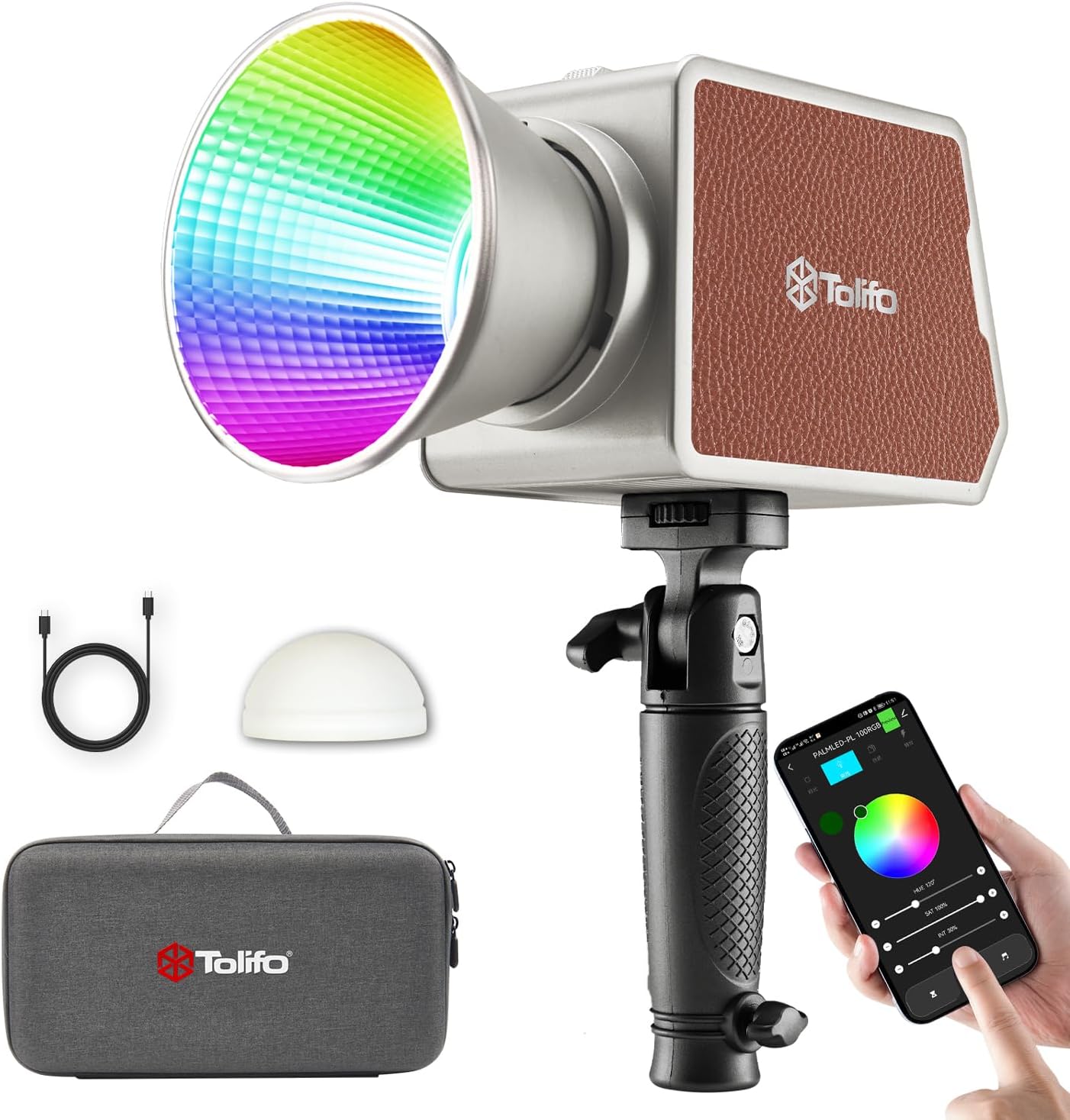
Figure 1: Tolifo 60W RGB LED Video Light with included accessories and smartphone app interface.

Figure 2: The Tolifo 60W RGB LED Video Light in operation, demonstrating its powerful illumination.
Prìomh fheartan:
- 60W COB LED output with 10500lux@1m maximum illuminance.
- Adjustable color temperature from 2700K to 6500K.
- Full 360° RGB hue control and 0-100% dimming.
- High CRI 97+ and TLCI 98+ for accurate color reproduction.
- Built-in 13500mAh battery for portable use (72 mins normal, 40 mins enhanced).
- Supports Type-C and DC power input for charging and simultaneous use.
- 20 preset lighting scenes for creative effects.
- Bowens Mount compatibility for various light modifiers.
- Bluetooth APP control (Linklite App) for remote operation up to 60m.
- Integrated silent cooling fan and overheat protection.
- Compact and lightweight design (1.2lb, 4.9"x 2.8" x 3.2").
2. Pasgan-susbaint
Before using the device, please verify that all items listed below are present in the package.
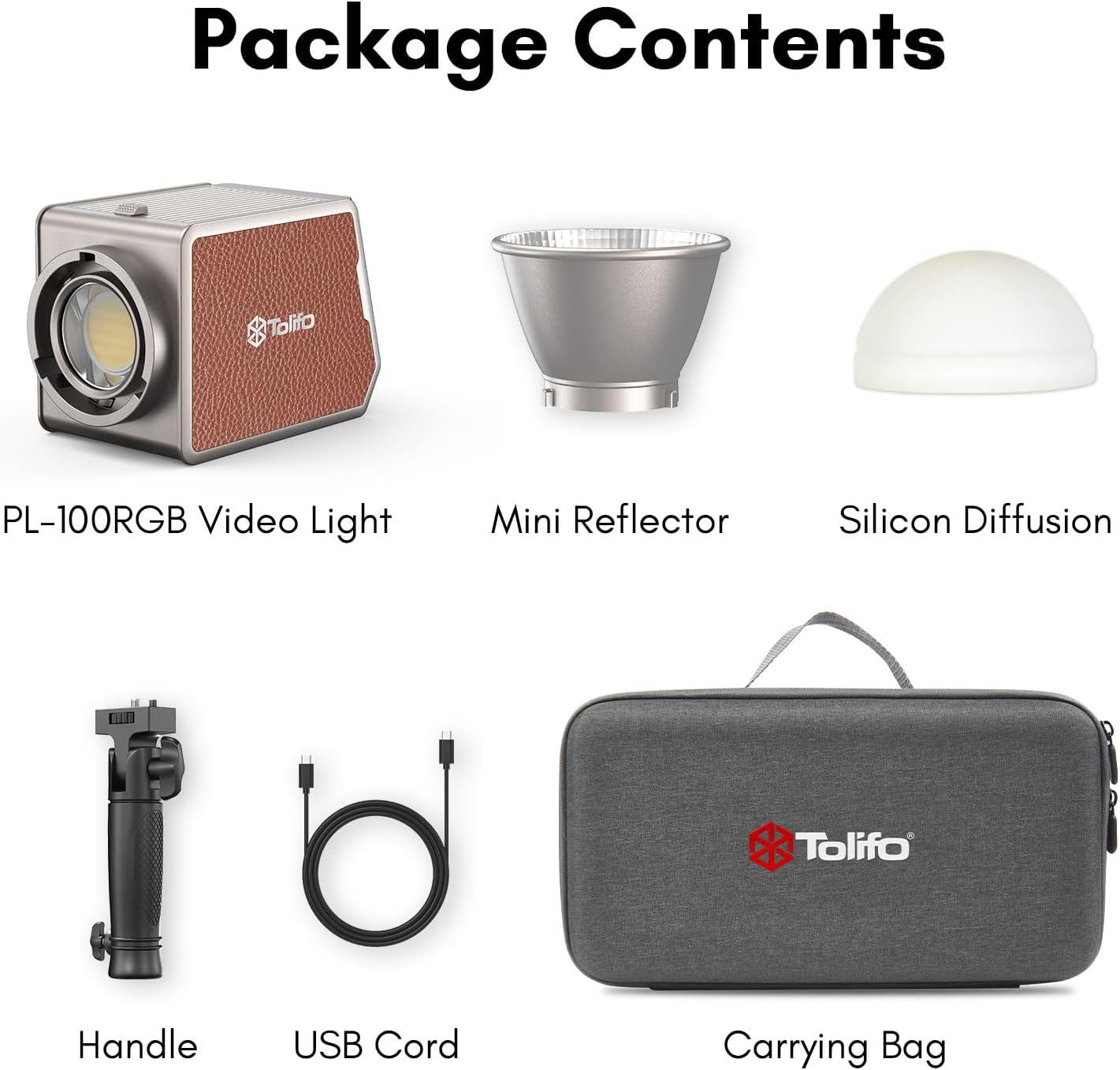
Figure 3: Package contents of the Tolifo 60W RGB LED Video Light.
- 1 x Tolifo PL-60RGB Video Light
- 1 x Mini Reflector
- 1 x Silicone Diffuser
- 1 x Làimhseachadh
- 1 x càball cosgais Type-C
- 1 x baga-giùlain
3. Stiùireadh Stèidheachaidh
3.1 Cìs tòiseachaidh
The Tolifo PL-60RGB features a built-in 13500mAh battery. For optimal performance, fully charge the device before first use.
- Connect the provided Type-C charging cable to the Type-C port on the light.
- Connect the other end of the cable to a compatible USB power adapter (not included) or power bank.
- The battery can be charged even when the light is off.
- The light also supports DC power input for maximum output and simultaneous use while charging.
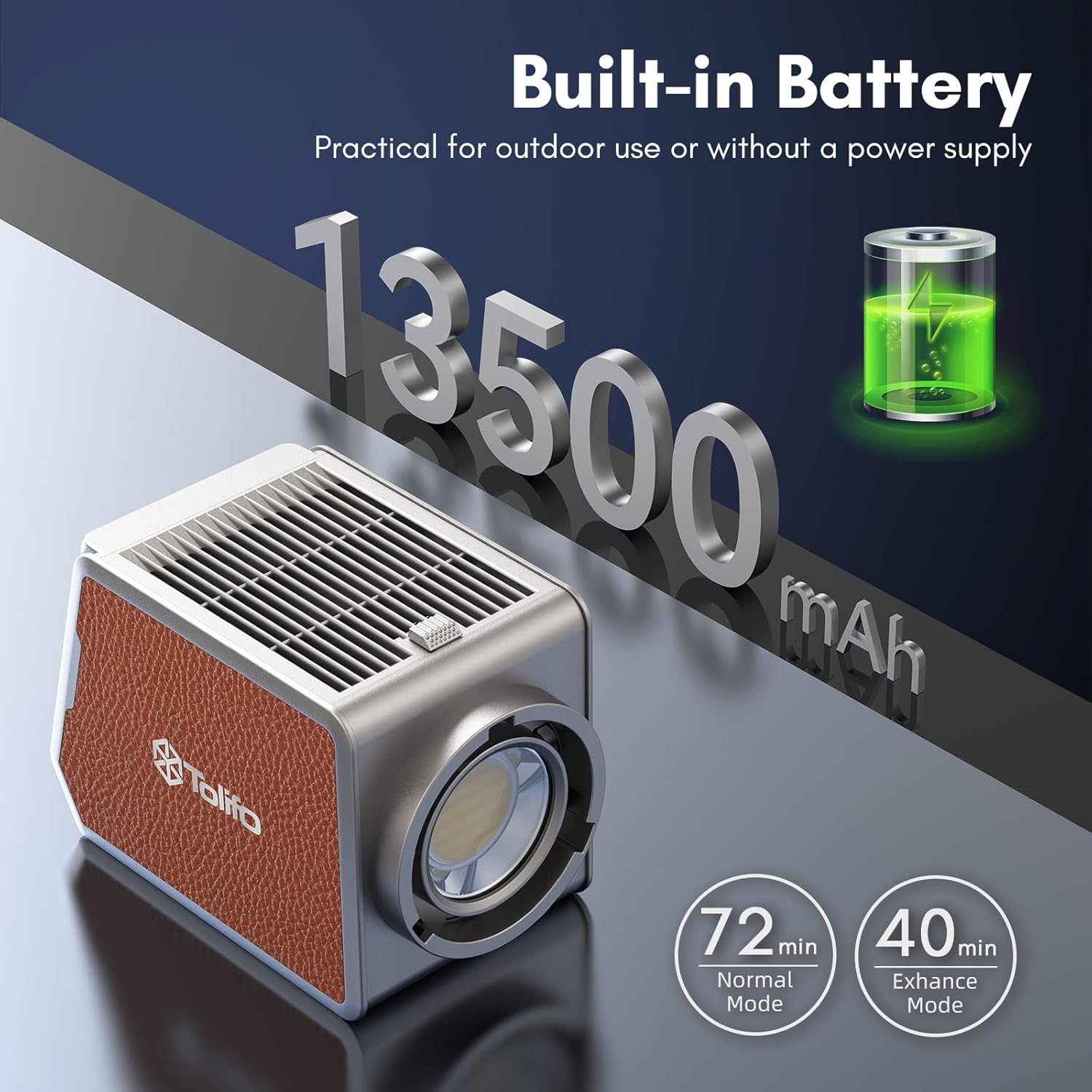
Figure 4: Battery specifications and charging ports.
3.2 A 'ceangal Accessories
The light comes with a mini reflector and a silicone diffuser. It also features a standard Bowens Mount for broader compatibility.
- Mini Reflector/Silicone Diffuser: Align the accessory with the front of the light and twist clockwise until securely locked.
- Làimhseachadh: Attach the handle to the bottom mounting point of the light for handheld operation.
- Bowens Mount Accessories: For larger light modifiers, align the Bowens mount accessory with the light's mount and twist to secure. Ensure it clicks into place.

Figure 5: The light with a softbox, illustrating Bowens mount usage.
3.3 Stàladh is Ceangal an Aplacaid
The Tolifo PL-60RGB can be controlled wirelessly via the Linklite App.
- Download the "Linklite" app from your smartphone's app store (iOS/Android).
- Dèan cinnteach gu bheil Bluetooth air a chomasachadh air an fhòn-smart agad.
- Power on the Tolifo video light.
- Open the Linklite app, select the corresponding light model, and follow the in-app instructions to connect.
- Once connected, you can control various light parameters and effects remotely.

Figure 6: Linklite App interface for wireless control.
4. Stiùireadh Obrachaidh
4.1 Cumhachd air / dheth
Locate the power switch on the device. Toggle it to the 'ON' position to power on the light. Toggle to 'OFF' to power off.
4.2 Basic Controls (Manual Operation)
The light features an HD LCD screen and control knobs for direct adjustments.

Figure 7: HD LCD Screen and control interface.
- Color Temperature (CCT Mode): Use the designated knob to adjust the color temperature from 2700K (warm) to 6500K (cool).
- Gile: Use the brightness knob to adjust the light intensity from 0% to 100%.
- Hue (RGB Mode): In RGB mode, use the hue knob to cycle through 360° of full color.
- Saturation (RGB Mode): Adjust the color saturation from 0% to 100%.

Figure 8: Control parameters for color and brightness.
4.3 Special Lighting Scenes
The light includes 20 preset lighting scenes to simulate various environmental effects.
- Navigate through the menu on the LCD screen or use the Linklite app to select a desired scene.
- Available scenes include Pulsing, Lightning, TV, Faulty Bulb, Paparazzi, Fade, Campfire, Explosion, Candle, Breathe, Fireworks, Disco, Ambulance, Fire Siren, RGB Loop, SOS, Fade In, Cop Car, Party, and Welding.

Figear 9: Os a chionnview of 20 lighting effects.
4.4 Modh sàmhach
Activate silent mode to reduce fan noise, which may decrease brightness by approximately 20%.
- Access silent mode through the device's menu or the Linklite app.
- This mode is useful in sound-sensitive recording environments.
4.5 Iarrtasan
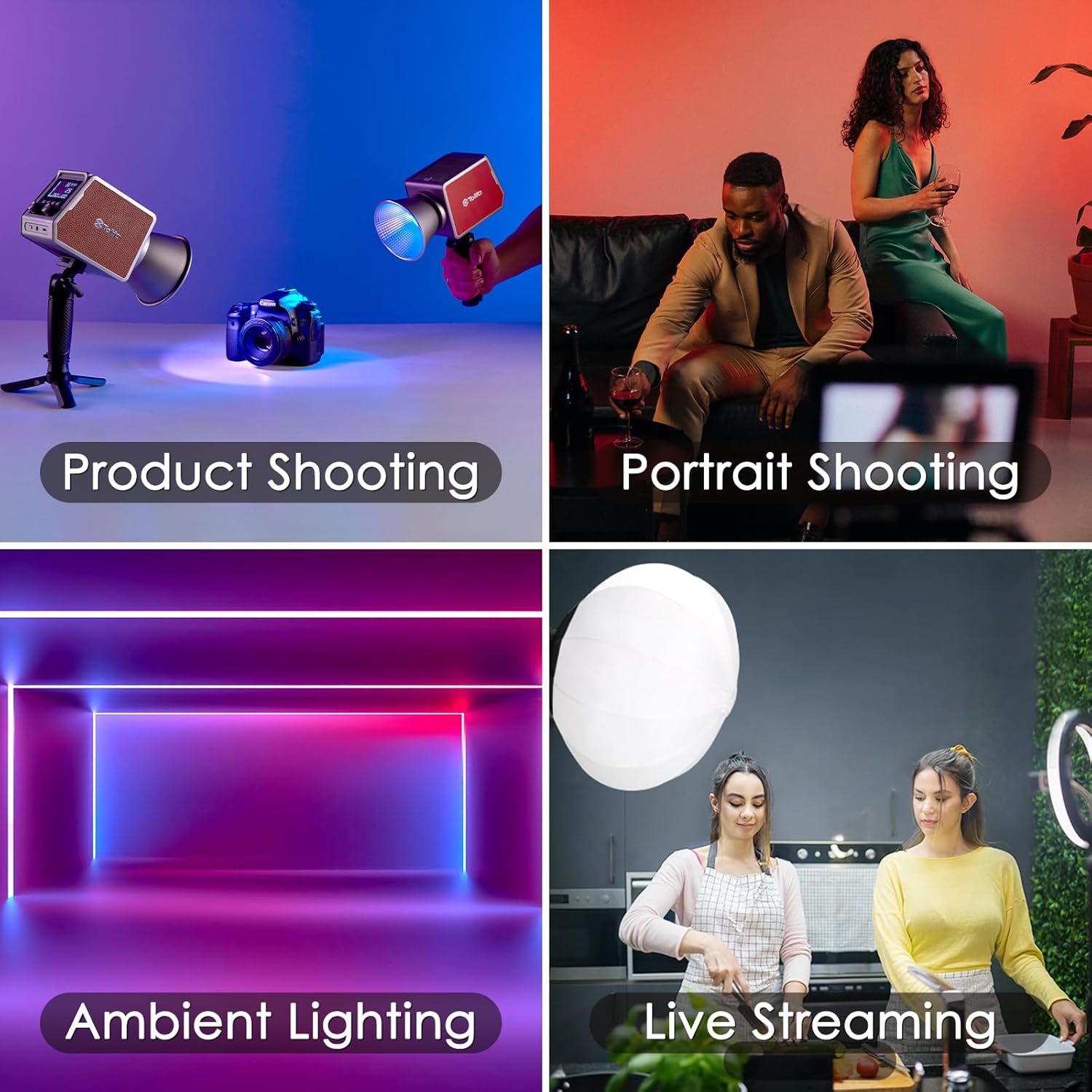
Figure 10: Various applications including product shooting, portrait shooting, ambient lighting, and live streaming.
Video 1: A general demonstration of the Tolifo 60W RGB LED Video Light's features and operational capabilities.
5. Cumail suas
5.1 Glanadh
- Dèan cinnteach gu bheil an inneal air a chuir dheth agus gun phlug mus tèid a ghlanadh.
- Use a soft, dry cloth to wipe the exterior of the light.
- Airson comharran stòlda, beagan damp Faodar clò le siabann tlàth a chleachdadh, agus an uair sin clò tioram.
- Na cleachd ceimigean cruaidh, fuasglaidhean, no innealan-glanaidh sgrìobach.
- Keep the lens and LED surface free from dust and fingerprints for optimal light output.
5.2 Cùram Bataraidh
- Seachain a bhith a’ dì-luchdachadh a’ bhataraidh gu tur gu tric gus a fad-beatha a leudachadh.
- If storing the light for an extended period, charge the battery to approximately 50-70% capacity.
- Bùth ann an àite fionnar, tioram air falbh bho sholas dìreach agus teòthachd anabarrach.
5.3 Sgaoileadh teas
The light is equipped with a built-in silent cooling fan and overheat protection to maintain stable operation.

Figure 11: Heat dissipation port for efficient cooling.
- Ensure the heat dissipation vents are not obstructed during operation.
- If the light becomes excessively hot, the overheat protection may activate, reducing output or shutting down the device to prevent damage.
6. A ’dèanamh trioblaid
Cùisean Coitcheann agus Fuasglaidhean:
| Trioblaid | Adhbhar a dh’fhaodadh a bhith ann | Fuasgladh |
|---|---|---|
| Cha bhith solas a ’tionndadh. | Battery is depleted; Power switch is off; Faulty cable/charger. | Charge the battery; Ensure power switch is ON; Try a different charging cable or power source. |
| Cannot connect via Linklite App. | Bluetooth is off; App not updated; Light is out of range; Incorrect model selected. | Ensure Bluetooth is ON; Update the app; Move closer to the light (within 60m); Verify correct model selection in app. |
| Tha an toradh solais lag no neo-chunbhalach. | Battery low; Silent mode activated; Overheat protection engaged; Obstruction on LED. | Charge battery; Deactivate silent mode; Allow light to cool down; Clean LED surface. |
| Light gets too hot. | Obstructed vents; Prolonged use at maximum power in high ambient temperature. | Ensure vents are clear; Reduce brightness or allow for cooling periods. |
7. Sònrachaidhean
| Feart | Mion-fhiosrachadh |
|---|---|
| Modail Àireamh | PL-60RGB |
| Cumhachd Toraidh | 60W |
| Max Illuminance (1m) | 10500lux (bare light), up to 41200lux (with reflector) |
| Raon Teòthachd dath | 2700K - 6500K |
| Atharrachadh Hue | 0 - 360° Full Color |
| Dimming soilleireachd | 0% - 100% |
| CRI | ≥97 |
| TLCI | ≥98 |
| Comas Bataraidh | 13500mAh Lithium Ion (built-in) |
| Beatha bataraidh | Approx. 72 minutes (Normal Mode), 40 minutes (Enhanced Mode) |
| Puirt cosgais | Type-C, DC Power Port |
| Modh smachd | Manual, Bluetooth APP (Linklite) |
| Raon Smachd gun Uèir | Suas gu 60 meatair |
| A' cur suas | Mount Bowens àbhaisteach |
| Meudan | 4.9" x 2.8" x 3.2" (125 x 73 x 83mm) |
| Cuideam lom | 1.2 lb (0.54 kg) |

Figure 12: Dimensions and weight of the light.

Figure 13: Summary of key specifications.

Figure 14: Illumination output table.
8. Fiosrachadh Barantais
All Tolifo PL-60RGB Video Lights come with a one-year warranty from the date of purchase. This warranty covers manufacturing defects and malfunctions under normal use. Please retain your proof of purchase for warranty claims.
9. Taic teachdaiche
For any questions, technical assistance, or warranty inquiries regarding your Tolifo 60W RGB LED Video Light, please contact our customer service department. Refer to the contact information provided with your product packaging or visit the official Tolifo weblàrach-lìn airson fiosrachadh taic.
Ask a question about this manual
Ask about setup, troubleshooting, compatibility, parts, safety, or missing instructions. Manuals+ will review the question and use this page’s manual context to help answer it.