
1. Ro-ràdh
Tapadh leibh airson ceannachasing the RUIZU X66 64GB MP3 Player. This portable digital audio player is designed for high-quality music playback, featuring Bluetooth 5.3 connectivity, a built-in voice recorder, FM radio, and a convenient clip design. This manual provides detailed instructions on how to set up, operate, and maintain your device.
Bhidio: Tharview of RUIZU X66 MP3 Player features.
2. Pasgan-susbaint
Thoir sùil air a’ bhogsa airson nan nithean a leanas:
- RUIZU X66 MP3 Player
- Fòn-cluaise uèirleas
- Càball adapter USB-C
- Bogsa Tiodhlac
- Leabhar-làimhe cleachdaiche

Image: Contents of the RUIZU X66 MP3 Player package.
3. Cruth inneal
Familiarize yourself with the buttons and ports on your RUIZU X66 MP3 Player.

Ìomhaigh: Tharview of the RUIZU X66 MP3 Player's multi-functional features and layout.
- Sgrion Taisbeanaidh: Shows menus, track information, and settings.
- Putanan smachd: Navigation, play/pause, volume up/down.
- Port USB Type-C: For charging and data transfer. Features a magnetic cap.
- Jack Headphone 3.5mm: For wired headphone connection.
- Recording Slide Button: Quick access to voice recording.
- Clip: For attaching the player to clothing or bags.
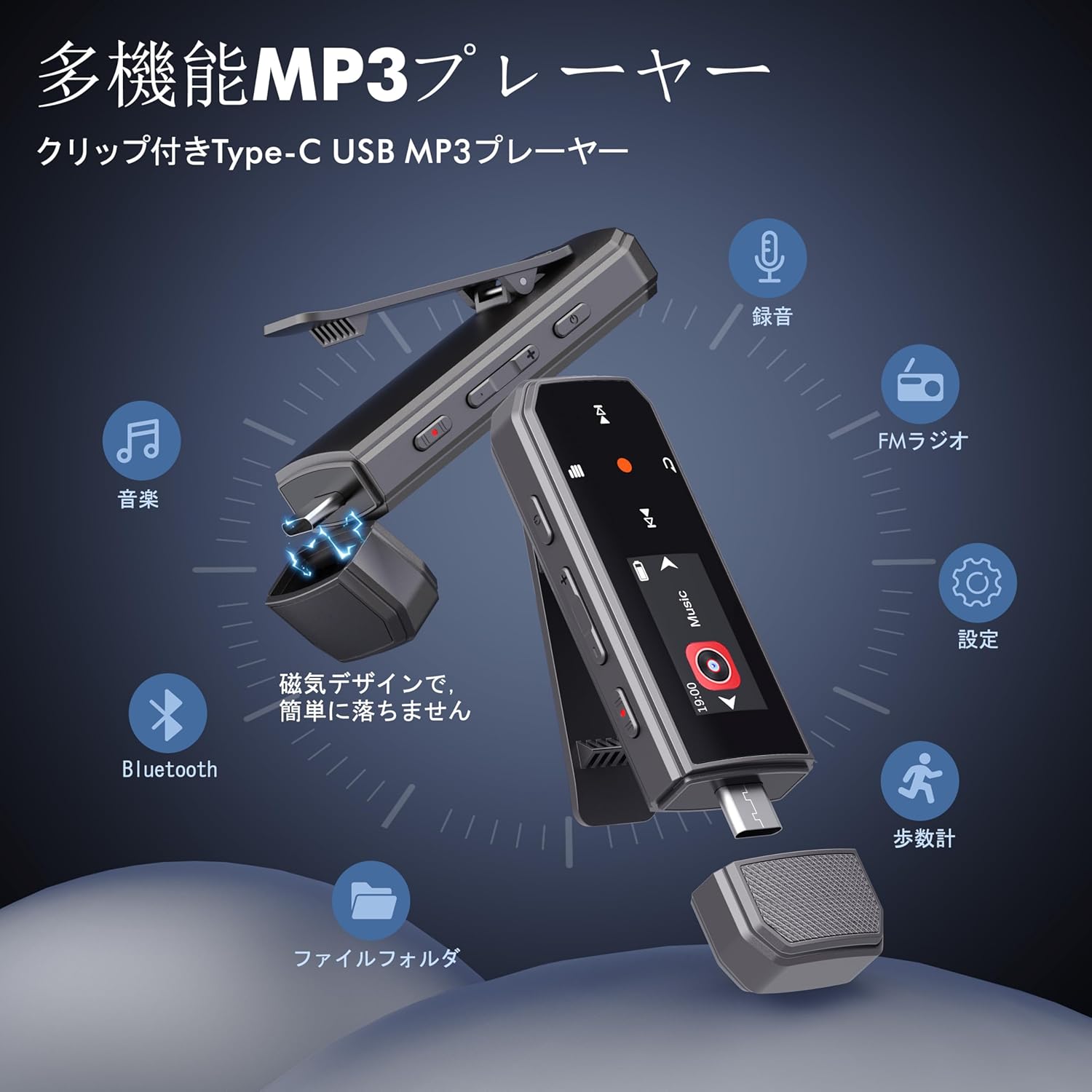
Image: RUIZU X66 MP3 Player highlighting its compact dimensions and clip.
4. Toiseach tòiseachaidh
4.1. A 'cur cosgais air an inneal
Before first use, fully charge your MP3 player. The device has a built-in rechargeable battery that provides up to 20 hours of playback time on a 2-hour charge.
- Remove the magnetic cap from the USB Type-C port.
- Connect the included USB-C adapter cable to the player.
- Cuir ceann eile a’ chàball a-steach do stòr cumhachd USB (me, coimpiutair, inneal-atharrachaidh balla).
- Bidh ìomhaigh a’ bhataraidh air an sgrion a’ nochdadh inbhe cosgais.

Image: Magnetic cap of the RUIZU X66 MP3 Player.
4.2. A’ Gluasad Ceòl Files
The RUIZU X66 has 64GB of internal storage. You can transfer music files from your computer or compatible smartphone.
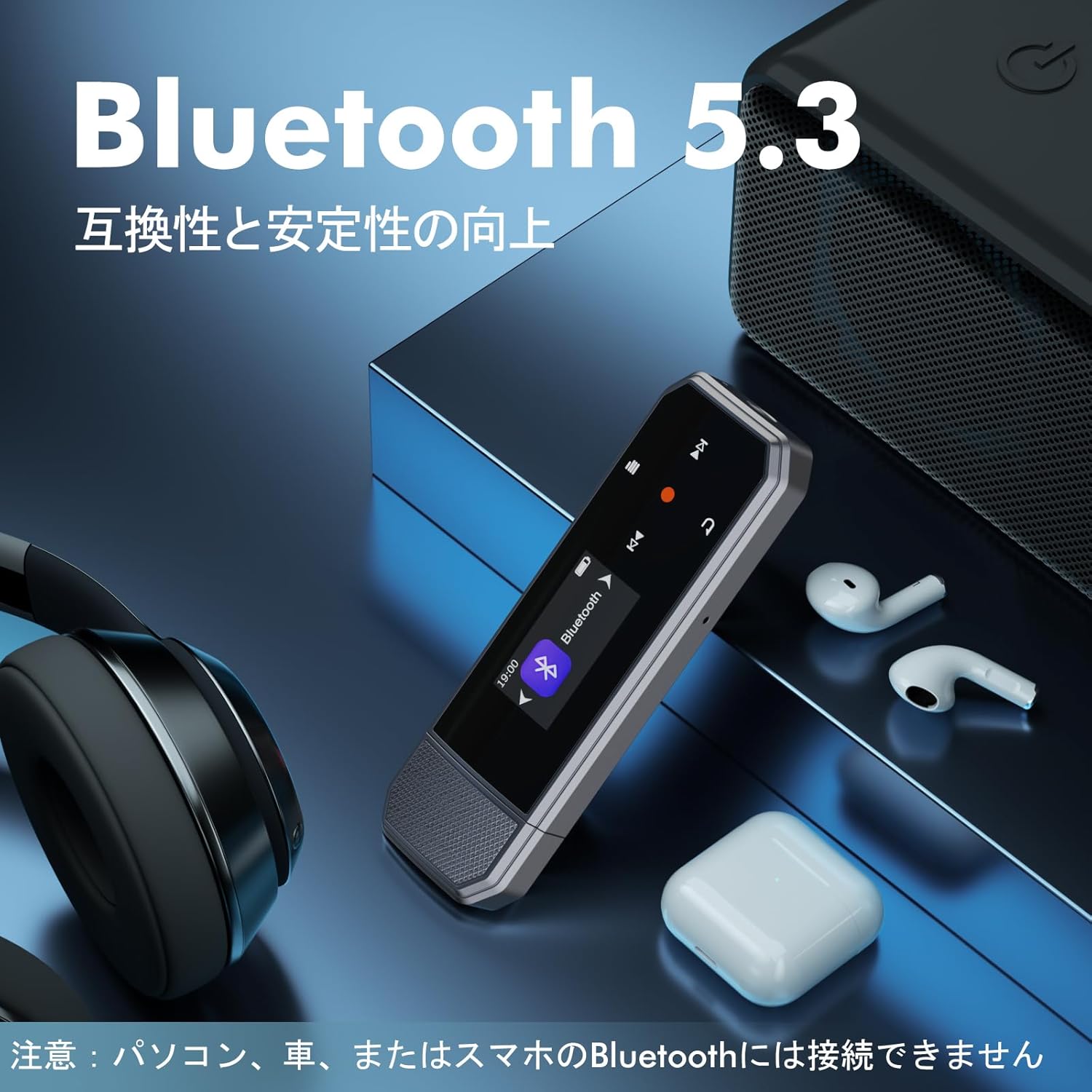
Image: Key specifications of the RUIZU X66 MP3 Player.
4.2.1. Via Computer (USB Connection)
- Connect the MP3 player to your computer using the USB-C adapter cable.
- The player will appear as a removable disk drive.
- Slaod agus leig às do cheòl files (MP3, WMA, APE, FLAC, WAV, M4A, OGG) into the player's storage.
- Tilg an inneal a-mach às a’ choimpiutair agad gu sàbhailte mus dì-cheangail thu e.
4.2.2. Via Smartphone (OTG Function)
The player supports OTG (On-The-Go) for direct file transfer from compatible Android smartphones.
- Connect the MP3 player directly to your Android smartphone's Type-C port.
- Your phone will recognize the player as external storage.
- Use your phone's file manager to transfer music files.
Note: OTG file transfer is not supported on iOS devices. Batch transfer is limited to 1GB at a time.

Ìomhaigh: File transfer options for the RUIZU X66 MP3 Player.
5. Obrachadh Bunaiteach
5.1. Cumhachd air / dheth
- Gus a chumhachdachadh: Brùth is cum sìos am putan Cumhachd gus an las an scrion suas.
- Gus an inneal a chuir dheth: Brùth is cum sìos am putan Cumhachd gus an dùin e sìos.
5.2. Cluich Ciùil
- Navigate to the 'Music' menu using the control buttons.
- Select a song or folder to play.
- Cleachd am putan Cluich/Pause gus tòiseachadh no stad air ath-chluich.
- Cleachd na putanan Air adhart/Roimhe gus slighean a sheachnadh.
5.2.1. Modhan Ath-chluich
Tha an cluicheadair a’ toirt taic do dhiofar mhodhan ath-chluich:
- Sequential Playback: Plays songs in order.
- Ath-chluich Shuffle: Plays songs in a random order.
- Dèan a-rithist a h-aon: Repeats the current song.
- Dèan a-rithist na h-uile: Repeats all songs in the current folder/playlist.
5.3. Smachd tomhas-lìonaidh
Use the dedicated Volume Up and Volume Down buttons on the side of the device to adjust the audio level.
5.4. Ceangal Bluetooth
Connect your RUIZU X66 to Bluetooth headphones or speakers for wireless audio.

Image: RUIZU X66 MP3 Player demonstrating Bluetooth 5.3 connectivity.
- Tionndaidh air na fònaichean-cluaise no an neach-labhairt Bluetooth agad agus cuir iad ann am modh càraideachaidh.
- On the MP3 player, navigate to the 'Bluetooth' menu.
- Tagh 'Lorg airson devices' or 'Pair new device'.
- Choose your device from the list to connect.
Note: The RUIZU X66 cannot connect to car Bluetooth, computer Bluetooth, or smartphone Bluetooth for audio output.
6. Feartan adhartach
6.1. Clàradh Gutha
The RUIZU X66 features a one-button recording function.

Image: Activating the voice recording function on the RUIZU X66 MP3 Player.
- To start recording: Slide the red recording button on the side of the device upwards.
- To save recording: Slide the red recording button downwards.
- Air a chlàradh files are saved in the 'Record' folder and can be played back from the device.
6.2. Rèidio FM
Èist ris na stèiseanan rèidio FM as fheàrr leat.

Image: Using the FM radio feature with wired headphones.
- Connect wired headphones to the 3.5mm jack (they act as the antenna).
- Navigate to the 'FM Radio' menu.
- Use the auto-tune function to scan for available stations or manually tune.
6.3. Pedometer
Track your steps during exercise.
- Navigate to the 'Pedometer' menu to start tracking.
- The device records step count, distance, and time.
- Review your activity history within the pedometer menu.
6.4. Gnìomhan Eile
- Cothromaiche: Atharraich fuaim profiles a rèir do roghainn.
- Comharran-leabhair: Mark specific points in audio files for quick return.
- Crìochan meud: Set a maximum volume level to protect hearing.
- File Faidhlichean: Organize and browse your music by folders.
- Dràibhear USB Flash: The device can also function as a portable USB storage drive.
7. Cumail suas
- Glanadh: Cleachd clò bog, tioram airson an inneal a ghlanadh. Seachain innealan-glanaidh leaghaidh.
- Stòradh: Stòraich an cluicheadair ann an àite fionnar, tioram air falbh bho sholas dìreach na grèine agus teòthachd anabarrach.
- Cùram Bataraidh: Gus beatha a’ bhataraidh a leudachadh, seachain a bhith ga leigeil às gu tur gu tric. Cuir cosgais air gu cunbhalach.
- Dìon Sgrion: The screen is susceptible to scratches. Handle with care.
8. A ’dèanamh trioblaid
| Trioblaid | Fuasgladh comasach |
|---|---|
| Chan eil cumhachd aig an inneal. | Dèan cinnteach gu bheil am bataraidh air a luchdadh. Ceangail ri stòr cumhachd agus feuch ris a-rithist. |
| Chan urrainn gluasad files dhan inneal. | Check USB cable connection. Ensure the device is properly recognized by your computer/phone. For OTG, confirm your phone is Android and supports OTG. |
| Bluetooth connection unstable or not pairing. | Ensure your Bluetooth accessory is in pairing mode and within range. Restart both devices. Remember, the player cannot connect to car, PC, or phone Bluetooth for audio output. |
| Gun fhuaim bho chluas-cinn. | Thoir sùil air ceangal nam fònaichean-cluaise. Dèan cinnteach nach eil an fhuaim air a mhùchadh no ro ìosal. Dèan deuchainn le fònaichean-cluaise eadar-dhealaichte. |
| Rèidio FM gun obair. | Wired headphones must be connected as they act as the antenna. Ensure you are in an area with good signal reception. |
9. Sònrachaidhean
- Brand: Ruaiu
- Modail: X66
- Comas stòraidh cuimhne: 64 GB
- Teicneòlas ceangail: Bluetooth 5.3, USB Type-C, 3.5mm AUX
- Cruthan claisneachd le taic: MP3, WMA, APE, FLAC, WAV, M4A, DRM, ACELP, OGG
- Beatha bataraidh: Suas ri 20 uairean (ath-chluich)
- Ùine cosgais: Mu 2 uair a thìde
- Cuideam: 26g
- Meudan: 8.1 x 2.5 x 1.3 cm
- Feartan: FM Radio, Voice Recorder, Pedometer, Equalizer, Clip Design
10. Barantas & Taic
RUIZU offers a 1-year warranty for product defects or malfunctions from the date of purchase. For any product issues, please contact our customer support for free refunds or exchanges.
If you have any questions about the product, please feel free to contact us. Refer to the "Product Packaging" for detailed contact information.