
Fiosrachadh Sàbhailteachd Cudromach
Please read all instructions and safety warnings carefully before using the HANDY Oh! Smart Vibrator. Keep this manual for future reference.
- Tha an inneal seo airson cleachdadh inbheach a-mhàin.
- Clean the device thoroughly before and after each use with warm water and a mild, toy-safe cleaner.
- Do not use with silicone-based lubricants, as these can damage the silicone material. Use only water-based lubricants.
- Stad a chleachdadh sa bhad ma tha thu a’ faireachdainn mì-chofhurtachd, irioslachd no pian sam bith.
- Cùm a-mach à ruigsinn chloinne.
- Do not use if the device appears damaged or faulty.
Bathar seachadview
The HANDY Oh! Smart Vibrator utilizes ResoTouch technology to deliver pleasure through soundwaves, offering customizable frequencies and intensities. It features app control for music synchronization and remote operation, providing a unique and immersive experience.
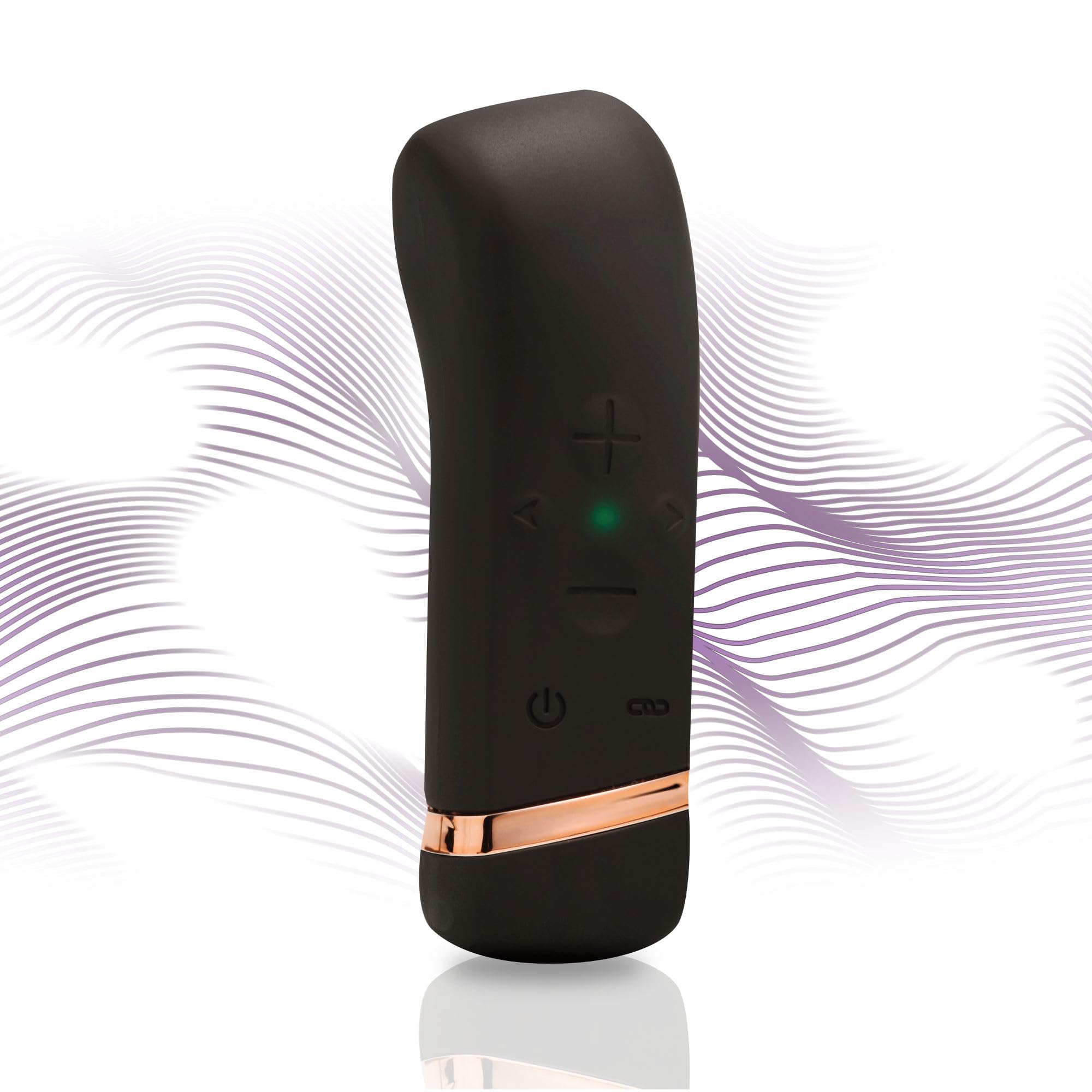
Image: The HANDY Oh! Smart Vibrator, a sleek black device with gold accents, held in a hand, highlighting its ergonomic shape and accessible control buttons.
Na tha air a ghabhail a-steach
Your HANDY Oh! Smart Vibrator package includes the following items:
- HANDY Oh! Smart Vibrator
- Càball cosgais USB
- Leabhar-làimhe cleachdaiche
- Pouch stòraidh

Image: The HANDY Oh! Smart Vibrator, its charging cable, and a small storage pouch laid out, representing the complete package contents.
Suidhich
Cìs tòiseachaidh
Before first use, fully charge your HANDY Oh! Smart Vibrator. Connect the magnetic USB charging cable to the charging port located at the base of the device. Plug the USB end into a compatible power source (e.g., computer USB port, USB wall adapter). The indicator light will show charging status.

Ìomhaigh: Mion-fhiosrachadh view of the HANDY Oh! Smart Vibrator's base, showing the magnetic charging contacts and the attached USB cable.
App a luchdachadh sìos agus a chàradh
Download the free HANDY app from your device's app store. Follow the in-app instructions to pair your Oh! Smart Vibrator via Bluetooth. Ensure your device is charged and Bluetooth is enabled on your smartphone.
Stiùireadh Obrachaidh
Obrachadh Bunaiteach
- Cumhachd air / dheth: Press and hold the power button (usually indicated by a universal power symbol) for 2-3 seconds until the device vibrates or the indicator light illuminates/extinguishes.
- Adjust Intensity/Pattern: Use the '+' and '-' buttons on the device to cycle through different vibration intensities and patterns.

Image: A close-up of the HANDY Oh! Smart Vibrator's control interface, clearly labeling the power button, intensity adjustment buttons, and frequency buttons.
Feartan smachd app
- Sioncronadh ciùil: Connect the device to the app and select the music sync feature. The vibrator will respond to the beats and rhythms of your music playlists.
- Content Sync: For an immersive experience, sync the vibrator with compatible adult content (VR, visual, or audio) through the app.
- Smachd air astar: The app allows for remote control of the device, enabling shared experiences with a partner from anywhere.
Video: An official product video demonstrating the features and operation of the HANDY Oh! Smart Vibrator, including its app connectivity and various modes.
Cùram agus cumail suas
Glanadh
The HANDY Oh! Smart Vibrator is made from body-safe silicone. To clean:
- Wash the device with warm water and a mild, toy-safe soap or specialized cleaner.
- Nigh gu mionaideach gus a h-uile fuigheall siabann a thoirt air falbh.
- Pat dry with a lint-free cloth or allow to air dry completely before storing.
Stòradh
Store the device in its provided storage pouch in a cool, dry place, away from direct sunlight and extreme temperatures. Avoid storing with other toys made of different materials to prevent damage.

Image: A close-up shot emphasizing the smooth, body-safe silicone material of the HANDY Oh! Smart Vibrator.
Fuasgladh thrioblaidean
If you encounter any issues with your HANDY Oh! Smart Vibrator, please refer to the following common solutions:
- Inneal nach eil a’ tionndadh air: Ensure the device is fully charged. Connect it to the charger and wait for the indicator light to confirm charging.
- Tha crithidhean lag no neo-chunbhalach: Recharge the device. If the issue persists, ensure there are no obstructions or damage to the device.
- Duilgheadasan ceangail aplacaid: Ensure Bluetooth is enabled on your smartphone and the device is within range. Try restarting both the device and the app.
- Device not responding to controls: Fully charge the device. If using the app, ensure it is properly connected.
For more detailed troubleshooting or persistent issues, please consult the full user manual included in your package or visit the HANDY support weblàrach.
Sònrachaidhean
| Feart | Mion-fhiosrachadh |
|---|---|
| Modail Àireamh | 54058400000 |
| Brand | LAOIDH |
| Meudan toraidh | 4.5 x 1.38 x 1.38 òirleach |
| Cuideam | 3.84 unnsa |
| Stuth | Silicone sàbhailte don bhodhaig |
| Ceangalachd | Bluetooth (Smachd Aplacaid) |
| A 'cur cosgais | USB magnetach |
Barantas agus Taic
For warranty information, please refer to the specific details provided in your product packaging or on the official HANDY weblàrach. Cùm dearbhadh ceannach airson tagraidhean barantais sam bith.
Taic Luchd-cleachdaidh
If you require further assistance or have questions not covered in this manual, please contact HANDY customer support through their official weblàrach-lìn no am fiosrachadh conaltraidh a tha air a thoirt seachad ann an sgrìobhainnean an toraidh agad.