
Ro-ràdh
This manual provides essential instructions for the safe and effective use of your Sony PXW-Z200 4K XDCAM Camcorder. The PXW-Z200 is designed for professional video production, offering UHD 4K60 HDR capture, advanced autofocus, and versatile recording and streaming capabilities. Please read this manual thoroughly before operating the camcorder and retain it for future reference.
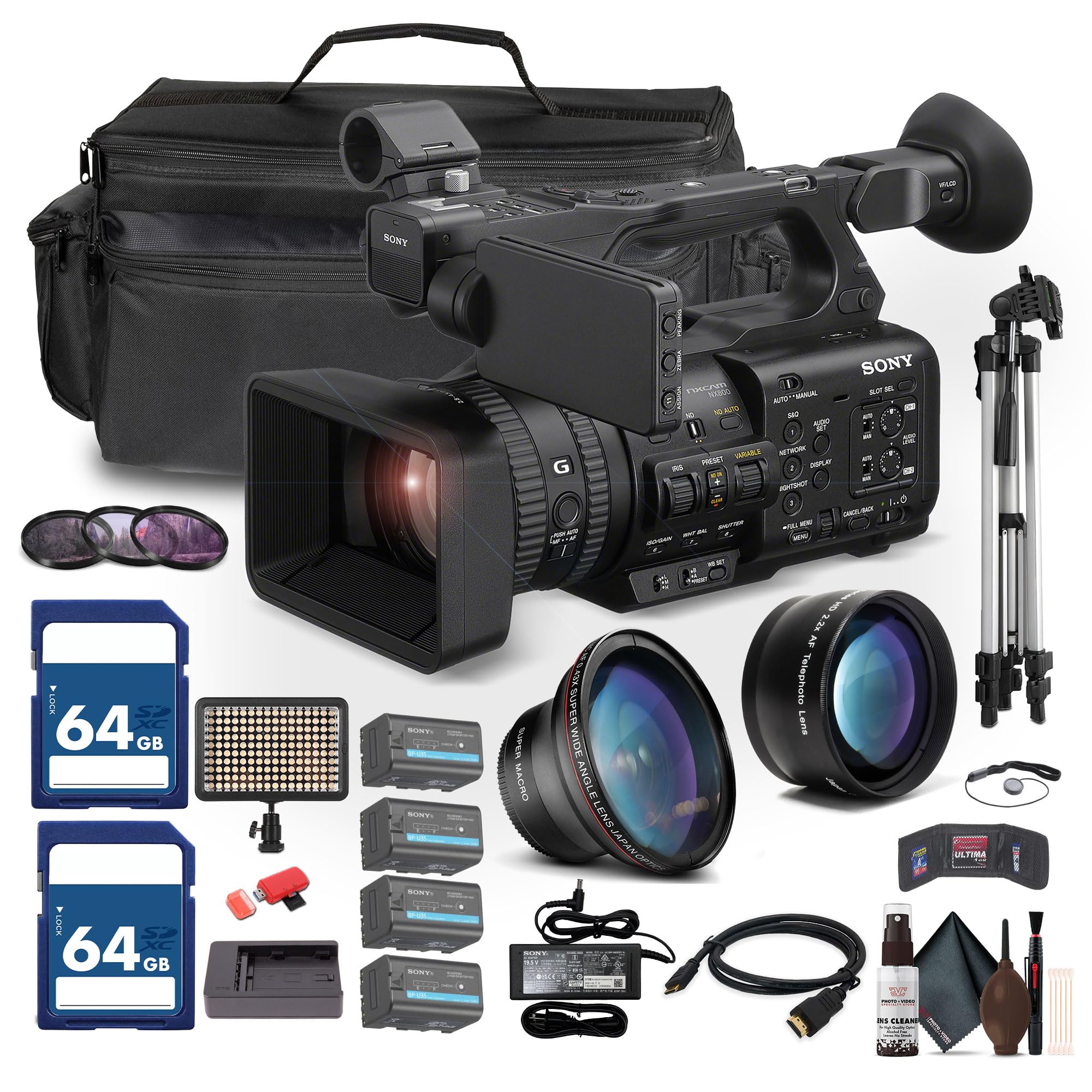
Figure 1: Sony PXW-Z200 4K XDCAM Camcorder, showing the lens, handle, and main body.
Suidhich
1. A’ fosgladh agus a’ sgrùdadh susbaint
Carefully unpack all items and ensure the following components are present. If any item is missing or damaged, contact your dealer.
- Camara-camara XDCAM Sony PXW-Z200 4K 1" le mothachair CMOS
- Adaptor AC
- Corda cumhachd
- Charger bataraidh
- Battery Pack (BP-U35 or similar)
- Cochall LCD
- Cochall lionsa
- Sùilean
- Neach-gleidhidh microfòn
- Pasgan Bròg Fuar
2. A’ ceangal a’ chochall lionsa
Align the lens hood with the front of the lens and twist gently until it locks into place. The lens hood helps to reduce flare and protect the lens.
3. A 'stàladh a' Phasgan Bataraidh
- Dèan cinnteach gu bheil an camcorder air a chuir dheth.
- Lorg roinn a’ bhataraidh air cùl a’ chamara-camara.
- Slide the battery pack (e.g., BP-U35) into the compartment until it clicks securely into place.
- Gus a thoirt air falbh, brùth air putan fuasglaidh a’ bhataraidh agus sleamhnaich am bataraidh a-mach.

Figear 2: Taobh clì view of the camcorder, showing the battery compartment area.
4. A’ cur a-steach cairtean cuimhne
The PXW-Z200 supports dual CFexpress Type-A/SD card slots.
- Fosgail còmhdach slot na cairt cuimhne.
- Insert the CFexpress Type-A or SD card into the appropriate slot with the correct orientation until it clicks.
- Dùin còmhdach slot na cairt cuimhne.
- Format new memory cards in the camcorder before first use to ensure optimal performance. Refer to the "Operating" section for formatting instructions.
5. Connecting the AC Adapter
Connect the supplied AC adapter to the camcorder's DC IN jack and then to a wall outlet to power the camcorder or charge the battery while installed.
A’ cleachdadh a’ chamara-camara
1. A ’toirt cumhachd air / dheth
Gus an camara-camara a chur air, sleamhnaich an suidse POWER chun an t-suidheachaidh ON. Gus an camara-camara a chur dheth, sleamhnaich e chun an t-suidheachaidh OFF.
2. Clàradh Bunasach
- Dèan cinnteach gu bheil cairt-chuimhne cruthichte air a cur a-steach.
- Set the desired shooting mode (e.g., Automatic, Manual) using the mode dial or menu settings.
- Dealbhaich do dhealbh a’ cleachdadh an viewfinder or the flip-out LCD monitor.
- Brùth an REC START/STOP putan gus tòiseachadh air clàradh. Lasaidh an comharra clàraidh.
- Brùth an REC START/STOP putan a-rithist gus stad a chlàradh.

Figure 3: The PXW-Z200 camcorder being used to record an event, demonstrating its operational context.
3. Smachd Fòcas
The PXW-Z200 offers both automatic and manual focus options.
- Fòcas Auto: The camcorder features AI-powered autofocus. Ensure the AUTO/MANUAL switch for focus is set to AUTO.
- Fòcas làimhe: To manually adjust focus, set the AUTO/MANUAL switch to MANUAL and rotate the focus ring on the lens.

Figure 4: Detail of the camcorder's control panel, showing the AUTO/MANUAL switch for focus and other settings.
4. Obrachadh Zoom
Use the zoom rocker on the handle or the zoom ring on the lens to adjust the focal length. The camcorder features a 20x optical zoom and a 30x Clear Image Zoom in 4K.
5. Cruthan is Roghainnean Clàraidh
The PXW-Z200 supports various recording formats including XAVC S-I, HS-L, S-L, and HD/QFHD. Access the menu system to select your desired format, frame rate (up to 4K120 and 1080p240), and color profiles (S-Cinetone, ITU709, 709tone, HLG).
6. Cuir a-steach Fuaime agus Sgrùdadh
The camcorder features 4-channel audio input. Connect external microphones via the XLR inputs. Monitor audio levels on the LCD screen and through headphones connected to the headphone jack.
7. Ceangal agus Sruthadh
The PXW-Z200 offers multiple connectivity options:
- Toradh 12G-SDI: For high-quality video output to professional monitors or switchers.
- Toradh HDMI: For connecting to consumer displays or recorders.
- Wi-Fi/Ethernet: Utilize the integrated 2.4/5 GHz Wi-Fi or Ethernet port for live streaming via RTMP/RTMPS, SRT, and FTP.
- Sony Monitor & Control App: Use the dedicated app for remote monitoring and control of the camcorder via a compatible smartphone or tablet.
Cumail suas
Nì cumail suas ceart cinnteach gum mair an camara-camara agad fad-beatha agus gum bi e ag obair gu math.
- Glanadh lionsa: Use a soft, lint-free cloth and a specialized lens cleaning solution to gently clean the lens surface. Avoid touching the lens with bare fingers.
- Glanadh bodhaig: Sguab corp a’ chamara le clò tioram, bog. Airson salachar stòlda, beagan tiormaichte.ampen the cloth with water. Do not use strong detergents or solvents.
- Glanadh Sensor: Sensor cleaning should ideally be performed by authorized service personnel. Avoid attempting to clean the sensor yourself unless you are experienced.
- Cùram Bataraidh: Store batteries in a cool, dry place. Avoid fully discharging or overcharging batteries frequently to prolong their lifespan.
- Stòradh: When not in use, store the camcorder in a dry, dust-free environment, preferably in a padded case to protect it from impacts.
Fuasgladh thrioblaidean
If you encounter issues with your PXW-Z200, refer to the following common troubleshooting steps:
| Trioblaid | Adhbhar / Fuasgladh a dh’fhaodadh a bhith ann |
|---|---|
| Chan eil an camara-camara a’ dol air. |
|
| Chan urrainnear bhidio a chlàradh. |
|
| Image is out of focus. |
|
| Gun chlàradh claisneachd. |
|
Airson tuilleadh fiosrachaidh mu dhuilgheadasan fuasgladh-cheistean no cùisean leantainneach, thoir sùil air taic oifigeil Sony. weblàrach-lìn no cuir fios gu seirbheis luchd-cleachdaidh Sony.
Sònrachaidhean
Key technical specifications for the Sony PXW-Z200 Camcorder:
| Feart | Mion-fhiosrachadh |
|---|---|
| Brand | Sony |
| Ainm Modail | PXW-Z200 |
| Teicneòlas sensor dhealbhan | CMOS |
| Fuasgladh glacadh bhidio | 4K, 720p, 480p |
| Fad fòcas as àirde | 154.21 millimeters |
| Fosgladh as àirde | 1.8 f |
| Cruth glacadh bhidio | XAVC S-I |
| Cruth claisneachd le taic | Dolby Digital/AC-3 |
| Teicneòlas ceangail | HDMI |
| Zoom Optical | 20 x |
| Seòrsa mothachaidh | CMOS |
| Ìre an aghaidh uisge | Gun a bhith an aghaidh uisge |
| Stabilization Ìomhaigh | Chan eil |
| Cuideam nì | 4.32 Punnd |
| Seòrsa lionsa | Wide Angle, Zoom |
| Seòrsa Fòcas | Fòcas fèin-ghluasadach |
| Modhan losgadh | Automatic, Landscape, Low Light, Manual, Night, Portrait, Slow Motion, Sports |
| Co-mheas taobh ìomhaigh | 16:9 |
| File Cruth | XAVC S-I, HS-L, S-L, HD/QFHD |
| Fuasgladh bhidio èifeachdach | 3840 piogsail |
| Innealan co-fhreagarrach | Smartphone, Laptop, Personal Computer, Tablet, Devices with SDI input, Devices with HDMI input |
| Seòrsa camcorder | Camara bhidio |
| Fuasgladh taisbeanaidh as àirde | 4K UHD |
| Sùm | Optical, didseatach |
Barantas agus Taic
The Sony PXW-Z200 Camcorder is manufactured by Sony. For detailed warranty information, product registration, software updates, and technical support, please visit the official Sony support weblàrach. Cùm do chuidhteas ceannach mar dhearbhadh ceannach airson tagraidhean barantais.
Taic Oifigeil Sony Weblàrach: https://www.sony.com/electronics/support
For video tutorials and additional resources, please check the official Sony Professional YouTube channel or their product pages.