
1. Ro-ràdh
This manual provides detailed instructions for setting up, operating, and maintaining your THOMSON 40-inch FHD Fire TV. Please read this manual thoroughly before using the television to ensure proper functionality and safety. Keep this manual for future reference.
2. Fiosrachadh Sàbhailteachd
Lean ceumannan sàbhailteachd bunaiteach an-còmhnaidh nuair a bhios tu a’ cleachdadh an toraidh seo gus cunnart teine, clisgeadh dealain agus leòn a lùghdachadh.
- Na nochd an telebhisean gu uisge no taiseachd.
- Na cuir bacadh air fosglaidhean fionnarachaidh.
- Dèan cinnteach gu bheil am pluga cumhachd ceangailte ri talamh ceart.
- Thoir a-mach am pluga bhon telebhisean rè stoirmean dealanaich no nuair nach tèid a chleachdadh airson ùine mhòr.
- Thoir iomradh air a h-uile seirbheis gu luchd-seirbheis le teisteanas.
3. Pasgan-susbaint
Dèan cinnteach gu bheil a h-uile rud air a ghabhail a-steach sa phacaid agad:
- THOMSON 40-inch FHD Fire TV
- Smachd Iomallach (le bataraidhean)
- Corda cumhachd
- Seasamh Tbh (2 phìos)
- Sgriothan airson Seasamh Tbh
- Leabhar-làimhe cleachdaiche (an sgrìobhainn seo)

Image: The product box illustrating the TV, remote control, and various features like Fire TV, Alexa, and Dolby Audio.
4. Toradh thallview
Familiarize yourself with the components and connections of your THOMSON Fire TV.
Aghaidh 4.1 View

Image: The front of the TV, showcasing its slim bezel and the Fire TV smart interface with popular streaming applications.
4.2 Taobh View agus Meudan
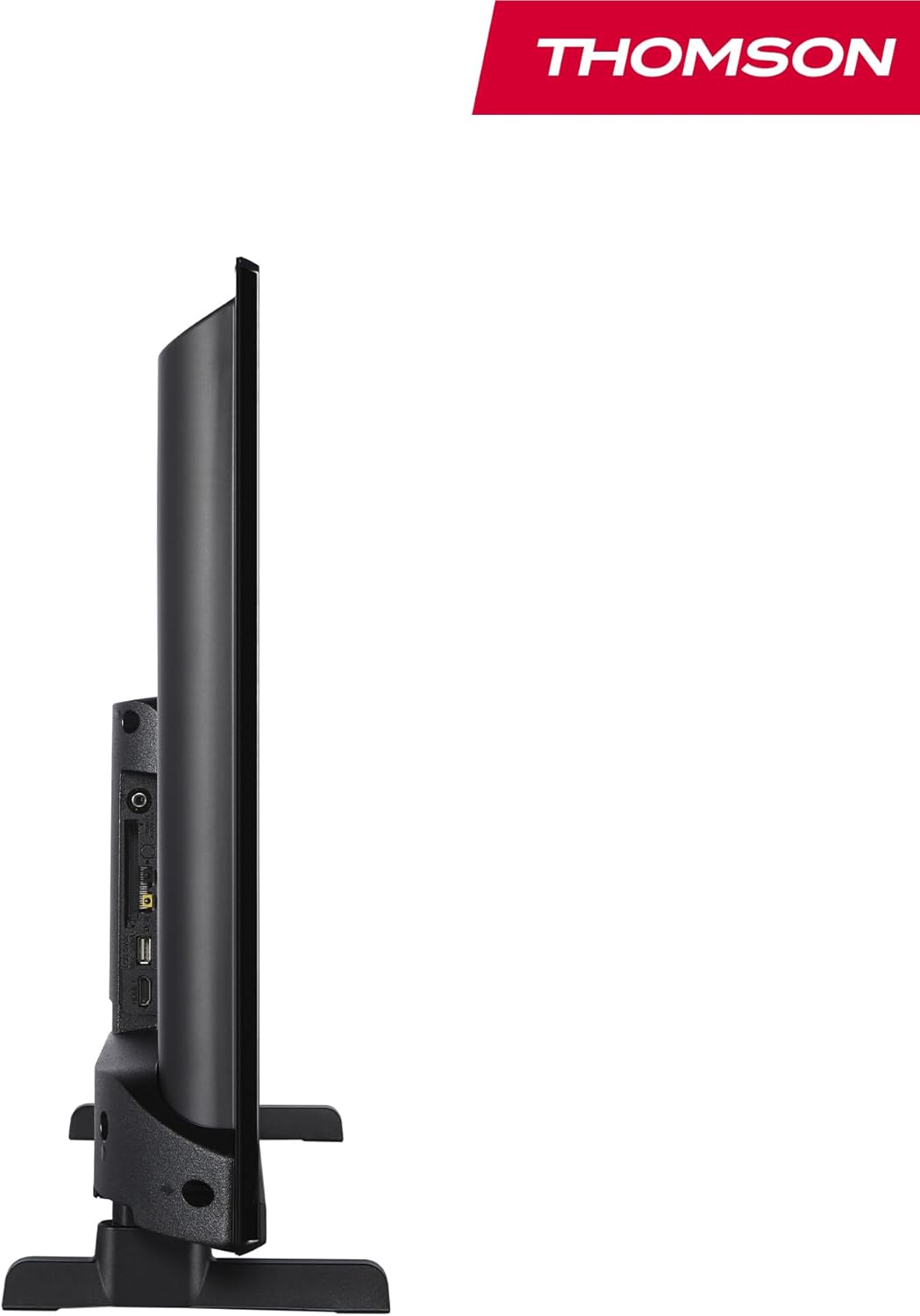
Ìomhaigh: Taobh view of the television, demonstrating its thin profile.

Image: A diagram illustrating the physical dimensions of the TV, including width, height, and depth with the stand.
4.3 Cùl View agus puirt
The rear panel of your TV features various input and output ports for connecting external devices.

Ìomhaigh: Mion-fhiosrachadh view of the TV's rear panel, highlighting all connectivity ports such as HDMI, USB, Audio Out, CI+, and antenna inputs.
- Fuaim a-mach: Airson siostaman claisneachd taobh a-muigh a cheangal.
- CI+: Common Interface Plus slot for conditional access modules.
- Fòn-cluaise: Seacaid 3.5mm airson èisteachd prìobhaideach.
- AV ANN: Airson innealan nas sine a cheangal ri bhidio co-dhèanta agus claisneachd steiriò.
- USB 2.0: Airson ath-chluich meadhanan bho dhràibhearan USB.
- HDMI 1.4 (x2): Eadar-aghaidh ioma-mheadhain àrd-mhìneachaidh airson cluicheadairean Blu-ray, consoles geama, msaa a cheangal.
- Antena: For connecting a terrestrial antenna (DVB-T2).
- Satailteach: For connecting a satellite dish (DVB-S2).
- LAN: Port Ethernet airson ceangal lìonra uèirleas.
5. Suidhich
5.1 A’ ceangal an t-seasamh Tbh
- Cuir an telebhisean gu faiceallach le aghaidh sìos air uachdar bog, còmhnard gus casg a chur air milleadh air an sgrion.
- Cuir pìosan an t-seasamh còmhla ris na sliotan co-fhreagarrach aig bonn an telebhisean.
- Daingnich na stands le bhith a’ cleachdadh nan sgriothan a tha air an toirt seachad.
5.2 A’ chiad chumhachd air agus ceangal lìonra
- Ceangail an càball cumhachd ris an telebhisean agus ri socaid balla.
- Brùth am putan cumhachd air an telebhisean no air an smachd iomallach gus a thionndadh air.
- Follow the on-screen instructions for initial setup, including language selection and network connection (Wi-Fi or Ethernet).
- Log in with your Amazon account to activate Fire TV features.
5.3 Tuner Setup (Triple-Tuner)
Your TV is equipped with a triple-tuner for DVB-C (cable), DVB-S2 (satellite), and DVB-T2 (terrestrial) reception.

Image: The DVB-T2/C/S2 tuner inputs, allowing connection to various broadcast sources.
- Connect your antenna or satellite cable to the appropriate input on the TV.
- Navigate to the TV settings and select 'Channel Scan' or 'Tuner Setup'.
- Choose your broadcast type (Antenna, Cable, or Satellite) and follow the prompts to scan for available channels.
6. Stiùireadh Obrachaidh
6.1 Eadar-aghaidh Tbh Teine
The Fire TV interface provides easy access to your favorite streaming services, apps, and live TV.
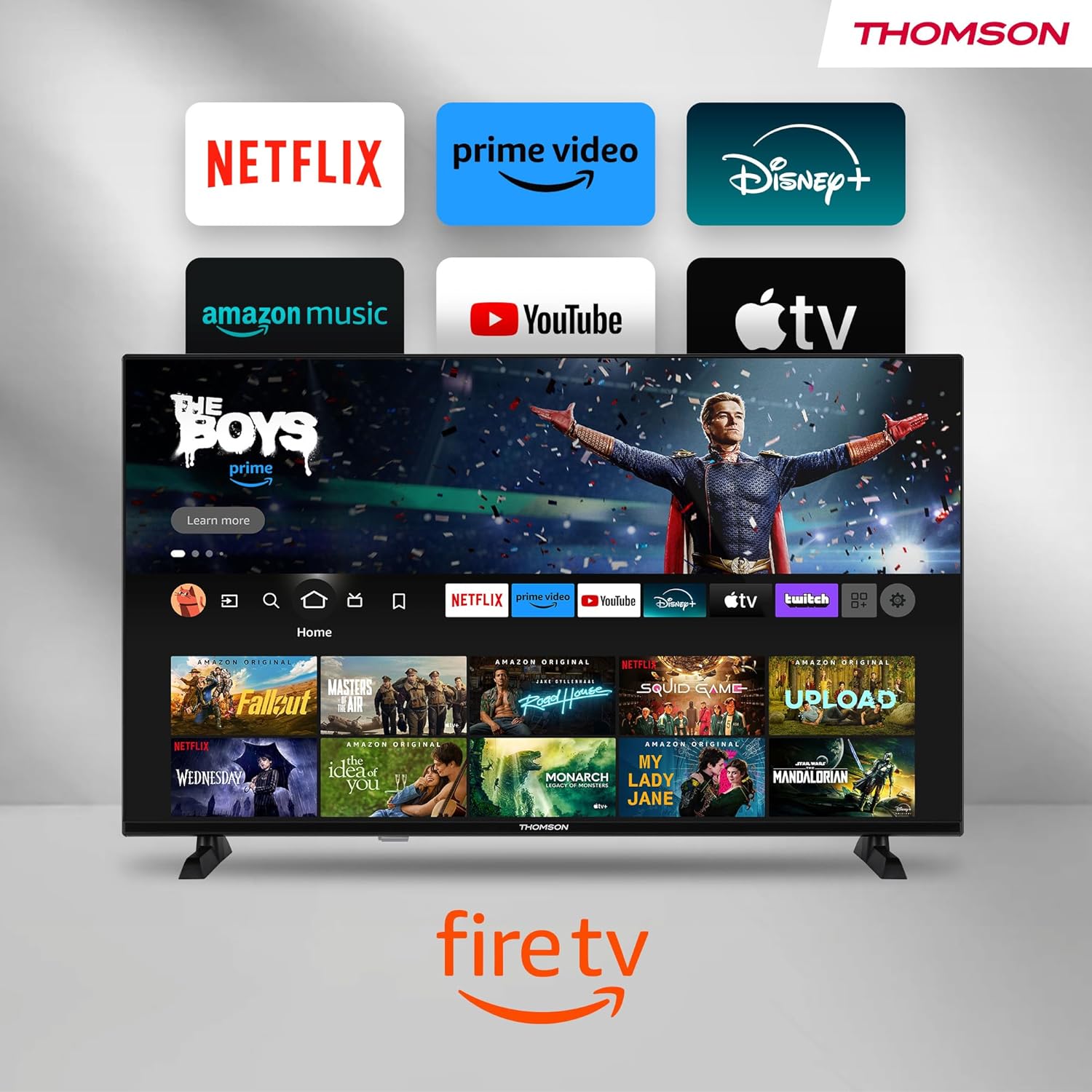
Image: The Fire TV home screen, showing a selection of popular streaming apps and content recommendations.
Navigate using the remote control's directional pad. The home screen provides personalized recommendations and quick access to your installed applications.
6.2 Smachd Gutha Alexa
Use the integrated Alexa voice control for hands-free operation.
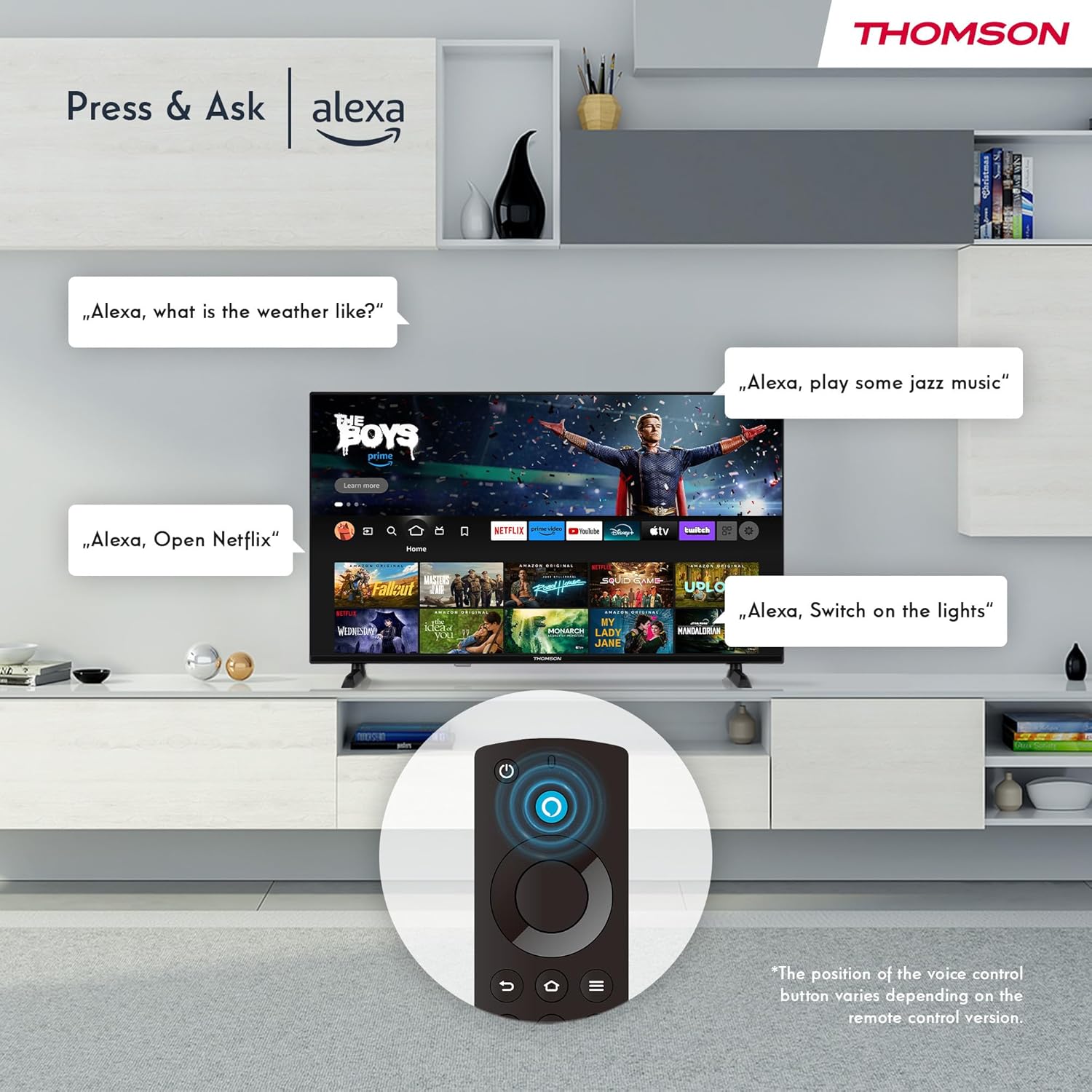
Image: Demonstrating Alexa voice commands for controlling the TV, searching content, and managing smart home devices.
Press the Alexa button on your remote and speak your command. You can ask Alexa to:
- Lorg airson movies or TV shows.
- Cuir air bhog tagraidhean.
- Control playback (pause, play, skip).
- Check the weather or news.
- Smachd air innealan dachaigh smart co-fhreagarrach.
6.3 Amalachadh Dachaigh Ghlic
Manage your connected smart home devices directly from your TV's integrated dashboard.

Image: The Smart Home dashboard, providing a centralized control panel for various smart devices in your home.
Access the Smart Home dashboard to monitor and control devices such as cameras, lights, and plugs.
6.4 AirPlay Functionality
Stream content directly from your Apple devices (iPhone, iPad, Mac) to your THOMSON Fire TV using AirPlay.

Image: A demonstration of Apple AirPlay, showing content being mirrored from an iOS device to the television screen.
Ensure both your Apple device and the TV are connected to the same Wi-Fi network. Select the AirPlay icon on your Apple device and choose your THOMSON TV from the list of available devices.
6.5 Creating User Profiles
Cruthaich ioma-chleachdaiche profiles for personalized content recommendations and settings.

Ìomhaigh: An neach-cleachdaidh profile selection screen on Fire TV, allowing different users to have their own personalized viewann an eòlas.
From the Fire TV home screen, navigate to the profile selection to add or switch profiles. A h-uile profile can have its own watch history and app preferences.
6.6 HDR10 agus Dolby Audio
Experience enhanced picture quality with HDR10 and immersive sound with Dolby Audio.

Image: A visual comparison demonstrating the improved contrast and color vibrancy offered by HDR10 technology.

Image: A graphic illustrating the immersive sound experience provided by Dolby Audio.
HDR10 provides a wider range of colors and contrasts, while Dolby Audio delivers rich, clear, and powerful sound.
6.7 Smachd Iomallach
The ergonomic Bluetooth remote control provides easy navigation and direct access to key features.
- Putan Alexa: Press and hold to activate voice commands.
- Pad seòlaidh: For moving through menus and selecting items.
- Putanan Netflix/Prime Video: Cothrom dìreach air na seirbheisean sruthadh seo.
- Amazon Silk Button: Cothrom dìreach air an web bhrabhsair.
7. Cumail suas
Gus dèanamh cinnteach gum mair an telebhisean agad fad-beatha agus gum bi e ag obair gu h-iomchaidh, lean na stiùiridhean cumail suas seo:
- Glanadh an sgrion: Sguab an sgrion gu socair le clò bog, gun lint. Airson comharran stòlda, cleachd inneal-glanaidh sgrion a chaidh a dhealbhadh gu sònraichte airson telebhiseanan, air a chur air a’ chlò, chan ann gu dìreach air an sgrion.
- A' glanadh a' chaibineit: Cleachd clò bog, tioram airson caibineat an telebhisean a ghlanadh. Na cleachd innealan-glanaidh sgrìobach no fuasglaidhean.
- Fionnarachadh: Dèan cinnteach nach eil na fosglaidhean fionnarachaidh air cùl an telebhisean dùinte gus casg a chur air cus teasachadh.
- Corda cumhachd: Thoir sùil cunbhalach air a’ chàball cumhachd airson milleadh sam bith. Ma tha milleadh ann, cuir fear ùr na àite sa bhad.
8. A ’dèanamh trioblaid
Ma thachras tu ri duilgheadasan leis an telebhisean agad, thoir sùil air na duilgheadasan agus na fuasglaidhean cumanta a leanas:
| Trioblaid | Adhbhar / Fuasgladh a dh’fhaodadh a bhith ann |
|---|---|
| Gun chumhachd | Thoir sùil a bheil an càball cumhachd ceangailte gu tèarainte ris an telebhisean agus ris an t-socaid balla. Dèan cinnteach gu bheil an socaid gnìomhach. |
| Gun dealbh, ach tha fuaim ann | Check input source. Ensure external devices are properly connected and powered on. |
| Gun fhuaim, ach tha dealbh ann | Check volume level. Ensure Mute is not activated. Check audio cables for external devices. |
| Chan eil smachd iomallach ag obair | Check batteries. Ensure there are no obstructions between the remote and the TV. Re-pair the Bluetooth remote if necessary. |
| Chan urrainn dhuinn ceangal a dhèanamh ri Wi-Fi | Ensure Wi-Fi is enabled on the TV. Check Wi-Fi password. Restart your router. Move TV closer to router. |
| Tha aplacaidean slaodach no a’ reothadh | Restart the TV. Clear app cache or data in settings. Ensure sufficient internet speed. |
Ma mhaireas an duilgheadas, cuir fios gu taic luchd-cleachdaidh.
9. Sònrachaidhean
| Feart | Mion-fhiosrachadh |
|---|---|
| Modail Àireamh | 40FF2S34 |
| Meud sgrion | 40.0 òirleach (100 cm) |
| Teicneòlas taisbeanadh | LED |
| Fuasgladh | 1080p (Làn-HD) |
| Ìre Ath-nuadhachaidh | 60 Hz |
| Co-mheas taobh | 16:9 |
| Ceangalachd | Wi-Fi, Bluetooth 5.0, 2x HDMI 1.4, USB 2.0, AV IN, Audio Out, CI+, LAN |
| Tuners | DVB-C, DVB-S2, DVB-T2 |
| Feartan sònraichte | Fire TV, Alexa Voice Control, AirPlay, HDR10, Dolby Audio, Smart Home Dashboard, User Profiles |
| Meudan (le seasamh) | 90.2 x 55.4 x 17.5 cm (W x H x D) |
| Cuideam | 9 kg |
| Ìre Èifeachdas Cumhachd | E |
| Co-phàirtean air an toirt a-steach | Smachd iomallach |
| Cànanan le taic | Spanish, French, English, Italian, Germanic languages |
10. Barantas agus Taic
Your THOMSON Fire TV comes with a manufacturer's warranty. Please refer to the warranty card included in your package for specific terms and conditions.
For technical support, troubleshooting assistance, or warranty claims, please visit the official THOMSON support website or contact their customer service line. Keep your purchase receipt and model number (40FF2S34) handy when contacting support.
Taic air-loidhne: www.thomsonconsumer.com/support