
Ro-ràdh
Thank you for choosing the Cuifati Mini Body Camera. This manual provides detailed instructions for the proper use, setup, and maintenance of your device. Please read this manual thoroughly before operating the camera to ensure optimal performance and longevity.
Susbaint pacaid
- 1 x Wearable Camera
- 1 x baga-giùlain
- 1 x Leabhar-làimhe Cleachdaiche
- 1 x Lannard
- 1 x Back Shell Bracket
- 1 x Tripod
- 1 x càball USB
- 1 x Aodach glanaidh

Figure 1: Cuifati Mini Body Camera and included accessories.

Figure 2: Multi-scenario application examples for the body camera.
Bathar seachadview
Familiarize yourself with the components and controls of your Cuifati Mini Body Camera.
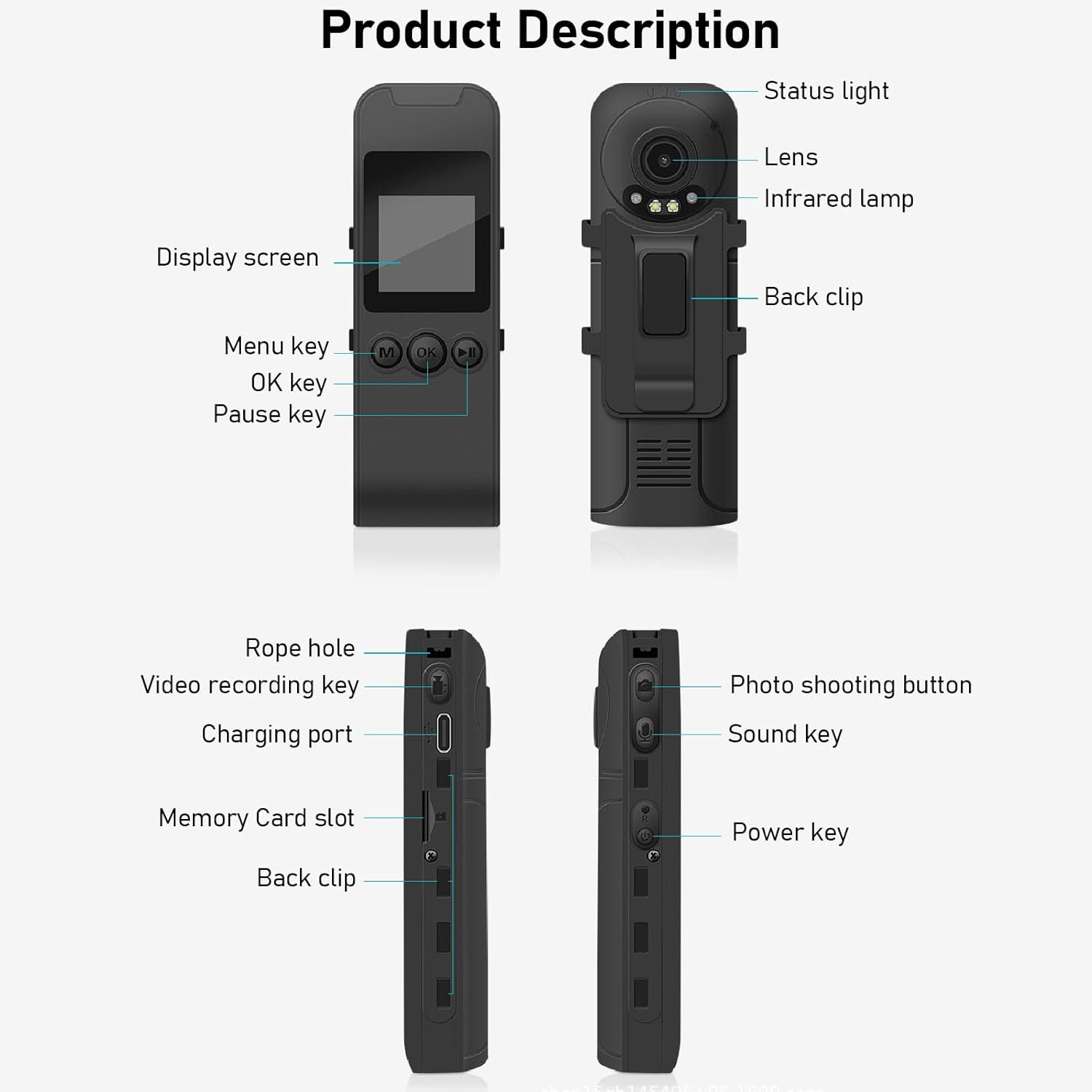
Figure 3: Labeled components of the Cuifati Mini Body Camera.
- Solas Inbhe: Indicates device status (e.g., recording, charging).
- Lionsa: Prìomh lionsa camara airson glacadh bhidio is dhealbhan.
- Fo-dhearg L.amp: Provides illumination for night vision.
- Clip cùl: Airson a’ chamara a cheangal ri aodach no uachdaran eile.
- Sgrion Taisbeanaidh: 1.3-inch LCD for live view, ath-chluich, agus seòladh clàr-taice.
- Menu Key (M): A’ faighinn cothrom air roghainnean an inneil.
- OK iuchair: Confirms selections or starts/stops functions.
- Iuchair na stad: Cuiridh seo stad air ath-chluich no clàradh.
- Rope Hole: Attachment point for the lanyard.
- Video Recording Key: A’ tòiseachadh agus a’ stad clàradh bhidio.
- Port Cosgais (Seòrsa-C): Airson an inneal a ghearradh agus a cheangal ri coimpiutair.
- Slot Cairt Cuimhne: Cuir a-steach cairt microSD airson stòradh.
- Photo Shooting Button: A’ glacadh ìomhaighean fhathast.
- Iuchair Fuaime: Controls audio recording.
- Prìomh chumhachd: Tionndaidh an inneal air no dheth.
Suidhich
1. A 'cur cosgais air a' Bhataraidh
Before first use, fully charge the camera's built-in lithium-ion battery. Connect the camera to a power source using the provided Type-C USB cable. The status light will indicate charging status. A full charge provides approximately 20 hours of work time and 10 hours of video recording.
Figure 4: Built-in 1200mAh battery for extended use.
2. Cuir a-steach Cairt Cuimhne
The camera supports up to a 256GB memory card (not included). Locate the memory card slot on the side of the camera. Gently insert the microSD card with the gold contacts facing down until it clicks into place. To remove, push the card in slightly until it springs out.

Figure 5: Memory card slot for storage expansion.
Stiùireadh Obrachaidh
1. A ’toirt cumhachd air / dheth
- Gus cumhachd a thoirt air: Press and hold the Power Key until the display screen illuminates.
- Gus cumhachd a thoirt dheth: Press and hold the Power Key until the device shuts down.
2. Clàradh Bhidio
The camera records in 1440P HD at 30 frames per second with a 120° wide-angle lens and infrared night vision.
- Gus tòiseachadh air clàradh: Press the Video Recording Key. The status light will change, and a recording indicator will appear on the screen.
- Gus stad a chur air clàradh: Press the Video Recording Key again.
- Clàradh lùb: The camera supports loop recording, automatically overwriting the oldest files nuair a tha a’ chairt-chuimhne làn.
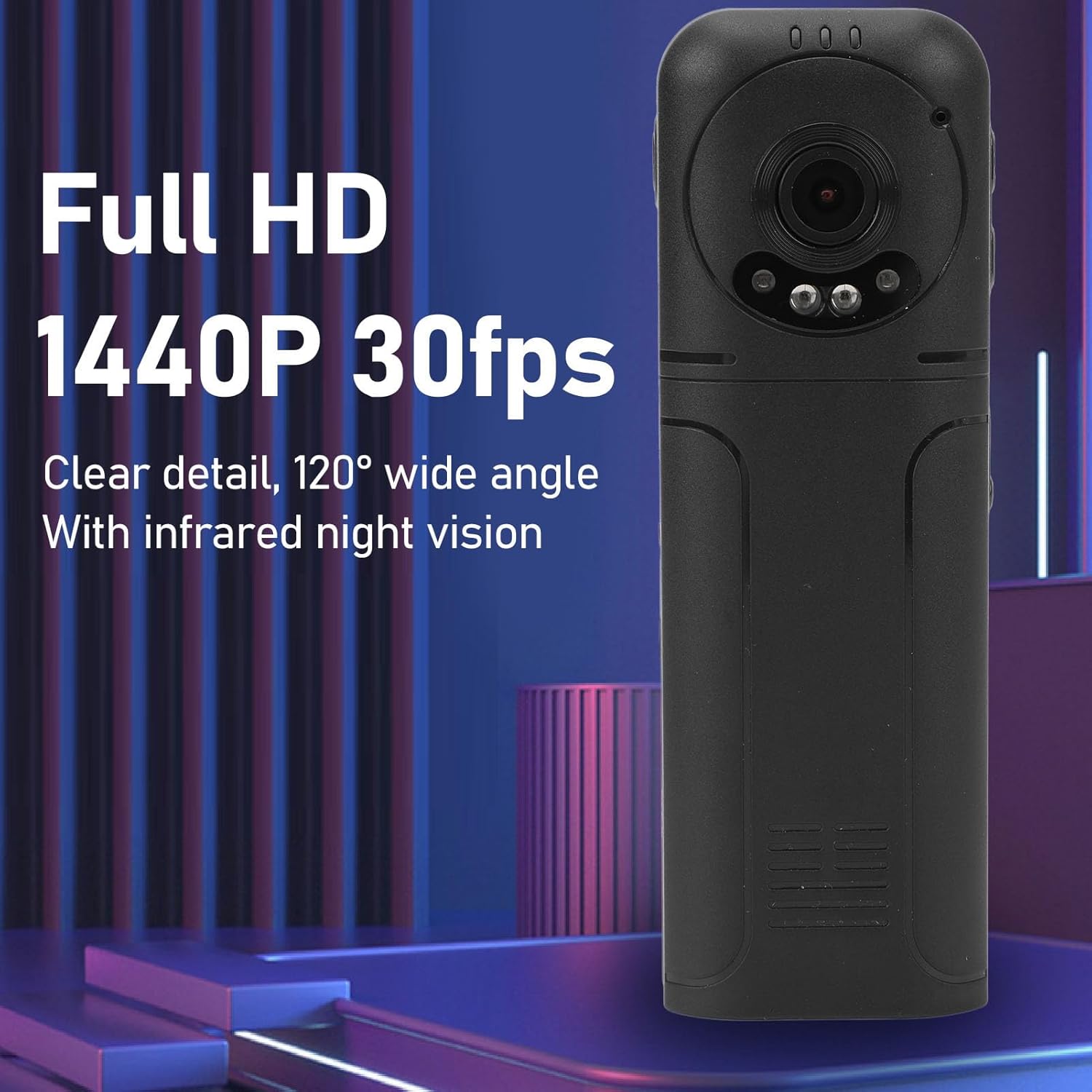
Figure 6: 1440P HD video recording with night vision.
3. Dealbhan a thogail
- Gus dealbh a thogail: In standby mode, press the Photo Shooting Button.
4. Clàradh claisneachd
- To Start Audio Recording: Press the Sound Key.
- To Stop Audio Recording: Press the Sound Key again.

Figure 7: Audio recording functionality.
5. Ath-chluich agus File Riaghladh
The 1.3-inch LCD screen supports live playback, browsing, and pausing of videos, photos, and recordings directly on the device.

Figure 8: 1.3-inch color screen for on-device playback.
- On-Device Playback: Use the Menu, OK, and Pause keys to navigate and play files air an sgrion.
- A 'ceangal ris a' choimpiutair: Connect the camera to a computer via the Type-C USB cable to transfer, view, or delete files.
- Gnìomh OTG: If your mobile phone supports OTG, you can connect the camera directly to your phone for playback and file riaghladh.
Cumail suas
1. Glanadh
- Use the provided cleaning cloth or a soft, dry cloth to wipe the camera body and lens.
- Do not use liquid cleaners or solvents, as they may damage the device.
2. Stòradh
- Stòraich an camara ann an àite fionnar, tioram air falbh bho sholas dìreach na grèine agus teòthachd anabarrach.
- Thoir air falbh a’ chairt-chuimhne ma bhios tu ga stòradh airson ùine mhòr.
Fuasgladh thrioblaidean
Ma thachras tu ri duilgheadasan leis a’ chamara agad, thoir sùil air na duilgheadasan agus na fuasglaidhean cumanta a leanas:
| Trioblaid | Fuasgladh |
|---|---|
| Chan eil an camara a’ dol air. | Dèan cinnteach gu bheil am bataraidh air a luchdadh. Ceangail ri stòr cumhachd agus feuch ris a-rithist. |
| Cannot record video/photo. | Check if a memory card is inserted correctly and has sufficient free space. Format the memory card if necessary (this will erase all data). |
| Cha deach cairt-chuimhne aithneachadh. | Ensure the memory card is inserted correctly. Try a different compatible memory card. Format the card using the camera's menu or a computer. |
| Poor video/audio quality. | Ensure the lens is clean. Check lighting conditions. For audio, ensure the microphone is not obstructed. |
| Bidh an inneal a’ reothadh no a’ fàs neo-fhreagairteach. | Press and hold the Power Key for 10-15 seconds to force a restart. |
Sònrachaidhean
Below are the technical specifications for the Cuifati Mini Body Camera (Model CUIFATI2vg0ri8moa):
- Seòrsa nì: Wearable Camera
- Stuth: ABS
- Sealladh na h-oidhche: 2pcs Night Vision Light Beads
- Fuasgladh bhidio: 1440P (Maximum)
- Ìre frèam: 30FPS
- Seòrsa bataraidh: Bataraidh Lithium Ion
- Comas bataraidh: 1200mAh (Togailte a-steach)
- Taic Stòraidh: Maximum 256GB Memory Card (Not Included)
- Port cosgais: Seòrsa-C
- Ainm APP: For RoadCam (if applicable for advanced features)
- Ainm a' mhodail: CUIFATI2vg0ri8moa
- Dèanadair: CUIFATI
Barantas agus Taic
For warranty information or technical support, please refer to the documentation provided at the time of purchase or contact Cuifati customer service directly. Keep your purchase receipt as proof of purchase.