
1. Ro-ràdh
This manual provides instructions for the safe and effective use of your GT POWER AC/DC Power Adapter, Model 109. This adapter is designed to provide power to compatible TP-Link Mesh Wi-Fi 7 Systems, specifically Deco BE63, BE10000, and BE11000 models. Please read this manual thoroughly before use and retain it for future reference.
2. Fiosrachadh Sàbhailteachd
WARNING: To reduce the risk of fire or electric shock, carefully follow these instructions.
- Ensure the adapter's voltage and current ratings match the requirements of your device.
- Do not expose the adapter to rain or moisture.
- Do not open the adapter casing. Chan eil pàirtean sam bith a dh’ fhaodas an neach-cleachdaidh a chàradh a-staigh.
- Keep the adapter away from excessive heat sources.
- Tarraing am pluga den inneal-atharrachaidh a-mach às a’ phuing cumhachd an-còmhnaidh mus glan thu e no mura tèid a chleachdadh airson ùine mhòr.
- Na cleachd an inneal-atharrachaidh ma thèid an corda no am pluga a mhilleadh.
- This adapter is designed for indoor use only.
- The adapter features Over Voltage Protection (OVP), Over Current Protection (OCP), and Short Circuit Protection (SCP) for enhanced safety.
3. Toradh thallview
The GT POWER AC Adapter (Model 109) is a compact power supply unit designed for specific TP-Link Deco Mesh Wi-Fi systems. It converts AC wall power to the DC power required by your device.

Figear 1: Aghaidh view of the GT POWER AC Adapter. The label indicates input voltage (AC100-240V) and output (DC12V 3A).
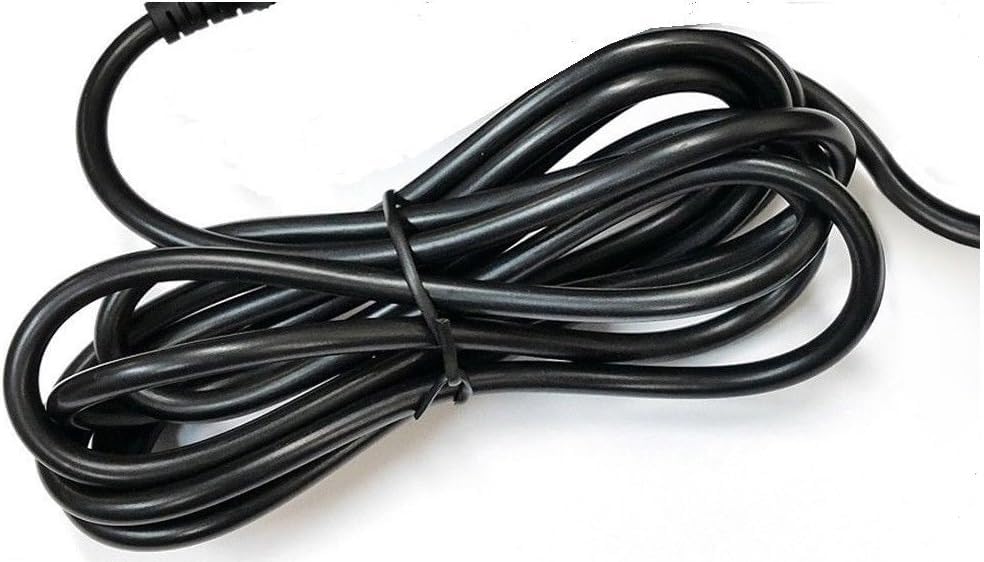
Figear 2: Taobh view of the adapter, highlighting the barrel connector that plugs into your device.
4. Suidhich
Follow these steps to connect your GT POWER AC Adapter to your TP-Link Deco Mesh Wi-Fi System:
- Ensure your TP-Link Deco device is powered off.
- Locate the power input port on your TP-Link Deco device. This is typically a circular port.
- Insert the barrel connector of the GT POWER AC Adapter firmly into the power input port of your Deco device.
- Cuir an inneal-atharrachaidh AC a-steach do socaid balla àbhaisteach 110V AC.
- Power on your TP-Link Deco device.
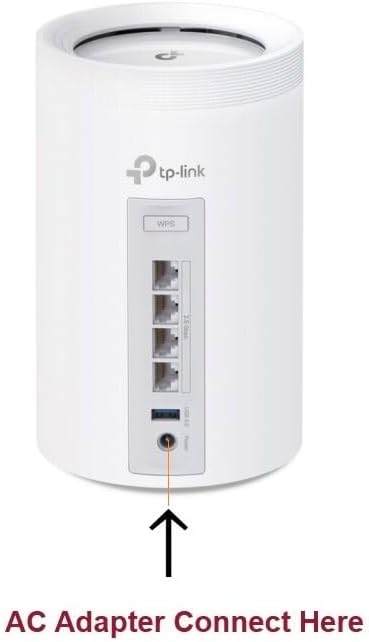
Figear 3: Example of connecting the AC adapter to a compatible TP-Link Deco device. The arrow indicates the power input port.
5. Stiùireadh Obrachaidh
Once properly connected and plugged into a power outlet, the GT POWER AC Adapter will continuously supply power to your TP-Link Deco device. No further user interaction is required for operation.
- Ensure the adapter is always plugged into a functional power outlet.
- Avoid disconnecting the adapter during critical operations of your Deco device.
6. Cumail suas
The GT POWER AC Adapter requires minimal maintenance:
- Cùm an inneal-atharrachaidh glan agus saor bho dhuslach. Cleachd clò tioram, bog airson a ghlanadh.
- Na cleachd innealan-glanaidh leaghaidh no aerosolan.
- Regularly inspect the power cord and connector for any signs of damage. If damage is observed, discontinue use immediately.
- Stòraich an inneal-atharrachaidh ann an àite fionnar, tioram nuair nach eilear ga chleachdadh.
7. A ’dèanamh trioblaid
If your TP-Link Deco device is not receiving power, consider the following:
- Gun chumhachd:
- Verify the adapter is securely plugged into both the wall outlet and the Deco device.
- Dèan deuchainn air an t-socaid balla le inneal eile gus dèanamh cinnteach gu bheil e ag obair.
- Inspect the adapter's cable and connector for any visible damage.
- Cumhachd eadar-amail:
- Dèan cinnteach gu bheil na ceanglaichean uile teann.
- Avoid bending or stressing the power cord.
Ma mhaireas cùisean, cuir fios gu taic teachdaiche.
8. Sònrachaidhean
| Feart | Mion-fhiosrachadh |
|---|---|
| Brand | GT CUMHACHD |
| Modail Àireamh | 109 |
| Input Voltage | AC 100-240V |
| Toradh Voltage / Gnàthach | DC 12V / 3A |
| Cruth Plug | Type A (US Standard) |
| Feartan dìon | OVP (thairis air VoltagDìon (e), OCP (Dìon Thar-shruth), SCP (Dìon Cuairt Ghoirid) |
| UPC | 781834735527 |
9. Barantas agus Taic
This GT POWER AC Adapter comes with a Barantas aon bhliadhnaA bharrachd air sin, a Airgead air ais 30-latha tha gealltanas air a thabhann.
For technical support or warranty claims, please contact the seller, GTXPower, through the platform where the product was purchased.