
1. Ro-ràdh
The Optex ORT8915-UHD is a state-of-the-art 4K DVB-T2 terrestrial digital television receiver. This device allows you to receive terrestrial digital television programs in stunning 4K quality, providing a high-quality visual and audio experience. It supports HEVC encoding for efficient broadcasting and offers various features to enhance your viewann an eòlas.
2. Pasgan-susbaint
Mus tèid thu air adhart leis an stàladh, dèan cinnteach gu bheil a h-uile rud anns a’ phacaid:
- Optex ORT8915-UHD 4K DVB-T2 Receiver x1
- Adapter cumhachd x1
- 1.5V Batteries x2
- Leabhar-làimhe cleachdaiche x1
- Smachd Iomallach x1
- Càball HDMI x1

Image 2.1: The Optex ORT8915-UHD receiver along with its included accessories: power adapter, batteries, user manual, remote control, and HDMI cable.
3. Toradh thallview
3.1 Pannal aghaidh
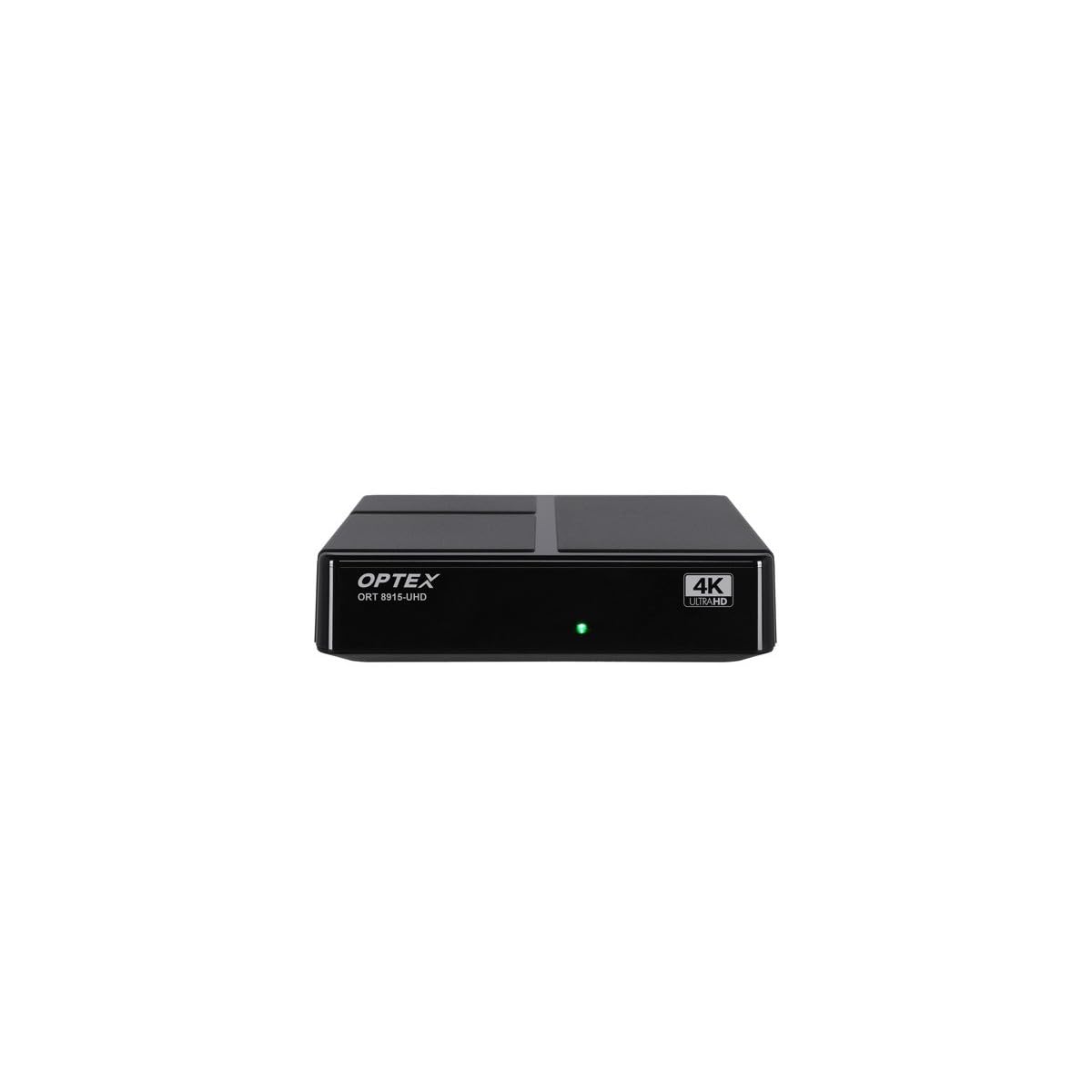
Dealbh 3.1: Aghaidh view of the Optex ORT8915-UHD receiver, showing the USB port and control buttons.
The front panel features a USB port for connecting external storage devices, along with basic control buttons for power, menu navigation, channel selection (CH+/CH-), and volume adjustment (V+/V-).
3.2 Cùl Pannal

Dealbh 3.2: Cùl view of the Optex ORT8915-UHD receiver, displaying various input/output ports.
Tha na ceanglaichean a leanas aig a’ phannal cùil:
- ANT ANN: For connecting your terrestrial antenna.
- OPTIC: Toradh claisneachd didseatach optaigeach.
- DE: Toradh bhidio/fuaime analogach.
- HDMI: High-Definition Multimedia Interface output for connecting to a TV.
- DC ANN: Cuir a-steach cumhachd airson an inneal-atharrachaidh.
3.3 Smachd Iomallach

Image 3.3: The remote control for the Optex ORT8915-UHD receiver, featuring various function buttons.
The remote control provides full functionality for navigating menus, changing channels, adjusting volume, accessing program guides, and utilizing special features like Timeshift and USB recording.
4. Suidhich
- Ceangail an antenna: Connect your terrestrial antenna cable to the "ANT IN" port on the rear panel of the receiver.
- Ceangail ris an telebhisean:
- For High-Definition (HD) connection: Use the provided HDMI cable to connect the "HDMI" port on the receiver to an HDMI input on your television.
- For Standard-Definition (SD) connection: Use an AV cable (not included) to connect the "AV" ports on the receiver to the corresponding AV inputs on your television.
- Ceangal cumhachd: Plug the power adapter into the "DC IN" port on the receiver, then plug the adapter into a power outlet.
- Cuir bataraidhean a-steach don inneal iomallach: Open the battery compartment on the back of the remote control and insert the two 1.5V batteries, ensuring correct polarity.
- Cumhachd air: Press the power button on the receiver or the remote control to turn on the device.
- Tagh Cuir-a-steach Tbh: On your television, select the correct HDMI or AV input source that corresponds to the connection you made in step 2.
5. Stiùireadh Obrachaidh
5.1 Initial Channel Scan
Upon first use or after a factory reset, the receiver will guide you through an initial setup process, including a channel scan. Follow the on-screen prompts to automatically search for available DVB-T2 channels in your region. Ensure your antenna is properly connected for optimal results.
5.2 Gnìomhan Bunaiteach
- Seòladh seanail: Cleachd an CH+ agus CH- buttons on the remote or front panel to change channels.
- Smachd tomhas-lìonaidh: Cleachd an V+ agus V- putanan gus an tomhas-lìonaidh atharrachadh.
- Ruigsinneachd clàr-taice: Brùth an MENU putan gus faighinn chun phrìomh chlàr-taice airson roghainnean agus feartan.
- Stiùireadh a’ Phrògraim (EPG): Brùth an EPG putan gu view the Electronic Program Guide, which displays broadcast schedules.
- Teletext: Access teletext services by pressing the TTX putan.
5.3 Feartan adhartach
- Timeshift (Live Control): Connect a USB storage device to the receiver. Press the Gluasad ùine button (often a pause/play icon) to pause live TV, allowing you to resume viewing nas fhaide air adhart.
- USB Recording (PVR): With a USB storage device connected, you can record live TV programs. Use the REC putan air an smachd iomallach gus tòiseachadh air clàradh.
- Ath-chluich ioma-mheadhain: The USB port also supports playback of various multimedia files (audio, video, images) from a connected USB storage device. Navigate to the multimedia section in the main menu to access this feature.
- Smachd Phàrant: Set up parental control features through the menu to restrict access to certain channels or programs based on age ratings.
- Liostaichean as fheàrr leotha: Create customized lists of your favorite channels for quick access.
6. Cumail suas
- Glanadh: Cleachd clò bog, tioram gus taobh a-muigh a’ ghlacadair a ghlanadh. Na cleachd innealan-glanaidh leaghaidh no stuthan sgrìobach.
- Fionnarachadh: Ensure the receiver is placed in a well-ventilated area to prevent overheating. Do not block the ventilation holes.
- Ùrachaidhean bathar-bog: Periodically check for software updates via USB to ensure optimal performance and access to new features. Refer to the main menu settings for update options.
7. A ’dèanamh trioblaid
| Trioblaid | Adhbhar a dh’fhaodadh a bhith ann | Fuasgladh |
|---|---|---|
| Gun dealbh no fuaim | Incorrect TV input selected, loose cable connections, power issue. |
|
| Cha deach seanalan a lorg | Antenna not connected or positioned correctly, no channel scan performed. |
|
| Chan eil smachd iomallach ag obair | Dead batteries, obstructed signal, remote not paired (if applicable). |
|
| Càileachd droch dhealbh | Weak antenna signal, incorrect resolution settings. |
|
8. Sònrachaidhean
| Feart | Mion-fhiosrachadh |
|---|---|
| Modail | ORT8915-UHD |
| Brand | Optex |
| Seòrsa Bathar | 4K DVB-T2 Terrestrial Receiver |
| Còdachadh bhidio | HEVC |
| Innealan co-fhreagarrach | Television, Game Console, Tablet, Personal Computer, Amplifier, Speaker, Smartphone |
| Teicneòlas ceangail | USB |
| Modh Toraidh Fuaim | Stereo |
| Seòrsa toradh claisneachd | HDMI, Optical |
| Rèiteachadh Sianal Fuaim timcheall | 5.1, 7.1, 9.2 |
| Feart sònraichte | Lorgaire gluasaid |
| Puirt HDMI iomlan | 1 |
| Caitheamh cumhachd (Fuirich) | <0.5 W |
| Meudan (Fad x Leud) | 126.0 mm x 125.0 mm |
| Cuideam toraidh | 470 g |
9. Barantas agus Taic
Airson fiosrachadh barantais agus taic theicnigeach, thoir sùil air làrach-lìn oifigeil Optex weblàrach no cuir fios chun neach-reic ionadail agad. Cùm do chuidhteas ceannach mar dhearbhadh ceannach airson tagraidhean barantais sam bith.
Software updates are guaranteed until an unknown date, as per product information. For the latest information, please visit the manufacturer's support page.