
1. Ro-ràdh
The Nillkin TW004 Wireless Earbuds are designed for audio playback and communication, featuring Bluetooth 5.0 connectivity, CVC noise cancellation, and IPX5 water resistance. This manual provides instructions for proper setup, operation, and maintenance of your earbuds.
2. Pasgan-susbaint
Dèan cinnteach gu bheil a h-uile nì an làthair sa phacaid agad:
- Nillkin TW004 Wireless Earbuds (Left and Right)
- Cùis Cìse
- Càball cosgais USB
- Iomadh Meud de Chluais-mheudan (S, M, L)
- Leabhar-làimhe cleachdaiche

Image: Nillkin TW004 Wireless Earbuds and Charging Case, illustrating key features such as excellent sound quality, Apt-X audio decoding, CVC noise cancellation, Qualcomm 5.0, TWS Plus, mini compact design, 13 hours playtime, and IPX5 water-resistance.
3. Feartan toraidh
- Bluetooth 5.0: Provides stable and efficient wireless connection.
- Cur às do fhuaim CVC: A’ leasachadh soilleireachd ghairmean le bhith a’ lughdachadh fuaim mun cuairt.
- Apt-X High Audio Decoding: Delivers lossless sound quality with minimal transmission delay.
- Seasmhachd uisge IPX5: Protects against sweat and light splashes, suitable for sports.
- Smachd suathaidh: Intuitive controls for music playback and call management.
- Dealbhadh teann agus aotrom: Ergonomic fit for comfortable and stable wearing.
- Beatha bataraidh leudaichte: Up to 13 hours of continuous earphone use, with additional charges from the case.

Image: A banner displaying the Nillkin TW004 Wireless Earbuds and charging case, highlighting features such as excellent sound quality, Apt-X audio decoding, CVC noise cancellation, Qualcomm 5.0, TWS Plus, mini compact design, 13 hours playtime, and IPX5 water-resistance.
4. Suidhich
4.1 A’ cur cosgais air na cluasan-cluaise agus a’ chùis
Before first use, fully charge the earbuds and the charging case. Connect the provided USB charging cable to the charging case and a power source. The indicator lights on the case will show the charging status. Ensure the earbuds are properly seated in the charging slots inside the case.

Image: Nillkin TW004 Earbuds and charging case displaying Bluetooth V5.0, 13 hours continuous earphone use, 52 hours with charging box, 50 days standby time, 500mAh charging box battery, and 4-5 times earphone charging capacity.
4.2 Automatic Power On and Pairing
Once removed from the charging case, the earbuds will automatically power on and enter pairing mode. On your device (e.g., smartphone), enable Bluetooth and search for 'Nillkin TW004' in the list of available devices. Select it to connect. A voice prompt will confirm successful pairing.
Video: An official product video demonstrating the automatic power-on and pairing process of the Nillkin TW004 Wireless Earbuds when removed from their charging case.
4.3 A’ caitheamh nan cluasan-cluaise
Choose the ear tips that provide the most comfortable and secure fit for your ears. Insert the earbuds into your ear canals and gently twist them to ensure a snug fit. A proper fit is essential for optimal sound quality and noise isolation.

Image: A person wearing a Nillkin TW004 earbud, demonstrating the mini body design and stable fit in the ear. The image emphasizes the ergonomic and invisible design, with a weight of only 5.6g per earphone, suitable for human auricle.

Image: Illustration showing small (S), medium (M), and large (L) ear tips, indicating options for a customized and stable fit for the Nillkin TW004 earbuds.
5. Stiùireadh Obrachaidh
5.1 Smachdan suathadh
The Nillkin TW004 earbuds feature touch-sensitive controls on the outer surface of each earbud. Refer to the following table for common functions:
| Gnìomh | Gnìomh |
|---|---|
| Tap singilte (Clì/Deas) | Cluich / Pause music, Answer / End call |
| Tap dùbailte (Deas) | An ath Rian |
| Tap dùbailte (Clì) | Rian roimhe |
| Brùth Fada (Clì/Deas) | Diùlt gairm, cuir an gnìomh Neach-cuideachaidh Gutha |
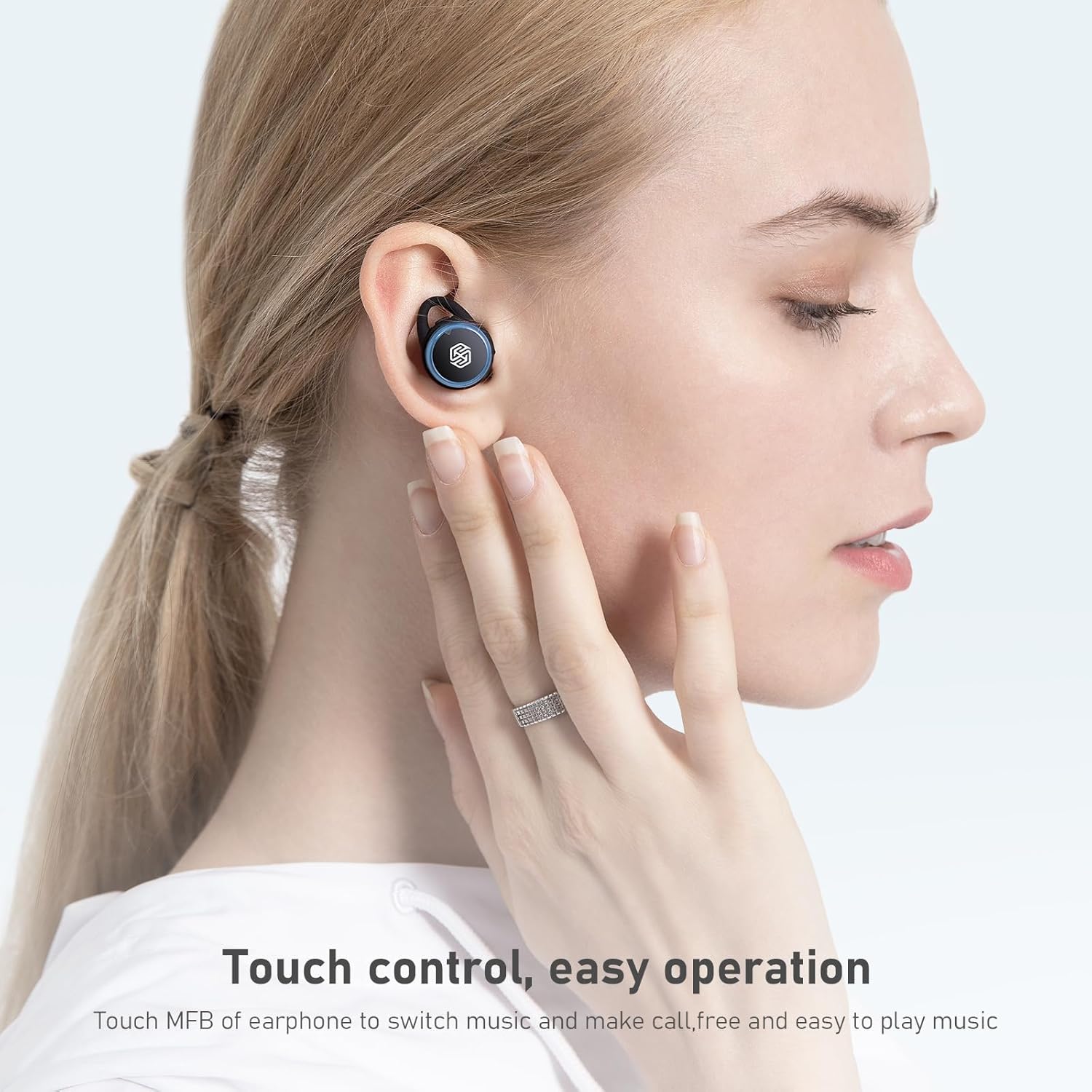
Image: A hand demonstrating touch control on a Nillkin TW004 earbud, illustrating the ease of operation for switching music and managing calls.
5.2 Cumhachd air / dheth
- Cumhachd air: Bidh na fònaichean-cluaise a’ tionndadh air gu fèin-ghluasadach nuair a thèid an toirt a-mach às a’ chùis cosgais.
- Cumhachd dheth: Cuir na fònaichean-cluaise air ais anns a’ chùis cosgais gus an cuir iad dheth gu fèin-ghluasadach agus tòiseachadh air cosgais.
6. Cumail suas
6.1 Glanadh
Glan do chluas-cinn agus a’ chùis cosgais gu cunbhalach gus dèanamh cinnteach à coileanadh agus slàinteachas as fheàrr.
- Cleachd clò bog, tioram, gun lint gus na fònaichean-cluaise agus a’ chùis cosgais a sguabadh às.
- Thoir air falbh cinn-cluaise agus glan iad le siabann tlàth is uisge. Dèan cinnteach gu bheil iad gu tur tioram mus cuir thu air ais iad.
- Glan gu socair na ceanglaichean cosgais air an dà chuid na fònaichean-cluaise agus taobh a-staigh a’ chùis le swab cotain tioram.
6.2 Stòradh
Nuair nach eilear gan cleachdadh, stòraich na fònaichean-cluaise anns a’ chùis cosgais aca gus an dìon bho dhuslach, milleadh, agus gus an cumail fo chasaid.

Image: Nillkin TW004 earbuds with water droplets on their surface, illustrating their IPX5 waterproof rating, suitable for sports and protection against sweat and rain.
7. A ’dèanamh trioblaid
If you encounter issues with your Nillkin TW004 Wireless Earbuds, refer to the following common solutions:
- Fònaichean-cluaise gun a bhith a’ paidhreachadh:
Ensure both earbuds are fully charged. Place them back in the case, then remove them to re-enter pairing mode. Delete 'Nillkin TW004' from your device's Bluetooth list and attempt to pair again. - Gun fhuaim bho aon chluas-fòn:
Check if both earbuds are charged. Try resetting the earbuds by placing them in the charging case and then taking them out. Ensure they are properly paired as a stereo pair. - Cùis cosgais gun a bhith a’ cur cosgais:
Verify the USB cable is securely connected to both the case and the power source. Try a different charging cable or power adapter. - Càileachd fuaim truagh:
Ensure the earbuds are properly seated in your ears with the correct size ear tips. Move closer to your connected device to avoid interference. - Smachdan suathaidh gun fhreagairt:
Ensure your fingers are clean and dry. Try cleaning the touch surface of the earbuds.
8. Sònrachaidhean
| Feart | Mion-fhiosrachadh |
|---|---|
| Modail Àireamh | TW004 (GO TW004) |
| Tionndadh Bluetooth | 5.0 |
| Modh smachd | Suathadh |
| Frith-aghaidh uisge | IPX5 |
| Ùine-cluiche Fònaichean-cluaise | Suas ri 13 uairean a thìde (leantainneach) |
| Ùine cluiche iomlan (le cùis) | Suas ri 65 uairean a thìde |
| Bataraidh cùis cosgais | 500 mAh |
| Còdachadh claisneachd | Apt-X |
| Cur dheth fuaim | CVC |
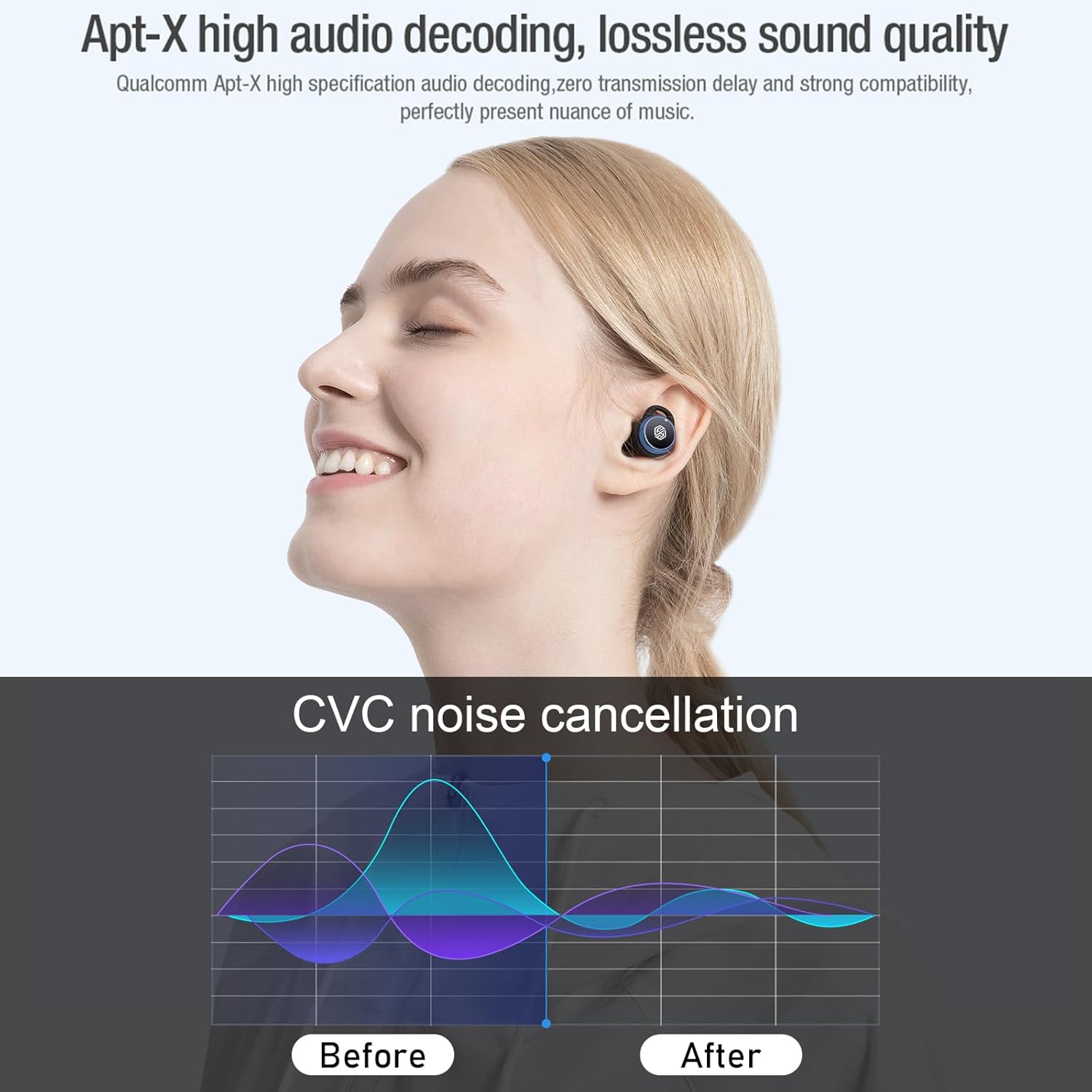
Image: Nillkin TW004 earbud illustrating Apt-X high audio decoding for lossless sound quality and a graph demonstrating CVC noise cancellation effectiveness before and after.
9. Barantas agus Taic
Nillkin products are manufactured to high quality standards. For warranty information, technical support, or customer service inquiries, please refer to the warranty card included in your product packaging or visit the official Nillkin weblàrach. Cùm do chuidhteas ceannach mar dhearbhadh ceannach.