
Ro-ràdh
This manual provides detailed instructions for the installation, operation, and maintenance of your BTQILEYOO Q28 Motorcycle Helmet Bluetooth Headset with 1080P Camera. Please read this manual thoroughly before use to ensure proper function and safety.
Fiosrachadh Sàbhailteachd
- Do not submerge the device in water beyond its IP66 rating. While water-resistant, it is not designed for prolonged submersion.
- Use only the recommended charger for optimal performance and to prevent damage to the battery.
- Ensure the device is securely mounted to the helmet before riding.
- Operating the device while riding should be done with caution to avoid distraction. Prioritize road safety.
Susbaint pacaid
Dèan cinnteach gu bheil a h-uile nì anns a’ phacaid:
- BTQILEYOO Q28 Main Unit
- Helmet Mounting Bracket (Adhesive/Clip)
- Speakers and Microphone Kit
- Càball Cìsean USB Type-C
- 32GB TF Card (Pre-installed or separate)
- Leabhar-làimhe cleachdaiche
Stàladh agus stàladh
1. A 'cur cosgais air an inneal
Before first use, fully charge the Q28 unit. Connect the provided USB Type-C cable to the charging port on the device and to a suitable USB power adapter. The charging indicator (red) will illuminate during charging and turn off when fully charged.
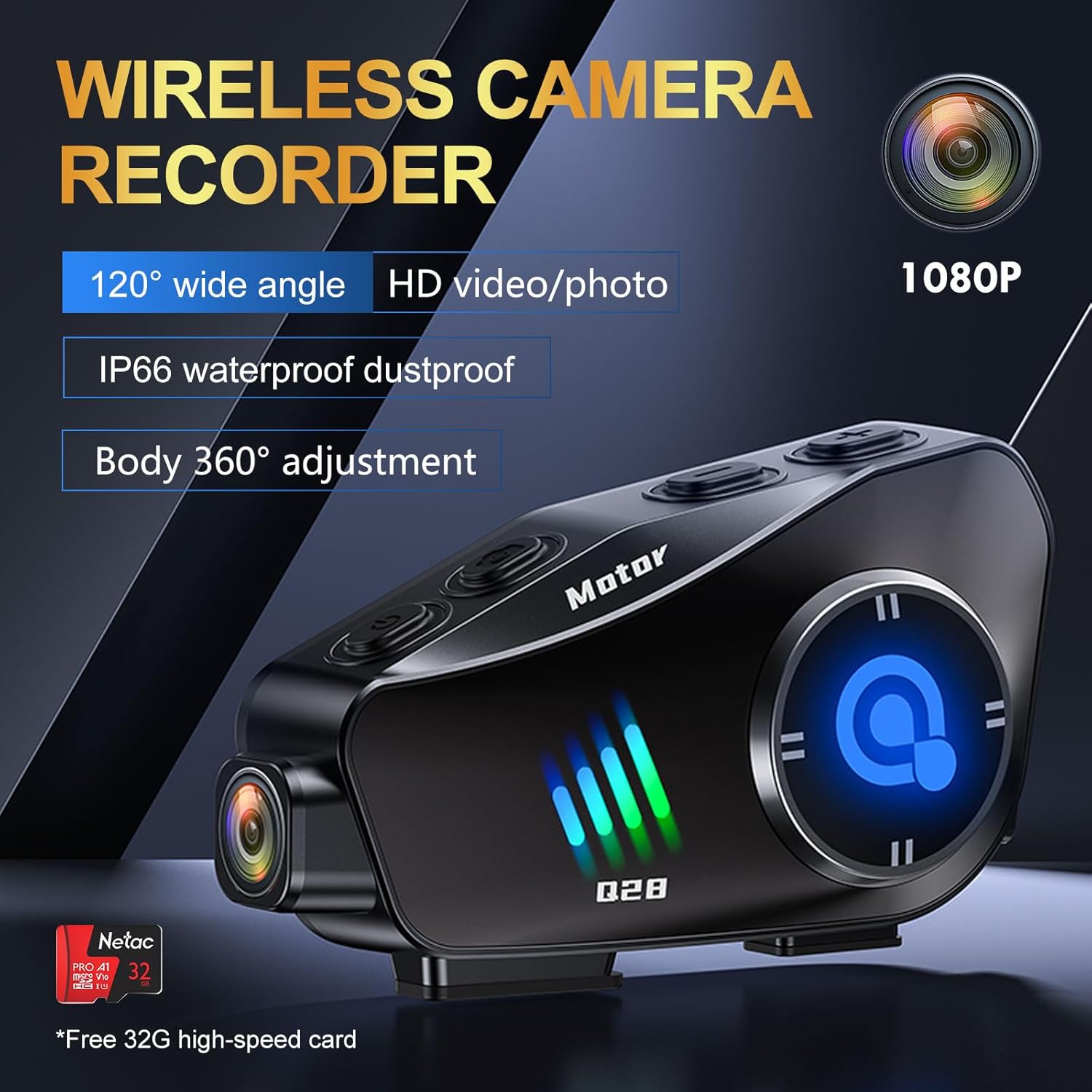 Image: The BTQILEYOO Q28 unit connected to a charging cable, illustrating the charging process.
2. Cuir a-steach a' chairt TF
Locate the TF card slot on the device. Gently insert the provided 32GB TF card (or another compatible card up to 256GB) into the slot until it clicks into place. Ensure the card is inserted correctly to avoid damage.
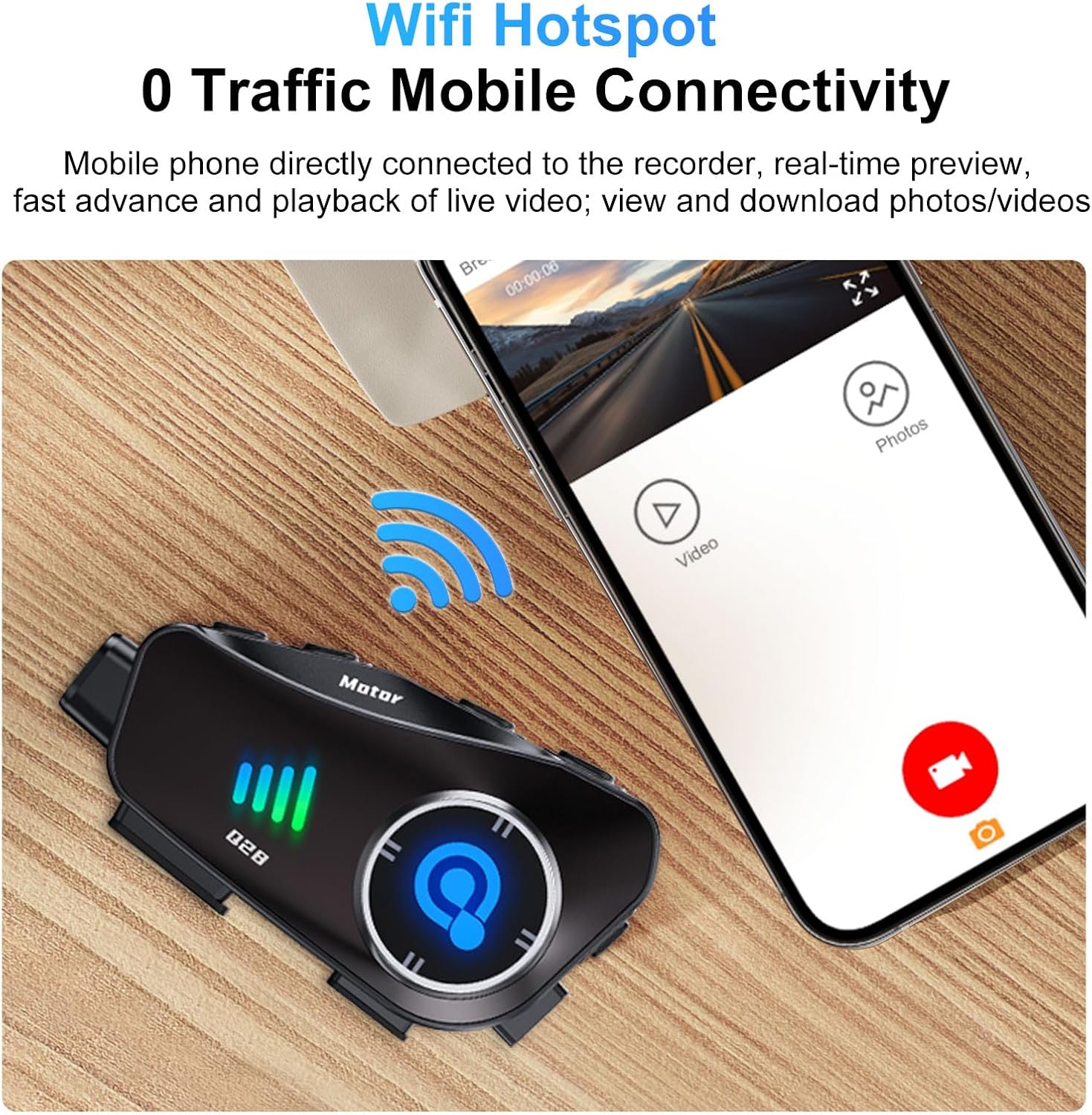 Image: A close-up of the BTQILEYOO Q28 unit showing a TF card being inserted into its designated slot.
3. Suidheachadh clogaid
Attach the mounting bracket to the side of your helmet using either the adhesive pad or the clip mechanism. Ensure the bracket is firmly secured. Then, slide the Q28 main unit onto the bracket until it locks into place. The camera body can be rotated 360 degrees for optimal recording angle.
 Image: The BTQILEYOO Q28 unit mounted on the side of a motorcycle helmet, demonstrating its placement.
4. Stàladh Luchd-labhairt is Micreofon
Insert the speakers into the helmet's ear pockets and route the microphone towards your mouth. Connect the speaker/microphone cable to the speaker/marker connector on the Q28 unit. Ensure cables are tucked away neatly to avoid interference or discomfort.
5. Càraid Bluetooth
- With the device off, press and hold the Power/Answer button until the Bluetooth indicator (blue) flashes rapidly, indicating pairing mode.
- Air an fhòn-làimhe agad, cuir Bluetooth an gnìomh agus rannsaich airson innealan a tha rim faighinn.
- Select "BTQILEYOO Q28" from the list. Once connected, the blue indicator will flash slowly.
6. WiFi Hotspot and App Connection
The Q28 features a WiFi hotspot for mobile connectivity, allowing real-time preview, playback, and download of videos/photos via a dedicated app.
- Download the companion app (refer to the quick start guide for app name and download instructions).
- Press the Photo/WiFi button on the Q28 to activate the WiFi hotspot.
- On your phone, connect to the Q28's WiFi network (SSID and password typically found in the quick start guide or on the device itself).
- Open the app to access camera functions, view recordings, and manage files.
 Image: The BTQILEYOO Q28 unit next to a smartphone displaying the companion app interface, indicating WiFi connectivity for media management.
Stiùireadh Obrachaidh
Device Controls Overview
Familiarize yourself with the device's buttons:
 Image: A diagram illustrating the various function buttons on the BTQILEYOO Q28 unit, with corresponding numbers and descriptions.
- 1. Switch on/off/answer/hang up/play/pause: Multi-function button for power and call/music control.
- 2. Voice assistant key: Activates voice assistant (Siri, Google Assistant).
- 3. Speaker/Marker connector: Port for connecting speakers and microphone.
- 4. Port cìs: Port USB Seòrsa-C airson cosgais.
- 5. Logger marker: Not explicitly defined, likely for marking specific points in recordings.
- 6. Recorder memory card: Slot cairt TF.
- 7. Volume +/Next song: Meudaichidh seo an tomhas-lìonaidh no leumaidh e chun ath thrac.
- 8. Volume -/Previous song: Decreases volume or goes to previous track.
- 9. Photo/WiFi on or off: Toggles photo mode or WiFi hotspot.
- 10. Recorder on/off button / turn on or stop recording: Controls video recording.
- 11. Logger indicator light (blue) / WiFi on light (green): Status indicators.
- 12. Surveillance camera: The camera lens.
Camera Operation (Video/Photo)
The Q28 features a 1080P 120° ultra-wide-angle lens for recording high-definition video and capturing 2MP images.
- Clàradh tòiseachaidh/stad: Press the "Recorder on/off button / turn on or stop recording" (10) to start or stop video recording. The logger indicator light (11) will change to indicate recording status.
- Tog dealbh: Press the "Photo/WiFi on or off" button (9) briefly to take a still photograph.
- Atharraich ceàrn camara: The camera body can be rotated 360 degrees to achieve the desired horizontal or vertical shooting angle.
 Image: The BTQILEYOO Q28 unit highlighting its 1080P HD camera lens and wide-angle capabilities.
Dealbh-chluich Ciùil
- Once paired with your phone, open your music player.
- Press the Power/Answer button (1) to play or pause music.
- Use Volume +/Next song (7) to increase volume or skip track.
- Use Volume -/Previous song (8) to decrease volume or go to previous track.
Stiùireadh Call
- Freagairt fèin-ghluasadach: Incoming calls will be automatically answered after 10 seconds.
- Manual Answer/End Call: Briefly press the Power/Answer button (1) to answer or end a call.
- Smachd guth: Press the Voice assistant key (2) to activate your phone's voice assistant (Siri, Google Assistant) for hands-free commands.
 Image: A motorcycle rider wearing a helmet with the BTQILEYOO Q28, illustrating the automatic call answering feature.
Lùghdachadh Fuaim
The Q28 incorporates CVC algorithm and DSP hardware for effective noise reduction, ensuring clear audio during calls by minimizing environmental sounds.
Cumail suas
- Glanadh: Sguab an inneal le bog, damp cloth. Avoid using harsh chemicals or abrasive materials. Ensure the camera lens is clean for optimal video quality.
- Stòradh: Stòraich an inneal ann an àite fionnar, tioram nuair nach eilear ga chleachdadh. Seachain teòthachd anabarrach.
- Cùram Bataraidh: Gus beatha a’ bhataraidh a leudachadh, seachain a bhith ga leigeil às gu tur gu tric. Cuir cosgais air an inneal gu cunbhalach, eadhon ged nach eil e ga chleachdadh gu cunbhalach.
- Seasmhachd uisge: While IP66 rated, avoid direct high-pressure water jets. Ensure all ports are securely closed before exposure to water.
Fuasgladh thrioblaidean
| Trioblaid | Adhbhar a dh’fhaodadh a bhith ann | Fuasgladh |
|---|---|---|
| Chan eil cumhachd aig an inneal. | Bataraidh ìosal. | Cuir cosgais iomlan air an inneal leis a’ chàball USB Type-C a tha air a thoirt seachad. |
| Cannot pair with phone via Bluetooth. | Chan eil an inneal ann am modh càraideachaidh; Bluetooth a’ fòn dheth; bacadh. | Ensure Q28 is in pairing mode (rapid blue flash). Turn phone's Bluetooth off and on. Move closer to the device. |
| Camera not recording or app connection fails. | TF card issue; WiFi hotspot off; incorrect app connection. | Check TF card insertion. Ensure WiFi hotspot is active (green light). Reconnect phone to Q28's WiFi. Restart app and device. |
| Poor audio quality or excessive noise. | Microphone placement; environmental factors. | Adjust microphone closer to your mouth. Ensure helmet padding does not obstruct microphone. |
Sònrachaidhean
- Modail: Q28
- Fuasgladh camara: 1080P HD (1920*1080 @ 30FPS)
- Ceàrn lionsa: Ceàrn Ultra-Leathann 120°
- Fuasgladh dhealbhan: 2MP (4032*3024)
- Tionndadh Bluetooth: 5.3
- Lùghdachadh fuaim: Algairim CVC + bathar-cruaidh DSP
- Comas bataraidh: 1500 mAh
- Ùine ath-chluich ciùil: Suas ri 50 uairean a thìde
- Video Recording Time: Suas ri 6.5 uairean a thìde
- Am Fuireach: Suas gu 18 mìosan
- Port cosgais: USB Type-C (supports fast charging)
- Taic Cairt TF: Suas ri 256GB (cairt 32GB air a ghabhail a-steach)
- Ìre dìon-uisge: IP66
- Stuth: Aluminium
- Cuideam nì: 10.8 unnsa
- Meud pacaid: 5.24 x 4.06 x 3.03 òirleach
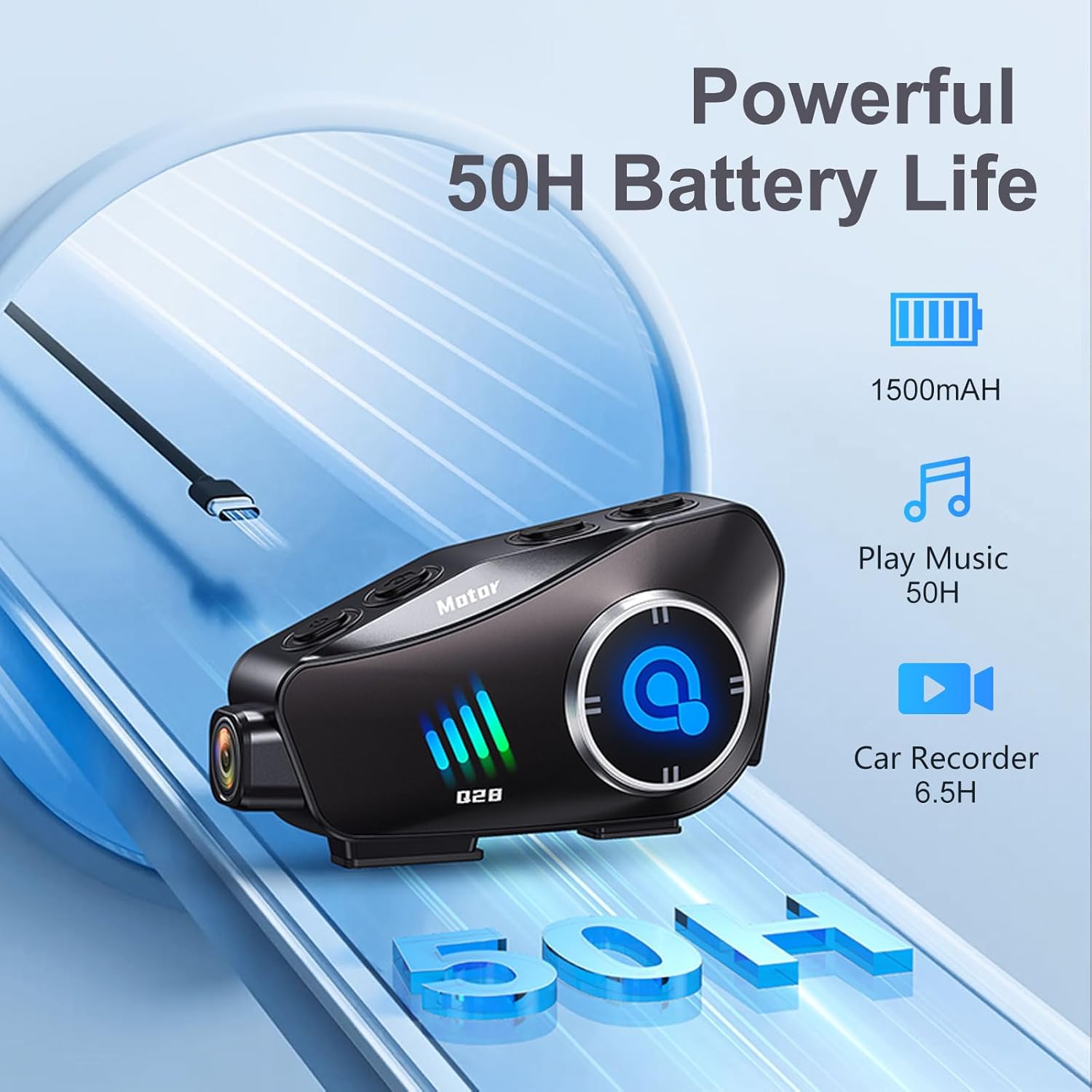 Image: The BTQILEYOO Q28 unit illustrating its powerful 1500mAh battery, offering 50 hours of music playback and 6.5 hours of video recording.
Barantas agus Taic
For warranty information, please refer to the documentation provided with your purchase or contact the seller directly. For technical support or further assistance, please reach out to BTQILEYOO customer service through their official channels.