
1. Ro-ràdh
Thank you for choosing the Hiicam Speed 10 Action Camera. This manual provides essential information for setting up, operating, and maintaining your camera to ensure optimal performance and longevity. The Speed 10 is designed to capture high-quality 5K 30FPS video and 30MP photos, featuring Electronic Image Stabilization (EIS), Wi-Fi connectivity, and waterproof capabilities up to 131 feet (40 meters) with its included housing. It is ideal for various activities including sports, travel, and underwater adventures.
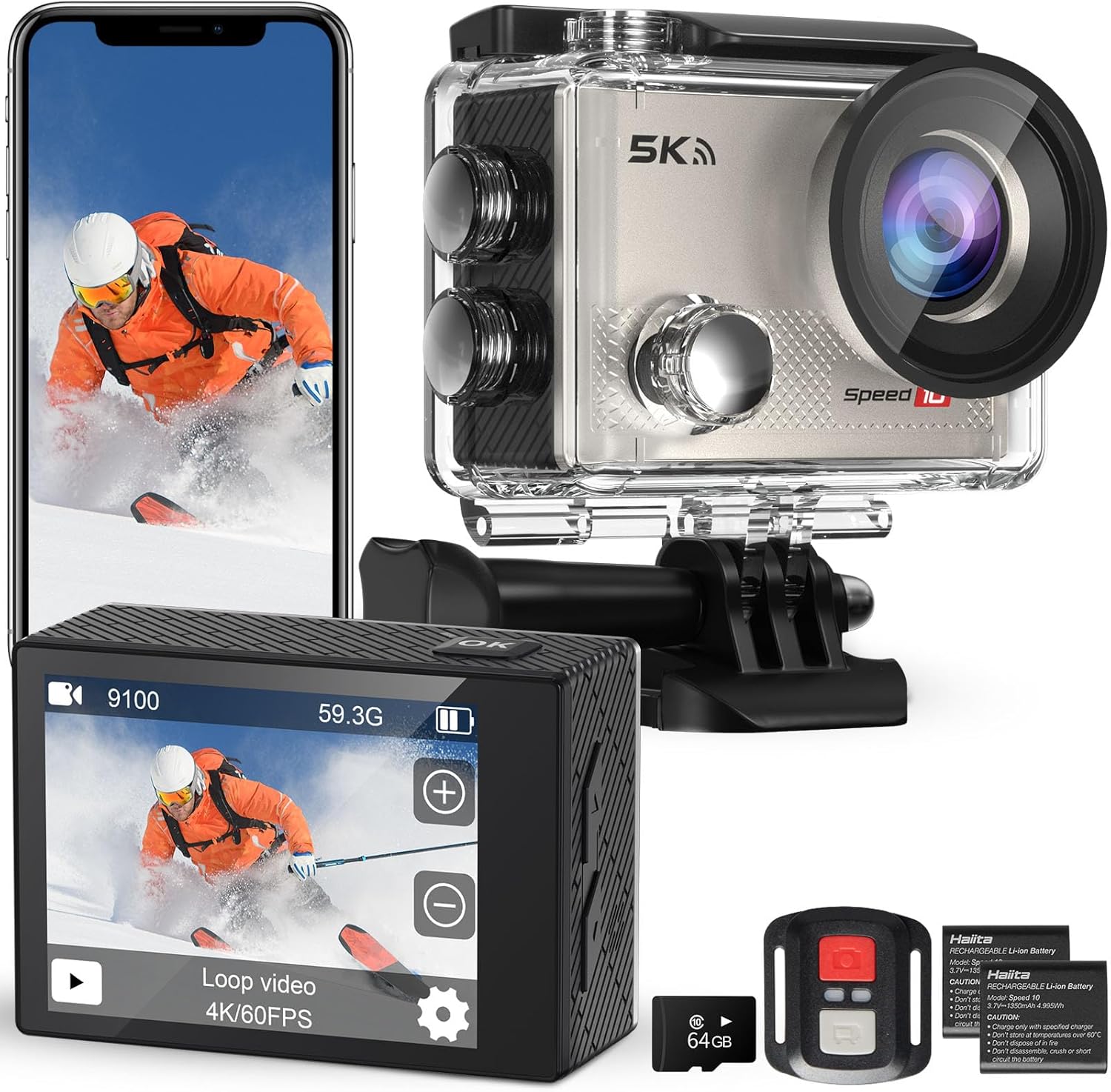
Figure 1.1: Hiicam Speed 10 Action Camera and included accessories.
2. Pasgan-susbaint
Thoir sùil air susbaint a’ phacaid nuair a dh’fhosglas tu am bogsa gus dèanamh cinnteach gu bheil a h-uile nì ann.
- Camara Gnìomh Hiicam Speed 10
- Taigheadas uisge-dìon
- Smachd Iomallach
- 2 x 1350mAh Rechargeable Lithium-Ion Batteries
- Charger bataraidh
- Mounting Accessories Kit (various mounts, straps, adhesives)
- Càball cosgais USB
- Leabhar-làimhe cleachdaiche (an sgrìobhainn seo)
- (Note: Memory card may or may not be included depending on the specific product variant purchased.)
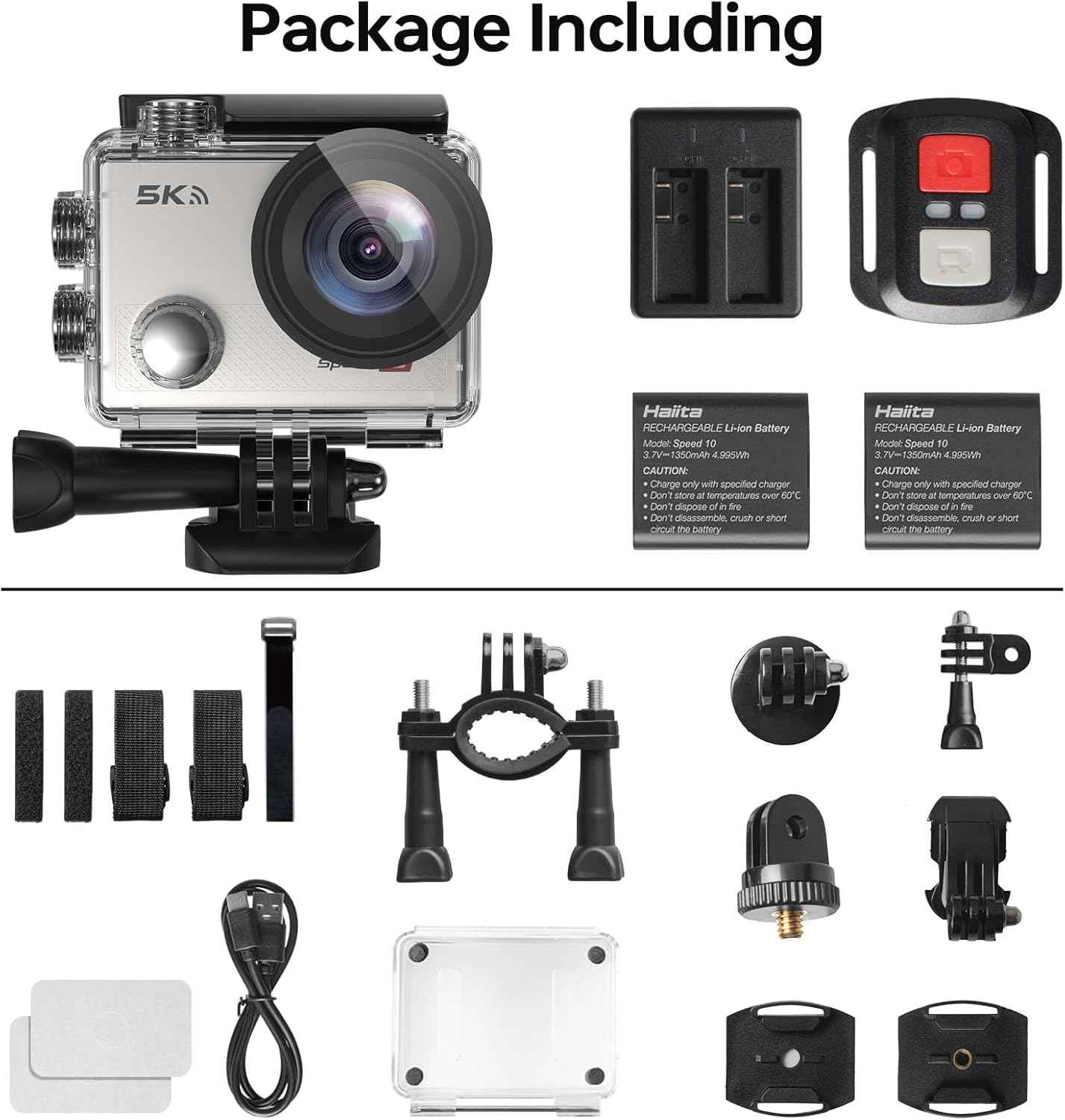
Figure 2.1: All components included in the standard package.
3. Pàirtean a’ Chamara
Familiarize yourself with the main parts of your Hiicam Speed 10 Action Camera.
| Comh-phàirt | Tuairisgeul |
|---|---|
| Lionsa | Captures images and videos. Features a 170° wide-angle view. |
| Sgrion aghaidh | Displays camera status, mode, and can be used for selfies. |
| Rear Touch Screen | Main display for live view, ath-chluich, agus seòladh clàr-taice. |
| Putan Cumhachd / Modh | Powers the camera on/off and switches between shooting modes. |
| Putan shutter / OK | Starts/stops recording, takes photos, confirms selections. |
| Putanan Suas / Sìos | Navigation in menus, zoom control. |
| Sliotan Cairt MicroSD | For inserting a microSD card (up to 256GB, Class 10 or higher recommended). |
| Roinn Bataraidh | A’ cumail a’ bhataraidh ath-luchdaichte. |
| Port USB | Airson cosgais agus gluasad dàta. |
4. Suidhich
4.1. Stàladh is Cosgais Bataraidh
- Fosgail còmhdach roinn a’ bhataraidh aig bonn a’ chamara.
- Insert a fully charged 1350mAh battery, ensuring the contacts align correctly.
- Dùin an còmhdach roinn bataraidh gu tèarainte.
- To charge, insert the battery into the provided battery charger and connect the charger to a USB power source using the USB cable. The indicator light will show charging status.
- Alternatively, you can charge the battery inside the camera by connecting the camera directly to a USB power source.

Figure 4.1: Charging batteries with the external charger.

Figure 4.2: The camera supports extended recording time with two included batteries.
4.2. Cairt MicroSD a chur a-steach
A microSD card (not always included) is required to store photos and videos.
- Dèan cinnteach gu bheil an camara air a chuir dheth.
- Locate the microSD card slot on the side of the camera.
- Insert a Class 10 or higher microSD card (up to 256GB) with the contacts facing the correct direction until it clicks into place.
- Gus a thoirt a-mach, brùth gu socair air a’ chairt gus an leum i a-mach.
4.3. Waterproof Housing Usage
The waterproof housing allows the camera to be used underwater up to 131 feet (40 meters).
- Before each use, inspect the waterproof housing for any dirt, debris, or damage to the O-ring seal.
- Place the camera inside the housing, ensuring it fits snugly.
- Close the latch securely. Perform a dry test (without the camera) in water before first use to confirm no leaks.
- After underwater use, rinse the housing with fresh water and allow it to air dry.

Figure 4.3: The camera is waterproof up to 131 feet (40 meters) with the housing.
5. A’ cleachdadh a’ chamara
5.1. Cumhachd air / dheth
- To power on: Press and hold the Power/Mode button for a few seconds.
- To power off: Press and hold the Power/Mode button again until the camera shuts down.
5.2. Modhan tionndaidh
Press the Power/Mode button repeatedly to cycle through different modes: Video, Photo, Playback, and Settings.
5.3. Recording Video / Taking Photos
- In Video mode: Press the Shutter/OK button to start recording. Press again to stop.
- In Photo mode: Press the Shutter/OK button to take a photo.

Figure 5.1: Capture ultra-sharp 5K 30FPS video and 30MP photos.
5.4. Roghainnean clàr
Access the settings menu to customize camera parameters.
- From any mode, navigate to the Settings icon (gear icon) using the Mode button or touch screen.
- Use the Up/Down buttons or touch screen to navigate through options.
- Press the Shutter/OK button or tap to select an option.
- Tha na prìomh shuidheachaidhean a’ gabhail a-steach:
- Fuasgladh bhidio: Select from 5K/30FPS, 4K/60FPS, 4K/30FPS, 2.7K/30FPS, 1080P/120FPS, 1080P/60FPS, 720P/240FPS.
- Fuasgladh dhealbhan: Adjust photo size up to 30MP.
- Seasmhachd Ìomhaigh Dealanach (EIS): Enable or disable for smoother footage.
- Ceàrn farsaing: Atharraich an raon de view (170° ultra-wide angle available).
- Loop Recording, Time-Lapse, Slow Motion, Burst Photo: Explore various shooting modes.

Figure 5.2: Electronic Image Stabilization (EIS) ensures steady and smooth footage.

Figure 5.3: The 170° wide-angle lens captures a broad field of view.
6. Feartan adhartach
6.1. Wi-Fi & Smart App Control
Connect your camera to a smartphone or tablet via Wi-Fi for remote control, live preview, agus file gluasad.
- Download the "iSmart DV" app (or specified app in camera manual) from your device's app store.
- On the camera, enable Wi-Fi from the settings menu. The camera's Wi-Fi name (SSID) and password will be displayed.
- Air an fhòn-smart agad, rach gu roghainnean Wi-Fi agus ceangail ri lìonra Wi-Fi a’ chamara.
- Open the app. You can now control the camera, view beò footage, and download content to your device.

Figure 6.1: Share your moments instantly with Wi-Fi and app control.
6.2. Smachd Iomallach
Tha an smachd iomallach a tha air a ghabhail a-steach a’ ceadachadh obrachadh goireasach bho astar.
- Dèan cinnteach gu bheil bataraidh ag obair aig an smachd iomallach.
- Pair the remote with the camera (refer to the camera's settings menu for remote pairing instructions if needed).
- Use the dedicated buttons on the remote to start/stop video recording or take photos.

Figure 6.2: Wireless remote control for effortless capture.
7. Cumail suas agus Cùram
- Keep the camera and its accessories clean and dry.
- Use a soft, lint-free cloth to clean the lens and screens. Avoid abrasive materials.
- Nuair nach eilear ga chleachdadh, stòraich an camara ann an àite fionnar, tioram air falbh bho sholas dìreach na grèine agus teòthachd anabarrach.
- Thoir air falbh na bataraidhean mura tèid an camara a chleachdadh airson ùine mhòr.
- Dèan cùl-taic cunbhalach de do mhactage and format the microSD card to maintain optimal performance.
8. A ’dèanamh trioblaid
| Trioblaid | Fuasgladh comasach |
|---|---|
| Cha tionndaidh an camara air. | Ensure the battery is fully charged and correctly inserted. Try a different charged battery. |
| Chan urrainnear bhidio a chlàradh/dealbhan a thogail. | Check if a microSD card is inserted and has sufficient free space. Ensure the card is Class 10 or higher. Format the card if necessary (this will erase all data). |
| Footage is blurry/shaky. | Ensure EIS (Electronic Image Stabilization) is enabled in settings. Check if the lens is clean. |
| Duilgheadasan le ceangal Wi-Fi. | Ensure Wi-Fi is enabled on the camera and your smartphone. Re-enter the Wi-Fi password. Restart both devices. Ensure you are using the correct app. |
| Bidh an camara a’ reothadh. | Remove and reinsert the battery to reset the camera. Update firmware if available. |
| Water leakage in housing. | Immediately remove the camera. Inspect the O-ring seal for dirt, hair, or damage. Ensure the latch is fully secured. Do not use if the housing is damaged. |
9. Sònrachaidhean Teicnigeach
| Feart | Sònrachadh |
|---|---|
| Ainm Modail | Astar 10 |
| Fuasgladh bhidio | Suas gu 5K 30FPS |
| Fuasgladh dhealbhan | Suas gu 30 MP |
| Stabilization Ìomhaigh | Stèidheachadh Ìomhaigh Eileagtronaigeach (EIS) |
| Doimhneachd uisge-dhìonach | 131FT / 40M (with waterproof housing) |
| Ceàrn lionsa | Ceàrn farsaing 170 ° |
| Taisbeanadh | 2-inch Rear Touch Screen, Front Screen |
| Bataraidh | 2 x 1350mAh Lithium-Ion (included) |
| Stòradh | MicroSD card, up to 256GB (Class 10 or higher) |
| Ceangalachd | Wi-Fi, USB |
| Meudan | 2.2 x 0.95 x 1.61 òirleach |
| Cuideam | 1.1 not |
10. Barantas agus Taic Luchd-ceannach
The Hiicam Speed 10 Action Camera typically comes with a manufacturer's warranty. Please refer to the warranty card included in your package or visit the official Hiicam weblàrach-lìn airson teirmichean is cumhaichean barantais mionaideach.
For technical support, troubleshooting assistance, or warranty claims, please contact Hiicam customer service through their official channels.
- Hiicam Store on Amazon: Visit the Hiicam Store
- Thoir sùil air an fhiosrachadh conaltraidh a tha air a thoirt seachad air pasgan an toraidh agad.