
Ro-ràdh
This manual provides instructions for the llano NP-W126S Dual Battery Fast Charger, designed for Fujifilm NP-W126S type batteries. It covers product features, setup, operation, maintenance, and troubleshooting to ensure optimal use of your device.
Feartan toraidh
Comas Cìsean Luath
The charger supports PD3.0 & QC3.0 for rapid charging, allowing two batteries to be fully charged simultaneously in approximately 3 hours. This ensures your batteries are ready quickly for extended shooting sessions.

Taisbeanadh didseatach airson Inbhe Bataraidh
A clear digital display shows the remaining power percentage for each battery upon insertion and monitors charging progress in real-time. This allows for quick assessment of battery readiness.

Integrated Storage and Charging
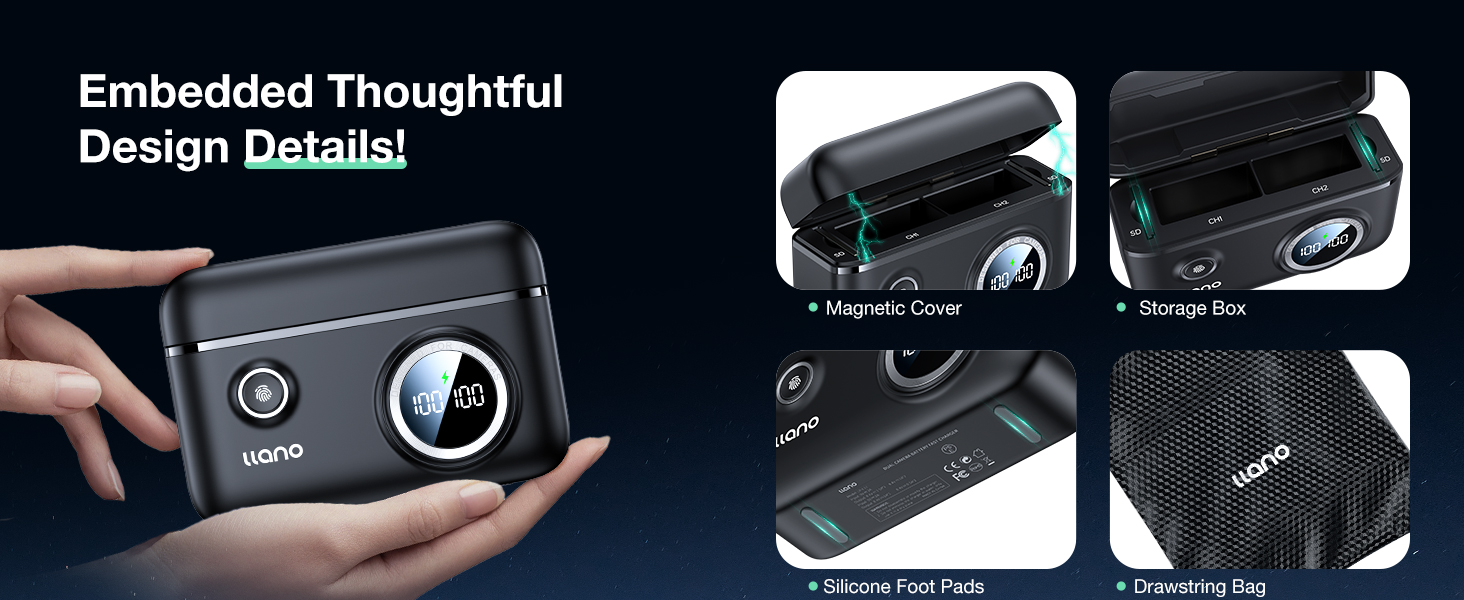
The unit functions as both a dual battery charger and a secure storage case for two batteries and two SD cards. Its magnetic flip-open lid securely holds contents in place during charging and protects ports from dust and accidental disconnection.

Dealbhadh so-ghiùlain
With compact dimensions of 4.2 x 2.9 x 1.4 inches and a light weight of 0.3 pounds, this charger is designed for portability. It includes a USB-C charging cable and a soft carrying bag for convenient transport.

Innealan sàbhailteachd
The charger case includes multiple safeguards, such as thermal management and short-circuit prevention, to ensure the safety and longevity of your batteries during the charging process.
Roghainnean cosgais sùbailte
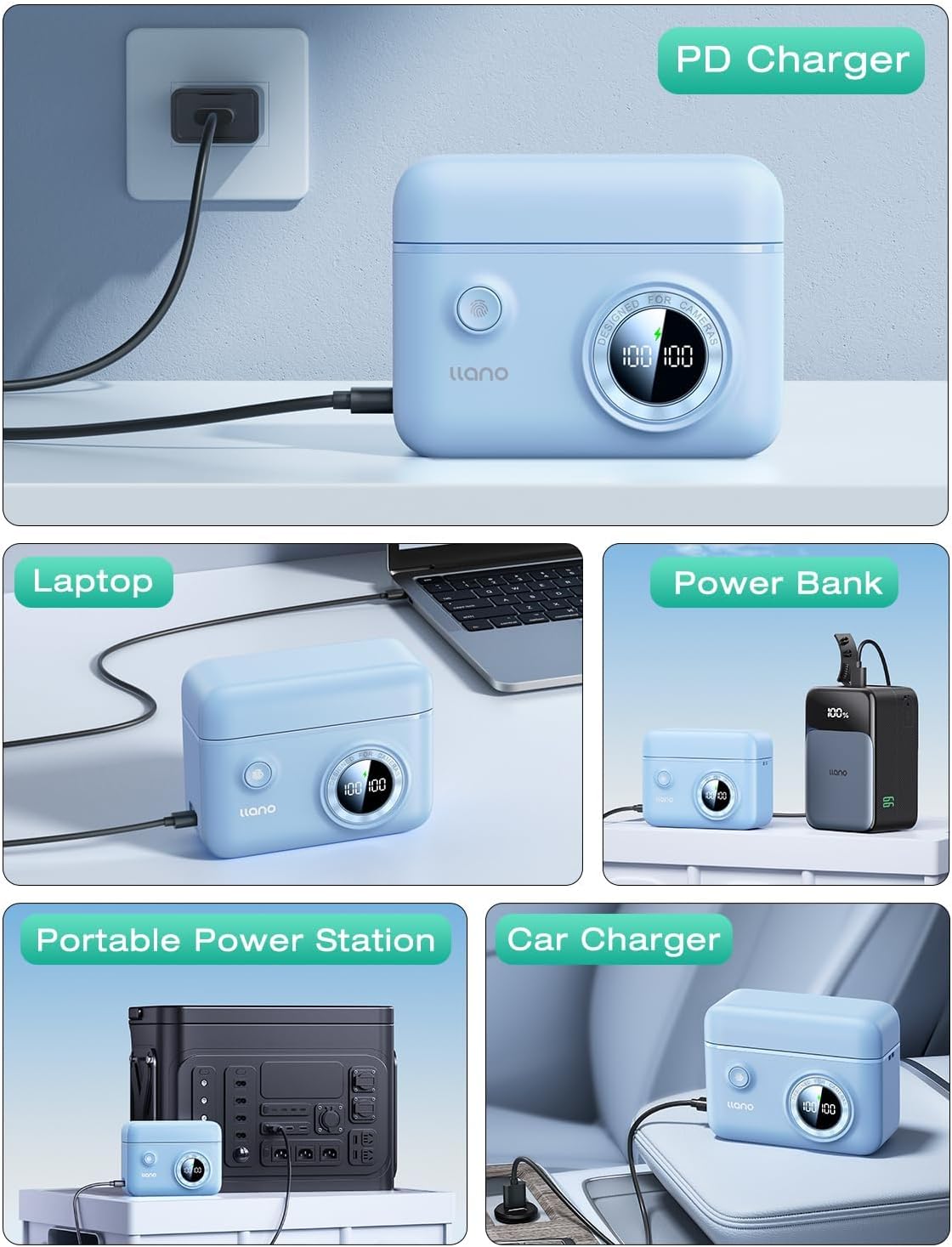
This charger supports various power input methods, allowing you to charge your batteries anywhere. Compatible sources include car chargers, computers, power banks, USB-C chargers, and wall adapters.
Susbaint pacaid
- llano NP-W126S Dual Battery Fast Charger
- Càball cosgais USB-C
- Bag giùlan bog
Suidheachadh agus obrachadh
A 'cur a-steach bataraidhean
Open the magnetic lid of the charger. Insert your Fujifilm NP-W126S batteries into the designated slots (CH1 and CH2), ensuring they are oriented correctly according to the indicators inside the slots.
A 'ceangal ri Cumhachd
Connect the provided USB-C cable to the charger's input port and then to a compatible USB-C power source. This can be a wall adapter, power bank, computer, or car charger.
Pròiseas Cìsean
Once connected to power, the digital display will activate, showing the current charge level of each inserted battery. A charging icon will indicate active charging. The display will show "---" when batteries are fully charged.
Thoir an aire: This charger does not store power internally; it must be connected to an external power source to charge batteries.
Stòradh cairt SD
Two dedicated slots are available for securely storing SD cards within the charger case, providing a convenient way to keep your memory cards organized and protected.
Co-fhreagarrachd
This charger is compatible with Fujifilm NP-W126S type batteries and is suitable for use with the following Fujifilm camera models:
- Fujifilm XT30II, X100VI, X-M5, XS10, XT3, XT2, XT1, XT30, XT20, XT10, X100V, XT200, XT100, X100F, XA7, XE3, Xpro3, Xpro2, Xpro1, XE1, XE2, XE2S, XM1, XA1, XA2, XA3, XA5, XA10, XH1
- Fujifilm FinePix HS50EXR, HS33EXR, HS35EXR, HS30EXR
Cumail suas
- Keep the charger clean and dry. Use a soft, dry cloth for cleaning.
- Seachain a bhith fosgailte don charger gu fìor theodhachd no taiseachd.
- Stòraich an charger agus na bataraidhean ann an àite fionnar, tioram nuair nach eilear gan cleachdadh.
Fuasgladh thrioblaidean
Charger Not Responding / Display Off
Ensure the USB-C cable is securely connected to both the charger and a functional power source. Verify the power source is active and providing sufficient power.
Inaccurate Battery Level Display
The digital display provides an estimate of battery charge. For precise readings, refer to your camera's battery indicator after inserting the battery. Minor variations may occur.
Difficulty Turning Off the Unit
If the unit does not turn off with a single press, try a prolonged press or multiple presses of the power button until the display deactivates.
Charger Not Holding a Charge
This charger is designed to charge batteries only when connected to an external power source. It does not have an internal power storage function to act as a power bank.
Sònrachaidhean Teicnigeach
| Sònrachadh | Mion-fhiosrachadh |
|---|---|
| Meudan toraidh | 4.2 x 2.9 x 1.4 òirleach |
| Cuideam nì | 4.8 unnsa |
| Modail Àireamh | LJN-CS005 |
| Dèanadair | SHENZHEN GREEN GIANT ENERGY TECHNOLOGY DEVELOPMENT CO.,LTD |
Barantas agus Taic
Airson fiosrachadh barantais agus taic theicnigeach, thoir sùil air fiosrachadh oifigeil an neach-dèanamh. weblàrach-lìn no cuir fios chun t-seirbheis teachdaiche aca. Cùm do chuidhteas ceannach airson tagraidhean barantais sam bith.