
1. Ro-ràdh
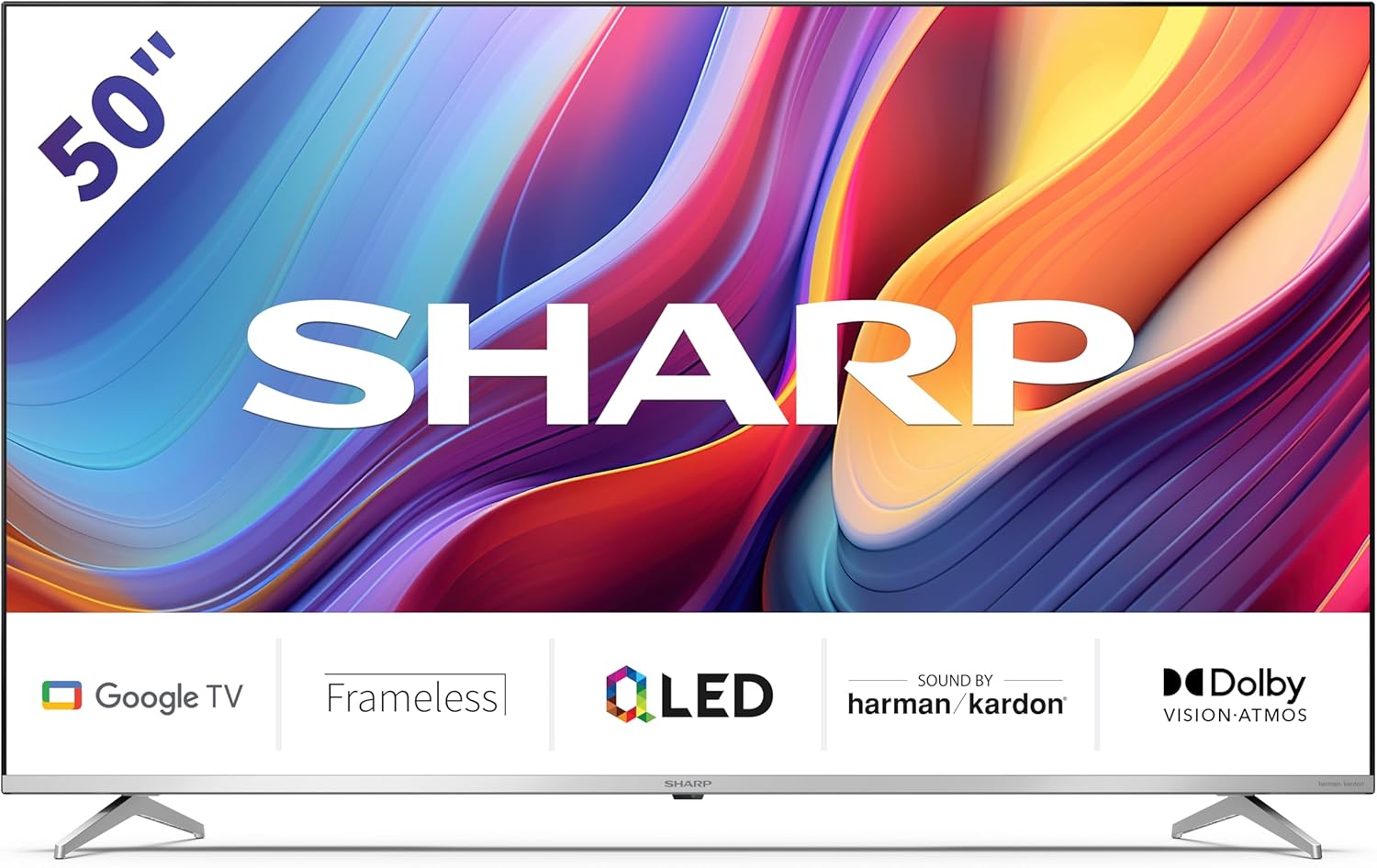
Welcome to the user manual for your new Sharp 50GP6265E 50-inch QLED 4K Ultra HD Google TV. This manual provides essential information for the safe and efficient use of your television. Please read it thoroughly before operating the device and retain it for future reference.
Fiosrachadh Sàbhailteachd Cudromach
- Dèan cinnteach gu bheil an telebhisean air uachdar seasmhach gus casg a chur air tuiteam.
- Do not block ventilation openings. Proper airflow is crucial to prevent overheating.
- Dìon an sreang cumhachd bho bhith air a choiseachd air no air a phronnadh.
- Do not expose the TV to rain or moisture to reduce the risk of fire or electric shock.
- Thoir iomradh air a h-uile seirbheis gu luchd-seirbheis le teisteanas.
2. Dè tha sa bhogsa
Nuair a bhios tu a’ fosgladh a’ phacaid, dèan cinnteach gu bheil na pàirtean a leanas uile ann:
- Sharp 50GP6265E 50-inch QLED 4K Ultra HD Google TV
- Smachd iomallach
- 2 x bataraidhean AAA (airson smachd iomallach)
- Stiùireadh tòiseachaidh luath
- TV stands (if not wall-mounted)
- Càball cumhachd
3. Suidhich
3.1 A’ dì-phapadh
Carefully remove the television from its packaging. It is recommended to keep the original packaging for potential future transport or servicing.
3.2 Stàladh Seas
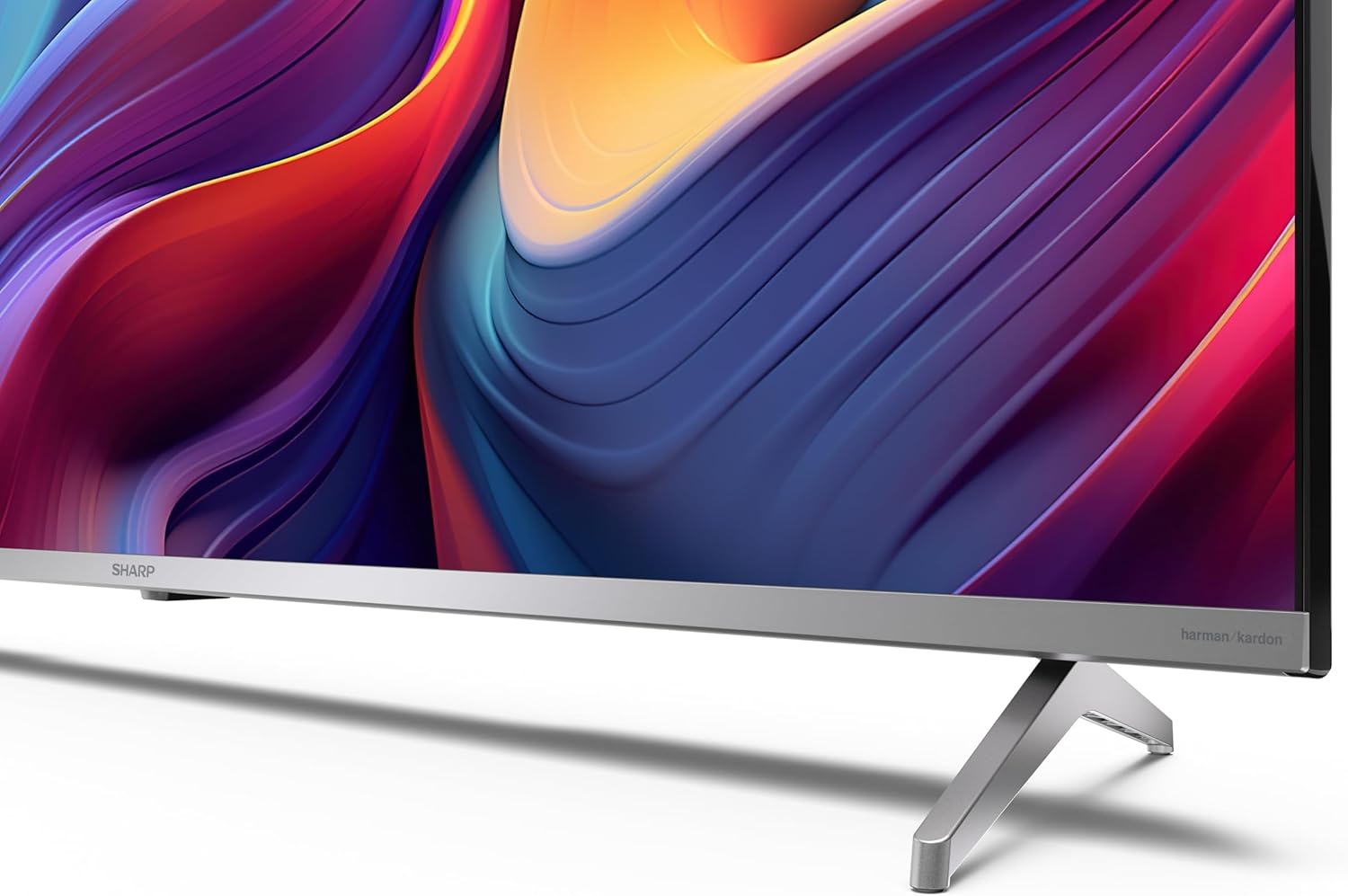
If you are not wall-mounting the television, attach the included stands to the bottom of the TV. Ensure the screws are securely fastened. Refer to the quick start guide for detailed diagrams.
3.3 Stàladh balla
For wall mounting, the VESA dimensions required are 400 x 300 mm. Use a compatible wall mount bracket (sold separately) and follow the instructions provided with the bracket. Ensure the wall can support the weight of the television (9.7 kg net weight).

3.4 Ceangal iomaill
Your Sharp TV offers various connectivity options:
- HDMI: Connect external devices such as Blu-ray players, gaming consoles, or set-top boxes using the 4 HDMI 2.1 ports. One port supports eARC for enhanced audio return channel functionality.
- USB: Use the 2 USB ports for connecting external storage devices to play media or for service updates.
- Ethernet: Airson ceangal eadar-lìn uèirleas seasmhach.
- Wi-Fi: Airson ceangal eadar-lìn gun uèir.
- Bluetooth: Ceangail fònaichean-cluaise gun uèir, bàraichean-fuaime, no goireasan eile le comas Bluetooth.

3.5 A’ chiad stèidheachadh
After connecting the power cable and turning on the TV, follow the on-screen instructions to complete the initial setup. This typically includes language selection, network connection, and Google account sign-in for Google TV features.
4. Obrachadh an Tbh agad
4.1 Smachd Iomallach
The included remote control allows you to navigate the TV's interface, adjust volume, change channels, and access smart features. Insert the 2 AAA batteries into the remote control, ensuring correct polarity.
4.2 Eadar-aghaidh Google TV
Your Sharp TV runs on Google TV, which organizes movies, shows, and live TV from all your apps and subscriptions. The home screen provides personalized recommendations and quick access to your favorite content.

Supported internet services include Netflix, Amazon Prime Video, HBO, Disney+, Movistar+, DAZN, Atresmedia, KODI, IPTV, Steamlink, Twitch, VLC, YouTube, Puffin TV Browser, Spotify, Deezer, TuneIn Radio, and many more available on Google Play for Google TV.
4.3 Roghainnean dhealbhan
Experience stunning visuals with 4K Ultra HD resolution and Quantum Dot technology for vibrant colors. The TV supports Dolby Vision and HDR10 for enhanced contrast and brightness. Access picture settings through the TV menu to customize brightness, contrast, color, and sharpness to your preference. AQUOS Smooth Motion technology provides image interpolation for smoother motion.
4.4 Roghainnean fuaim
The integrated Harman/Kardon speaker system (2 x 12 W) delivers immersive audio. With Dolby Atmos support, you can enjoy a rich, multi-dimensional sound experience. Adjust sound modes and equalizer settings in the audio menu.
4.5 Smart Feartan
- Neach-taic Google: Cleachd àitheantan gutha gus susbaint a lorg, innealan dachaigh snasail a smachdachadh, agus fiosrachadh fhaighinn.
- Chromecast air a thogail a-steach: Cast content from your smartphone, tablet, or computer directly to your TV screen.
5. Cumail suas
5.1 Glanadh an telebhisean
- Thoir a-mach am pluga bhon telebhisean an-còmhnaidh mus glan thu e.
- Cleachd clò bog, tioram airson an sgrion agus a’ chaibineit a sguabadh. Airson comharran stòlda, suathadh gu socairampnigh an clò le uisge no le inneal-glanaidh sgrion sònraichte.
- Seachain a bhith a 'cleachdadh sgrathan glanaidh, cèir, no solventan.
5.2 Ùrachaidhean bathar-bog
Dh’fhaodadh gum faigh an telebhisean agad ùrachaidhean bathar-bog gus coileanadh a leasachadh agus feartan ùra a chur ris. Dèan cinnteach gu bheil an telebhisean agad ceangailte ris an eadar-lìon gus na h-ùrachaidhean seo fhaighinn gu fèin-ghluasadach no thoir sùil orra le làimh anns a’ chlàr-taice roghainnean.
6. A ’dèanamh trioblaid
Ma thachras tu ri duilgheadasan leis an telebhisean agad, thoir sùil air na duilgheadasan agus na fuasglaidhean cumanta a leanas:
| Trioblaid | Fuasgladh comasach |
|---|---|
| Gun chumhachd | Thoir sùil a bheil an càball cumhachd ceangailte gu tèarainte ris an telebhisean agus ris an t-socaid cumhachd. Dèan cinnteach gu bheil an socaid ag obair. |
| Gun dealbh, ach tha fuaim ann | Dearbhaich gu bheil an stòr cuir-a-steach ceart air a thaghadh. Thoir sùil air ceanglaichean innealan taobh a-muigh. |
| Gun fhuaim, ach tha dealbh ann | Check the volume level and mute status. Ensure audio cables are correctly connected for external devices. |
| Chan eil smachd iomallach ag obair | Replace the AAA batteries. Ensure there are no obstructions between the remote and the TV's IR sensor. |
| Duilgheadasan le ceangal Wi-Fi | Restart your router and the TV. Re-enter the Wi-Fi password. Ensure the TV is within range of your Wi-Fi network. |
7. Sònrachaidhean
| Feart | Mion-fhiosrachadh |
|---|---|
| Brand | biorach |
| Modail Àireamh | 50GP6265E |
| Meud sgrion | 50 òirlich |
| Teicneòlas taisbeanadh | QLED, Quantum Dot |
| Fuasgladh | 4K Ultra HD (3840 x 2160 piogsail) |
| Ìre Ath-nuadhachaidh | 60 Hz |
| Siostam-obrachaidh | Tbh Google |
| Taic HDR | Dolby Vision, HDR10 |
| Siostam claisneachd | Harman/Kardon (2 x 12 W), Dolby Atmos |
| Ceangalachd | 4x HDMI 2.1 (with eARC), 2x USB, Wi-Fi, Bluetooth, Ethernet |
| Feartan sònraichte | Google Assistant, Chromecast built-in, AQUOS Smooth Motion |
| Srath balla VESA | 400 x 300 mm |
| Meudan (le seasamh) | 111.6P x 26.5l x 69.3H cm (1116.4 x 692.9 x 264.7 mm) |
| Meudan (gun seasamh) | 111.6P x 9.2l x 65.1H cm (1116.4 x 651.3 x 91.5 mm) |
| Cuideam lom | 9.7 kg |
| Clas Èifeachdas Cumhachd (SDR) | G (69 kWh/1000h) |
| Clas Èifeachdas Cumhachd (HDR) | G (98 kWh/1000h) |

Airson fiosrachadh mionaideach mu thoraidhean agus dàta èifeachdais lùtha, thoir sùil air stòr-dàta EPREL: https://eprel.ec.europa.eu/qr/1942440
8. Barantas agus Taic
Information regarding spare parts availability and software updates is not explicitly provided for a guaranteed period. Please refer to the manufacturer's official website for the most up-to-date warranty terms and support information.
Dèanadair: SHARP
Oifigeil Weblàrach: www.sharpconsumer.com
For customer service inquiries, please visit the Sharp consumer website or contact their support channels as listed on their official site.