
LEMNOI SG7
LEMNOI SG7 Educational Day/Night Alarm Clock - User Manual
Model: SG7 (Rabbit)
Ro-ràdh
Thank you for choosing the LEMNOI SG7 Educational Day/Night Alarm Clock. This device is designed to assist children in developing healthy sleep habits through visual cues, gentle alarms, and a comforting night light. Please read this manual carefully to ensure proper use and maintenance of your new alarm clock.

Ìomhaigh: Aghaidh view of the LEMNOI SG7 Educational Day/Night Alarm Clock, Rabbit Model, displaying time and temperature.
Prìomh fheartan
- Day/Night Educational Function: Visual cues (sun/moon icons, green/blue light) to indicate wake-up and sleep times.
- Musical Alarm: 7 musical alarm options for a gentle wake-up.
- Digital Display & Temperature Monitor: 12/24-hour format, F/C temperature conversion. Screen activates with sound or touch.
- Dual Alarm & Snooze Function: Two customizable alarms with a 9-minute snooze, repeatable up to 3 times.
- Solas oidhche 5-dath: Functions as a wake-up light, multi-color night light, or room clock.
- USB-C Rechargeable: Bataraidh lithium 2000 mAh togte a-steach.
Suidhich
1. Cosgais Tùsail
Before first use, fully charge the alarm clock using the provided USB-C cable. Connect the cable to the device and a compatible USB power adapter (not included). The charging indicator will show status. A full charge typically takes approximately 3 hours.

Image: The alarm clock connected to a power source via a USB-C cable for charging.
2. Putan Tharview
Familiarize yourself with the buttons located on the back of the device:
- ALARM 1 / ALARM 2: Suidhich agus cuir an gnìomh innealan-rabhaidh fa leth.
- TIME: Adjust current time and date.
- SUN/MOON: Configure day/night educational settings.
- TOIRT +/-: Adjust alarm and sound volume.
- ° C / ° F: Switch temperature display unit.
- SOUND & LIGHT: Select alarm sounds and light colors.
- AIR/OFF/Solas: Power on/off, activate/deactivate screen light.
Video: A demonstration of the buttons on the back of the LEMNOI SG7 alarm clock and their functions.
Stiùireadh Obrachaidh
1. A ’suidheachadh na h-ùine
- Brùth agus cùm an AM FEAR-CIUIL button for 3 seconds. The hour display will flash.
- Cleachd an TOIRT +/- putanan gus an uair a rèiteachadh.
- Brùth AM FEAR-CIUIL again to switch to minute adjustment. Use TOIRT +/- gus mionaidean a shuidheachadh.
- Brùth AM FEAR-CIUIL a dhearbhadh agus a mach.
2. Setting Alarms (ALARM 1 / ALARM 2)
- Brùth agus cum an dàrna cuid Alarm 1 or Alarm 2 button for 3 seconds. The hour display will flash.
- Cleachd TOIRT +/- gus an uair rabhaidh a tha thu ag iarraidh a shuidheachadh.
- Brùth air a’ phutan iomchaidh ALARM button again to switch to minute adjustment. Use TOIRT +/- gus mionaidean a shuidheachadh.
- Brùth an ALARM button to select the alarm sound (7 options available).
- Brùth an ALARM button to select the alarm days (e.g., Mon-Fri, Sat-Sun, or all days).
- Brùth an ALARM brùth air a’ phutan gus an inneal-rabhaidh a dhearbhadh agus a ghnìomhachadh. Nochdaidh ìomhaigh inneal-rabhaidh air an taisbeanadh.
To activate the snooze function when an alarm sounds, press the SNOZE button on top of the clock. The alarm will pause for 9 minutes and sound again. This can be repeated up to 3 times.

Image: A child sleeping with the alarm clock on a bedside table, illustrating the snooze function.
3. Day/Night Educational Settings
This feature uses visual cues to help children understand when it's time to wake up or sleep.
- Brùth agus cùm an SUN/Gealach button for 3 seconds. The wake-up time hour will flash.
- Cleachd TOIRT +/- to set the desired wake-up hour.
- Brùth SUN/Gealach again to set wake-up minutes.
- Brùth SUN/Gealach again to set the sleep time hour.
- Brùth SUN/Gealach again to set sleep minutes.
- Brùth SUN/Gealach a dhearbhadh.
When the set wake-up time approaches, the clock will display a green light and sun icon. For sleep time, a blue light and moon icon will appear.
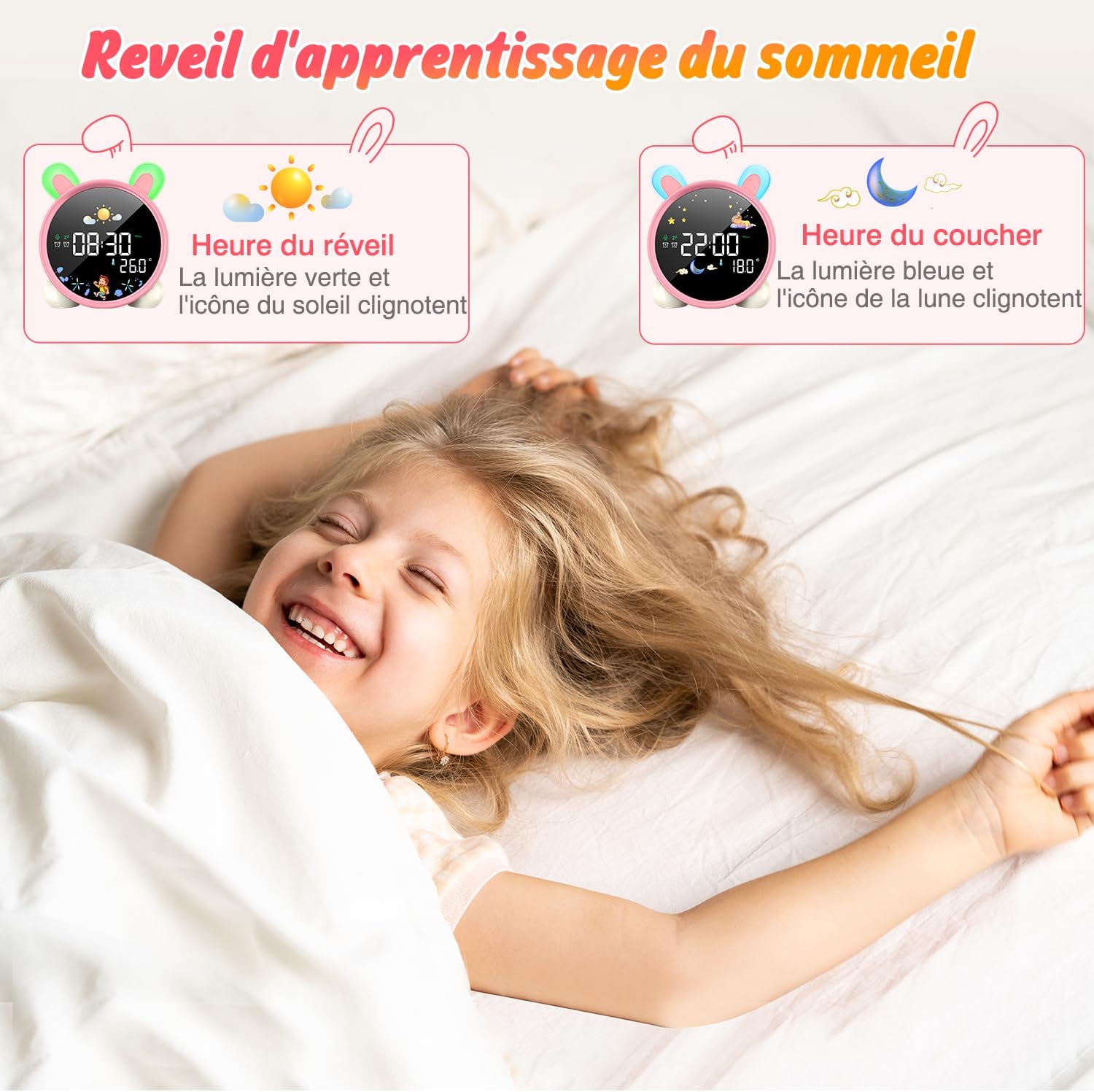
Image: The alarm clock displaying green light and sun icon for wake-up time, and blue light with moon icon for sleep time.
4. Gnìomh solais oidhche
The alarm clock features a 5-color night light. To adjust:
- Brùth an AIR / OFF / SOLAS button to cycle through the 5 colors.
- Brùth agus cum AIR / OFF / SOLAS gus ìrean soilleireachd atharrachadh.

Image: The alarm clock displaying various night light colors (yellow, blue, purple, white, gradient).
5. Taisbeanadh teothachd
The clock displays ambient temperature. Press the ° C / ° F putan airson gluasad eadar Celsius agus Fahrenheit.
Video: A demonstration of switching between Celsius and Fahrenheit temperature display on the alarm clock.
6. Sound-Activated Screen
The screen can be activated by sound or touch. When the screen is off, a light tap or sound will illuminate it for 20 seconds.
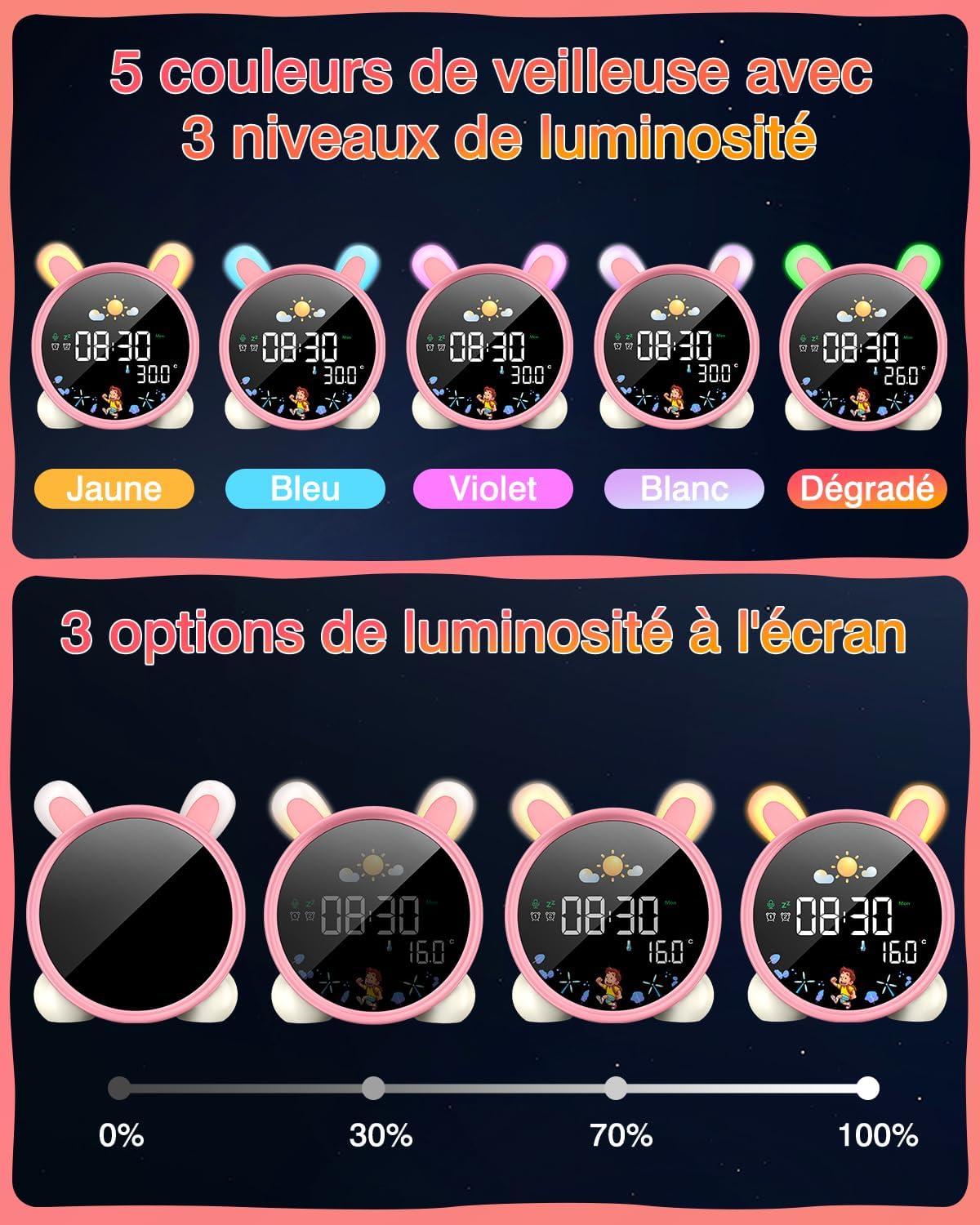
Image: A hand touching the alarm clock to activate its display.
7. Uaireadair Cunntaidh Sìos
The alarm clock includes a countdown timer for various activities.
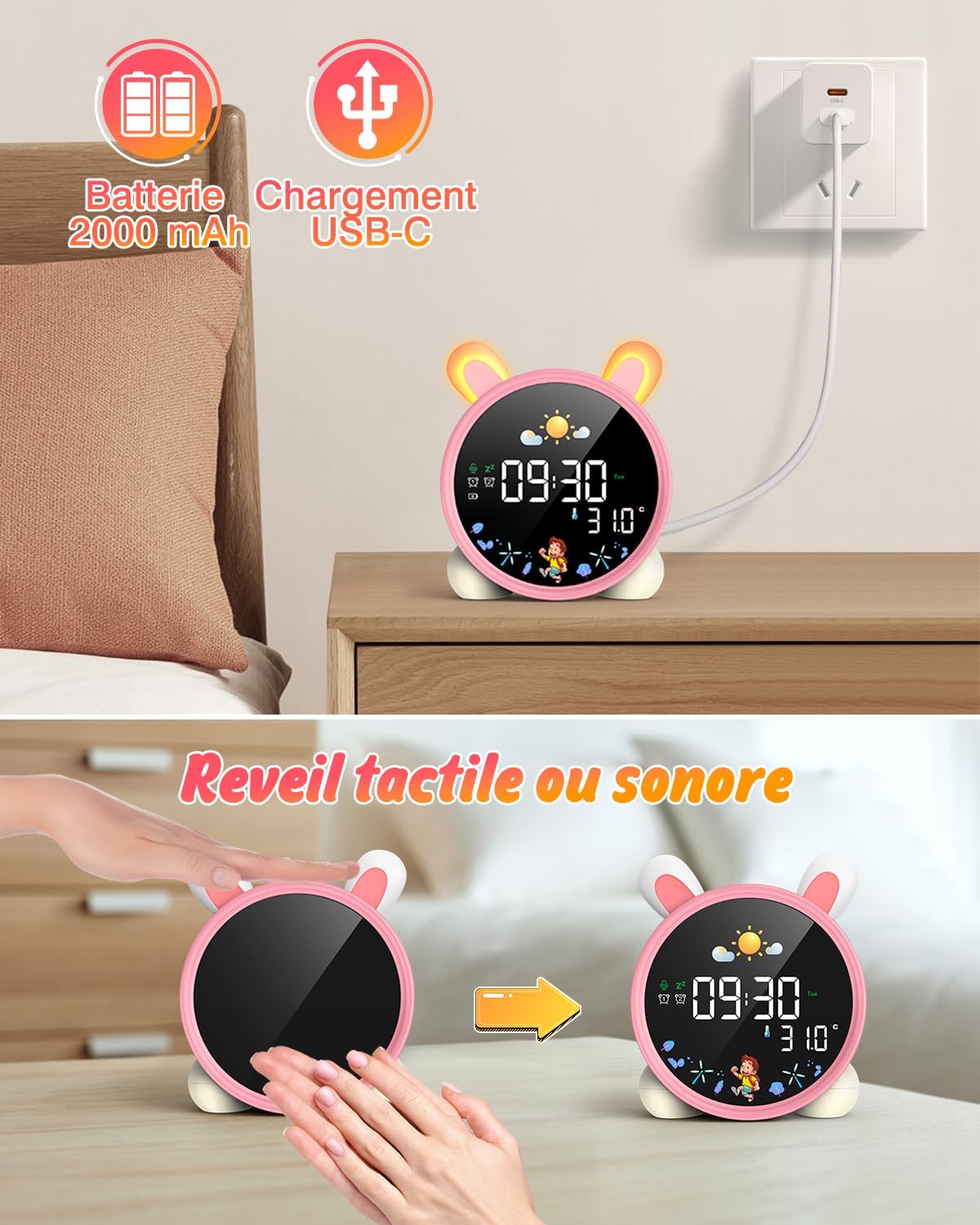
Image: The alarm clock displaying a countdown timer, useful for activities like reading or cooking.
Cumail suas
- Glan an inneal le clò bog, tioram. Na cleachd innealan-glanaidh sgrìobach no fuasglaidhean.
- Keep the alarm clock away from water and excessive moisture.
- Seachain an inneal a leigeil sìos no buaidh làidir a thoirt air.
- Bùth ann an àite fionnar, tioram nuair nach eilear ga chleachdadh airson amannan fada.
Fuasgladh thrioblaidean
| Trioblaid | Adhbhar a dh’fhaodadh a bhith ann | Fuasgladh |
|---|---|---|
| Cha bhith inneal a ’tionndadh air. | Bataraidh ìosal no gun a bhith air a luchdadh. | Cuir cosgais iomlan air an inneal le bhith a’ cleachdadh a’ chàball USB-C. |
| Chan eil an inneal-rabhaidh a’ fuaimeachadh. | Cha deach an inneal-rabhaidh a shuidheachadh no tha an tomhas-lìonaidh ro ìosal. | Verify alarm settings and adjust volume. |
| Screen does not light up. | Screen light is off or battery is low. | Tap the device or make a sound to activate. Check battery level. |
| Day/Night function not working. | Settings not configured correctly. | Review and adjust the SUN/MOON settings. |
Sònrachaidhean
- Brand: LEMNOI
- Àireamh Modail: SG7
- Dath: Pink (Rabbit)
- Meudan (L x W x H): 10 x 3.81 x 10 cm
- Cuideam: 265 gram
- Stuth: Plastaig
- Stòr cumhachd: Battery Powered (2000 mAh Lithium Battery)
- Seòrsa taisbeanaidh: Didseatach
- Feartan sònraichte: Display, Alarm, Snooze, Temperature, Night Light
Fiosrachadh Barantais
This product comes with a standard manufacturer's warranty. Please refer to the product packaging or contact your retailer for specific warranty terms and conditions. Keep your proof of purchase for any warranty claims.
Taic
For further assistance, technical support, or inquiries regarding your LEMNOI SG7 Educational Day/Night Alarm Clock, please contact the seller directly through the platform where the purchase was made. You may also visit the official LEMNOI brand store for additional resources.
LEMNOI Brand Store: Tadhail air a' Bhùth
Ask a question about this manual
Ask about setup, troubleshooting, compatibility, parts, safety, or missing instructions. Manuals+ will review the question and use this page’s manual context to help answer it.