
1. Ro-ràdh
Welcome to the user manual for your Thomson RT850BT Bluetooth Speaker, FM Radio, and Alarm Clock. This guide provides detailed instructions on how to set up, operate, and maintain your device. Please read this manual thoroughly before use to ensure proper functionality and to maximize your experience with the RT850BT.
2. Fiosrachadh Sàbhailteachd
Gus dèanamh cinnteach à obrachadh sàbhailte agus gus casg a chur air milleadh, feuch an lean thu na ceumannan sàbhailteachd a leanas:
- Na cuir an aonad fosgailte do uisge, taiseachd no teòthachd anabarrach.
- Seachain an aonad a chur faisg air stòran teas no ann an solas dìreach na grèine.
- Dèan cinnteach gu bheil fionnarachadh ceart ann; na cuir bacadh air fosglaidhean fionnarachaidh sam bith.
- Cleachd dìreach an adapter cumhachd a chaidh a thoirt seachad.
- Na feuch ri an aonad a thoirt às a chèile no atharrachadh. Thoir aire do luchd-obrach teisteanasach airson a h-uile seirbheiseachadh.
- Cùm an aonad air falbh bho raointean magnetach làidir.
3. Pasgan-susbaint
Dèan cinnteach gu bheil a h-uile nì anns a’ phacaid:
- Thomson RT850BT Unit
- Adapter cumhachd
- Leabhar-làimhe cleachdaiche

Image: Thomson RT850BT packaging, illustrating the product and its key features.
4. Toradh thallview
4.1 Pannal aghaidh
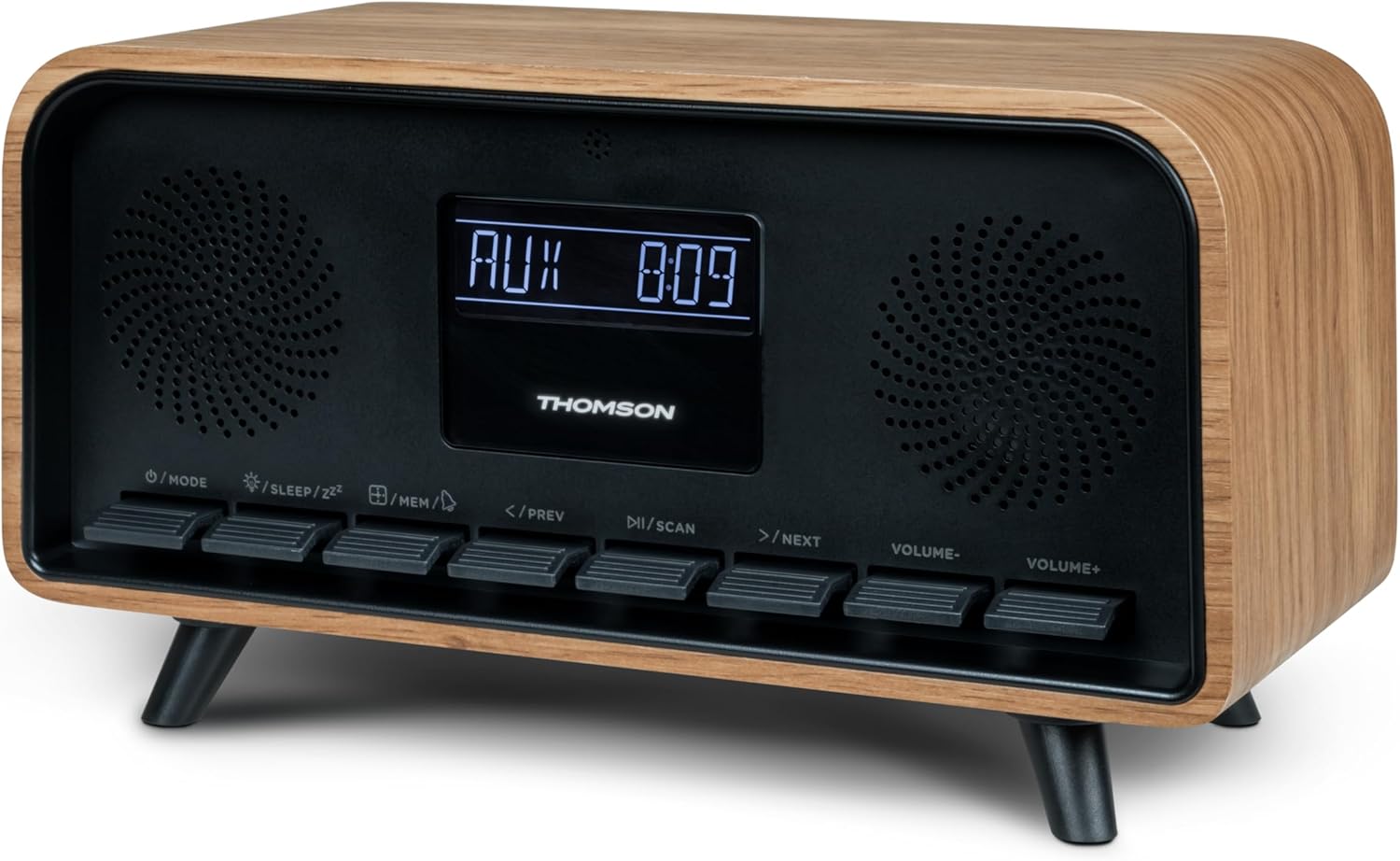
Ìomhaigh: Aghaidh view of the Thomson RT850BT unit, showing the LCD display, speakers, and control buttons.
- Taisbeanadh LCD: Shows time, mode, and other information.
- /MODE Button: Power On/Off, switch between modes (Bluetooth, FM, AUX).
- /SLEEP/ZZ Putan: Set sleep timer, activate snooze.
- /MEM Button: Set alarm, save/recall radio stations.
- </PREV Button: Previous track (Bluetooth), tune down (FM).
- /SCAN Button: Play/Pause (Bluetooth), auto scan (FM).
- >/NEXT Button: Next track (Bluetooth), tune up (FM).
- VOLUME- Button: Lùghdaich meud.
- VOLUME+ Button: Meudaich tomhas-lìonaidh.
4.2 Cùl Pannal

Ìomhaigh: Cùl view of the Thomson RT850BT, highlighting the power supply, Line In (AUX-IN), and USB-C charge output ports.
- Power Supply (DC IN 5V): Ceangail an inneal-atharrachaidh cumhachd a tha air a thoirt seachad.
- Line In (AUX-IN): Cuir a-steach claisneachd 3.5mm airson innealan taobh a-muigh.
- Charge Output (USB-C): USB Type-C port for charging external devices.
5. Suidhich
5.1 Ceangal cumhachd
- Connect the power adapter to the DC IN 5V port on the rear of the RT850BT.
- Plug an inneal-atharrachaidh cumhachd a-steach do ar-a-mach balla àbhaisteach.
- Tòisichidh an aonad air gu fèin-ghluasadach no thèid e a-steach don mhodh feitheimh.
5.2 Initial Power On and Clock Setting
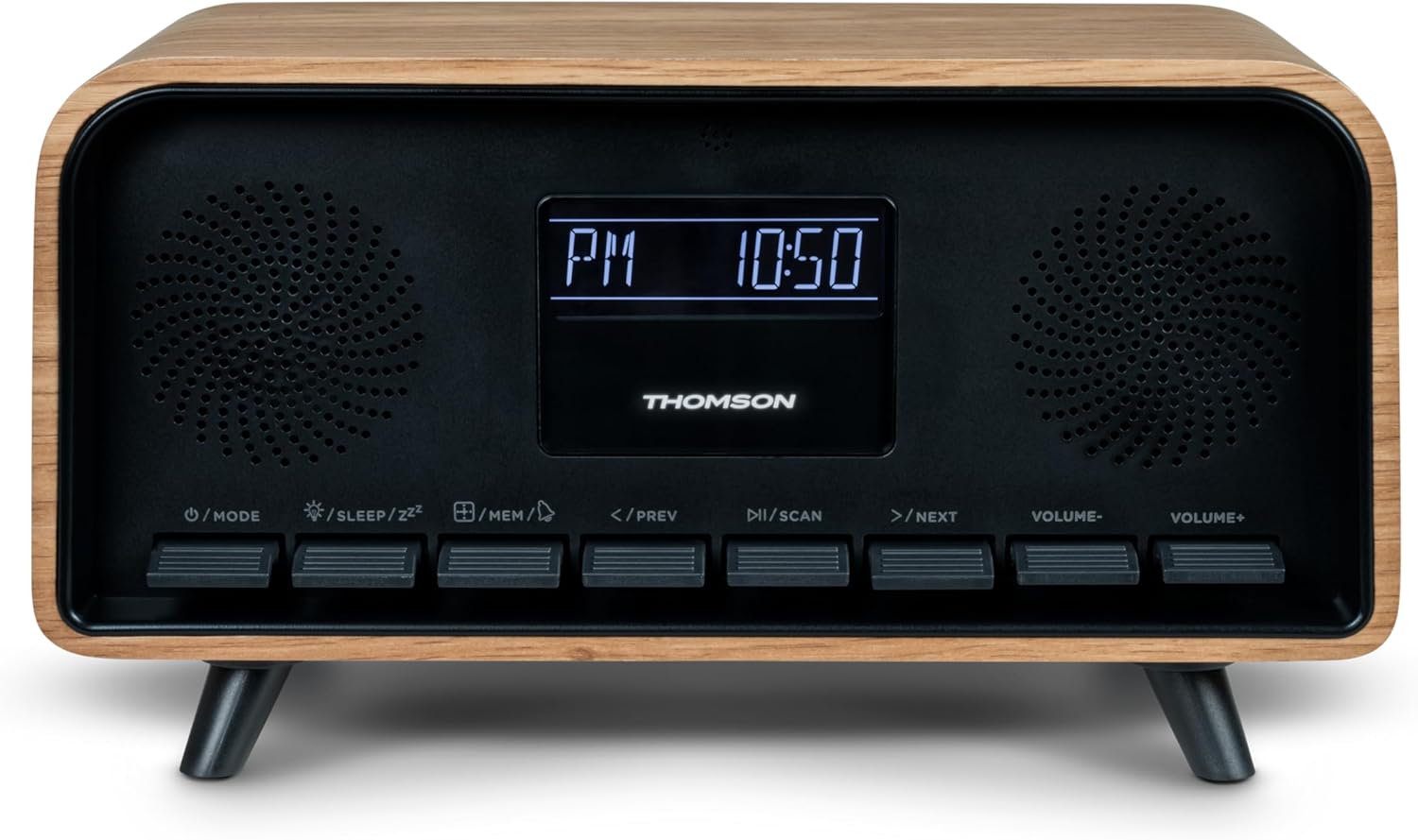
Image: Close-up of the RT850BT's LCD display showing the time, 10:50 PM, and the 'PM' indicator.
- If the unit is in standby, press the / MODE putan gus a thionndadh air.
- Gus an uaireadair a shuidheachadh, brùth is gleidh an /MEM am putan gus an nochd an taisbeanadh ùine.
- Cleachd an </PREV agus >/NEXT putanan gus an uair atharrachadh. Brùth /MEM a dhearbhadh.
- Cleachd an </PREV agus >/NEXT putanan gus am mionaid atharrachadh. Brùth /MEM a dhearbhadh.
- Tha an gleoc a-nis suidhichte.
6. Stiùireadh Obrachaidh
6.1 Modh Bluetooth

Image: Close-up of the RT850BT's LCD display indicating 'bt' for Bluetooth mode, along with the current time.
- Brùth an / MODE button repeatedly until 'bt' appears on the display. The unit is now in Bluetooth pairing mode.
- Air an inneal gluasadach agad, leig le Bluetooth agus rannsaich na h-innealan a tha rim faighinn.
- Select 'RT850BT' from the list to pair. A confirmation tone will sound upon successful connection.
- You can now play audio from your device through the RT850BT.
- Cleachd an / SCAN button to Play/Pause, and </PREV / >/NEXT putanan gus slighean a sheachnadh.
- Atharraich tomhas-lìonaidh a ’cleachdadh an TOIRT- agus TOIRT+ putanan.
Modh Rèidio 6.2 FM
- Brùth an / MODE button repeatedly until the FM frequency appears on the display.
- Sgan Auto: Brùth agus cùm an / SCAN button to automatically scan and save available FM stations (up to 50 stations).
- Tuning Stiùireadh: Brùth goirid </PREV or >/NEXT to fine-tune the frequency. Press and hold to scan for the next available station.
- Recall Saved Stations: Brùth goirid air an /MEM putan gus gluasad tro stèiseanan a chaidh a shàbhaladh.
6.3 Gnìomh a’ Chloc-rabhaidh
The RT850BT supports setting multiple alarms.
- Ann am modh cùl-taic, brùth is gleidh an /MEM button until 'AL1' or 'AL2' flashes.
- Cleachd </PREV agus >/NEXT to set the alarm hour, then press /MEM a dhearbhadh.
- Dèan a-rithist airson mionaidean.
- Select the alarm source (Buzzer or FM Radio) using </PREV agus >/NEXT, an uairsin brùth /MEM.
- Gus inneal-rabhaidh a ghnìomhachadh/a dhì-ghnìomhachadh, brùth goirid air a’ phutan /MEM button in standby mode to cycle through alarm settings (AL1 ON/OFF, AL2 ON/OFF).
- Nuair a chluinneas an inneal-rabhaidh, brùth /SLEEP/ZZ for snooze (alarm will sound again after 9 minutes) or press / MODE gus an inneal-rabhaidh a chuir dheth airson an latha.
6.4 AUX-IN Mode
- Connect an external audio device (e.g., MP3 player, smartphone) to the 'Line In' (AUX-IN) port on the rear panel using a 3.5mm audio cable (not included).
- Brùth an / MODE brùth air a’ phutan a-rithist is a-rithist gus an nochd ‘AUX’ air an taisbeanadh.
- Audio from the connected device will now play through the RT850BT. Control playback from your external device.
6.5 Gnìomh Dimmer
The display brightness can be adjusted to three intensity levels.
- In any mode, briefly press the /SLEEP/ZZ button to cycle through the brightness levels.
6.6 Gnìomh cadail
Set a timer for the unit to automatically turn off.
- Fhad ’s a tha an aonad air, brùth air a’ phutan /SLEEP/ZZ button repeatedly to select the desired sleep timer duration (e.g., 15, 30, 60, 90 minutes, OFF).
- Cuiridh an aonad dheth gu fèin-ghluasadach an dèidh na h-ùine taghte.
6.7 Port Cìsean USB-C
The USB-C port on the rear panel is for charging external devices.
- Connect your compatible device's USB-C charging cable to the 'Charge output' port.
- Ensure the RT850BT is powered on or in standby mode for charging functionality.
7. Cumail suas
To maintain the performance and appearance of your RT850BT:
- Glanadh: Use a soft, dry cloth to clean the exterior. Do not use abrasive cleaners, waxes, or solvents.
- Stòradh: Ma tha thu a’ stòradh an aonaid airson ùine mhòr, dì-cheangail e bhon t-socaid cumhachd agus stòraich e ann an àite fionnar, tioram.
- Fionnarachadh: Ensure the ventilation grilles are free from dust and obstructions.
8. A ’dèanamh trioblaid
If you encounter issues with your RT850BT, refer to the following table for common problems and solutions:
| Trioblaid | Adhbhar a dh’fhaodadh a bhith ann | Fuasgladh |
|---|---|---|
| Gun chumhachd | Chan eil an inneal-atharrachaidh cumhachd ceangailte no tha an socaid lochtach. | Dèan cinnteach gu bheil an inneal-atharrachaidh cumhachd ceangailte gu tèarainte agus gu bheil an socaid ag obair. |
| Gun fhuaim | Volume too low, incorrect mode, or device not paired (Bluetooth). | Increase volume. Check if the correct mode (BT, FM, AUX) is selected. Re-pair Bluetooth device. |
| Dh'fhàillig am paidhir Bluetooth | Device too far, Bluetooth not enabled on source, or RT850BT not in pairing mode. | Ensure devices are within range. Enable Bluetooth on your device. Set RT850BT to 'bt' mode. |
| Fàilteachas FM bochd | Comharra lag. | Adjust the unit's position to improve reception. |
| Chan eil an inneal-rabhaidh a’ fuaim | Cha deach an inneal-rabhaidh a ghnìomhachadh no chaidh a shuidheachadh gu ceàrr. | Verify alarm settings and ensure it is set to ON. |
9. Sònrachaidhean
- Modail: RT 850 BT
- Tionndadh Bluetooth: 5.3
- Tuner Rèidio: FM (87.5-108 MHz)
- Cuimhne an Stèisein: 50 stèisean FM
- Cuir a-steach claisneachd: AUX-IN (3.5mm)
- Taisbeanadh: LCD with 3-intensity dimmer
- Toradh cumhachd: 30W Total Music Power
- Port cosgais: USB-C (for external devices)
- Stòr cumhachd: Dealain le Càball (DC 5V)
- Cuideam: 600 gram
10. Barantas agus Taic
For warranty information and technical support, please refer to the documentation provided at the time of purchase or contact your local Thomson customer service. Keep your proof of purchase for warranty claims.