
1. Ro-ràdh
Tapadh leibh airson ceannachasing the Zenwire D300S Mini Projector. This manual provides essential information for the safe and efficient operation of your device. Please read it thoroughly before use and retain it for future reference.
Ceumannan Sàbhailteachd
- Na seall gu dìreach a-steach do lionsa a’ phròiseictar nuair a bhios an lamp tha air adhart.
- Dèan cinnteach gu bheil fionnarachadh ceart ann gus casg a chuir air cus teasachadh. Na cuir bacadh air fosglaidhean fionnarachaidh.
- Cleachd dìreach an adapter cumhachd a chaidh a thoirt seachad.
- Cùm am proiseactair air falbh bho uisge no lionntan eile.
- Seachain a bhith a’ cur an proiseactair air uachdar neo-sheasmhach.
- Na feuch ri am proiseactair a thoirt às a chèile no a chàradh thu fhèin. Cuir fios gu luchd-obrach seirbheis teisteanasach.
2. Pasgan-susbaint
Dèan cinnteach gu bheil a h-uile nì an làthair sa phacaid agad:
- Zenwire D300S Mini Projector
- Smachd Iomallach
- Adapter cumhachd
- Càball AV
- Leabhar-làimhe cleachdaiche (an sgrìobhainn seo)
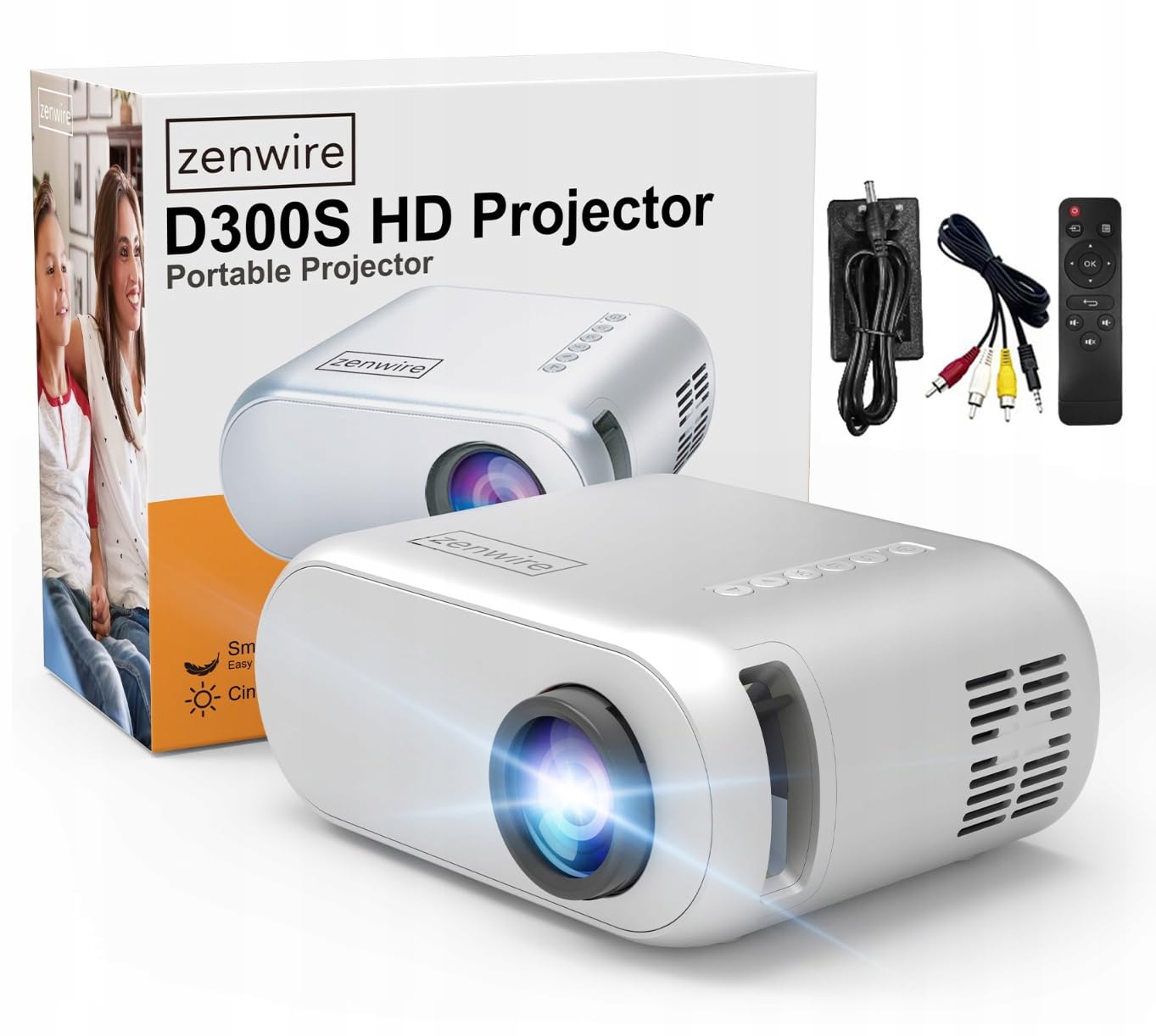
Image 2.1: Zenwire D300S Mini Projector and included accessories.
3. Toradh thallview
Projector Front and Top View
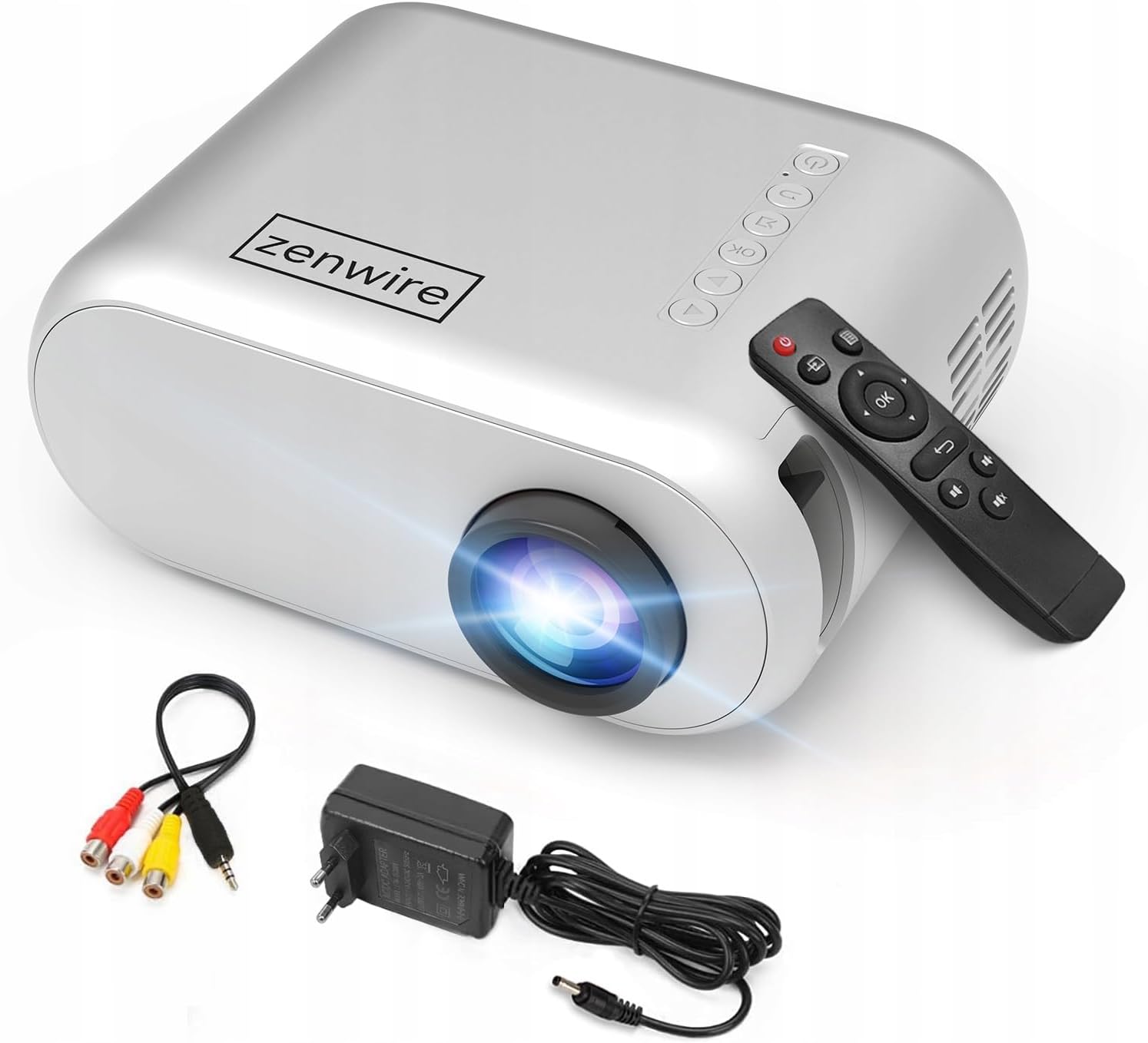
Ìomhaigh 3.1: Aghaidh agus mullach view of the projector, showing the lens and top control panel.
Rear Panel and Connectivity
The rear panel of the projector features various ports for connecting external devices:

Dealbh 3.2: Cùl view of the projector, highlighting the input/output ports.
- Cuir a-steach AV: For connecting devices using the included AV cable.
- Input HDMI: For connecting devices such as laptops, gaming consoles, or streaming sticks.
- Port USB: Airson draibhean USB flash a cheangal gus meadhanan a chluich files gu dìreach.
- Toradh AUX: Airson luchd-labhairt no fònaichean-cluaise taobh a-muigh a cheangal.
- Cur a-steach Cumhachd DC: Airson an adapter cumhachd a cheangal.
Pannal Smachd as àirde
The top of the projector features a control panel for basic operations:
- Putan Cumhachd: Tionndaidh am proiseactair air no dheth.
- Putanan Seòlaidh (Suas/Sìos/Clì/Deas): Air a chleachdadh airson clàran-bìdh a sheòladh.
- Putan ceart gu leòr: A’ dearbhadh taghaidhean.
- Putan air ais: Tilleadh chun chlàr no sgrion roimhe.
- Putan stòr: Selects input source (HDMI, AV, USB).
4. Suidhich
4.1 Suidheachadh
Place the projector on a stable, flat surface. Ensure there is adequate space around the projector for ventilation. The projection distance affects the screen size. Refer to the image below for recommended distances and corresponding screen sizes.

Image 4.1: Recommended projection distances and screen sizes.
- For a 30-inch screen, place the projector approximately 0.9 meters away.
- For a 50-inch screen, place the projector approximately 1.5 meters away.
- For an 80-inch screen, place the projector approximately 2.4 meters away.
- For a 100-inch screen, place the projector approximately 3.0 meters away.
4.2 Ceangal cumhachd
Connect the power adapter to the DC Power Input port on the projector, then plug the adapter into a power outlet.
4.3 Innealan ceangail
The Zenwire D300S supports various input sources:
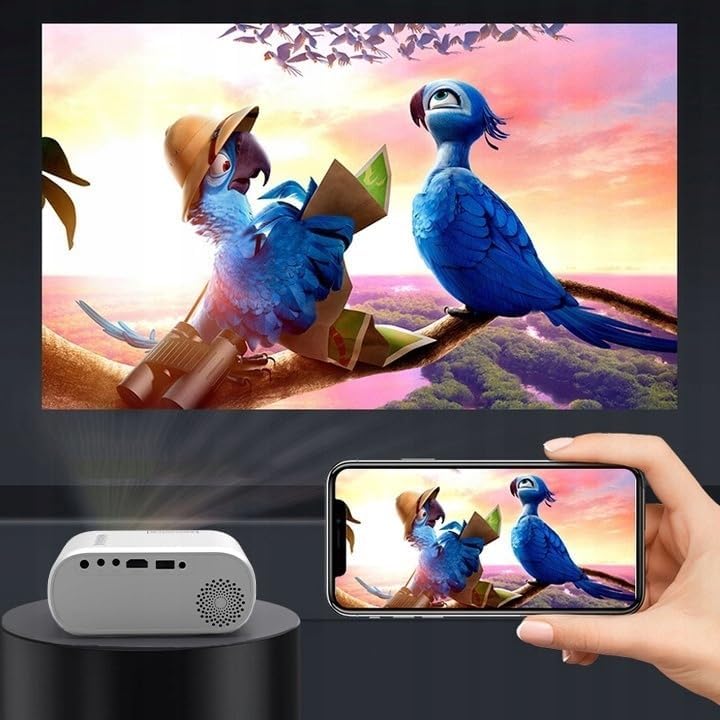
Ìomhaigh 4.2: Eisimpleiramples of devices that can be connected to the projector.
- HDMI: Connect your laptop, gaming console, or streaming device using an HDMI cable.
- USB: Cuir draibh USB a-steach don phort USB gus meadhanan a chluich files gu dìreach.
- DE: Use the included AV cable to connect older devices like DVD players.
- Audio Out (AUX): Connect external speakers or headphones to the AUX port for enhanced audio.
4.4 Atharrachadh Fòcas
Turn on the projector. Adjust the focus ring located near the lens until the projected image is clear and sharp.
5. Stiùireadh Obrachaidh
5.1 Cumhachd air / dheth
Press the Power button on the projector or the remote control to turn the device on or off.
5.2 Taghadh Stòr
After powering on, use the 'Source' button on the projector or remote control to select the desired input source (HDMI, AV, USB).
5.3 Stiùireadh Clàr
Use the navigation buttons (Up/Down/Left/Right) on the projector or remote to browse through menus. Press 'OK' to confirm a selection and 'Back' to return.
5.4 Smachd tomhas-lìonaidh
Atharraich an tomhas-lìonaidh a’ cleachdadh na putanan tomhas-lìonaidh air an smachd iomallach.
5.5 Connecting to a Phone/Laptop
To project content from a phone or laptop:
- Airson coimpiutairean-glùine: Connect via HDMI cable. Select HDMI as the input source on the projector.
- Airson Fònaichean: Depending on your phone model, you may need an adapter (e.g., USB-C to HDMI, Lightning to HDMI) to connect via HDMI. Alternatively, some phones support wireless display technologies that can be used with a compatible streaming stick connected to the projector's HDMI port.

Image 5.1: Projecting content from a smartphone to the Zenwire D300S Mini Projector.
6. Cumail suas
6.1 Glanadh an Lionsa
Cleachd clò bog, gun lint, a chaidh a dhealbhadh gu sònraichte airson lionsan optigeach, gus lionsa a’ phròiseictar a sguabadh gu socair. Na cleachd innealan-glanaidh sgrìobach no cus feachd.
6.2 Glanadh Bodhaig a’ Phròiseictar
Sguab taobh a-muigh a’ phròiseictar le clò bog, tioram. Airson comharran stòlda, cleachd clò beagan tioram.amp faodar clò a chleachdadh, agus an uair sin clò tioram.
6.3 Fionnarachadh
Regularly check that the ventilation openings are free from dust and obstructions to ensure proper airflow and prevent overheating.
7. A ’dèanamh trioblaid
Ma thachras tu ri duilgheadasan leis a’ phroiseactair agad, thoir sùil air na duilgheadasan agus na fuasglaidhean cumanta a leanas:
| Trioblaid | Adhbhar a dh’fhaodadh a bhith ann | Fuasgladh |
|---|---|---|
| Gun ìomhaigh air a taisbeanadh | Power not connected, incorrect input source, device not sending signal. | Check power connection, select correct input source, ensure connected device is on and outputting video. |
| Tha an ìomhaigh blurry | Cha deach am fòcas atharrachadh, tha am proiseactair ro fhaisg/ro fhada air falbh. | Adjust the focus ring, reposition the projector according to recommended distances. |
| Gun fhuaim | Tha an tomhas-fuaim ro ìosal, chan eil luchd-labhairt taobh a-muigh ceangailte, chan eil taic ri cruth claisneachd. | Increase volume, connect external speakers via AUX, check audio settings on source device. |
| Chan eil smachd iomallach ag obair | Batteries dead, obstruction between remote and projector. | Replace batteries, ensure clear line of sight to the projector's IR receiver. |
8. Sònrachaidhean
- Modail: Zenwire D300S
- Fuasgladh Dùthchasach: 1280 x 720p HD
- Gile: 3000 Lumens (100 ANSI Lumens)
- Ceangal: HDMI, USB, AUX, AV
- Co-mheas taobh: 16:9/4:3
- Astar ro-mheasaidh: 0.9m - 3.0m (approx. 30-100 inches)
9. Barantas agus Taic
The Zenwire D300S Mini Projector comes with a standard manufacturer's warranty. Please refer to the warranty card included in your package for specific terms and conditions. For technical support or service inquiries, please contact your retailer or the Zenwire customer service department.