
1. Ro-ràdh
This manual provides comprehensive instructions for the safe and correct installation, operation, and maintenance of your TOPTECH 32-75 Full Motion TV Wall Mount. Please read this manual thoroughly before installation and retain it for future reference. Incorrect installation may result in property damage or personal injury.
The TOPTECH 32-75 Full Motion TV Mount is designed for flat-screen televisions ranging from 32 to 75 inches, supporting VESA patterns up to 600x400mm and a maximum weight of 132 lbs (60 kg). It offers full motion capabilities including swivel and tilt for optimal viewing ceàrnan.
2. Fiosrachadh Sàbhailteachd
- Comas cuideam: Na gabh thairis air a’ chomas cuideam as àirde de 132 lbs (60 kg).
- Meud Tbh: Tha an uchd-suidheachaidh seo air a dhealbhadh airson telebhiseanan eadar 32 agus 75 òirleach.
- Seòrsa Balla: Ensure the mounting surface can safely support the combined weight of the mount and your TV. Suitable for wood studs (16"/18"/24" spacing) and solid concrete walls. Do not install on drywall alone.
- Innealan: Use appropriate tools and follow all instructions carefully.
- Taic: Two people are recommended for installation to ensure safety.
- Fionnarachadh: Ensure adequate ventilation around the TV for heat dissipation.
3. Pasgan-susbaint
Verify that all components are present and undamaged before installation. If any parts are missing or defective, contact TOPTECH customer support.
(Note: Specific part list not provided, general description used.)
- Co-chruinneachadh Plàta Balla
- Bracaid Tbh (2x)
- Pasgan Bathar-cruaidh Suidheachaidh (diofar sgriothan, ulagan, luchd-fànais, acairean)
- Leabhar-làimhe stiùiridh
4. Setup agus Stàladh
4.1 Sgrùdaidhean ro-stàlaidh
- Check TV VESA Pattern: Measure the horizontal and vertical distance between the mounting holes on the back of your TV. This mount supports VESA patterns up to 600x400mm.
- Check TV Weight: Ensure your TV weighs no more than 132 lbs (60 kg).
- Sònraich àite an stàlaidh:
- Measure the desired viewing height and distance.
- Use a stud finder to locate wood studs (16", 18", or 24" on center) or identify a solid concrete wall.
- Avoid electrical wires or plumbing behind the wall.
4.2 Innealan a dh’fheumar (Chan eil air an toirt a-steach)
- Peansail
- Drile
- Neach-lorg Stud
- Ìre
- Tomhais Teip
- Iuchair socaid no iuchair atharrachail
- Screwdriver Ceann Phillips
4.3 Stàladh Plàta Balla
- Comharraich Tuill Pìleat: Hold the wall plate against the wall at the desired height and use a level to ensure it is straight. Mark the pilot hole locations through the wall plate.
- Tuill Pìleat Drile:
- For wood studs: Drill pilot holes using a 7/32" (5.5mm) drill bit to a depth of 2.2" (55mm).
- For solid concrete: Drill pilot holes using a 3/8" (10mm) drill bit to a depth of 2.4" (60mm). Insert concrete anchors into the holes.
- Ceangail Plàta Balla: Secure the wall plate to the wall using the lag bolts and washers provided. Tighten bolts firmly but do not overtighten.
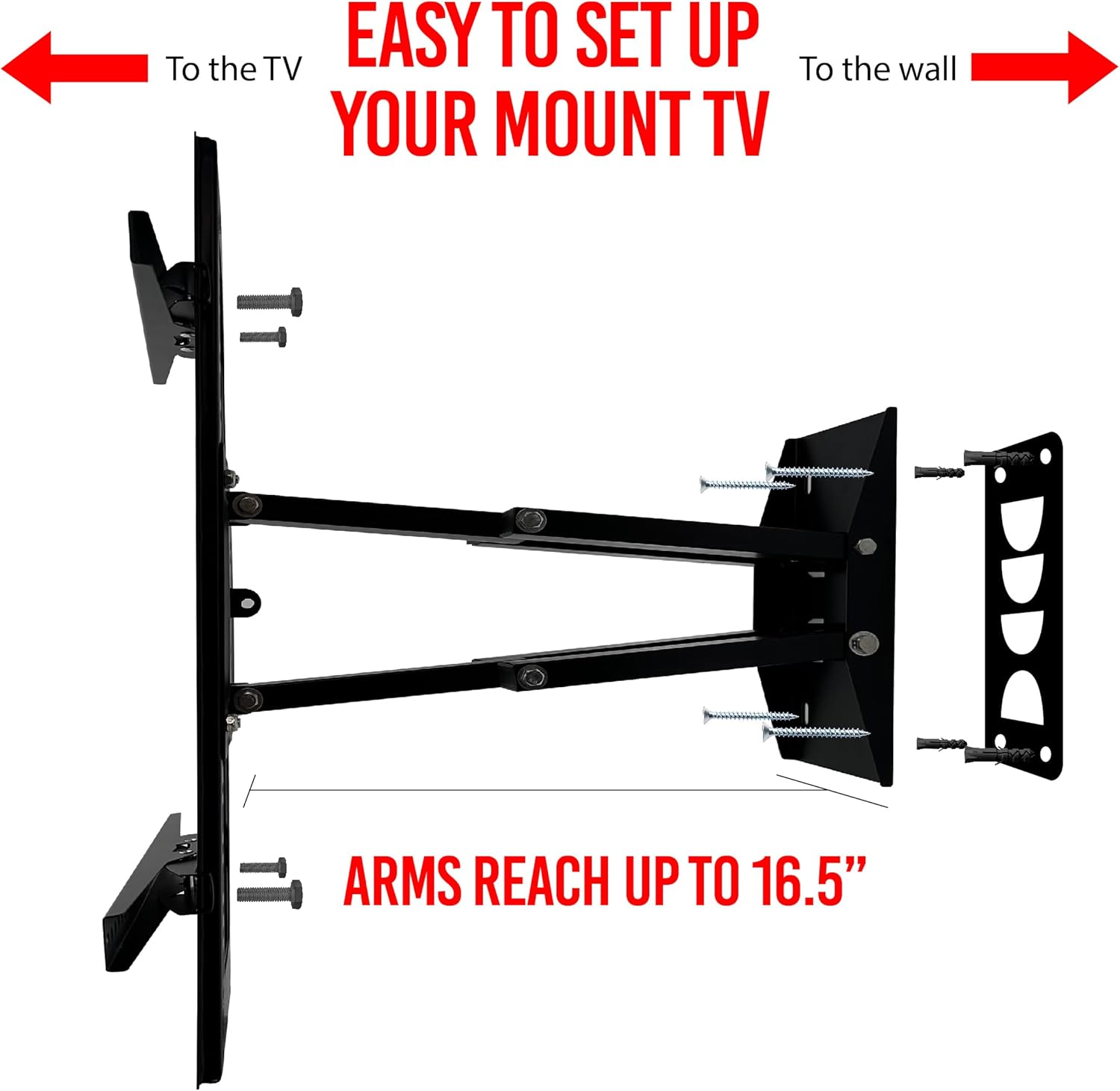
Figure 1: Illustration of wall plate installation and TV bracket attachment. The image shows the mount extending up to 16.5 inches from the wall.
4.4 A’ ceangal bracaid Tbh ris an Tbh
- Tagh sgriothan Tbh: Choose the correct diameter and length of screws that fit your TV's mounting holes. Use washers and spacers if necessary to ensure a snug fit without overtightening.
- Ceangail cromagan: Carefully attach the two TV brackets to the back of your TV. Ensure they are level and securely fastened.

Figear 2: Aghaidh view of the TOPTECH full motion TV mount, illustrating the main components before TV attachment.
4.5 A’ cur an telebhisean air plàta balla
- Le cuideachadh, tog an telebhisean gu faiceallach leis na camagan ceangailte agus croch iad air a’ phlàta balla.
- Ensure the TV brackets are securely seated on the wall plate.
- Tighten any safety screws or locking mechanisms on the brackets to prevent accidental dislodgement.

Figure 3: The TOPTECH full motion TV mount in an extended position, highlighting its structural design.
5. Operating the TV Mount
Your TOPTECH Full Motion TV Mount allows for flexible viewatharrachaidhean.
- Leudachadh: Gently pull or push the TV to extend or retract the mount arms. The arms can reach up to 16.5 inches from the wall.
- Sluasaid: Carefully rotate the TV left or right to achieve your desired viewing angle. The mount allows for up to 190 degrees of swivel.
- Teilt: Adjust the vertical tilt of your TV by loosening the tilt adjustment knobs (if present), setting the desired angle, and then re-tightening.

Figure 4: Demonstration of the mount's swivel capability (up to 190 degrees) and arm extension (up to 16.5 inches).
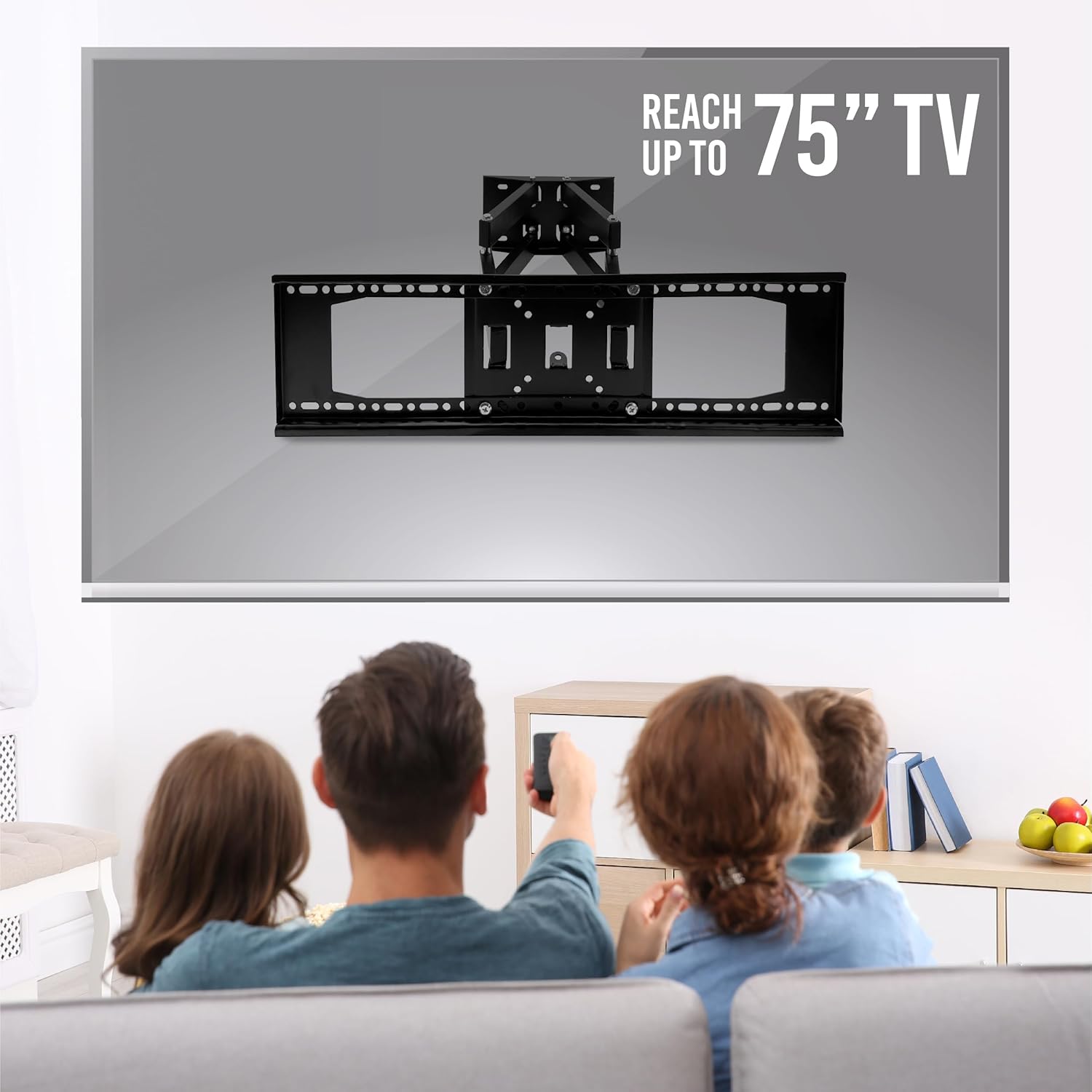
Figure 5: The TOPTECH mount supporting a TV up to 75 inches, providing flexible viewing for a family.
6. Cumail suas
- Glanadh: Sguab an t-sleibh le clò bog, tioram. Na cleachd innealan-glanaidh sgrìobach no fuasglaidhean.
- Sgrùdaidhean ràitheil: Thoir sùil bho àm gu àm air na sgriothan is na boltaichean uile gus dèanamh cinnteach gu bheil iad fhathast teann. Teannaich a-rithist ma tha sin riatanach.
- Gluasad: Ensure the mount's moving parts operate smoothly. Do not force any adjustments.
7. A ’dèanamh trioblaid
| Trioblaid | Adhbhar a dh’fhaodadh a bhith ann | Fuasgladh |
|---|---|---|
| Chan eil an telebhisean rèidh. | Wall plate or TV brackets are not level. | Adjust the wall plate or TV brackets. Some mounts have post-installation leveling features. |
| Tha am beinn a’ faireachdainn neo-sheasmhach. | Mounting bolts are loose or incorrect wall anchors used. | Ensure all mounting bolts are securely tightened. Verify correct anchors for your wall type. If unsure, consult a professional. |
| Difficulty adjusting TV position. | Joints are too tight or need lubrication. | Check for adjustment screws on the arms/joints and loosen slightly if too stiff. Do not over-lubricate. |
8. Sònrachaidhean
- Modail: 32-75 Full Motion
- Brand: TOPTECH
- Co-fhreagarrachd meud Tbh: 32 - 75 òirleach
- Comas cuideam: 132 lbs (60 kg)
- Co-fhreagarrachd VESA: Suas ri 600 x 400mm
- Seòrsa stàladh: Srath balla
- Seòrsa gluasad: Full Motion (Swivel, Tilt, Extend)
- Ceàrn Teilt: Adjustable (Specific range not provided, but implied by 'Tilt')
- Ceàrn swivel: Suas gu 190 ceum
- Leudachadh Gàirdean: Suas gu 16.5 òirleach (42 cm)
- Profile (to wall): 1.1 òirleach (2.8 cm)
- Stuth: Meatailt
- Àiteachadh eadar na Studaichean: 16", 18", 24"

Figure 6: The robust construction of the mount, featuring two strong metal arms and a sturdy metal base.
9. Barantas agus Taic Luchd-ceannach
TOPTECH products are manufactured to high-quality standards. For warranty information, technical assistance, or to report missing/damaged parts, please contact TOPTECH customer support through your retailer or the official TOPTECH weblàrach.
Please have your product model number (32-75 Full Motion) and purchase information ready when contacting support.