
1. Ro-ràdh
This manual provides detailed instructions for the installation, operation, and maintenance of your MZZYG Tuya 7-Inch Wired Video Doorbell System. Please read this manual thoroughly before using the product to ensure proper function and safety. Keep this manual for future reference.
2. Toradh thallview agus susbaint pacaid
The MZZYG Tuya Video Doorbell System is designed to enhance your home security with a 1080P camera, a 7-inch touchscreen monitor, and Wi-Fi connectivity. It supports remote unlocking, two-way communication, and motion detection.
2.1 Susbaint a’ phacaid
Dèan cinnteach gu bheil a h-uile rud anns a’ phacaid agad:
- Outdoor Doorbell Unit (1080P Camera)
- Indoor Monitor Unit (7-inch TFT-LCD Touchscreen)
- Power Adapter for Indoor Monitor
- Bracaid sreap agus sgriothan
- Càbaill uèir
- RFID Key Fobs (Quantity may vary)
- Leabhar-làimhe Cleachdaiche (An sgrìobhainn seo)

Figear 2.1: Main components of the MZZYG Tuya Video Doorbell System, including the outdoor doorbell unit, the indoor 7-inch monitor, and several RFID key fobs for access control.
3. Sònrachaidhean
3.1 Monitor a-staigh
- Sgrion: 7-inch TFT-LCD Touchscreen
- Fuasgladh: 1024 x 680
- Ringtones: 7-chord melodic rings
- Modh ceangail: 4-wire, Tuya Wi-Fi solution
- Stuth pannal: Acrylic / ABS
3.2 Aonad Clag-dorais a-muigh
- Camara: 1080p
- Lionsa: 3.2mm wide-angle, 160-degree view
- Sealladh na h-oidhche: Le taic
- Ìre dìon-uisge: IP65
- CasinStuth: Aluminium alloy
- Feartan: Remote unlock, monitoring, two-way communication, video recording, motion detection
4. Stàladh agus Setup
Proper installation is crucial for optimal performance. It is recommended to consult a qualified electrician for wiring if you are unfamiliar with electrical installations.
4.1 A’ cur suas an Aonaid a-muigh
- Choose a suitable location near your entrance, ensuring the camera has a clear, unobstructed view of visitors. The recommended height is approximately 1.5 meters (5 feet) from the ground.
- Cleachd am bracaid-sreap mar theamplaid gus puingean drileadh air a’ bhalla a chomharrachadh.
- Dril tuill agus cuir a-steach plugaichean balla.
- Daingnich am bracaid sreap ris a’ bhalla a’ cleachdadh nan sgriothan a tha air an toirt seachad.
- Connect the wiring from your home to the outdoor unit. Ensure correct polarity for power and signal wires.
- Attach the outdoor unit to the mounting bracket.
4.2 Mounting the Indoor Monitor
- Tagh àite freagarrach a-staigh, leithid talla no seòmar-suidhe, far a bheil an monitor furasta a ruigsinn.
- Mount the indoor monitor's bracket to the wall using screws.
- Connect the 4-wire cable from the outdoor unit to the indoor monitor.
- Connect the power adapter to the indoor monitor and plug it into a power outlet.
- Attach the indoor monitor to its wall bracket.

Figear 4.1: Dealbhach examples of the outdoor doorbell unit mounted next to a door and the indoor monitor installed on a wall inside a home.
4.3 Initial Power-On and Wi-Fi Configuration
- Once both units are mounted and wired, power on the indoor monitor.
- Follow the on-screen prompts to configure the date, time, and language settings.
- Navigate to the Wi-Fi settings menu on the indoor monitor.
- Select your home Wi-Fi network and enter the password. The monitor will connect to the internet, enabling Tuya app integration.
5. Obrachadh
5.1 A’ freagairt gairm
- When a visitor presses the doorbell button, the indoor monitor will ring and display the visitor's image.
- To answer, tap the "Answer" icon on the touchscreen. This initiates two-way audio communication.
- To end the call, tap the "End Call" icon.
5.2 Fuasgladh Iomallach
If connected to an electronic lock (sold separately), you can unlock the door remotely:
- During a call or while monitoring, tap the "Unlock" icon on the indoor monitor or in the Tuya app.
- Confirm the unlock action if prompted.
5.3 A' cumail sùil
Faodaidh tu view the outdoor camera feed at any time:
- On the indoor monitor, tap the "Monitor" icon to view the live feed from the outdoor unit.
- In the Tuya app, select your doorbell device to access the live view.
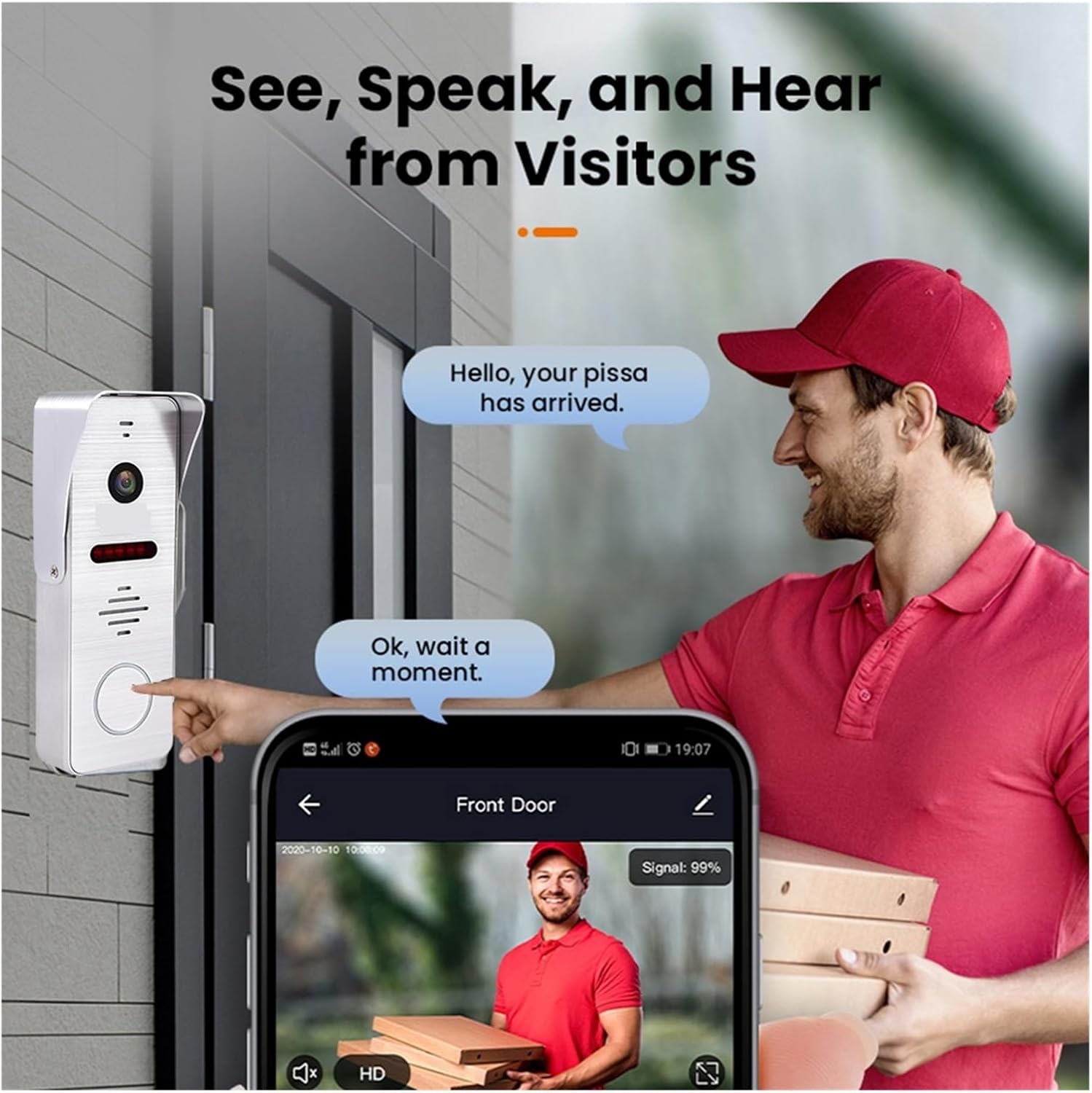
Figear 5.1: A visitor at the door pressing the doorbell, with a smartphone displaying the live video feed and communication options through the mobile application.
6. Tuya Smart App Integration
The system integrates with the Tuya Smart app for remote access and control.
6.1 Downloading and Registering the App
- Download the "Tuya Smart" app from your smartphone's app store (Google Play Store for Android, Apple App Store for iOS).
- Fosgail an aplacaid agus clàraich airson cunntas ùr no log a-steach ma tha fear agad mu thràth.
6.2 Adding the Doorbell Device
- In the Tuya Smart app, tap the "+" icon to add a new device.
- Select "Video Surveillance" or "Doorbell" from the device categories.
- Follow the in-app instructions to pair your doorbell system. This typically involves scanning a QR code displayed on the indoor monitor or entering Wi-Fi credentials.
6.3 Feartan App
- Sgrùdadh air astar: View live video from the outdoor unit.
- Fuaim dà-shligheach: Communicate with visitors from anywhere.
- Fuasgladh Iomallach: Open the door remotely (requires compatible electronic lock).
- Video Recording & Snapshots: Capture video and images of visitors or events.
- Rabhaidhean lorg gluasad: Receive notifications when motion is detected.

Figear 6.1: A smartphone screen showing a list of motion detection events recorded by the doorbell camera, with timestamps agus roview dealbhan.
7. Motion Detection and Night Vision
The system is equipped with motion detection and night vision capabilities for enhanced security.
7.1 Dearbhadh Gluasad
- The outdoor unit can detect motion in its field of view.
- Upon detection, the system can automatically record video or take snapshots.
- You will receive push notifications on your smartphone via the Tuya Smart app when motion is detected.
- Sensitivity settings for motion detection can be adjusted in the indoor monitor's menu or the Tuya app.
7.2 Sealladh na h-Oidhche
- The outdoor unit features infrared night vision, allowing clear visibility even in low-light or complete darkness.
- Bidh sealladh na h-oidhche ag obair gu fèin-ghluasadach nuair a bhios ìrean solais mun cuairt ìosal.

Figear 7.1: An illustration of the doorbell's night vision capability, showing a person in low light conditions as seen on the indoor monitor and a mobile phone screen.
8. Cumail suas
- Glanadh: Regularly wipe the camera lens and monitor screen with a soft, damp aodach. Seachain luchd-glanaidh sgudail.
- Ùrachaidhean firmware: Check for firmware updates periodically through the indoor monitor's settings or the Tuya Smart app to ensure optimal performance and security.
- Sgrùdadh uèirleas: Periodically inspect all wiring connections for any signs of wear or damage.
9. A ’dèanamh trioblaid
| Trioblaid | Adhbhar a dh’fhaodadh a bhith ann | Fuasgladh |
|---|---|---|
| Gun ìomhaigh air an sgrìn a-staigh. | Power issue, loose wiring, faulty unit. | Check power connection to monitor. Verify all 4-wire connections between outdoor and indoor units. Restart the system. |
| No audio during call. | Microphone/speaker issue, volume too low. | Check volume settings on the monitor. Ensure wiring is secure. |
| Wi-Fi connection unstable or disconnected. | Weak Wi-Fi signal, incorrect password, router issue. | Ensure monitor is within Wi-Fi range. Re-enter Wi-Fi password. Restart your router. |
| Dearbhadh gluasad nach eil ag obair. | Motion detection disabled, sensitivity too low, incorrect settings. | Enable motion detection in settings. Adjust sensitivity. Check recording schedule. |
10. Fiosrachadh Sàbhailteachd
- Na feuch ri an inneal a thoirt às a chèile no a chàradh thu fhèin. Thoir aire do luchd-obrach teisteanasach airson a h-uile seirbheis.
- Cùm an inneal air falbh bho uisge, taiseachd, agus teòthachd anabarrach.
- Ensure all wiring is correctly installed and insulated to prevent electrical hazards.
- Cleachd dìreach an adapter cumhachd a chaidh a thoirt seachad.
11. Barantas agus Taic
Warranty information for this product is not explicitly detailed in the provided specifications. Please refer to your purchase documentation or contact your retailer for specific warranty terms and conditions.
For technical support or inquiries, please contact MZZYG customer service through the contact information provided with your purchase or on the official MZZYG weblàrach.