
1. Ro-ràdh
This manual provides detailed instructions for the safe and efficient operation of your HANLIM Portable CD Player, Model HL-108. Please read this manual thoroughly before using the product and retain it for future reference.

Figear 1: Aghaidh view of the HANLIM Portable CD Player HL-108. This image displays the main unit with its control panel, LCD screen, and integrated handle.
2. Stiùireadh Sàbhailteachd
- Na cuir an aonad fosgailte do uisge, taiseachd no teòthachd anabarrach.
- Seachain an aonad a chur faisg air stòran teas no ann an solas dìreach na grèine.
- Na fosgail an casing; cuir a h-uile seirbheiseachadh gu luchd-obrach teisteanasach.
- Cùm an aonad air falbh bho raointean magnetach làidir.
- Cleachd dìreach an càball cumhachd a chaidh a thoirt seachad.
- Dèan cinnteach gu bheil fionnarachadh ceart ann gus casg a chuir air cus teasachadh.
3. Pasgan-susbaint
Feuch an dèan thu cinnteach gu bheil na nithean uile an làthair:
- HANLIM Portable CD Player HL-108
- Càball cumhachd (1.2m)
- Smachd iomallach (bataraidhean nach eil air an toirt a-steach)
- Leabhar-làimhe cleachdaiche

Figear 2: The HANLIM Portable CD Player HL-108 shown with its included accessories: the power cable, remote control, and user manual.
4. Toradh thallview
The HANLIM Portable CD Player HL-108 features a compact design with multiple playback options and connectivity ports.
4.1 Smachdan Pannal aghaidh
- Taisbeanadh LCD: Shows current mode, track information, and FM frequency.
- Putan MODE: Switches between CD, FM, Bluetooth, USB, and AUX modes.
- Putan STANDBY: A 'toirt cumhachd don aonad air no dheth.
- Putan Cluich/Stad/Sgan: Plays/pauses media or scans FM radio stations.
- Previous/CH- Button: Skips to previous track/station.
- Next/CH+ Button: Skips to next track/station.
- Knob Volume: Atharraichidh seo meud an fhuaim.
- Port USB: Airson ath-chluich draibh USB.
- Jack headphone (3.5mm): Airson èisteachd prìobhaideach.
4.2 Ceanglaichean pannal cùil
- AUX A-STEACH (3.5mm): Ceangail innealan claisneachd taobh a-muigh.
- Port MIC: Connect a microphone for singing.
- Cuir a-steach cumhachd AC: Connect the power cable for charging or continuous power.
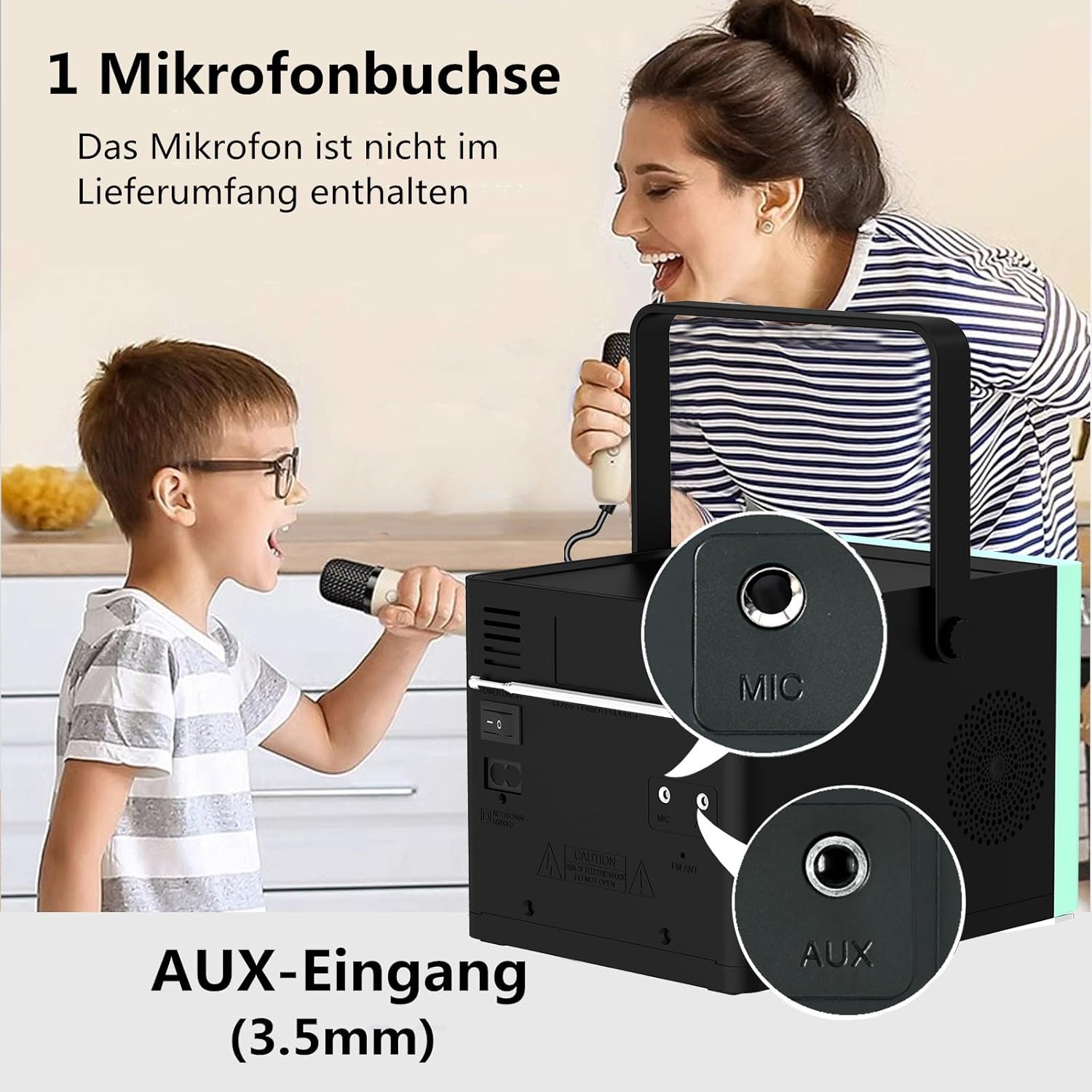
Figear 3: Cùl view of the HANLIM Portable CD Player HL-108, highlighting the microphone input and AUX input ports.
5. Suidhich
5.1 A’ cur cumhachd air agus a’ cur cosgais
- Connect the provided power cable to the AC power input on the rear of the unit and plug it into a wall outlet.
- The built-in 2000mAh battery will begin charging automatically. A full charge provides approximately 4.5 to 5 hours of playback at maximum volume.
- Brùth an BI FEITHEAMH putan gus cumhachd a thoirt don aonad.
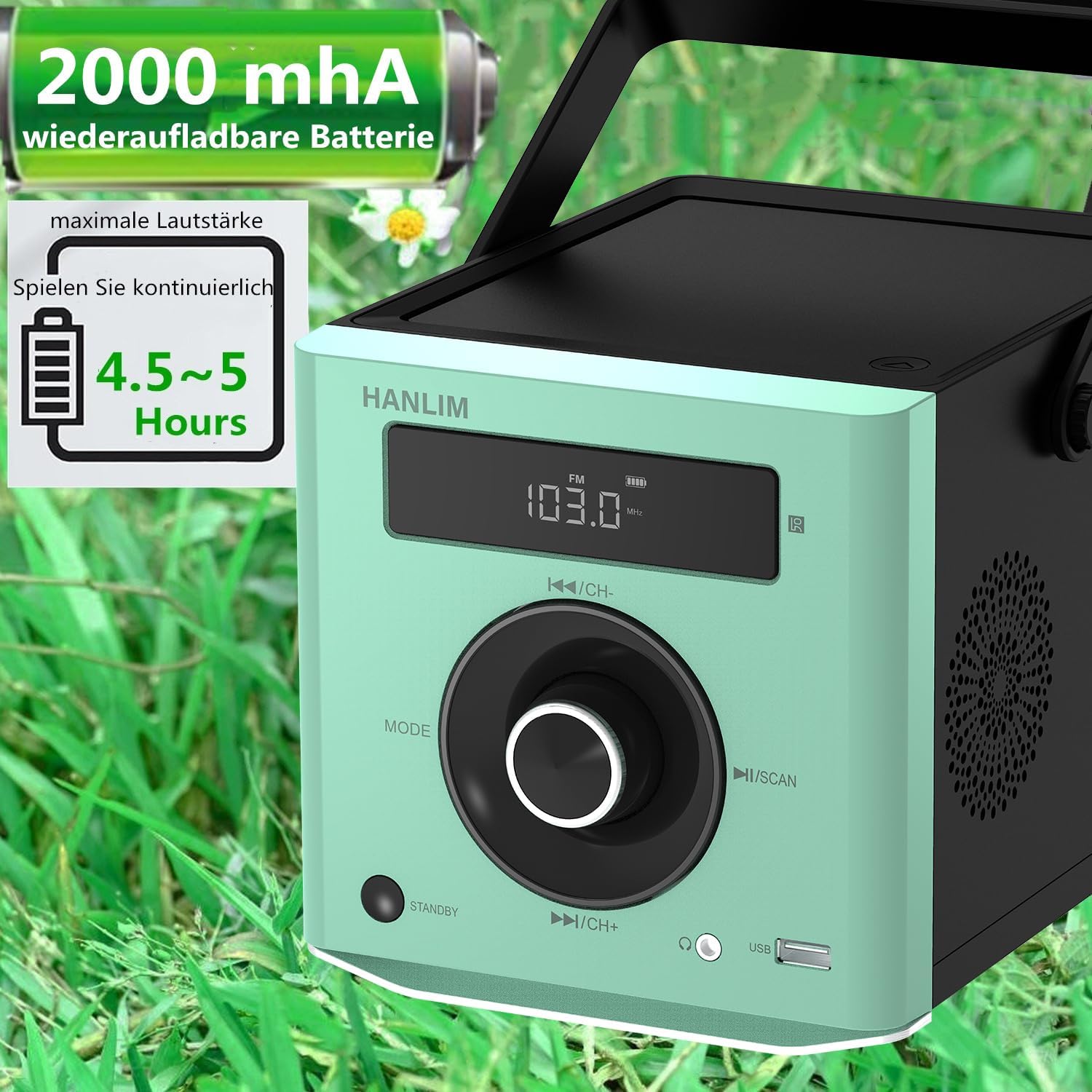
Figear 4: The HANLIM Portable CD Player HL-108 displaying battery charge status and indicating 4.5-5 hours of continuous playback.
6. Stiùireadh Obrachaidh
6.1 Ath-chluich CD
- Fosgail còmhdach roinn an CD.
- Place a CD (CD/CD-R/CD-RW/MP3 format) onto the spindle, label side up.
- Dùin mullach an roinn CD.
- Brùth an MODE button until "CD" is displayed.
- Brùth an Cluich / Stad putan gus ath-chluich a thòiseachadh.
- Cleachd an Roimhe/Air adhart putanan gus slighean a sheachnadh.
- Gnìomh ath-aithris: Press the repeat button on the remote control to cycle through repeat one, repeat all, or random play.
- Continue Playback: The unit will resume playback from where it was last stopped, useful for language learning.
Rèidio 6.2 FM
- Brùth an MODE gus an nochd “FM”.
- Brùth agus cùm an Sgan button to automatically scan and store available FM stations (87.5-108MHz). Up to 20 stations can be stored.
- Cleachd an CH- agus CH+ putanan gus seòladh tro stèiseanan a chaidh a stòradh.

Figear 5: The HANLIM Portable CD Player HL-108 showing the FM radio frequency on its display.
6.3 Ceangal Bluetooth
- Brùth an MODE button until "Bluetooth" is displayed. The unit will enter pairing mode.
- On your device (phone, tablet, computer), enable Bluetooth and search for "HANLIM HL-108".
- Select the device to pair. Once connected, you will hear a confirmation sound.
- Note: Bluetooth headphones are not supported for connection to this CD player.

Figear 6: The HANLIM Portable CD Player HL-108 illustrating its Bluetooth connectivity, USB port, and headphone jack.
6.4 Ath-chluich USB
- Insert a USB flash drive (up to 32GB, supporting MP3/WMA formats) into the USB port.
- Brùth an MODE button until "USB" is displayed.
- Playback will start automatically. Use the Roimhe/Air adhart putanan gus slighean a sheòladh.
Cuir a-steach 6.5 AUX
- Connect an external audio device (e.g., phone, computer) to the AUX IN port using a 3.5mm audio cable (not included).
- Brùth an MODE brùth air a’ phutan gus an nochd “AUX”.
- Smachd air ath-chluich bhon inneal ceangailte agad.
6.6 Seac cluais
For private listening, connect 3.5mm headphones to the headphone jack on the front panel.
6.7 Microphone Port
Connect a microphone (not included) to the MIC port on the rear panel for singing along to music.
6.8 Roghainnean Fuaime (Co-ionannaiche)
The unit offers 5 sound qualities: Pop, Jazz, Rock, Classical, and Flat. Use the EQ button on the remote control to cycle through these modes and adjust the audio output to your preference.
7. Cumail suas
- Glanadh: Sguab an aonad le clò bog, tioram. Na cleachd innealan-glanaidh sgrìobach no fuasglaidhean.
- Cùram CD: Làimhsich CDan air na h-oirean aca. Glan CDan salach le clò bog, gun shnàth, gan sguabadh bhon mheadhan a-mach.
- Cùram Bataraidh: Airson beatha bataraidh as fheàrr, seachain a bhith a’ dì-luchdachadh a’ bhataraidh gu tric. Ma bhios tu ga stòradh airson ùine mhòr, cuir cosgais air a’ bhataraidh gu timcheall air 50% gach beagan mhìosan.
8. A ’dèanamh trioblaid
| Trioblaid | Adhbhar a dh’fhaodadh a bhith ann | Fuasgladh |
|---|---|---|
| Chan eil cumhachd aig an aonad. | Tha am bataraidh air a leigeil sìos no chan eil an càball cumhachd ceangailte. | Connect the power cable and allow the battery to charge, or operate directly from AC power. |
| Gun fhuaim. | Volume is too low, headphones connected, or incorrect mode selected. | Increase volume, disconnect headphones, or ensure the correct input mode (CD, FM, BT, USB, AUX) is selected. |
| Chan eil an CD a’ cluich no tha e a’ leum. | Tha an CD salach, sgrìobte, no air a chur a-steach gu ceàrr. | Clean the CD, try a different CD, or reinsert the CD correctly. Ensure the CD compartment is fully closed. |
| Tha pairing Bluetooth a ’fàilligeadh. | Device is too far, Bluetooth is off on the device, or unit is not in pairing mode. | Ensure the unit is in Bluetooth mode, your device's Bluetooth is on, and they are within range. Try restarting both devices. |
| Tha gabhail rèidio FM bochd. | Comharra no suidheachadh antenna lag. | Adjust the unit's position or extend the antenna for better reception. |
9. Sònrachaidhean
| Feart | Sònrachadh |
|---|---|
| Brand | HANLIM |
| Modail | HL-108 |
| Meudan toraidh | 15.5 x 20.5 x 16 cm (6.1 x 8.1 x 6.3 òirleach) |
| Cuideam nì | 1.7 kg (3.75 lbs) |
| Toradh cumhachd | 20W |
| Bataraidh | Built-in 2000mAh rechargeable Lithium Ion |
| Beatha bataraidh | Up to 5 hours (at maximum volume) |
| Cruthan CD a tha air an taiceadh | CD, CD-R, CD-RW, MP3 |
| Tricead rèidio FM | 87.5-108 MHz |
| Taic USB | Up to 32GB, MP3/WMA formats |
| Ceangalachd | Bluetooth, USB, AUX (3.5mm), Headphone Jack (3.5mm), Microphone Port |
| Seòrsa Taisbeanaidh | LCD |
| Feartan sònraichte | Bluetooth, CD-R/RW Compatible, Equalizer, Portable, Rechargeable |
10. Barantas agus Taic
This HANLIM product comes with a barantas aon-bhliadhna bho cheann-latha a’ cheannaich. Tha am barantas seo a’ còmhdach lochdan saothrachaidh agus obair-ciùird fo chleachdadh àbhaisteach.
For technical support, warranty claims, or service inquiries, please contact your retailer or the HANLIM customer service department through the contact information provided at the point of purchase.