
AOBOCAM A12
AOBOCAM Mini 1080p HD Wireless WiFi Hidden Security Camera A12 User Manual
Modail: A12
1. Ro-ràdh
Thank you for choosing the AOBOCAM Mini 1080p HD Wireless WiFi Hidden Security Camera A12. This manual provides essential information for setting up, operating, and maintaining your camera. Please read it thoroughly before use to ensure optimal performance and safety.
The AOBOCAM A12 is a compact and discreet security solution designed for indoor surveillance. It features 1080p HD video, a 120° wide-angle lens, night vision capabilities, and intelligent motion detection. With dual WiFi and Bluetooth connectivity, setup is quick and easy, allowing remote monitoring via a dedicated mobile application.
2. Toradh thallview
2.1 Susbaint a’ phacaid
- Mini Camera (A12)
- Càball USB
- Leabhar-làimhe stiùiridh
- Mounting Bracket / Support
2.2 Prìomh fheartan
- Ceangal dùbailte: Supports both WiFi and Bluetooth for faster and simpler pairing.
- Bhidio 1080p HD: Crystal-clear 1080p resolution with an upgraded high-resolution sensor and premium lenses.
- 120° Ultra Wide-Angle Lens: A’ glacadh farsaing view of your environment.
- Lèirsinn oidhche leasaichte: Integrated infrared LEDs provide clear footage in low-light conditions up to 10 meters.
- Dearbhadh Gluasad Glic: Identifies changes in the scene and sends instant notifications to your mobile device.
- Roghainnean stòraidh sùbailte: Supports local storage via SD card (8-256GB, not included) and optional cloud storage. Loop recording ensures continuous coverage.
- Sgrùdadh 24/7: Built-in battery provides up to 90 minutes of continuous operation, or connect directly to a power source for uninterrupted surveillance.
- Dealbhadh Compact: Miniature size (30x30x30mm) for discreet placement.

Figure 1: AOBOCAM A12 Mini Camera and its compact size, demonstrating remote viewann an comasan.
3. Stiùirich rèiteachaidh
3.1 A’ cur cosgais air a’ chamara
Before initial use, fully charge the camera using the provided USB cable. Connect the USB cable to the camera's charging port and a standard USB power adapter (not included). The charging indicator light will typically show the charging status.
3.2 A’ cur a-steach cairt Micro SD (Roghainneil)
If you plan to use local storage, insert a compatible Micro SD card (8GB to 256GB, Class 10 or higher recommended) into the designated slot on the camera. Ensure the camera is powered off before inserting or removing the SD card.
3.3 Downloading the Mobile Application
Lorg airson the official AOBOCAM application on your smartphone's app store (iOS App Store or Google Play Store). Download and install the application.
3.4 A’ paidhreachadh a’ chamara leis an fhòn-smart agad
- Power on the AOBOCAM A12 camera.
- Open the installed mobile application on your smartphone.
- Follow the in-app instructions to add a new device. The camera supports both WiFi and Bluetooth for a faster connection process.
- Select your 2.4 GHz WiFi network and enter the password when prompted. (Note: 5 GHz WiFi networks are not supported).
- Once connected, the camera's indicator light will confirm successful pairing.

Figure 2: The compact design of the AOBOCAM A12 allows for discreet placement in various indoor settings.
4. Stiùireadh Obrachaidh
4.1 Beò View agus Clàradh
After successful pairing, open the mobile application to access the live video feed from your camera. You can initiate manual recordings, take snapshots, and view foo fìor-ùinetage.
4.2 Lorgaireachd Gluasaid agus Rabhaidhean
The AOBOCAM A12 features intelligent motion detection. When movement is detected, the camera will automatically begin recording and send a notification to your smartphone.
- Dèan comas / à comas: Adjust motion detection sensitivity and enable/disable alerts within the app settings.
- Ath-chluich Tachartais: Access recorded motion events through the app's event log or playback feature.

Figure 3: The camera's motion detection feature alerts you to activity in the monitored area.
4.3 Sealladh na h-Oidhche
The camera automatically switches to night vision mode in low-light conditions, utilizing its infrared LEDs to provide clear black-and-white video footage.
4.4 Two-Way Talk (if supported by app)
If the mobile application supports two-way audio, you can use this feature to communicate through the camera. Press and hold the microphone icon in the app to speak, and release to listen.
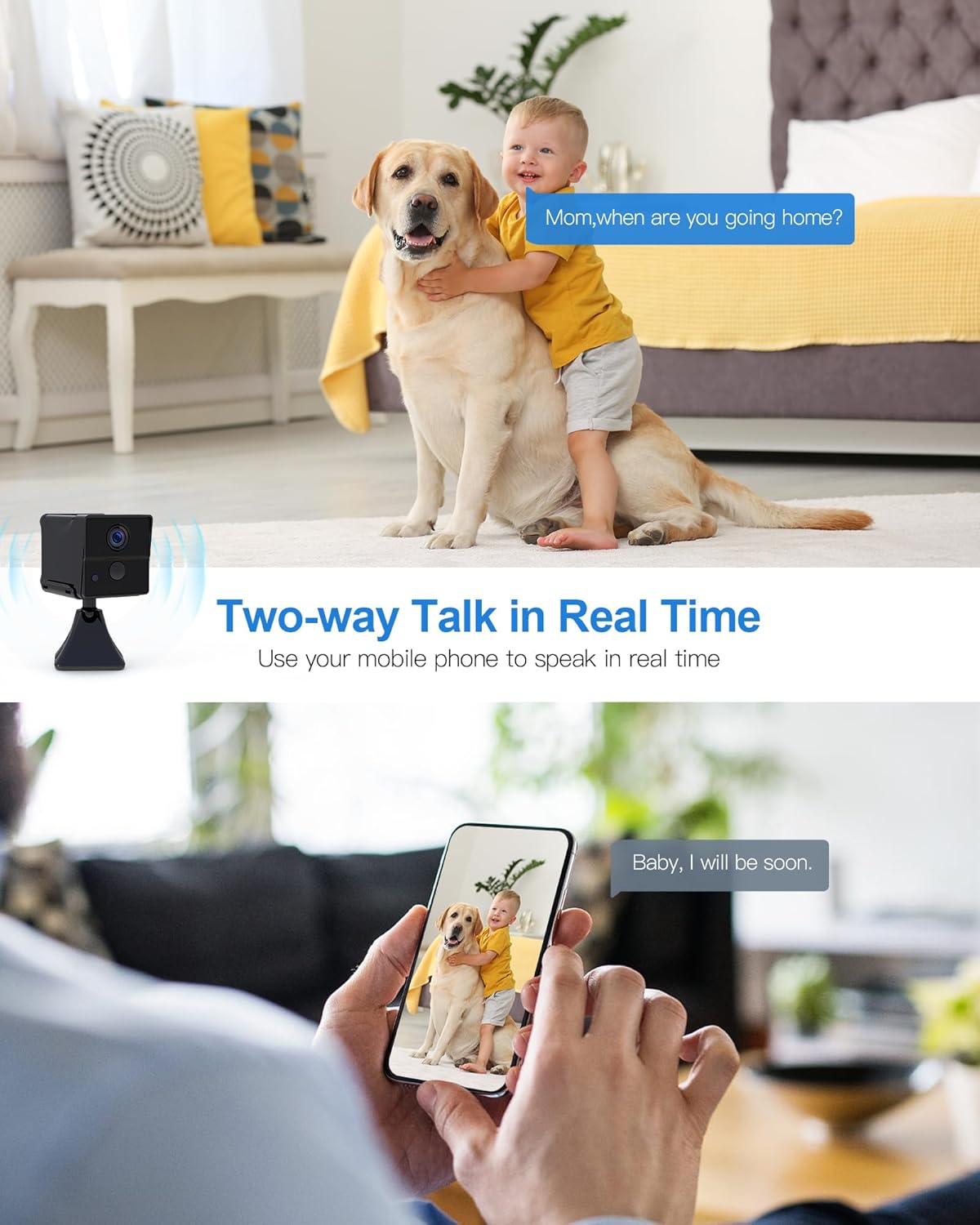
Figure 4: Two-way talk allows real-time communication through the camera.
4.5 Stiùireadh Cumhachd
The camera can operate on its internal battery for up to 90 minutes. For continuous 24/7 surveillance, connect the camera to a power source using the USB cable and a power adapter. The app may also offer remote power ON/OFF functionality.

Figure 5: The camera offers extended standby time and remote power control for flexible use.
5. Cumail suas
- Glanadh: Cleachd clò bog, tioram gus lionsa agus bodhaig a’ chamara a ghlanadh. Seachain innealan-glanaidh no fuasglaidhean sgrìobach.
- Suidheachadh: Ensure the camera is placed in a stable, dry indoor environment, away from direct sunlight, extreme temperatures, and moisture.
- Ùrachaidhean firmware: Regularly check the mobile application for any available firmware updates for your camera to ensure optimal performance and security.
- Stiùireadh cairt SD: If using an SD card, periodically back up important recordings and format the card through the app to maintain performance.
6. A ’dèanamh trioblaid
- Camara gun cheangal ri WiFi:
- Ensure your WiFi network is 2.4 GHz. The camera does not support 5 GHz networks.
- Check that the WiFi password is entered correctly.
- Gluais an camara nas fhaisge air an router WiFi agad.
- Ath-thòisich an camara agus an router agad.
- Càileachd bhidio truagh:
- Check your internet connection speed. A stable connection is required for HD streaming.
- Dèan cinnteach gu bheil lionsa a’ chamara glan agus saor bho dhuslach no smugaid.
- Motion detection alerts not received:
- Dearbhaich gu bheil lorg gluasad air a chomasachadh ann an roghainnean an aplacaid.
- Check app notification settings on your smartphone to ensure they are not blocked.
- Adjust motion detection sensitivity if alerts are too frequent or too few.
- Cairt SD gun chlàradh:
- Ensure the SD card is inserted correctly and is not full.
- Format the SD card through the app.
- Check if the SD card is damaged or incompatible (use Class 10 or higher).
- Chan eil cumhachd aig a’ chamara air:
- Ensure the camera is fully charged or connected to a working power source.
- Feuch càball USB eadar-dhealaichte no inneal-atharrachaidh cumhachd.
7. Sònrachaidhean
| Ainm Modail | A12 |
| Brand | AOBOCAM |
| Fuasgladh Clàraidh Bhidio | 1080p |
| Viewann an Ceàrn | 120 ceum |
| Raon Lèirsinn Oidhche | 10 Meatair |
| Ìre frèam | 30 fps |
| Teicneòlas conaltraidh gun uèir | Wi-Fi (2.4 GHz), Bluetooth |
| Stòr cumhachd | Battery Powered (Lithium-polymer, 1 A included) |
| Battery Life (continuous) | Suas gu 90 mionaid |
| Stuth | Plastaig |
| Meudan (L x W x H) | 30 x 30 x 30 millimeters (3 x 3 x 3 cm) |
| Cuideam | 200 gram |
| Taic Stòraidh | Micro SD Card (8-256GB, not included), Cloud Storage (optional) |
| Feartan sònraichte | Motion Detector, Portable, HD Resolution, Night Vision |
| Cleachdadh | Indoor Surveillance, Home Security |
8. Barantas agus Taic
For warranty information and technical support, please refer to the contact details provided with your product packaging or visit the official AOBOCAM weblàrach. Cùm do chuidhteas ceannach mar dhearbhadh ceannach airson tagraidhean barantais.
If you encounter any issues not covered in this manual, please contact AOBOCAM customer service for assistance.
Ask a question about this manual
Ask about setup, troubleshooting, compatibility, parts, safety, or missing instructions. Manuals+ will review the question and use this page’s manual context to help answer it.