
Ro-ràdh
Thank you for choosing the HyperGear Halo Waterproof LED Wireless Speaker. This manual provides essential information for setting up, operating, and maintaining your speaker to ensure optimal performance and longevity. The Halo speaker combines powerful HD sound with a vibrant 360° multicolor LED light show, designed for both indoor and outdoor use. Its IPX6 waterproof rating makes it suitable for various environments, from poolside parties to everyday listening.
Dè th' anns a' Bhocsa
- HyperGear Halo Waterproof LED Wireless Speaker
- Càball cosgais USB-C
- 3.5mm Aux Cord
Stiùireadh rèiteachaidh
1. A ’cur cosgais air an Labhraiche
Before first use, fully charge your Halo speaker. Connect the included USB-C charging cable to the speaker's charging port and the other end to a USB power adapter (not included). The LED indicator will show charging status and turn off when fully charged.
2. A ’toirt cumhachd air / dheth
Press and hold the Power button on the speaker's top panel to turn it on or off. A sound prompt will indicate the power status.
3. Càraid Bluetooth
- Dèan cinnteach gu bheil an neach-labhairt air agus ann am modh paidhreachaidh Bluetooth (air a chomharrachadh le LED a’ priobadh).
- Air an inneal agad (fòn cliste, tablet, coimpiutair), cuir Bluetooth an gnìomh agus rannsaich airson innealan a tha rim faighinn.
- Select "HyperGear Halo" from the list.
- Aon uair ‘s gu bheil e air a chàradh, cuiridh an neach-labhairt a-mach fuaim dearbhaidh, agus sguiridh an LED dealradh.
Ath-cheanglaicheidh an neach-labhairt gu fèin-ghluasadach ris an inneal mu dheireadh a chaidh a chàradh nuair a thèid a chur air, ma tha e taobh a-staigh ruigsinneachd.

The top panel of the HyperGear Halo speaker, showing controls and its connection to a smartphone via Bluetooth.
Stiùireadh Obrachaidh
Smachdan bunaiteach
| Putan / Dreuchd | Gnìomh |
|---|---|
| Putan Cumhachd | Press and hold to Power On/Off |
| Cluich / Stad | Press once to Play/Pause music |
| Toirt suas (+) | Brùth aon uair gus an tomhas-lìonaidh àrdachadh |
| Toirt sìos (-) | Brùth aon uair gus an tomhas-lìonaidh a lughdachadh |
| An ath Rian | Press and hold Volume Up (+) |
| Rian roimhe | Press and hold Volume Down (-) |
| Freagairt / Cuir crìoch air a’ ghairm | Brùth am putan Play/Pause aon uair |
| Call a dhiùltadh | Press and hold Play/Pause button |
| Putan Modh Solais | Brùth gus rothaireachd tro 6 modhan solais LED |
Party Mode (Stereo Pairing)
To achieve immersive stereo sound, you can pair two HyperGear Halo speakers together:
- Ensure both Halo speakers are powered on and not connected to any other Bluetooth device.
- On one speaker (this will be the primary speaker), double-press the Power button. It will enter pairing mode for Party Mode.
- The two speakers will automatically connect to each other. A confirmation sound will indicate successful pairing.
- Now, connect your device to the primary speaker via Bluetooth as described in the 'Bluetooth Pairing' section. Both speakers will play synchronized audio and light shows.

Two HyperGear Halo speakers paired together for Party Mode, offering synchronized audio and light effects.
Alternative Playback Modes

The side panel of the HyperGear Halo speaker, revealing the AUX, microSD, and USB-C ports for versatile connectivity.
- Taobh a-staigh: Connect your device using the included 3.5mm Aux cord to the speaker's AUX port for a wired audio connection.
- cairt microSD: Insert a microSD card loaded with audio files into the designated slot. The speaker will automatically play music from the card.
Feartan thallview
- Ìre dìon-uisge IPX6: Designed to withstand splashes, rain, and spills, making it ideal for outdoor adventures and poolside use.
- Powerful 5W Front-Firing Sound: Equipped with a 52mm full-range driver for rich, dynamic audio with pulse-pounding bass. The front-firing design ensures clearer sound projection.
- 360° Multicolor LED Lights: Features a vibrant light ring that synchronizes with your music, offering 6 different lighting modes to enhance your listening experience.
- Micreofon togte: Allows for convenient hands-free calling.
- Teicneòlas Bluetooth 5.3: Provides a stable, stutter-free wireless connection with a range of up to 33 feet.
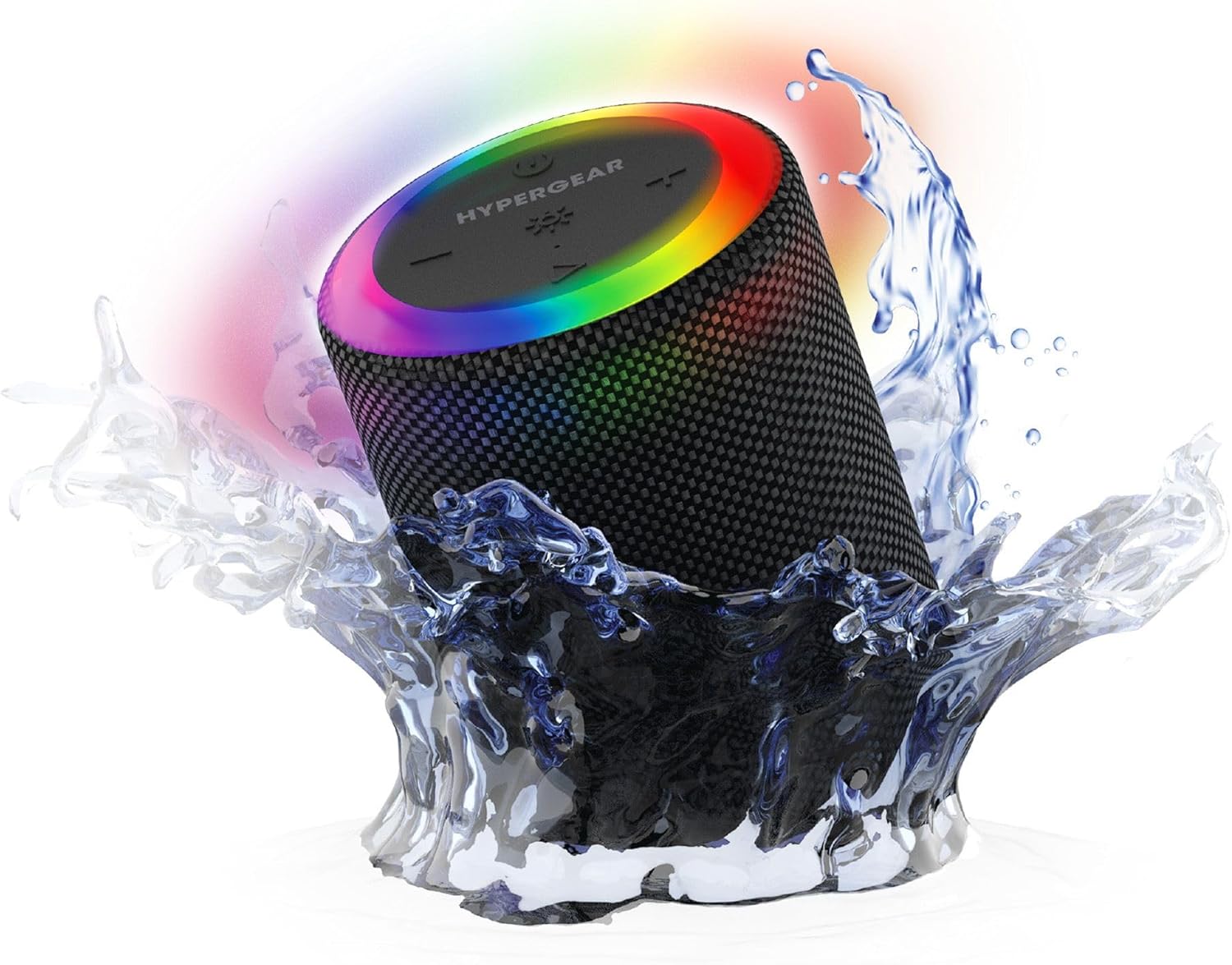
The HyperGear Halo speaker immersed in water, highlighting its robust waterproof design.

Visual representation of the HyperGear Halo speaker's powerful audio features, including its 5W output and 52mm driver.

The HyperGear Halo speaker showcasing its beat-synced 360° multicolor LED light ring with various lighting modes.
Sònrachaidhean
| Feart | Mion-fhiosrachadh |
|---|---|
| Ainm Modail | Halo Waterproof LED Wireless Speaker |
| Seòrsa neach-labhairt | Ioma-mheadhan |
| Teicneòlas ceangail | Bluetooth 5.3 |
| Modh Toraidh Fuaim | Mono (Stereo with Party Mode) |
| Neach-labhairt cumhachd toraidh as àirde | 5 watt |
| Meud driver fuaim | 52 millimeters |
| Ìre an aghaidh uisge | IPX6 uisge-dhìonach |
| Meudan toraidh | 3.27"D x 3.27"W x 4.13"H |
| Cuideam nì | 1.05 not |
| Stòr cumhachd | Cumhachd bataraidh |
| Co-phàirtean air an toirt a-steach | USB-C Charging Cable, 3.5mm Aux Cord |
| Modh smachd | Putan |
| UPC | 633755158858 |
Cumail suas
- Glanadh: Paisg an neach-labhairt le bog, damp aodach. Na cleachd ceimigean cruaidh no innealan-glanaidh sgudail.
- Stòradh: Stòraich an neach-labhairt ann an àite fionnar, tioram air falbh bho sholas dìreach na grèine agus teòthachd anabarrach.
- Cùram Bataraidh: To preserve battery life, avoid fully discharging the speaker frequently. Charge it regularly, even if not in use for extended periods.
- Ròn dìon-uisge: Ensure the silicone cover for the charging and AUX ports is securely closed when near water to maintain its IPX6 rating.
Fuasgladh thrioblaidean
| Trioblaid | Fuasgladh comasach |
|---|---|
| Chan eil an neach-labhairt a’ dol air. | Dèan cinnteach gu bheil an neach-labhairt air a luchdadh. Ceangail e ri stòr cumhachd agus feuch ris a-rithist. |
| Cha ghabh paidhir le inneal Bluetooth. | Make sure the speaker is in pairing mode (flashing LED). Turn off and on Bluetooth on your device. Ensure no other devices are connected to the speaker. Move speaker closer to your device. |
| Gun fhuaim bhon neach-labhairt. | Check volume levels on both the speaker and your device. Ensure the correct input mode (Bluetooth, Aux, MicroSD) is selected. If using Aux, ensure the cable is fully inserted. |
| Party Mode not working. | Ensure both speakers are fully charged and not connected to any other Bluetooth devices. Try resetting both speakers by powering them off and on, then re-attempt Party Mode pairing. |
| Chan eil solais LED ag obair. | Brùth air a’ phutan Modh Solais gus gluasad tro na modhan. Dèan cinnteach gu bheil an neach-labhairt air. |
Barantas agus Taic
The HyperGear Halo Waterproof LED Wireless Speaker comes with a Barantas cuibhrichte. For specific details regarding warranty coverage, duration, and claims, please refer to the warranty card included with your product or visit the official HyperGear website. For technical support or further assistance, please contact HyperGear customer service through their official channels.