
Ro-ràdh
Thank you for choosing the VTech ES2051 Digital Cordless Phone. This manual provides comprehensive instructions for setting up, operating, and maintaining your new phone system. The ES2051 is designed for ease of use, featuring a digital answering machine, call blocking capabilities, volume amplification, and an antibacterial plastic construction for enhanced hygiene.
Please read this manual thoroughly before using your phone to ensure proper operation and to take full advantage de na feartan aige.
Fiosrachadh Sàbhailteachd
Lean ceumannan sàbhailteachd bunaiteach an-còmhnaidh nuair a bhios tu a’ cleachdadh an toraidh seo gus cunnart teine, clisgeadh dealain agus leòn do dhaoine a lughdachadh.
- Na cleachd an toradh seo faisg air uisge no nuair a tha thu fliuch.
- Avoid using the phone during a thunderstorm. There may be a remote risk of electric shock from lightning.
- Na cleachd an toradh seo gus aithris a thoirt air aodion gas faisg air an aodion.
- Use only the power adapter and batteries provided with this product.
- Na tilg bataraidhean ann an teine. Dh’fhaodadh iad spreadhadh. Thoir sùil air na còdan ionadail airson stiùireadh sònraichte airson an tilgeil air falbh.
- Thoir a-mach an toradh seo bhon ionad-balla mus tèid a ghlanadh. Na cleachd innealan-glanaidh leaghaidh no aerosol. Cleachd sanasamp aodach airson glanadh.
Susbaint pacaid
Dèan cinnteach gu bheil a h-uile rud an làthair sa phacaid agad:
- Main Base Unit with Digital Answering Machine
- Cordless Handset(s) (typically two for this model)
- Handset Charger(s) (for additional handsets)
- Adaptair(ean) Cumhachd
- Corda loidhne fòn
- NiMH AAA Rechargeable Batteries (4 included)
- Leabhar-làimhe cleachdaiche (an sgrìobhainn seo)
Suidhich
1. A’ ceangal an Aonaid Bhunait
- Cuir ceann beag an inneal-atharrachaidh cumhachd a-steach don t-seacaid cumhachd air cùl an aonaid bhunait.
- Cuir ceann mòr an inneal-atharrachaidh cumhachd a-steach do socaid balla nach eil fo smachd suidse balla.
- Plug one end of the telephone line cord into the telephone jack on the back of the base unit.
- Cuir ceann eile càball na loidhne-fòn a-steach do socaid balla fòn.
2. Installing and Charging Batteries
- Fosgail an còmhdach roinn bataraidh air cùl an inneal-làimhe.
- Insert the supplied NiMH AAA batteries, observing the correct polarity (+ and -).
- Dùin an còmhdach roinn bataraidh.
- Place the handset in the base unit or charger to charge. The handset will beep, indicating it is charging.
- Leig leis an inneal-làimhe cosgais a chur air airson co-dhiù 16 uairean a thìde mus cleachd thu e an toiseach. Gus am bi am bataraidh ag obair aig an ìre as fheàrr, cùm an inneal-làimhe anns a’ charger nuair nach eilear ga chleachdadh.

Image: The VTech ES2051 Digital Cordless Phone system, showing the main base with one handset and a charging cradle for the second handset, ready for setup.
Stiùireadh Obrachaidh
A 'dèanamh agus a' faighinn gairmean
- Gus Call a dhèanamh: Brùth TALK / FLASH or LAOIDHEACH, an uairsin cuir fòn chun àireamh fòn.
- Gus Call a fhreagairt: Brùth TALK / FLASH or LAOIDHEACH nuair a chluinneas am fòn.
- Gus crìoch a chuir air gairm: Brùth AIRSON/FIOSRACHADH no cuir an inneal-làimhe air ais anns a’ bhunait/luchd-charger.
Inneal freagairt didseatach
The integrated digital answering machine can record up to 30 minutes of messages. It automatically answers calls when you are unavailable.
- A’ cluich teachdaireachdan: Brùth PLAY/STOP air an aonad bunaiteach.
- A' sguabadh às brathan: Brùth LAOIDH aig àm ath-chluich teachdaireachd.
- A’ clàradh fios: Follow the instructions in the full manual for custom outgoing message recording.

Image: A woman interacting with the VTech ES2051 phone, highlighting the digital message counter on the base unit, which indicates the number of new messages.
Call Blocker
The selective call blocking feature allows you to block up to 100 unwanted numbers, preventing them from ringing your phone.
- Gus àireamh a bhacadh: During a call or from the Caller ID log, press the BLAR CALL button (often represented by a specific icon) and follow the on-screen prompts to add the number to the blacklist.
- A’ riaghladh àireamhan dùinte: Access the call block list through the handset menu to review or remove blocked numbers.

Image: A visual representation of the call blocker feature, showing a family in a kitchen setting with an icon indicating unwanted calls are being blocked.
Toirt Amplosgadair
An tomhas-lìonaidh amplification feature enhances incoming sounds and voices, improving clarity and volume in the handset earpiece. This is particularly useful for users with hearing impairments or those who prefer a louder audio experience.
- Activating/Adjusting: Rè gairm, brùth air a’ phutan sònraichte BOOST LUACHMHOR button (often indicated by a speaker icon with a plus sign) or use the volume up/down keys to increase the earpiece volume.
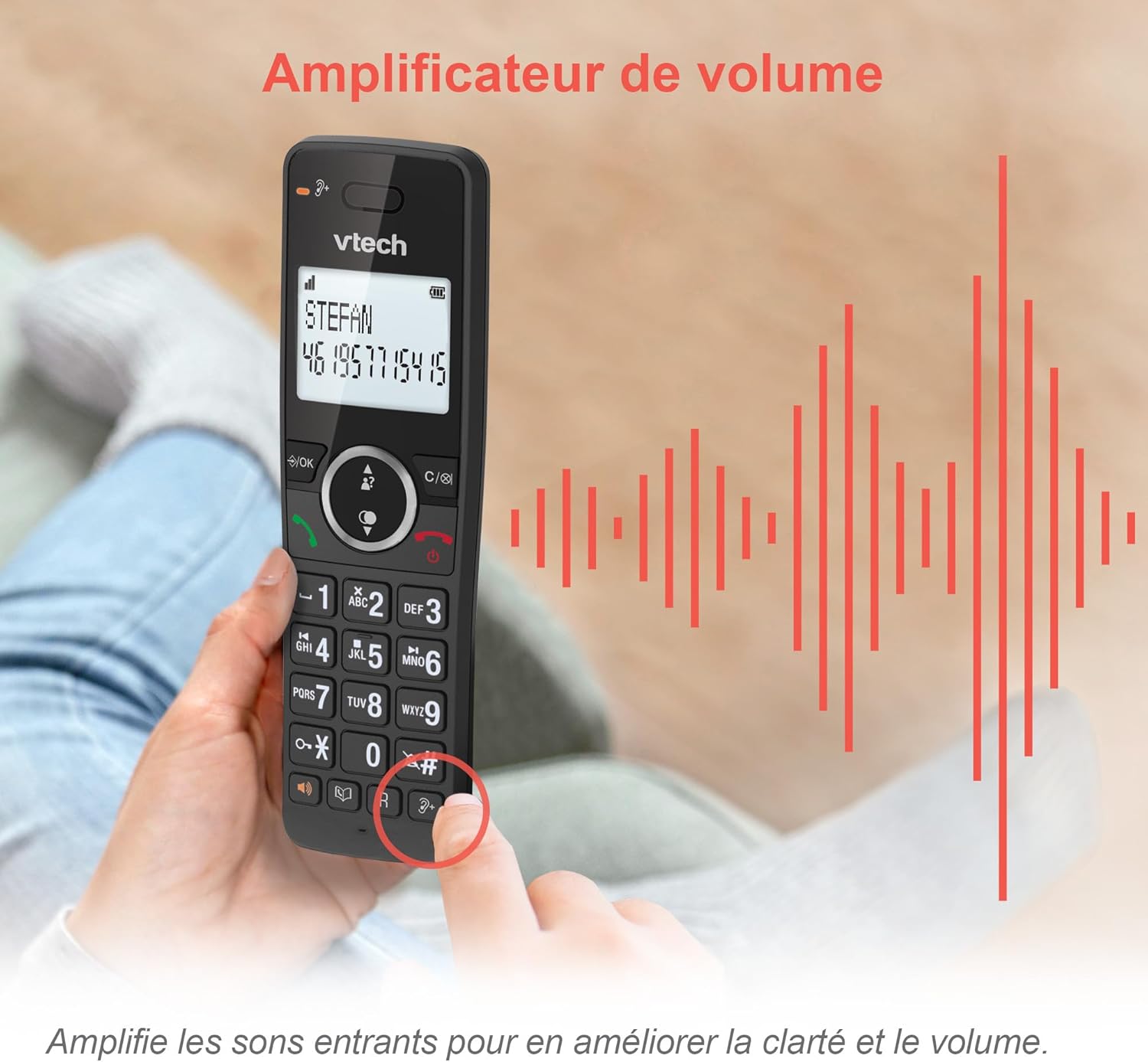
Image: A hand holding the VTech ES2051 handset, with graphic sound waves emanating from the earpiece, illustrating the volume amplification feature.
Conference Function
The conference function allows multiple users to participate in a single conversation. You can set up a three-way conference call with two internal callers (handsets) and one external caller.
- A’ tòiseachadh gairm co-labhairt: Refer to the detailed instructions in the full manual for specific steps on how to add a third party to an ongoing call.

Image: Three people engaged in a conversation, visually representing the three-way conference call capability of the VTech ES2051 phone system.
Dreuchd Intercom
The intercom feature allows you to communicate between handsets within your home without using the landline. This is useful for calling family members in different rooms.
- A’ cleachdadh Intercom: Brùth an INTERCOM button (if available) or access the intercom function through the handset menu, then select the desired handset to call.
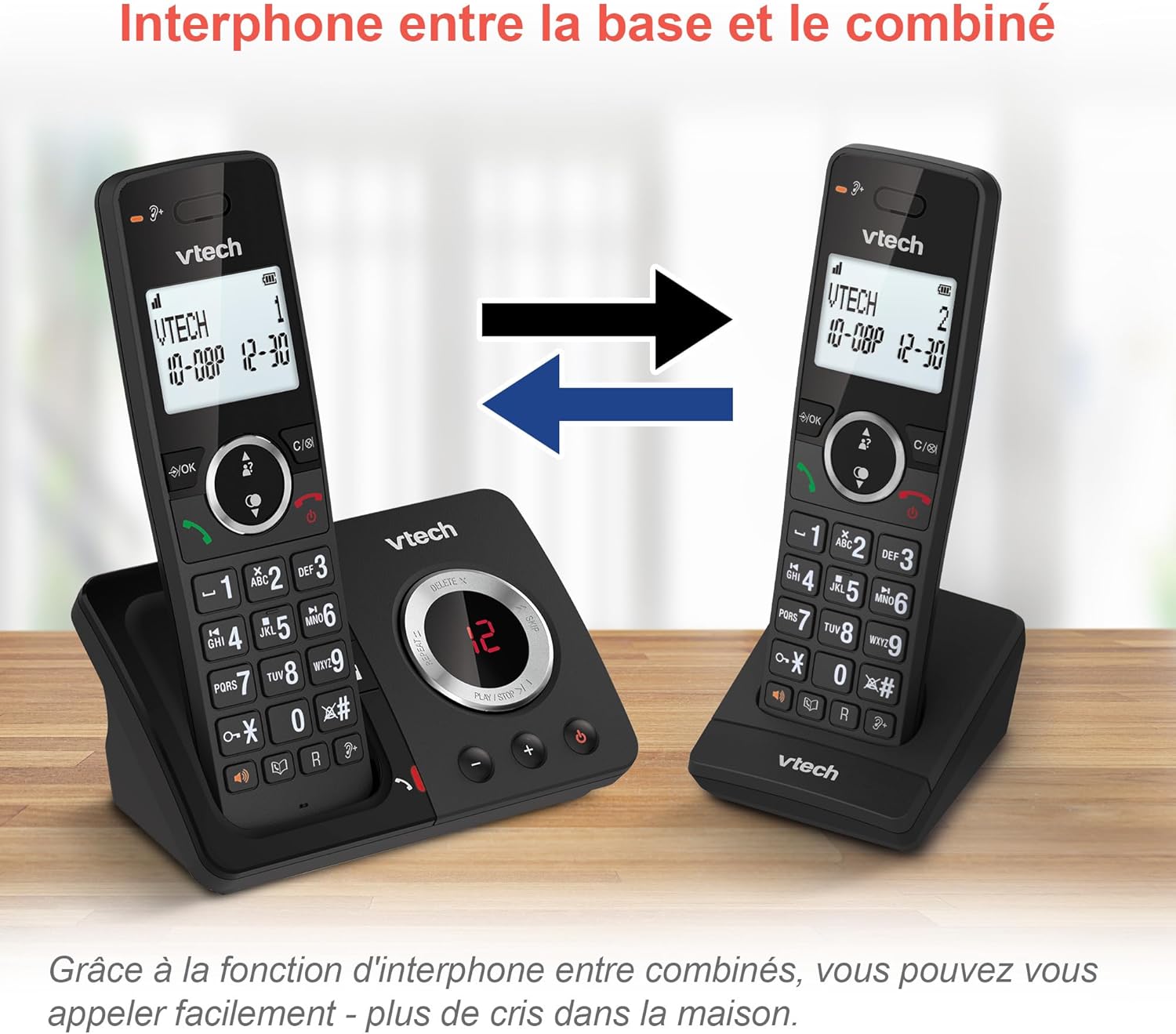
Image: A diagram showing two VTech ES2051 handsets with arrows indicating communication between them, illustrating the intercom feature.
Phonebook and Call Features
The phone includes a 100-name and number phonebook, 8 speed dial keys, and a backlit screen and keypad for easy visibility.
- A’ stòradh cheanglaichean: Navigate to the phonebook menu to add, edit, or delete contacts.
- Dial Astair: Assign frequently called numbers to the 8 speed dial keys for quick access.
- Log ID Neach-fònaidh: Review the last 20 incoming calls with Caller ID information.
- Ath-ghairm: Access the list of the last 10 dialed numbers for quick redialing.

Ìomhaigh: Cruinneachadh de dhealbhan a’ sealltainnasing various VTech ES2051 phone features, including the 100-entry phonebook, call display, redial function, and an 18-hour talk time battery life indicator.
Modh ECO
The ECO mode automatically adjusts and minimizes the radio frequency power based on the distance between the handset and the base unit. This feature helps conserve energy and reduce power consumption.
Cumail suas
A ’glanadh am fòn
The VTech ES2051 is made with antibacterial plastic and features a seamless, easy-to-clean design. To clean your phone:
- Unplug the base unit from the wall outlet and telephone line.
- Sguab uachdar a’ fòn le clò bog, tioram.amp aodach. Na cleachd innealan-glanaidh leaghaidh no aerosol.
- Ensure the phone is completely dry before plugging it back in.
Cùram Bataraidh
- Use only the supplied rechargeable NiMH AAA batteries.
- Na cuir air falbh bataraidhean ann an teine.
- Mura tèid am fòn a chleachdadh airson ùine mhòr, thoir air falbh na bataraidhean gus casg a chur air aodion.
Fuasgladh thrioblaidean
If you experience any issues with your VTech ES2051 phone, try the following troubleshooting steps:
| Trioblaid | Fuasgladh |
|---|---|
| Gun fhuaim dial | Ensure the telephone line cord is securely plugged into both the base unit and the wall jack. Check if other phones on the same line are working. |
| Chan urrainnear gairmean a dhèanamh no fhaighinn | Check the power connection to the base unit. Ensure the handset batteries are charged. If using a DSL service, you may need a DSL filter. |
| Handset displays "Out of Range" or "No Power at Base" | Move the handset closer to the base unit. Ensure the base unit's power adapter is securely plugged in. |
| Inneal freagairt nach eil a’ clàradh teachdaireachdan | Check if the answering machine is turned ON. Ensure there is enough recording time available (max 30 minutes). |
| Droch chàileachd claisneachd no statach | Gluais an inneal-làimhe nas fhaisge air an aonad bonn. Seachain an aonad bonn a chur faisg air innealan dealanach eile (me, miocro-tonnan, routers Wi-Fi) a dh’ fhaodadh bacadh adhbhrachadh. |
If the problem persists after trying these steps, please refer to the VTech support weblàrach-lìn no cuir fios gu seirbheis luchd-cleachdaidh airson tuilleadh cuideachaidh.
Sònrachaidhean
| Feart | Mion-fhiosrachadh |
|---|---|
| Brand | VTech |
| Modail Àireamh | ES2051 |
| Dath | dubh |
| Seòrsa fòn | Gun sreang |
| Seòrsa siostam freagairt | Didseatach |
| Ùine Clàraidh Inneal Freagairt | Suas gu 30 mionaid |
| Innealan co-fhreagarrach | Landlines, Answering Machine |
| Bataraidhean | 4 AAA - included |
| Co-chruinneachadh bataraidh | NiMH |
| Stòr cumhachd | Cumhachd bataraidh |
| Stuth | Plastic (Antibacterial) |
| Seòrsa dialer | Meur-chlàr sìmplidh |
| Meudan nì (L x W x H) | 18.3 x 13.5 x 11 ceudameatairean |
| Dùthaich Tùs | Sìona |
Barantas agus Taic
VTech products are manufactured to high-quality standards. For information regarding warranty coverage, please refer to the warranty card included with your product or visit the official VTech weblàrach-lìn airson do sgìre.
For technical support, frequently asked questions, or to download the full user manual, please visit the VTech support section online or contact their customer service helpline. Contact details can typically be found on the VTech weblàrach no air pacaigeadh an toraidh.