
1. Ro-ràdh agus Fiosrachadh Sàbhailteachd
Tapadh leibh airson ceannachasing the SLuB SK20 80000mAh Mobile Power Bank. This device is designed to provide reliable portable power for your electronic devices. Please read this manual carefully before use to ensure safe and optimal performance.
Stiùireadh sàbhailteachd cudromach
- Na cuir am banca cumhachd fo theodhachd anabarrach (os cionn 60°C/140°F no fo 0°C/32°F), solas dìreach na grèine, no teine.
- Seachain an inneal a leigeil sìos, a thoirt às a chèile no feuchainn ri càradh thu fhèin. Dh’fhaodadh seo milleadh no dochann adhbhrachadh.
- Cùm am banca cumhachd air falbh bho uisge, taiseachd, agus stuthan creimneach.
- Cleachd càbaill is innealan-atharrachaidh cosgais barrantaichte a-mhàin.
- Cùm a-mach à ruigsinn chloinne.
- Cuir às don bhanca cumhachd a rèir riaghailtean ionadail. Na cuir às dha le sgudal taighe.
The SLuB SK20 is equipped with multiple protection systems, including overcharge, over-discharge, overheating, and short-circuit protection, to ensure safe operation.
2. Pasgan-susbaint
Dèan cinnteach gu bheil a h-uile rud anns a’ phacaid agad:
- SLuB SK20 Mobile Power Bank
- Càball Dàta USB (Seòrsa-C)
- Leabhar-làimhe cleachdaiche

3. Feartan toraidh
- Comas Àrd 80000mAh: Provides multiple full charges for most smartphones and tablets, ideal for extended use or emergencies.
- Cosgais 3-innealan aig an aon àm: Equipped with multiple output ports to charge up to three devices concurrently.
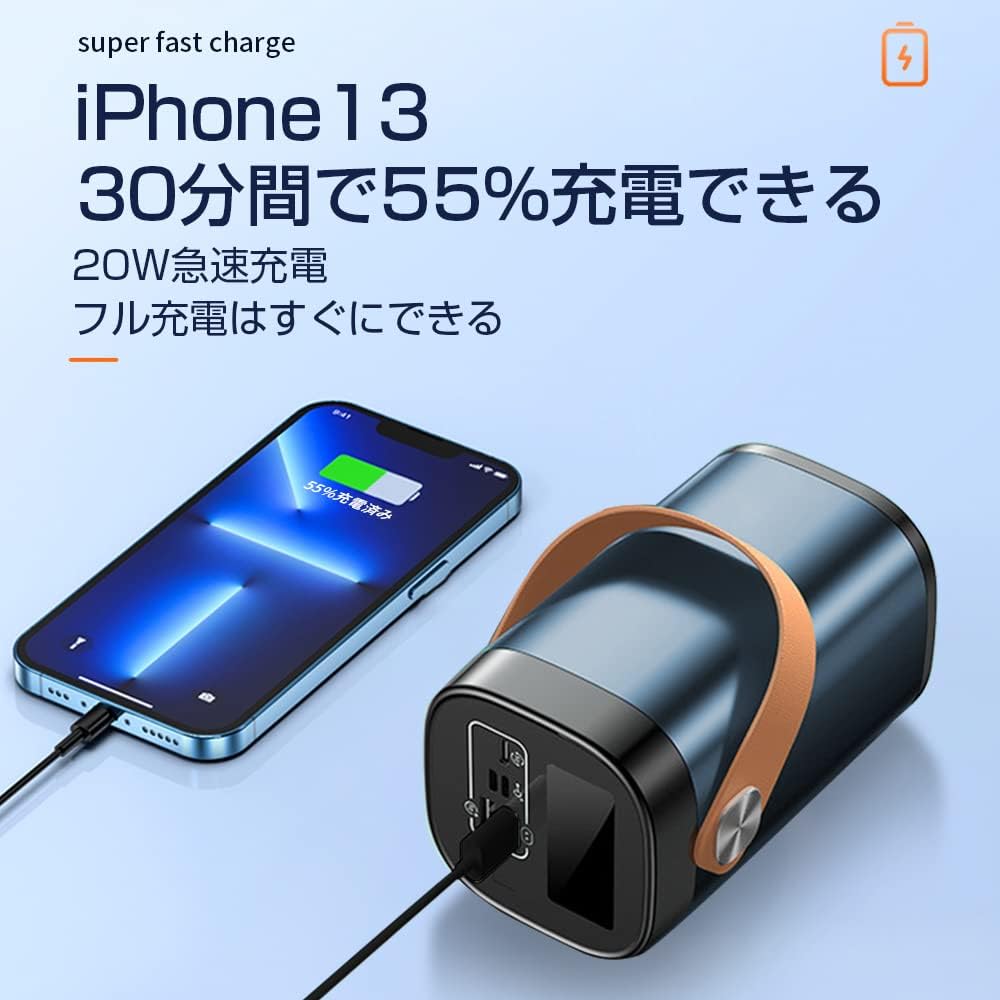
- Cìsean luath 22.5W: A’ toirt taic do chosgais luath airson innealan co-chòrdail, a’ lughdachadh ùine cosgais gu mòr.
- Taisbeanadh LCD soilleir: An easy-to-read digital screen shows the remaining battery percentage at a glance.
- Solas LED aonaichte: A high-brightness LED light provides illumination for dark environments, useful for outdoor activities or emergencies.
- Ioma dìon sàbhailteachd: Built-in safeguards against overcharge, over-discharge, overheating, and short circuits.


4. Suidhich
Cosgais Tùsail a’ Bhanca Cumhachd
Before first use, fully charge your SLuB SK20 Mobile Power Bank. This ensures optimal battery performance and longevity.
- Connect the provided USB Type-C cable to the Type-C input port on the power bank.
- Connect the other end of the cable to a compatible USB wall adapter (not included). For fast charging, an 18W or higher PD/QC compatible adapter is recommended.
- The LCD display will show the charging progress. The power bank is fully charged when the display shows 100%.

5. Stiùireadh Obrachaidh
A 'cur cosgais air innealan taobh a-muigh
The SLuB SK20 offers multiple output ports for charging various devices.
- Identify the appropriate charging cable for your device.
- Ceangail aon cheann den chàball cosgais ris an inneal agad.
- Connect the other end of the cable to one of the output ports on the power bank (USB-A or Type-C).
- The power bank will automatically begin charging your device. The LCD display will show the power bank's remaining battery level.

A 'cleachdadh an LED Light
To activate the LED light, press and hold the power button for a few seconds. Repeat the action to turn it off.
Port thallview

The power bank features the following ports:
- Input Ports (for charging the power bank):
- Cuir a-steach meanbh USB
- Teachd-a-steach dealanach
- Type-C Input (also functions as an output)
- Output Ports (for charging devices):
- 22.5W USB Output (x2)
- Type-C Output (also functions as an input)
6. Cumail suas
Nì cumail suas ceart cinnteach gum mair am banca cumhachd agad fad-beatha agus gum bi e èifeachdach.
- Glanadh: Use a soft, dry cloth to clean the exterior of the power bank. Do not use harsh chemicals or abrasive cleaners.
- Stòradh: Store the power bank in a cool, dry place away from direct sunlight and extreme temperatures. If storing for extended periods, charge the power bank to about 50-70% every 3 months to maintain battery health.
- Seachain cus-sgaoileadh: Na leig leis a’ bhanca cumhachd am bataraidh a dhrèanadh gu tur gu tric, oir faodaidh seo a fad-beatha a lughdachadh.
7. A ’dèanamh trioblaid
If you encounter issues with your SLuB SK20 Mobile Power Bank, refer to the following common problems and solutions:
| Trioblaid | Adhbhar a dh’fhaodadh a bhith ann | Fuasgladh |
|---|---|---|
| Banca cumhachd nach eil a 'cur cosgais | Cùis le càball no inneal-atharrachaidh; banca cumhachd làn-luchdaichte; port lochtach. | Check cable and adapter connections. Try a different cable or adapter. Ensure the power bank is not already at 100%. Try a different input port. |
| Inneal nach eil a’ togail cosgais bhon bhanca cumhachd | Power bank is empty; cable issue; device issue; incompatible device. | Recharge the power bank. Try a different charging cable. Ensure your device is functioning correctly. Verify device compatibility. |
| Cìs slaodach | Càball/inneal-atharrachaidh nach eil a’ cur cosgais luath; inneal nach eil a’ toirt taic do chosgais luath; iomadh inneal a’ cur cosgais air. | Use a fast-charging compatible cable and adapter. Ensure your device supports fast charging. Charging multiple devices simultaneously may reduce individual charging speeds. |
| Solas LED nach eil ag obair | Not activated correctly; malfunction. | Press and hold the power button for a few seconds to activate. If it still doesn't work, contact customer support. |
If the problem persists after trying these solutions, please contact SLuB customer service for further assistance.
8. Sònrachaidhean
| Feart | Mion-fhiosrachadh |
|---|---|
| Modail Àireamh | SK20 |
| Comas Bataraidh | 80000 mAh |
| Cuir a-steach (Seòrsa-C) | 22.5W (Air a char as àirde) |
| Toradh (Seòrsa-C) | 22.5W (Air a char as àirde) |
| Toradh (USB-A) | 22.5W (Air a char as àirde) |
| Feartan sònraichte | LED Indicator Light, Digital Display, LED Flashlight |
| Dath | Gorm |
| Meudan toraidh | 14.5 cm (Fad) x 8.5 cm (Leud) x 8.5 cm (Tiughas) |
| Innealan co-fhreagarrach | Smartphones, Tablets, Smartwatches, Headphones |
9. Barantas agus Taic
SLuB provides customer support for its products. In case of initial defects upon product arrival or shipping errors, we offer prompt exchange services.
If you have any questions, concerns, or require assistance with your SLuB SK20 Mobile Power Bank, please do not hesitate to contact our customer service team. Please refer to the contact information provided on the product packaging or the official SLuB weblàrach.