
1. Ro-ràdh
Tapadh leibh airson ceannachasing the ZEBRONICS Music Bomb 2 Party Speaker. This manual provides essential information for the safe and efficient use of your speaker. Please read it thoroughly before operating the device and retain it for future reference.
Bhidio 1: Tharview of the ZEBRONICS Music Bomb 2 Party Speaker, highlighting its key features and design.
2. Stiùireadh Sàbhailteachd
- Na cuir an neach-labhairt gu uisge no taiseachd.
- Seachain an neach-labhairt a chur faisg air stòran teas no ann an solas dìreach na grèine.
- Na feuch ri an neach-labhairt a thoirt às a chèile no a chàradh thu fhèin. Thoir aire do luchd-obrach teisteanasach airson a h-uile seirbheis.
- Cleachd an càball cosgais agus an inneal-atharrachaidh ainmichte a-mhàin.
- Cùm an neach-labhairt air falbh bho chlann is peataichean.
- Dèan cinnteach gu bheil fionnarachadh ceart ann gus casg a chuir air cus teasachadh.
3. Pasgan-susbaint
Tha na stuthan a leanas anns a’ phacaid:
- ZEBRONICS Music Bomb 2 Party Speaker - 1 unit
- Micreofon gun uèir - 1 aonad
- Type-C Charging Cable - 1 unit
- Càball AUX - 1 aonad
- Detachable Carry Strap - 1 unit
- User Manual (this document) - 1 unit
4. Toradh thallview
The Music Bomb 2 features a robust design with intuitive controls and multiple connectivity options. Familiarize yourself with the various parts of the speaker.

Dealbh 1: Aghaidh view of the ZEBRONICS Music Bomb 2 Party Speaker, showcasing its grille and overall design.
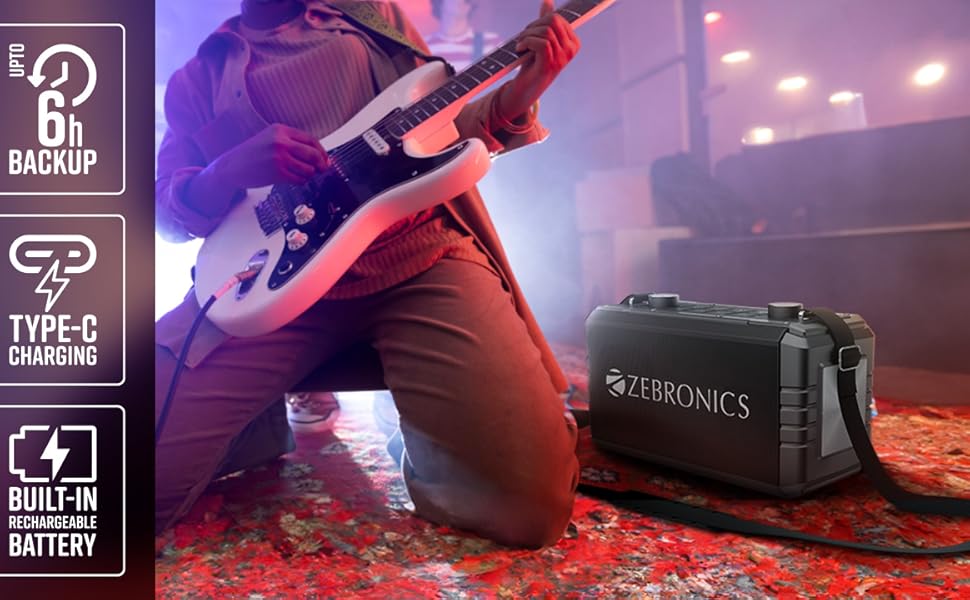
Dealbh 2: Cùl view of the speaker, highlighting the Type-C charging port, USB, mSD, AUX, and microphone/guitar input jacks.

Image 3: Close-up of the top control panel, featuring bass and volume knobs, and media control buttons.
5. Suidhich
5.1 A’ cur cosgais air an neach-labhairt
Before first use, fully charge the speaker. Connect the provided Type-C charging cable to the speaker's charging port and the other end to a compatible USB power adapter (not included). The charging indicator will show the charging status.
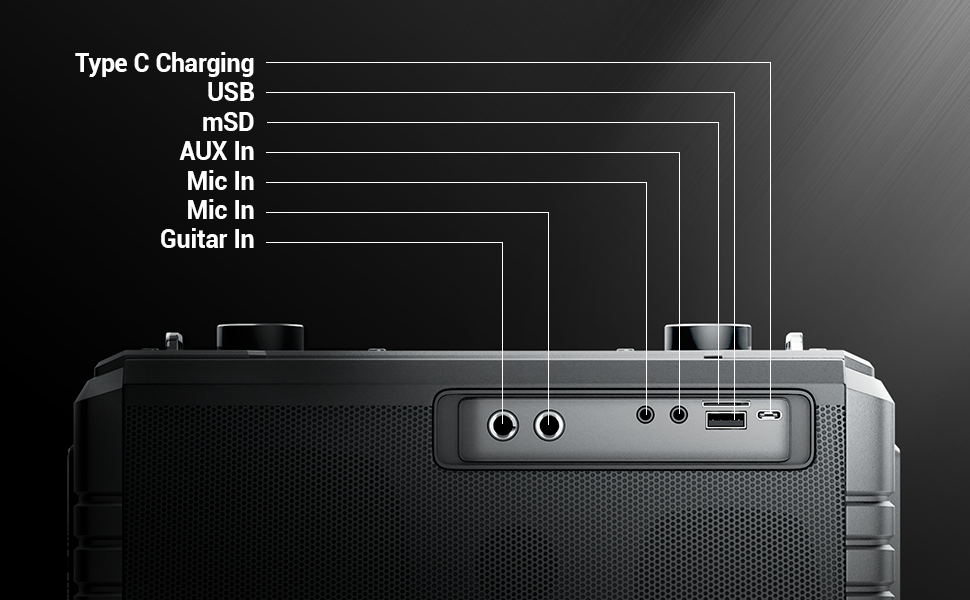
Image 4: Illustration of the speaker being charged via its Type-C port.
5.2 A’ cur cumhachd air/dheth
Press and hold the power button on the control panel to turn the speaker on or off. A sound indicator will confirm the action.
6. Obrachadh
6.1 Bluetooth Connectivity (BT v5.1)
- Cuir an neach-labhairt air. Thèid e a-steach gu modh paidhreachaidh Bluetooth gu fèin-ghluasadach.
- Enable Bluetooth on your mobile device and search for "ZEB-MUSIC BOMB 2".
- Tagh an neach-labhairt bhon liosta airson paidhreachadh. Cluinnear tòna dearbhaidh nuair a bhios ceangal soirbheachail ann.

Image 5: Visual representation of the speaker's Bluetooth 5.1 capability alongside other input options.
6.2 USB/mSD Playback
Insert a USB drive or mSD card (up to 32GB) into the respective port. The speaker will automatically detect and play audio files from the storage device. Use the media control buttons to navigate tracks.
Cuir a-steach 6.3 AUX
Connect an external audio device using the provided 3.5mm AUX cable to the AUX input port. The speaker will switch to AUX mode automatically. Ensure the volume on both the speaker and the connected device is adjusted appropriately.
6.4 Cuir-a-steach Giotàr
Connect your guitar to the 6.3mm guitar input port. Adjust the volume on your guitar and the speaker for optimal sound. This feature allows for direct amplification of your instrument.
Video 2: Demonstration of connecting a guitar to the ZEBRONICS Music Bomb 2 speaker and playing music.
6.5 Cuir a-steach Micreofon (Karaoke)
Connect the wireless microphone or a wired microphone (6.3mm or 3.5mm) to the respective input ports. The speaker supports karaoke functionality, allowing you to sing along with your music. Adjust microphone volume and echo effects using the dedicated controls.

Ìomhaigh 6: Mion-fhiosrachadh view of the speaker's control panel and the included wireless microphone.
6.6 Gnìomh TWS (Fìor Stereo Gun Uèir)
To experience True Wireless Stereo, you need two ZEBRONICS Music Bomb 2 speakers. Follow these steps:
- Tionndaidh air an dà neach-labhairt.
- Dèan cinnteach nach eil ceachtar neach-labhairt ceangailte ri inneal Bluetooth sam bith.
- On one speaker, press and hold the 'TWS' button. It will search for the other speaker.
- Once connected, a confirmation tone will sound, and the TWS indicator will light up.
- Now, connect your mobile device to one of the speakers via Bluetooth. Both speakers will play audio in stereo.
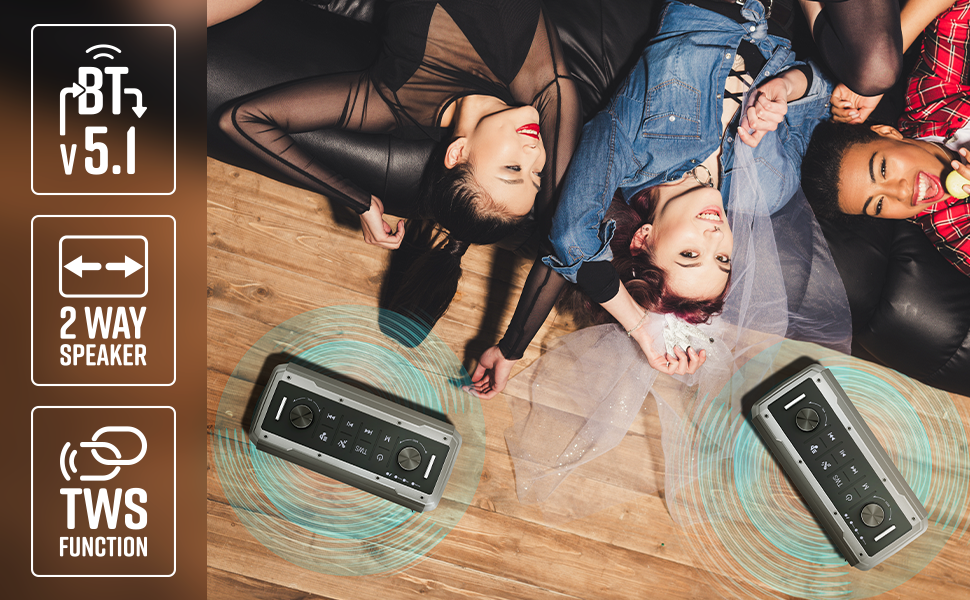
Image 7: Illustration of two Music Bomb 2 speakers paired using the TWS function for an immersive stereo audio experience.
7. Smachdan
The speaker features a user-friendly control panel. Here's a breakdown of the main controls:
| Smachd | Gnìomh |
|---|---|
| Putan Cumhachd | Press and hold to turn the speaker ON/OFF. Short press to change modes (BT/USB/mSD/AUX). |
| Putan TWS | Press and hold to initiate TWS pairing with another Music Bomb 2 speaker. |
| Putan M (Modh) | Short press to switch between input modes (Bluetooth, USB, mSD, AUX). |
| An t-slighe roimhe / tomhas sìos | Brùth goirid airson an trac roimhe. Brùth fada gus an fhuaim a lùghdachadh. |
| Cluich / Stad | Brùth goirid gus claisneachd a chluich no stad a chur air. |
| An ath shlighe / leabhar suas | Brùth goirid airson an ath thrac. Brùth fada gus an fhuaim a mheudachadh. |
| Knob bas | Rothaich gus an ìre bass atharrachadh. |
| Knob Volume | Rothaich gus am prìomh ìre tomhas-lìonaidh atharrachadh. |
| Knob Mic Volume | Atharraichidh seo meud a’ mhaicreafòin ceangailte. |
| Echo Knob | Atharraichidh seo buaidh mac-talla a’ mhaicreafòin. |
8. Cumail suas
- Glanadh: Cleachd clò bog, tioram airson an neach-labhairt a ghlanadh. Na cleachd innealan-glanaidh sgrìobach no fuasglaidhean.
- Stòradh: Stòraich an neach-labhairt ann an àite fionnar, tioram air falbh bho sholas dìreach na grèine agus teòthachd anabarrach.
- Cùram Bataraidh: Gus beatha a’ bhataraidh a leudachadh, seachain an neach-labhairt a dhì-luchdachadh gu tur gu tric. Cuir cosgais air gu cunbhalach, eadhon ged nach eilear ga chleachdadh airson ùine mhòr.
9. A ’dèanamh trioblaid
| Trioblaid | Fuasgladh |
|---|---|
| Gun chumhachd | Ensure the speaker is charged. Connect the Type-C charging cable and allow it to charge for some time before attempting to power on. |
| Gun fhuaim | Check the volume levels on both the speaker and the connected device. Ensure the correct input mode is selected. Verify cable connections for AUX/Guitar inputs. |
| Dh'fhàillig am paidhir Bluetooth | Ensure the speaker is in pairing mode. Disable and re-enable Bluetooth on your device. Move the speaker closer to your device. Clear previous Bluetooth connections on your device. |
| Microphone nach eil ag obair | Ensure the microphone is powered on (if wireless) and properly connected. Adjust the microphone volume and echo knobs. |
| Duilgheadasan ceangail TWS | Ensure both speakers are not connected to any other Bluetooth device. Follow the TWS pairing steps carefully. |
10. Sònrachaidhean
| Feart | Mion-fhiosrachadh |
|---|---|
| Cumhachd Toraidh | 80W RMS |
| Tionndadh Bluetooth | v5.1 |
| Roghainnean ceangail | Bluetooth, USB, mSD, AUX, 6.3mm Guitar Input, 6.3mm & 3.5mm Mic Inputs |
| Beatha bataraidh | Suas ri 10 uairean (aig ìre 50%) |
| Seòrsa cosgais | Seòrsa-C |
| Seòrsa neach-labhairt | Siostam neach-labhairt 2-shligheach |
| Meudan (L x W x H) | 17.3 x 27.4 x 33.3 ceudameatairean |
| Cuideam | 4040 gram |
| Freagairt Tricead | 20 Hz (as ìsle) |
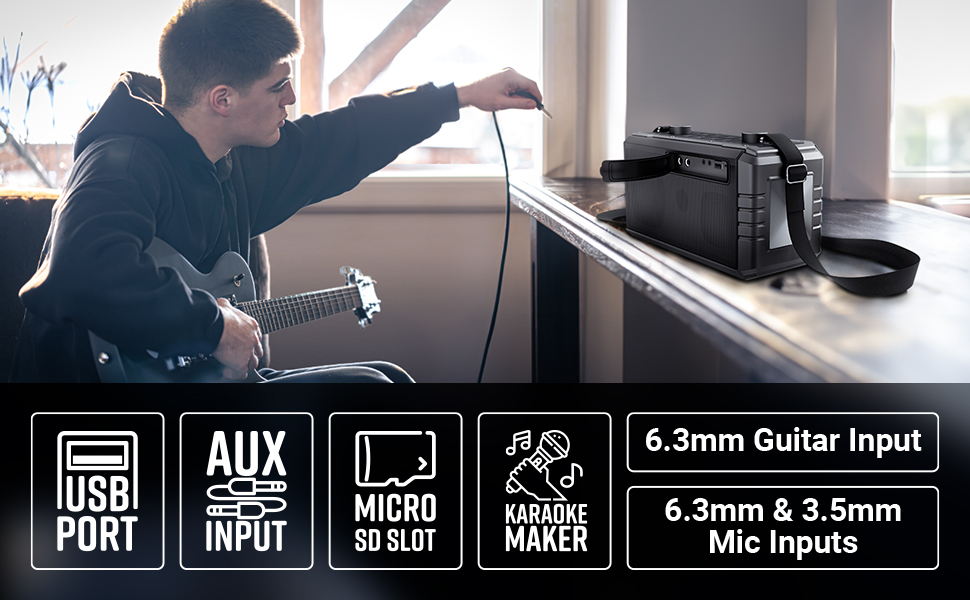
Image 8: Visual summary of the speaker's technical specifications.

Image 9: Diagram illustrating the length, width, and height of the ZEBRONICS Music Bomb 2 speaker.
11. Barantas agus Taic
The ZEBRONICS Music Bomb 2 Party Speaker comes with a 1-year carry-in warranty to the service center. For warranty claims or technical support, please contact ZEBRONICS customer service. Keep your purchase receipt as proof of purchase.
Fiosrachadh conaltraidh neach-dèanamh: 13/7, Smith Road, Royapettah CHENNAI-600002, Zebronics India Private Limited
Airson tuilleadh fiosrachaidh, tadhail air an oifigeach ZEBRONICS Store on Amazon.