
Maxview TVSL/22
Maxview Leabhar-làimhe Cleachdaiche Tbh Smart Alphatronics SL Line+ le Cluicheadair DVD
Model: TVSL/22 | Brand: Maxview
1. Ro-ràdh agus Os a chionnview
This manual provides comprehensive instructions for the setup, operation, and maintenance of your Maxview Alphatronics SL Line+ Smart TV. Designed for mobile use, this versatile television operates on both 12v and 240v power, making it ideal for motorhomes, caravans, trucks, and boats. It features a Full HD LED display, integrated DVD player, Wi-Fi, Bluetooth, and access to popular streaming services via WebOS.

Ìomhaigh: Aghaidh view of the Maxview Alphatronics SL Line+ Smart TV, highlighting its smart features and integrated DVD player.
Am measg nam prìomh fheartan tha:
- Full HD LED Smart TV with Freeview.
- WebOS for access to Netflix, Amazon Prime, Disney+, iPlayer, ITVX, Sky Store, YouTube, and more.
- Dual power compatibility (12v or 240v).
- Built-in DVD Player, Bluetooth, Wi-Fi, and Ethernet.
- Multiple connectivity options: 2 HDMI ports, USB Port, and AV connections.
2. Dè tha sa bhogsa
Feuch an dèan thu sgrùdadh air susbaint do phacaid an aghaidh an liosta gu h-ìosal:
- Alphatronics TV (TVSL/22)
- Smachd Iomallach
- 240v Mains Lead
- Adaptor Cumhachd 12v
- Leabhar-làimhe cleachdaiche (an sgrìobhainn seo)

Image: The included remote control for the Maxview Alphatronics Smart TV.
3. Suidhich
3.1. Suidheachadh agus Sreap
Choose a stable and flat surface for your TV. Ensure adequate ventilation around the unit. If mounting, refer to your specific wall mount instructions and ensure the mount is compatible with VESA standards for your TV size.

Ìomhaigh: Example of the TV installed within a caravan interior.
3.2. Ceangal Cumhachd
The TV can be powered by either 12v DC or 240v AC.
- For 240v AC: Connect the supplied 240v Mains Lead to the TV's AC input and then to a standard wall socket.
- For 12v DC: Connect the supplied 12v Power Adapter to the TV's DC input and then to a 12v power source (e.g., vehicle's 12v socket).
Ensure the correct power source is used to prevent damage.
3.3. A 'ceangal innealan taobh a-muigh
The TV features various ports for connecting external devices:
- Puirt HDMI (x2): For high-definition audio and video devices like satellite receivers, game consoles, or laptops.
- Port USB: Airson innealan stòraidh USB a cheangal gus meadhanan a chluich files.
- AV Connections: Airson innealan nas sine a bhios a’ cleachdadh bhidio co-dhèanta agus claisneachd steiriò.
- Cuir a-steach Antenna/Saideal: Connect your terrestrial antenna or satellite dish cable for Freeview or satellite TV reception.

Image: Rear panel of the TV displaying available connection ports.
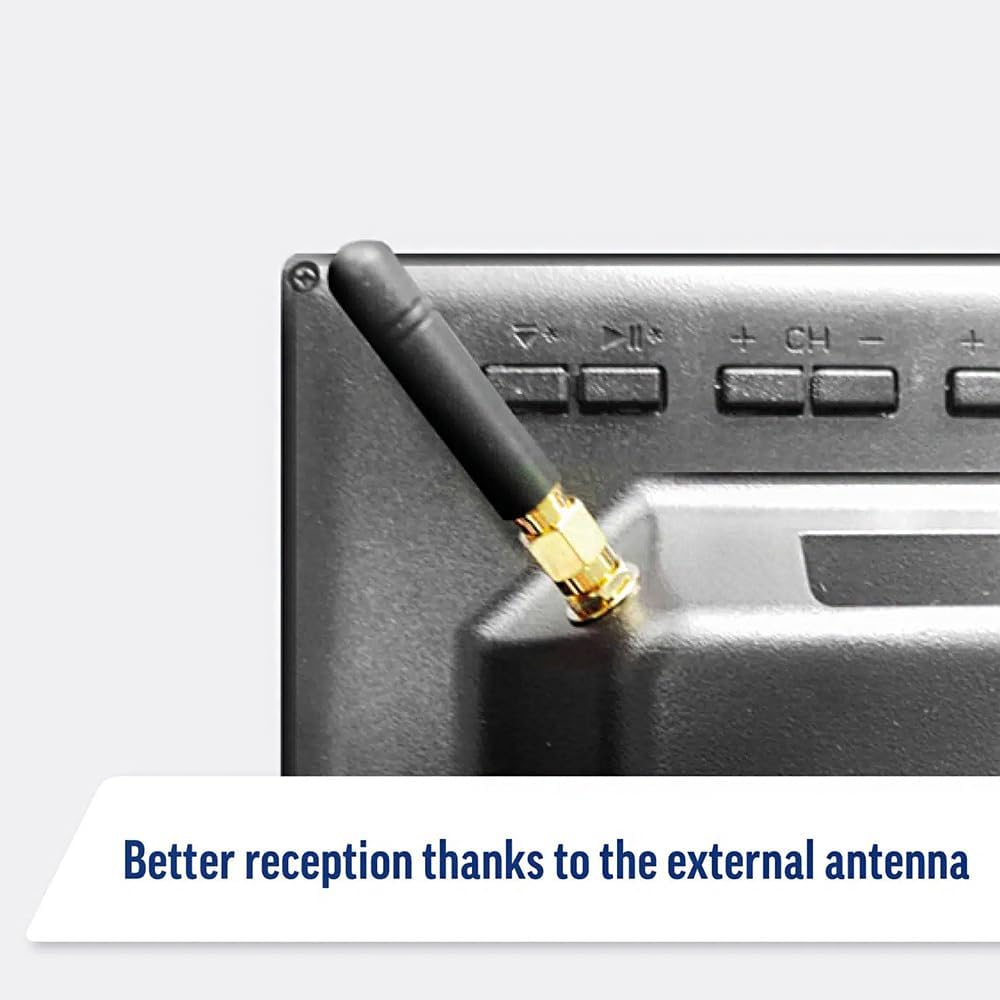
Image: Detail of the external antenna connection for improved signal reception.
3.4. Tòiseachaidh Setup Wizard
Nuair a thèid an telebhisean a chur air an toiseach, stiùiridh e thu tro dhraoidh rèiteachaidh tùsail. Tha seo a’ gabhail a-steach:
- Taghadh Cànain: Tagh an cànan as fheàrr leat.
- Ceangal lìonra: Connect to your Wi-Fi network or via Ethernet for internet access. This is crucial for Smart TV features.
- Sgan Sianal: Scan for available Freeview or satellite channels.
- Time and Date Settings: Suidhich an crios-ama agus an ceann-latha ceart.
4. A’ cleachdadh an telebhisean
4.1. Smachdan Bunasach
Use the supplied remote control to navigate the TV. Common functions include:
- Putan Cumhachd: Cuiridh seo an telebhisean air/dheth no cuiridh e e ann am modh-feitheimh.
- Meud suas/sìos: Atharraichidh seo ìre na fuaime.
- Sianal Suas/Sìos: Ag atharrachadh seanalan Tbh.
- Stòr/Cuir a-steach: Selects the input source (HDMI, AV, TV, DVD).
- Putanan Seòlaidh (Iuchraichean Saighead, Ceart gu leòr): Seòl tro na clàran-bìdh agus tagh roghainnean.
- Putan Dachaigh: A’ faighinn a-steach don WebOS Smart TV home screen.
- Putanan Ruigsinneachd Luath: Dedicated buttons for Netflix and Amazon Prime Video for direct access.
4.2. Feartan Tbh Smart (WebOS)
Your Maxview Alphatronics TV runs on WebOS, providing a user-friendly interface for accessing a wide range of applications and content.
- Deas-bhòrd dachaigh: Brùth an Dhachaigh button to access the main dashboard, where you can find installed apps, input sources, and settings.
- App Store: Luchdaich sìos is stàlaich aplacaidean a bharrachd bhon stòr aplacaidean aonaichte.
- Seirbheisean sruthadh: Easily access popular services like Netflix, Amazon Prime Video, Disney+, BBC iPlayer, ITVX, and YouTube.
- Co-roinneadh sgrion: Share content from your smartphone or tablet to the TV screen.
Image: Using a smartphone as a remote control for the TV.
4.3. Obrachadh Cluicheadair DVD
The integrated DVD player allows you to enjoy your movie collection on the go.
- Insert a DVD disc into the slot on the side of the TV.
- Bu chòir don telebhisean gluasad gu fèin-ghluasadach chun an cuir-a-steach DVD. Mura dèan, brùth air a’ phutan Stòr/Cuir a-steach button on your remote and select "DVD".
- Use the remote control's playback buttons (Play, Pause, Stop, Fast Forward, Rewind) to control the DVD.
- To eject the disc, press the Eject button on the remote or the TV.
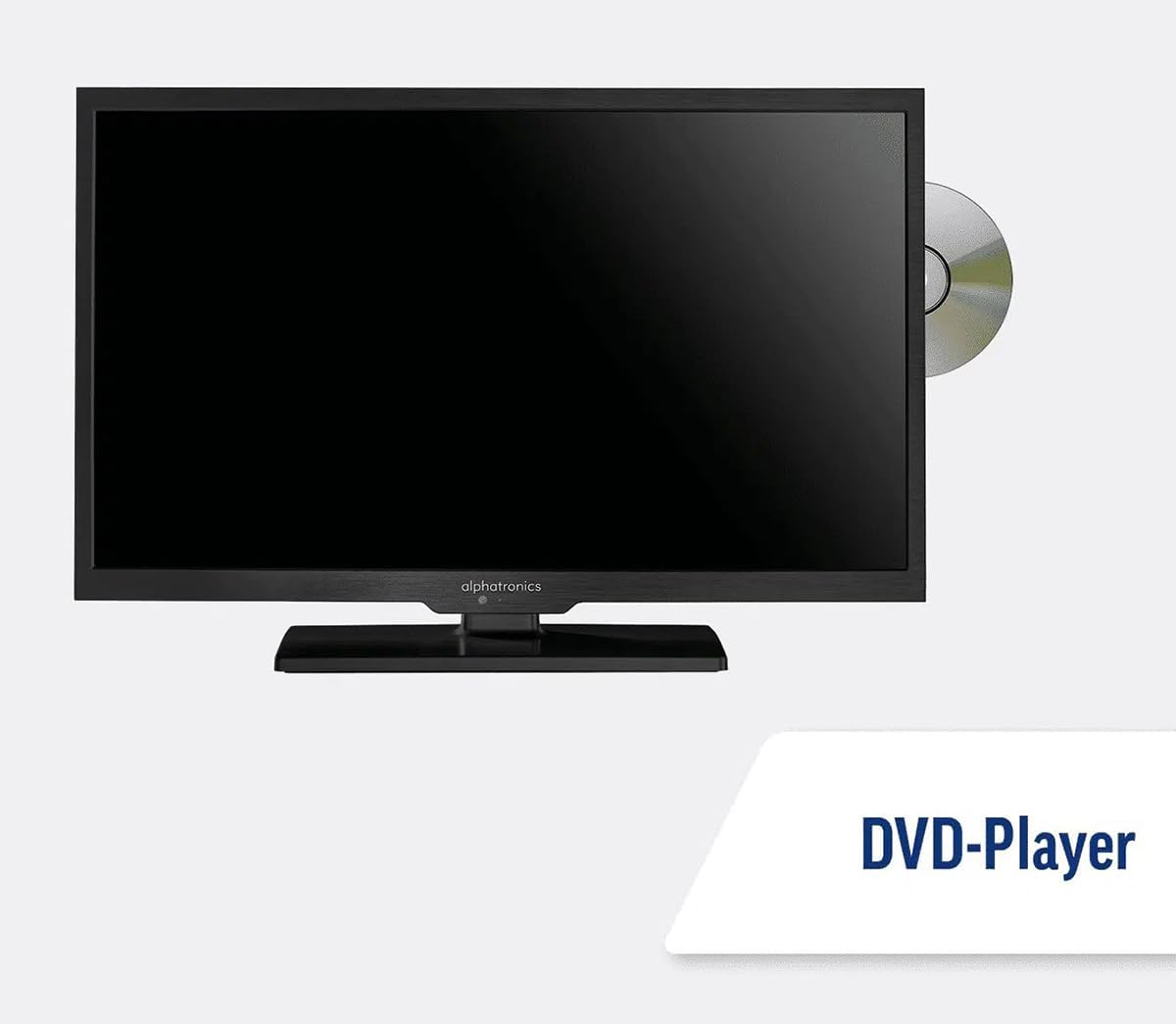
Image: The TV with a DVD disc being inserted into its built-in player.
5. Cumail suas
5.1. Glanadh
To clean the TV screen, gently wipe it with a soft, lint-free cloth. For stubborn marks, dampen the cloth slightly with water or a screen-cleaning solution. Do not spray liquid directly onto the screen. Clean the TV casing with a dry, soft cloth.
Rabhadh: Always unplug the TV from the power source before cleaning.
5.2. Ùrachaidhean bathar-bog
Your Maxview Alphatronics Smart TV supports automatic software updates via the internet. Ensure your TV is connected to a stable Wi-Fi or Ethernet network to receive the latest firmware and feature enhancements.
- To check for updates manually, navigate to the Suidhichidhean menu on your TV, then look for Ùrachadh bathar-bog or Fiosrachadh mun t-siostam.
- Follow the on-screen prompts to download and install any available updates. Do not power off the TV during an update process.

Image: The TV screen indicating a software update in progress.
6. A ’dèanamh trioblaid
Ma thachras duilgheadasan leis an telebhisean agad, thoir sùil air na duilgheadasan agus na fuasglaidhean cumanta a leanas mus cuir thu fios chun taic.
| Trioblaid | Adhbhar a dh’fhaodadh a bhith ann | Fuasgladh |
|---|---|---|
| Gun chumhachd | Power cable disconnected; no power from outlet/source. | Check power connections. Ensure outlet/source is active. Try a different outlet. |
| Gun Chomharra | Incorrect input selected; antenna/cable disconnected or faulty. | Brùth Stòr/Cuir a-steach to select correct input. Check antenna/cable connections. Perform a channel scan. |
| Gun cheangal eadar-lìn | Wi-Fi password incorrect; router issue; TV too far from router. | Re-enter Wi-Fi password. Restart your router. Move TV closer to router or use Ethernet. |
| DVD gun a bhith a’ cluich | Disc dirty or scratched; incorrect input selected; region code mismatch. | Clean the disc. Ensure "DVD" input is selected. Check disc region compatibility. |
| Iomallach smachd nach eil ag obair | Batteries low/dead; obstruction between remote and TV; remote not paired (if Bluetooth). | Cuir bataraidhean ùra nan àite. Thoir air falbh bacadh. Ath-cheangail an smachd iomallach ma tha sin riatanach (faic roghainnean an Tbh). |
If the problem persists after trying these solutions, please contact Maxview taic teachdaiche.
7. Sònrachaidhean
| Feart | Mion-fhiosrachadh |
|---|---|
| Modail Àireamh | TVSL/22 |
| Meud sgrion | 22 òirleach (trastan faicsinneach 56 cm) |
| Teicneòlas taisbeanadh | LED |
| Fuasgladh | 1080p (Làn-HD) |
| Meudan toraidh (D x W x H) | 12D x 58W x 38H ceudameatairean |
| Cuir a-steach cumhachd | 12v DC / 240v AC |
| Ceangalachd | Wi-Fi, Bluetooth, Ethernet |
| Puirt | 2x HDMI, 1x USB, AV connections, Antenna/Satellite input |
| Feartan sònraichte | Smart TV (WebOS), Built-in DVD Player |
| Co-mheas taobh | 16:9 |
| Dèanadair | Alphatronics |
8. Barantas agus Taic
Your Maxview Alphatronics SL Line+ Smart TV comes with a Barantas 3-bliadhna, providing peace of mind regarding your purchase. This warranty covers manufacturing defects and ensures reliable operation.
For warranty claims, technical support, or further assistance, please contact Maxview customer service. You can typically find contact information on the official Maxview weblàrach no air na stuthan pacaidh.
Please have your model number (TVSL/22) and proof of purchase ready when contacting support.
Note: No official product videos from the seller were found in the provided data to embed in this manual.
Ask a question about this manual
Ask about setup, troubleshooting, compatibility, parts, safety, or missing instructions. Manuals+ will review the question and use this page’s manual context to help answer it.