
1. Ro-ràdh
This manual provides essential information for the safe and efficient use of your Google TV 7000 Series 4K Ultra HD LED Television. Please read these instructions thoroughly before operating the device and retain them for future reference.
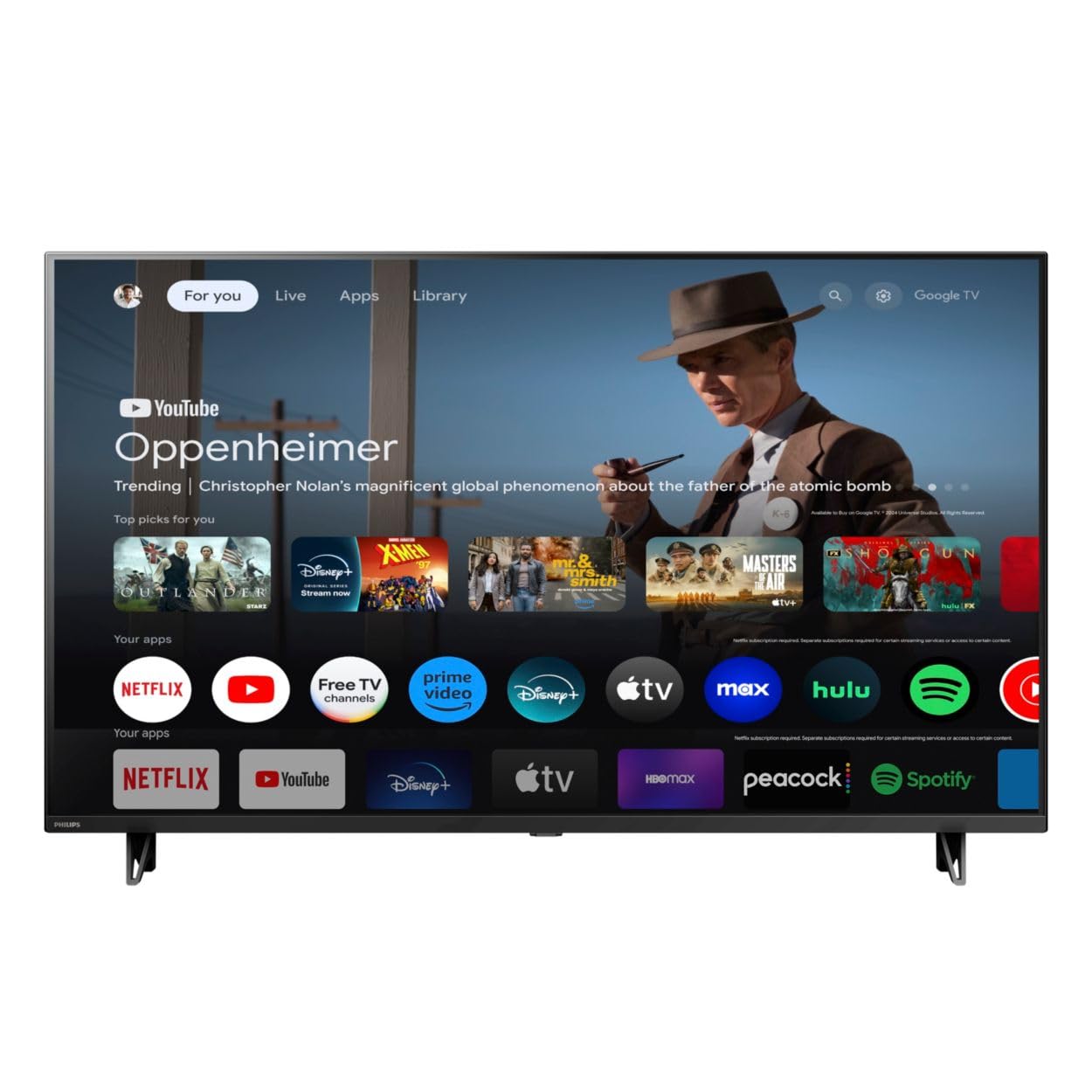
Aghaidh view of the Google TV 7000 Series 4K Ultra HD LED Television, showcasing a bezel caol agus a thaisbeanadh.
2. Suidhich
2.1 Fosgladh a’ bhogsa agus susbaint a’ phacaid
Thoir a h-uile nì a-mach às a’ phacaid gu faiceallach. Dèan cinnteach gu bheil a h-uile pàirt an làthair:
- Google TV 7000 Series Television
- Smachd iomallach
- Bataraidhean airson smachd iomallach
- Seas clàr bùird
- Screws for tabletop stand
- Stiùireadh tòiseachaidh luath
- Leabhar-làimhe cleachdaiche (an sgrìobhainn seo)
2.2 Cumhachd ceangail
Connect the power cord to the TV's power input, then plug the other end into a wall outlet. Ensure the power outlet is easily accessible.
2.3 A’ ceangal innealan taobh a-muigh
Your television supports various connectivity options:
- HDMI: Connect devices like Blu-ray players, game consoles, or set-top boxes to the HDMI ports. This model features Audio Return Channel (HDMI 2).
- USB: Use the USB port for media playback or connecting compatible accessories.
- Ethernet: Airson ceangal eadar-lìn uèirleas seasmhach, ceangail càball Ethernet ris a’ phort LAN.
- Headphone a-muigh: Ceangail fònaichean-làimhe airson èisteachd prìobhaideach.
- Toradh Fuaime Didseatach (Optaigeach): Airson ceangal ri siostaman claisneachd taobh a-muigh.
- CVBS+Audio L/R In: Airson innealan analogach nas sine a cheangal.
2.4 Suidheachadh tùsail
Nuair a thèid an telebhisean a chur air an toiseach, stiùiridh e thu tron phròiseas rèiteachaidh tùsail. Tha seo a’ gabhail a-steach:
- Taghadh cànain
- Connecting to a Wi-Fi network or using Ethernet
- Signing in with your Google account to access Google TV features and apps
- Scanning for available channels (ATSC, NTSC)
2.5 Roghainnean sreap
You can place your TV on a tabletop using the included stand or mount it on a wall.
- Seasamh Bùird: Attach the tabletop stand using the provided screws as per the quick start guide.
- Mount Wall: For wall mounting, use a VESA compatible mount (600 x 400 mm). Consult a professional for wall mounting to ensure safety and proper installation.
3. Stiùireadh Obrachaidh
3.1 Smachd Iomallach thairisview
The remote control allows you to navigate the Google TV interface, adjust settings, and control playback. It supports voice control for Google Assistant.
3.2 Gnìomhan Bunaiteach
- Cumhachd: Brùth am putan cumhachd gus an telebhisean a thionndadh air no dheth.
- Meud: Cleachd na putanan tomhas-lìonaidh gus an ìre fuaim atharrachadh.
- Sianalan: Use the channel buttons to switch between TV channels.
- Teachd a-steach: Select the desired input source (HDMI, USB, etc.).
3.3 Google TV Interface Navigation
Use the directional pad and 'OK' button on your remote to navigate the Google TV home screen. The home screen provides access to your installed apps, recommended content, and settings.
3.4 Smart Feartan
- Chromecast air a thogail a-steach: Cast content from your compatible mobile devices or computer directly to your TV.
- Neach-taic Google air a thoirt a-steach: Press the Google Assistant button on your remote to use voice commands for searching content, controlling smart home devices, getting information, and more.
- Aplacaidean sruthadh: Access popular streaming services like Netflix, YouTube, Discovery+, Tubi TV, and Prime Video directly from the Google TV interface.
3.5 Roghainnean Dealbh is Fuaime
Dèan gnàthachadh air do vieweòlas èisteachd is èisteachd tro chlàr-taice roghainnean an telebhisean:
- Picture Style: Choose from various preset picture modes or customize settings like brightness, contrast, color, and sharpness. Features include Dynamic contrast, Film mode, Blue stretch, and Custom Color management.
- Taic HDR: Tha an telebhisean a’ toirt taic do HDR10 agus HLG airson eadar-dhealachadh agus dath nas fheàrr le susbaint co-chòrdail.
- Modh Gèam: Optimize picture settings for gaming to reduce input lag.
- Stoidhle Fuaim: Select sound presets or adjust bass and treble. Features include Dolby Audio and Auto Volume Leveling.
- Co-mheas taobh: Adjust the screen aspect ratio (e.g., Automatic, 4:3, Movie Expand, Full).
3.6 Ceangalachd
Your TV offers various ways to connect to networks and devices:
- Wi-Fi: Ceangail gun uèir ris an lìonra dachaigh agad airson ruigsinneachd eadar-lìn.
- Bluetooth: Connect compatible Bluetooth devices such as headphones or game controllers.
- Ethernet: Provides a stable wired internet connection.
4. Cumail suas
4.1 Glanadh na Sgrion agus Corp an Tbh
- Thoir a-mach am pluga bhon telebhisean an-còmhnaidh mus glan thu e.
- Cleachd clò bog, tioram, gun lint gus an sgrion agus corp an Tbh a sguabadh gu socair.
- Airson comharran stòlda, cuir beagan uisge orra.ampnigh an clò le uisge no le inneal-glanaidh sgrion sònraichte. Na spraeadh an inneal-glanaidh gu dìreach air an sgrion a-riamh.
- Seachain a bhith a 'cleachdadh sgrathan glanaidh, cèir, no solventan.
4.2 Ùrachaidhean bathar-bog
Your Google TV may receive automatic software updates to improve performance and add new features. Ensure your TV is connected to the internet to receive these updates. You can also manually check for updates in the settings menu.
4.3 Cùram Smachd Iomallach
Replace batteries when the remote control's response becomes sluggish. Do not mix old and new batteries or different types of batteries. Keep the remote control away from moisture and direct sunlight.
5. A ’dèanamh trioblaid
Ma thachras duilgheadasan leat leis an telebhisean agad, thoir sùil air na fuasglaidhean cumanta a leanas:
| Trioblaid | Fuasgladh comasach |
|---|---|
| Gun chumhachd | Thoir sùil a bheil an càball cumhachd ceangailte gu tèarainte ris an telebhisean agus ris an t-socaid balla. Dèan cinnteach gu bheil an socaid ag obair. |
| Gun dealbh, ach tha fuaim ann | Dearbhaich gu bheil an stòr cuir-a-steach ceart air a thaghadh. Thoir sùil air ceanglaichean innealan taobh a-muigh. |
| Gun fhuaim, ach tha dealbh ann | Thoir sùil air an ìre fuaime agus an inbhe balbh. Dèan cinnteach gu bheil siostaman claisneachd taobh a-muigh ceangailte gu ceart agus air an cumhachdachadh. |
| Chan eil smachd iomallach ag obair | Cuir na bataraidhean nan àite. Dèan cinnteach nach eil bacadh sam bith eadar an smachd iomallach agus mothachaire IR an Tbh. |
| Duilgheadasan ceangail lìonra | Ath-thòisich an router agus am modem agad. Ath-cheangail ris an lìonra Wi-Fi no thoir sùil air a’ cheangal càball Ethernet. |
| Picture quality issues (e.g., pixelation) | Check the signal strength for broadcast channels. For streaming content, ensure a stable internet connection. Adjust picture settings. |
5.1 Ath-shuidheachadh Factaraidh
If problems persist, a factory reset may resolve them. This will erase all personal settings and installed apps, returning the TV to its original factory state. Consult the on-screen menu for the factory reset option, usually found under System or Device Preferences in Settings.
6. Sònrachaidhean
Key technical specifications for the Google TV 7000 Series 4K Ultra HD LED Television:
| Feart | Sònrachadh |
|---|---|
| Meud sgrion | 43 òirlich |
| Teicneòlas taisbeanadh | LCD UltraHD Display, LED Backlight |
| Fuasgladh | 4K (2160p) |
| Ìre Ath-nuadhachaidh | 120 PMR (Picture Motion Rate) |
| Cruth HDR le taic | HDR10, HLG |
| Siostam-obrachaidh | Android 11 (Google TV) |
| Teicneòlas ceangail | Bluetooth, Ethernet, USB, Wi-Fi |
| Feartan claisneachd | Dolby Audio, Auto Volume Leveling |
| Feartan sònraichte | Chromecast Built-in, Google Assistant Built-in, Game Mode, Digital Noise Reduction, MPEG artifact reduction, Dynamic contrast |
| Meudan toraidh (D x W x H) | 9.8"D x 37.9"W x 23.9"H |
| Cuideam nì | 14.99 Punnd |
| Inbhe Suidheachaidh VESA | 600 x 400 mm |
| Dèanadair | Philips |
| Modail Àireamh | 43PUL7652/F7 |
| UPC | 609585254893 |
7. Barantas agus Taic
7.1 Fiosrachadh Barantais
This product comes with a Limited Warranty. Please refer to the warranty card included in your package or contact the manufacturer for specific terms and conditions regarding coverage and duration.
7.2 Taic teachdaiche
For technical assistance, troubleshooting beyond this manual, or warranty claims, please contact the manufacturer, Philips, or your retailer. Have your model number (43PUL7652/F7) and serial number ready when contacting support.