
1. Ro-ràdh
Tapadh leibh airson ceannachasing the VTech XS1050 Cordless Phone. This manual provides essential information for setting up, operating, and maintaining your new phone. Please read it thoroughly to ensure proper use and to take full advantage de na feartan aige.

Figure 1: VTech XS1050 Cordless Phone and Base Unit
This image shows the VTech XS1050 cordless phone handset resting in its white base unit. The handset features a digital display and a numeric keypad. The base unit also has controls for the answering machine.
2. Suidhich
2.1 Susbaint a’ phacaid
Mus tòisich thu, dèan cinnteach gu bheil a h-uile nì an làthair:
- VTech XS1050 Handset
- VTech XS1050 Base Unit
- Inneal-atharrachaidh Cumhachd airson an Aonaid Bhunait
- Corda loidhne fòn
- 2 x Product-Specific Batteries (included)
- Leabhar-làimhe cleachdaiche (an sgrìobhainn seo)
2.2 Stàladh bataraidh
- Fosgail an còmhdach roinn bataraidh air cùl an inneal-làimhe.
- Insert the two supplied batteries, observing the correct polarity (+ and -).
- Dùin an còmhdach roinn bataraidh gu tèarainte.
2.3 A’ ceangal an Aonaid Bhunait
- Ceangail an inneal-atharrachaidh cumhachd ris an aonad bunaiteach agus cuir a-steach e ann an socaid balla.
- Ceangail aon cheann de chorda loidhne a’ fòn ris an aonad bunaiteach agus an ceann eile ri socaid balla a’ fòn agad.
2.4 Cìs tòiseachaidh
Place the handset on the base unit. The battery indicator on the handset display will show charging. Allow the handset to charge for at least 16 hours before initial use to ensure optimal battery performance.
3. Stiùireadh Obrachaidh
3.1 A’ dèanamh agus a’ faighinn ghairmean
- A’ dèanamh gairm: Tog am fòn-làimhe, cuir fòn chun na h-àireimh, agus brùth air a’ phutan Call putan.
- A 'faighinn Call: Nuair a bhios am fòn a’ glaodhaich, brùth air a’ phutan Call putan.
- Cuir crìoch air Call: Brùth an Call deireadh brùth air a’ phutan no cuir an inneal-làimhe air ais air an aonad bonn.
3.2 Using the Answering Machine
The VTech XS1050 features a digital answering machine with up to 30 minutes of recording time.
- A’ cluich teachdaireachdan: Brùth an Seinn am putan air an aonad bunaiteach.
- A’ clàradh fàilte: Refer to the detailed instructions in the full manual for custom greeting setup.
Fòn-labhairt gun làmhan 3.3
Gus am fòn-labhairt gun làmhan a ghnìomhachadh rè gairm, brùth air a’ phutan Fòn-labhairt button on the handset. Press it again to switch back to handset mode.

Figure 2: Hands-Free Speakerphone Function
This image shows a person in a kitchen setting, using the VTech XS1050 handset on speakerphone mode while performing other tasks, indicating the convenience of the hands-free function.
3.4 Atharrachadh tomhas-lìonaidh
Rè gairm, cleachd an Tomhais Suas agus Meud Sìos buttons on the side of the handset to adjust the earpiece volume. The base unit also has volume controls for the speakerphone and answering machine playback.
3.5 Phonebook and Speed Dial
- Leabhar fòn: Store up to 100 names and numbers. Access and manage entries via the handset menu.
- Dial Astair: Assign frequently called numbers to 8 dedicated speed dial keys for quick access.
3.6 Caller ID and Call History
The phone displays caller information (if available from your service provider) and stores a history of the last 20 incoming calls.

Figure 3: Caller ID and Call History Display
This image illustrates the handset's display showing multiple entries in the call history, including caller names and numbers, demonstrating the caller ID and call waiting features.
3.7 Conference Function
The intercom/hands-free function allows multiple users to participate in a conversation simultaneously, facilitating three-way conference calls.

Figure 4: Three-Way Conference Call
This image depicts three individuals engaged in separate phone conversations, symbolizing the three-way conference call capability of the VTech XS1050.
3.8 Gnìomh Alarma is Bùsgadh
The handset includes an alarm function for reminders and a mute function to temporarily silence your microphone during a call.

Figure 5: Alarm and Mute Function Icons
This image shows the VTech XS1050 handset on a table, with graphic overlays of an alarm clock and a muted speaker icon, illustrating the alarm and mute functionalities.
4. Prìomh fheartan
4.1 Leabhar Amplosgadair
The VTech XS1050 features an integrated volume amplifier that boosts incoming sound and voice for enhanced clarity and volume. This feature is particularly beneficial for users with hearing impairments or those who prefer a louder audio experience.

Figure 6: Volume Amplifier in Action
This image visually represents the volume amplification feature, showing sound waves emanating from the handset and an ear icon with a plus sign, indicating increased audio output for clearer conversations.
4.2 Inneal Freagairt Didseatach
Record and store incoming calls when you are unavailable. The digital answering machine offers a maximum storage duration of 30 minutes, ensuring you don't miss important messages.
4.3 Backlit Screen and Keypad
The handset features a backlit screen and keypad, providing improved visibility in low-light conditions and enhancing ease of use.

Figure 7: Backlit Screen and Keypad
This image highlights the illuminated display and keys of the VTech XS1050 handset, demonstrating its backlit feature for better visibility in dim environments.
4.4 Beatha Bataraidh Fhada
Enjoy extended conversations with up to 18 hours of talk time on a single charge, ensuring your phone is ready when you need it.

Figure 8: Up to 18 Hours Battery Life
This image features a woman talking on the VTech XS1050 handset, with a graphic overlay indicating '18 hours' talk time, emphasizing the product's long battery endurance.
4.5 Adjustable Ringtone Volume and Melodies
Customize your phone experience by adjusting the ringtone volume and choosing from various melodies to suit your preference.

Figure 9: Adjustable Ringtone Settings
This image shows the VTech XS1050 handset with graphic icons representing a bell (ringtone) and musical notes, indicating the ability to adjust ringtone volume and select melodies.
4.6 Multilingual Help Messages
The phone supports multilingual help messages, providing assistance in various languages for user convenience.
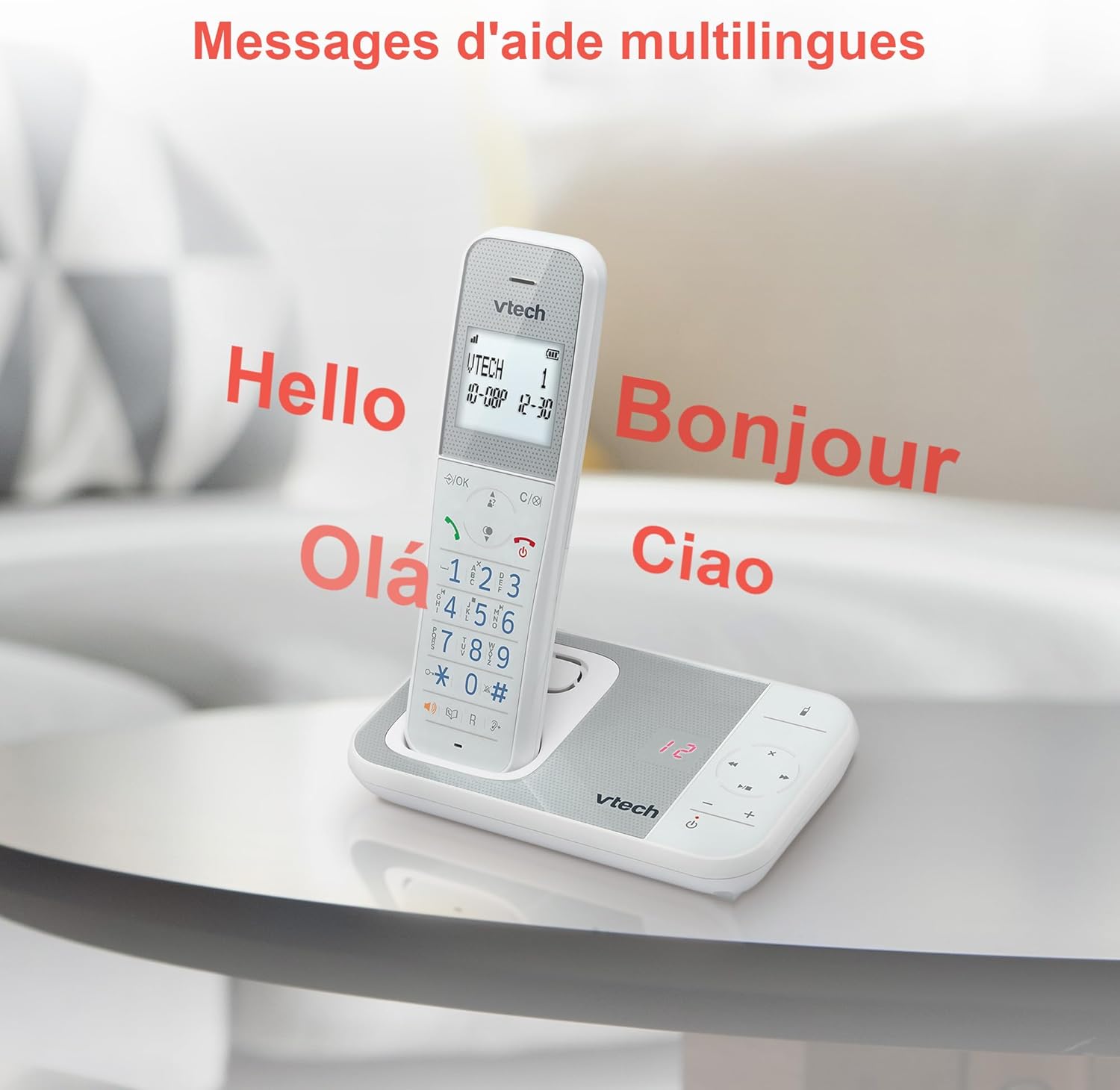
Figure 10: Multilingual Help Messages
This image displays the VTech XS1050 handset with various greetings like 'Hello', 'Bonjour', 'Olá', and 'Ciao' floating around it, illustrating the multilingual support feature.
5. Cumail suas
5.1 Glanadh
Sguab am fòn agus an aonad bonn le clò bog, tioram.amp clò. Na cleachd innealan-glanaidh sgrìobach no fuasglaidhean. Dèan cinnteach nach tèid leaghan a-steach do fhosglaidhean a’ fòn.
5.2 Cùram Bataraidh
- Always use the supplied batteries.
- Mura tèid am fòn a chleachdadh airson ùine mhòr, thoir air falbh na bataraidhean gus casg a chur air aodion.
- Cuir às do sheann bataraidhean gu cùramach a rèir riaghailtean ionadail.
6. A ’dèanamh trioblaid
If you experience issues with your VTech XS1050, please refer to the following common problems and solutions:
| Trioblaid | Adhbhar a dh’fhaodadh a bhith ann | Fuasgladh |
|---|---|---|
| Gun fhuaim dial | Chan eil càball loidhne a’ fòn ceangailte gu ceart. | Dèan cinnteach gu bheil càball na loidhne-fòn air a phlugaigeadh gu tèarainte a-steach don aonad bunaiteach agus don jack balla. |
| Chan eil am fòn a’ dol air | Batteries are not charged or incorrectly installed. | Check battery polarity and ensure the handset is properly seated on the base unit for charging. Verify power adapter connection. |
| Deagh chàileachd fuaim | Bacadh bho innealan dealain eile. | Move the base unit or handset away from other electronic devices such as TVs, computers, or microwaves. |
| Inneal freagairt gun chlàradh | Tha cuimhne làn no tha an inneal freagairt dheth. | Delete old messages to free up space. Ensure the answering machine function is activated. |
7. Sònrachaidhean
| Feart | Mion-fhiosrachadh |
|---|---|
| Brand | VTech |
| Modail | XS1050 |
| Dath | Geal |
| Seòrsa fòn | Gun uèir (DECT) |
| Àireamh de bataraidhean | 2 (Sònraichte don Thoradh - Air a ghabhail a-steach) |
| Stuth | Plastaig |
| Stòr cumhachd | Cumhachd bataraidh |
| Seòrsa dialer | Meur-chlàr singilte |
| Meudan nì (L x W x H) | 18.5 x 15.1 x 6.6 ceudameatairean |
| Seòrsa siostam freagairt | Didseatach |
| Cuideam nì | 400 gram |
| Comas an Inneal Freagairt | Suas gu 30 mionaid |
| Comas leabhar fòn | 100 ainmean is àireamhan a |
| Eachdraidh Call | 20 a-steach |
| Ùine Còmhraidh | Suas ri 18 uairean a thìde |
8. Barantas & Taic
8.1 Fiosrachadh Barantais
For detailed warranty information, please refer to the warranty card included with your product or visit the official VTech weblàrach. Cùm do chuidhteas ceannach mar dhearbhadh ceannach.
8.2 Taic teachdaiche
If you require further assistance or have questions not covered in this manual, please contact VTech customer support. Contact details can typically be found on the VTech weblàrach no ann am pasgan toraidh.