
1. Ro-ràdh
The ATUVOS Air Tracker Tag is a compact Bluetooth device designed to help you locate your personal belongings using the Apple Find My network. This manual provides detailed instructions for setting up, operating, and maintaining your ATUVOS Air Tracker Tags.
2. Fiosrachadh Sàbhailteachd
- Keep the device out of reach of small children and pets to prevent accidental ingestion of small parts, especially the battery.
- Na feuch ri an inneal a thoirt às a chèile no atharrachadh a bharrachd air bataraidh ùr.
- Dispose of batteries according to local regulations. Do not expose batteries to excessive heat or fire.
- This device is water-resistant (IP67 rated) but not waterproof. Avoid prolonged submersion in water.
3. Pasgan-susbaint
- Tracadair Adhair ATUVOS Tags (2-phasgan)
- Leabhar-làimhe cleachdaiche
- CR2032 Coin Cell Batteries (pre-installed)
4. Toradh thallview
The ATUVOS Air Tracker Tag is a compact, square-shaped device designed for easy attachment to various items. It features a single button for operation and a small hole for attaching to keyrings or straps.

Figure 1: ATUVOS Air Tracker Tags
Prìomh fheartan:
- Find My App Compatibility: Works exclusively with Apple's Find My network (iOS devices only).
- Loud Ring: Built-in speaker emits an 80-100dB sound to help locate nearby items.
- Wide Bluetooth Range: Up to 200 feet (60 meters) without obstacles.
- Rabhaidhean air am fàgail às a dhèidh: Faigh fiosan ma dh’fhàgas tu do tagnì air a chùlaibh.
- Modh air chall: Mark your item as lost in the Find My app to receive automatic notifications when detected by the network.
- IP67 Uisge-dhìonach: Protected against dust and temporary immersion in water.
- Bataraidh ath-nuadhachail: Powered by a CR2032 coin cell battery with over 1 year of life.
- Dìon prìobhaideachd: The Find My network is encrypted and anonymous; location data is not stored on the tag.
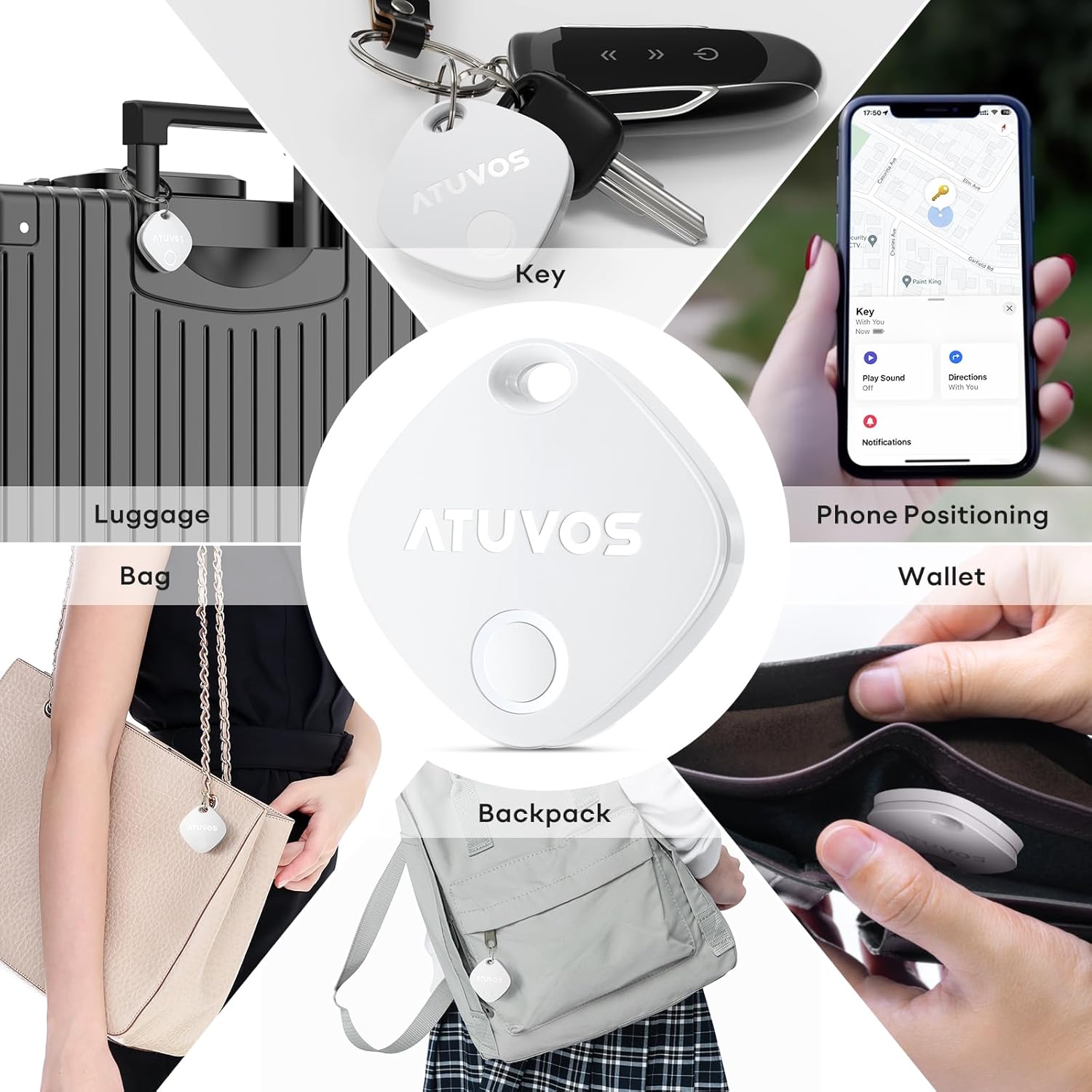
Figure 2: Product Dimensions (1.34 x 1.34 x 0.42 inches)
5. Suidhich
Follow these steps to connect your ATUVOS Air Tracker Tag to your iOS device:
- Ath-shuidhich an inneal: Dèan cinnteach gu bheil an tag is powered on. Press and hold the button on the ATUVOS Tag for approximately 10 seconds. You will hear a short beep after 3 seconds, and a long beep after 10 seconds. Release the button after the long beep. Two short beeps will confirm a successful reset.
- Fosgail Lorg Mo Aplacaid: On your iOS device, open the 'Find My' application. Ensure Bluetooth is enabled on your device.
- Cuir Nì Ùr ris: Navigate to the 'Items' tab at the bottom of the screen. Tap the '+' icon and select 'Add Other Item'.
- ceangail: Your iOS device will search for nearby compatible items. Once 'Atuvos Tag' nochdaidh, tap air 'Ceangail'.
- Ainmich an nì agad: Follow the on-screen prompts to name your item (e.g., 'Keys', 'Wallet', 'Luggage') and choose an emoji to represent it.
- Aontaich ris na Cumhachan: Review and agree to the terms and conditions.
- Crìochnaich suidheachadh: Tha an tag tha e a-nis ceangailte ris an Apple ID agad agus deiseil airson a chleachdadh.
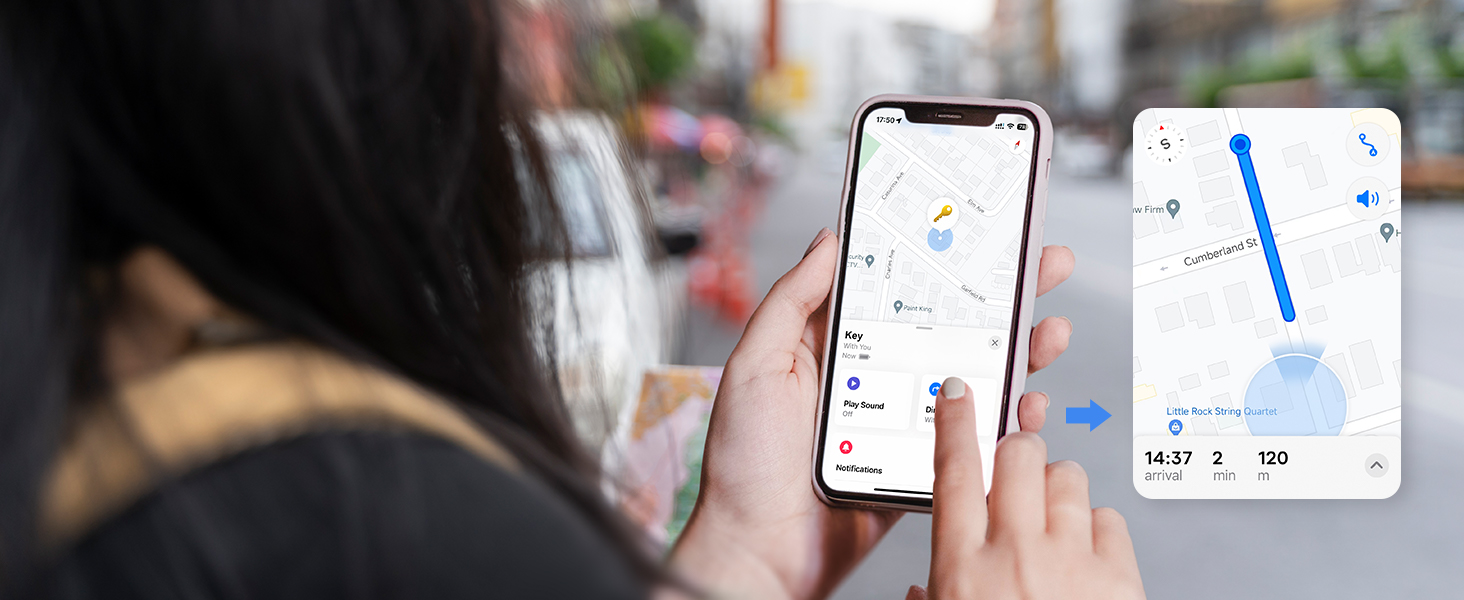
Figure 3: Setup Process in Find My App
Video 1: ATUVOS Tracker Tag Compatible with Apple Find My (iOS Only) - This video demonstrates the process of connecting the ATUVOS Tag to the Apple Find My app on an iOS device.
6. Stiùireadh Obrachaidh
6.1. Find Nearby
When your ATUVOS Tag is within Bluetooth range, you can make it play a sound to help you locate it.
- Fosgail an aplacaid ‘Lorg Mo’ air an inneal iOS agad.
- Rach don taba 'Nithean'.
- Select your ATUVOS Tag bhon liosta.
- Tap air ‘Cluich Fuaim’. An tag will emit a loud ring (80-100dB) to guide you to its location.
- You can also ask Siri, "Hey Siri, find my [item name]."

Figure 4: Locating a Nearby Item
6.2. Find Far Away
If your ATUVOS Tag is outside of Bluetooth range, you can still locate it using the Find My network.
- Fosgail an aplacaid ‘Lorg Mo’ air an inneal iOS agad.
- Rach don taba 'Nithean'.
- Select your ATUVOS Tag. The app will display its last known location on a map.
- Tap 'Directions' to get navigation to the tag's vicinity.

Figure 5: Locating a Far Away Item
6.3. Cuimhneachan air fhàgail às a dhèidh
Receive instant alerts if you accidentally leave your tagnì air a chùlaibh.
- In the 'Find My' app, select your ATUVOS Tag.
- Scroll down and enable 'Notify When Left Behind'.
- You can customize locations where you don't want to be notified (e.g., home).

Figure 6: Left Behind Reminder Notification
6.4. Modh Caillte
If your item is lost, activate Lost Mode to increase your chances of recovery.
- In the 'Find My' app, select your ATUVOS Tag.
- Scroll down to 'Lost Mode' and tap 'Enable'.
- Follow the instructions to enter your contact information (phone number or email) and a message for the person who finds your item.
- You will be automatically notified when your lost item is detected by any device in the Find My network.

Figure 7: Anti-Lost Mode Interface
6.5. Share Item (iOS 17 and above)
With iOS 17 or later, you can share your ATUVOS Tag with up to 5 other individuals.
- Ensure your iOS device is updated to iOS 17 or newer.
- In the 'Find My' app, select your ATUVOS Tag.
- Scroll down and tap 'Share This Item'.
- Follow the prompts to add up to 5 borrowers. They will be able to see the item's location on a map.
- Borrowers will not receive tracking notifications when the item moves with them.

Figure 8: Sharing an ATUVOS Tag
7. Ath-nuadhachadh bataraidh
The ATUVOS Air Tracker Tag uses a replaceable CR2032 coin cell battery. When the battery is low, you will receive a notification on your iOS device.
- Locate the small gap on the side of the ATUVOS Tag.
- Carefully insert a thin tool (like a guitar pick or a small flat-head screwdriver) into the gap.
- Gently pry open the two halves of the tag.
- Thoir air falbh an seann bataraidh CR2032.
- Cuir a-steach bataraidh CR2032 ùr leis an taobh adhartach (+) a’ coimhead suas.
- Co-thaobhadh an dà leth den tag and press them firmly together until they click securely into place. Ensure the top hole on both lids aligns.

Figure 9: Battery Replacement Steps
Video 2: How do I replace the battery? - This video provides a visual guide on replacing the battery of the ATUVOS Tag.
8. Cumail suas
- Clean the ATUVOS Tag le aodach bog, tioram. Seachain a bhith a 'cleachdadh cheimigean cruaidh no stuthan sgrìobach.
- Regularly check the battery level in the Find My app to ensure continuous tracking.
- Dèan cinnteach gu bheil an tag is securely attached to your items to prevent accidental detachment.
9. A ’dèanamh trioblaid
9.1. Tag Not Pairing
- Dèan cinnteach gu bheil Bluetooth air a chomasachadh air an inneal iOS agad.
- Make sure the ATUVOS Tag is powered on and has a fresh battery.
- Perform a device reset as described in Section 5.1.
- Thoir an tag closer to your iOS device during the pairing process.
9.2. Sound Not Playing
- Dèan cinnteach gu bheil an tag is within Bluetooth range of your iOS device.
- Thoir sùil air ìre bataraidh an tag. A low battery might affect sound output.
- Verify that the volume on your iOS device is not muted or too low.
9.3. Inaccurate Location
- Location accuracy depends on the density of Apple devices in the Find My network. In areas with fewer devices, location updates might be less frequent or precise.
- Ensure your iOS device has a stable internet connection for accurate map data.
- Ma tha an tag is indoors or in a dense environment, GPS signals might be obstructed.
10. Sònrachaidhean
| Modail Àireamh | AT2301 |
| Meudan | 1.34 x 1.34 x 0.42 òirleach |
| Cuideam nì | 1.44 unnsa |
| Ceangalachd | Bluetooth 5.2 |
| Frith-aghaidh uisge | IP67 |
| Seòrsa bataraidh | CR2032 Coin Cell (included) |
| Beatha bataraidh | Thairis air 1 bhliadhna |
| Co-fhreagarrachd | iOS devices only (Apple Find My network) |
11. Barantas agus Taic
ATUVOS provides customer service for its products. For any questions regarding the use of your ATUVOS Air Tracker Tags, please contact customer support. Refer to the product packaging or the official ATUVOS weblàrach-lìn airson mion-fhiosrachadh sònraichte mu bharantas agus fiosrachadh conaltraidh.
Seirbheis teachdaiche: Available 24 hours. Please refer to the contact details provided with your product or on the ATUVOS official weblàrach.