
MOVE SPEED YSPBZ70Pro-100
MOVE SPEED Power Bank User Manual
Model: YSPBZ70Pro-100
High Capacity Laptop Portable Charger with Flash Light
1. Ro-ràdh
The MOVE SPEED 70,000mAh 100W Power Bank is a high-capacity portable charging solution designed to keep your devices powered on the go. With its robust battery and versatile output options, it is ideal for various scenarios, from daily use to outdoor adventures.

Figure 1: MOVE SPEED 70,000mAh 100W Power Bank
2. Prìomh fheartan
- 70000mAh Mega Capacity: Provides extensive power, capable of charging an iPhone 16 up to 15 times or a MacBook Air 5 times.
- 100W Fast Charging & 65W Recharge: Delivers rapid power output for devices and quick recharge times for the power bank itself.
- 4 Outputs + 2 Inputs: Equipped with multiple USB-C and USB-A ports for simultaneous charging of up to four devices.
- Emergency Light & SOS Mode: Features a built-in light with three adjustable brightness levels (High/Medium/Low) and an instant SOS strobe flash for emergencies.
- Taisbeanadh Didseatach Glic: A precision digital screen shows real-time battery percentage, sruth, agus voltage toradh.
- Pass-Through Functionality: Allows you to power your devices while simultaneously recharging the power bank.
- Dealbhadh seasmhach: Built with car-grade batteries and a convenient hand strap for easy carrying.

Figear 2: Os a chionnview of Power Bank Features

Figure 3: High Capacity for Multiple Charges
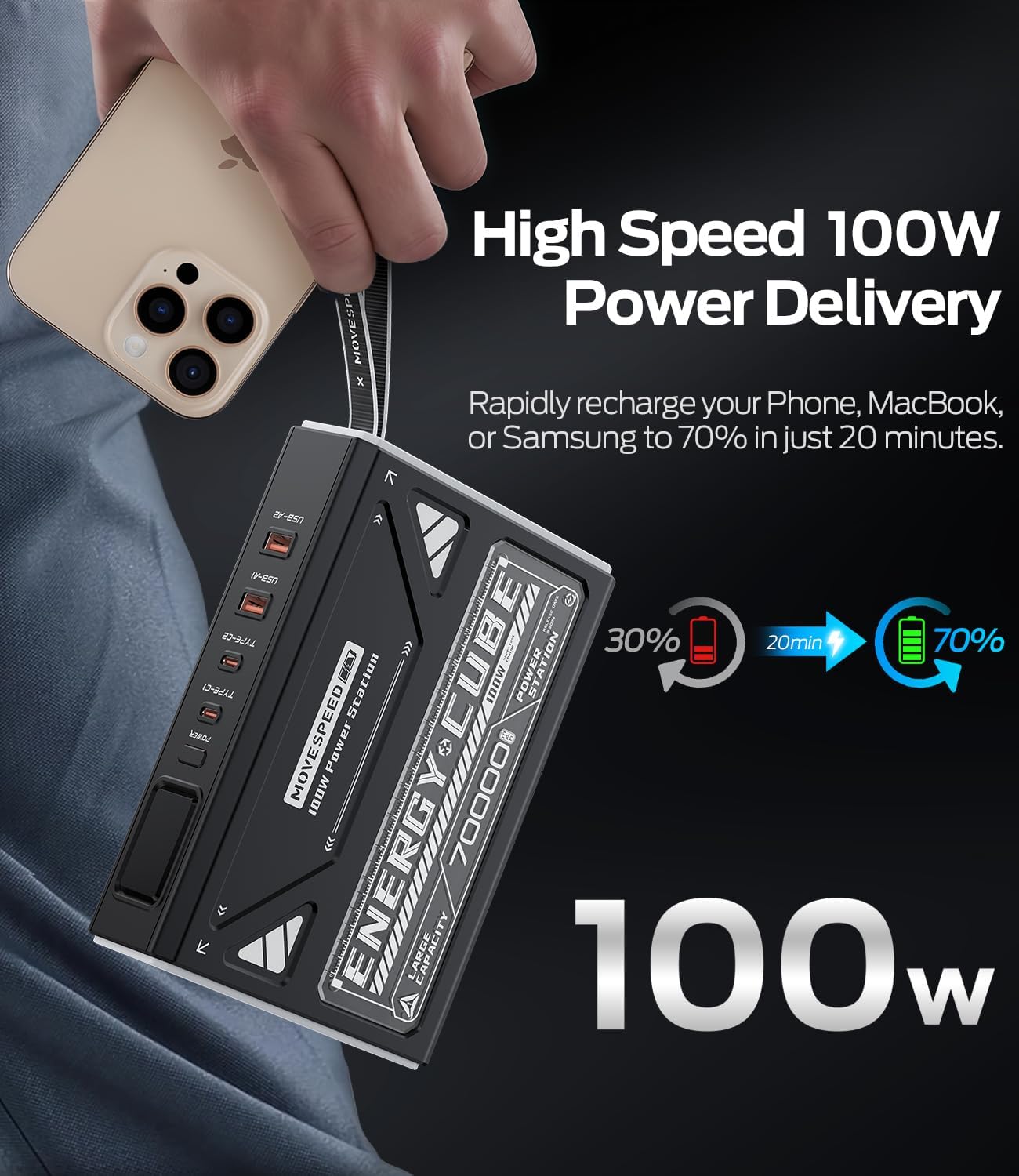
Figure 4: 100W Power Delivery Speed
3. Suidheachadh Tùsail agus Cosgais
Before first use, it is recommended to fully charge the power bank. For optimal performance, fully charge and discharge the unit 3-4 times. This process helps calibrate the battery for best performance.
- Connect the provided USB-C to USB-C cable to one of the Type-C input ports (Type-C1 or Type-C2) on the power bank.
- Connect the other end of the cable to a compatible 65W (or higher) USB-C power adapter (not included).
- The digital display will show the charging status and battery percentage. A green lightning bolt symbol indicates fast charging.
- Charging time to 100% is approximately 5 hours with a 65W input.

Figure 5: Input and Output Ports
4. Stiùireadh Obrachaidh
4.1. A ’cur cosgais air na h-innealan agad
To charge your devices, connect them to the appropriate output ports on the power bank using compatible cables. The power bank features two USB-C output ports (Type-C1, Type-C2) and two USB-A output ports (USB-A1, USB-A2).
- Toradh seòrsa-C1: Up to 100W (5V=3A, 9V=3A, 12V=3A, 15V=3A, 20V=5A)
- Toradh seòrsa-C2: Up to 45W (5V=3A, 9V=3A, 12V=3A, 15V=3A, 20V=2.25A)
- Toradh USB-A1 / A2: Up to 22.5W (5V=3A, 9V=2A, 10V=2.25A, 12V=1.5A)
- Cìs aig an aon àm: The power bank can intelligently distribute power when multiple devices are connected. For example, Type-C1 + Type-C2 can provide 65W + 35W.

Figure 6: Simultaneous Charging Capability
4.2. Taisbeanadh didseatach
Press the power button once to activate the digital display. It shows the remaining battery percentage, and when charging or discharging, it will show the input/output voltage agus gnàthach.
4.3. Emergency Light & SOS Mode
The power bank includes a powerful LED light with multiple modes for various situations.
- Cuir solas an gnìomh: Double-press the power button quickly to turn on the light at High Level.
- Modhan Rothaireachd: Press the power button once to cycle through brightness levels: High > Medium > Low > SOS Flashing Mode.
- Cuir dheth an solas: Double-press the power button quickly to turn off the light from any mode.

Figure 7: Emergency Light with 4 Modes
Video 1: Demonstrating Lighting and SOS Mode Operating Instructions
5. Sònrachaidhean
| Feart | Mion-fhiosrachadh |
|---|---|
| Modail Àireamh | YSPBZ70Pro-100 |
| Seòrsa bataraidh | Li-polymer |
| Comas Bataraidh | 70000mAh / 259Wh |
| Comas Ainmeil | 42000mAh (5V = 3A) |
| Cuir a-steach seòrsa-C1 | 5V=3A, 9V=3A, 12V=3A, 15V=3A, 20V=3.25A (65W aig a’ char as motha) |
| Cuir a-steach seòrsa-C2 | 5V=3A, 9V=3A, 12V=3A, 15V=3A, 20V=2.25A (45W aig a’ char as motha) |
| Toradh seòrsa-C1 | 5V=3A, 9V=3A, 12V=3A, 15V=3A, 20V=5A (100W aig a’ char as motha) |
| Toradh seòrsa-C2 | 5V=3A, 9V=3A, 12V=3A, 15V=3A, 20V=2.25A (45W aig a’ char as motha) |
| Toradh USB-A1 / A2 | 5V=3A, 9V=2A, 10V=2.25A, 12V=1.5A (Max 22.5W) |
| Meudan toraidh | 7.41 x 1.95 x 5.46 òirleach |
| Cuideam nì | 3.42 not |
6. Cumail suas
- Stòradh: Store the power bank in a cool, dry environment (temperature range of 5-35°C) and avoid direct sunlight.
- Cleachdadh cunbhalach: If the power bank is not used for more than three weeks, it is recommended to fully charge and discharge it at least once a month to prolong its service life.
- Seachain milleadh corporra: Protect the device from strong impacts, drops, or collisions.
- Suidheachaidhean Àrainneachdail: Avoid using this product in environments with high temperature, low air pressure, low temperature, moisture, dust, strong magnetic fields, and long-term exposure to sunlight.
- Taisbeanadh uisge: Do not expose the product to water droplets or splashes. It is prohibited to use after being soaked in water.
- Glanadh: Cleachd clò bog, tioram airson an inneal a ghlanadh. Na cleachd ceimigean cruaidh no stuthan sgrìobach.
7. A ’dèanamh trioblaid
- Banca Cumhachd gun a bhith a’ togail cosgais: Ensure you are using a compatible USB-C power adapter (65W or higher recommended) and the provided USB-C cable. Check all connections.
- Slow Charging of Devices: Verify that your device supports fast charging protocols (PD, QC) and that you are using the correct port (Type-C1 for 100W, Type-C2 for 45W, USB-A for 22.5W). Ensure your cable is also rated for high wattage.
- Digital Display is Dim: The display may appear dim in bright daylight. Try viewing it in a shaded area.
- Light Activates Accidentally: Be mindful of the power button when storing the power bank, as a double-press will activate the light.
- Inneal gun a bhith a’ cur cosgais bhon bhanca cumhachd: Ensure the power bank has sufficient charge. Press the power button to activate output if it's in standby mode.
- Overheating: If the power bank feels excessively hot during use or charging, disconnect all devices and allow it to cool down. Avoid placing it on soft surfaces that can block ventilation.
8. Barantas agus Taic
MOVE SPEED offers comprehensive support for its products:
- Taic Fad-beatha: Contact MOVE SPEED customer service anytime online for assistance.
- Dearbhadh Barantais: A 12-month warranty is provided on all products. Select storage devices may have extended coverage up to 60 months (refer to the warranty card for specific details).
For any inquiries or support needs, please refer to the contact information provided on your product packaging or the official MOVE SPEED weblàrach.
Ask a question about this manual
Ask about setup, troubleshooting, compatibility, parts, safety, or missing instructions. Manuals+ will review the question and use this page’s manual context to help answer it.