
Ro-ràdh
Thank you for choosing the Baseus Bowie MA10S Wireless Earbuds. This manual provides detailed instructions on how to set up, operate, and maintain your earbuds to ensure optimal performance and longevity. Please read this manual thoroughly before using the product.

Image: The Baseus Bowie MA10S Wireless Earbuds, showing both earbuds and their open charging case with a digital battery display.
Susbaint pacaid
Dèan cinnteach gu bheil a h-uile nì anns a’ phacaid:
- Baseus Bowie MA10S Wireless Earbuds (Left and Right)
- Cùis Cìse
- S/M/L Eartips (Left and Right pairs)
- S/M/L Earwings (Left and Right pairs)
- Càball cosgais USB-C
- Leabhar-làimhe cleachdaiche (an sgrìobhainn seo)

Image: All components included in the Baseus Bowie MA10S package: the earbuds in their charging case, a USB-C charging cable, and various sizes of ear tips and ear wings.
Suidhich
1. Cosgais Tùsail
Before first use, fully charge the earbuds and the charging case. Connect the USB-C charging cable to the charging case and a power source. The digital display on the case will show the battery percentage. The earbuds will charge automatically when placed inside the case.

Image: The Baseus Bowie MA10S charging case demonstrating both USB-C wired charging and wireless charging capabilities, with a clear view of the digital power display showing "100%".
The charging case supports both wired USB-C charging and wireless charging. A full charge provides up to 38 hours of total playtime with the charging case, and 8 hours on a single charge for the earbuds.
2. Càraid Bluetooth
- Fosgail a’ chùis cosgais. Thèid na fònaichean-cluaise a-steach don mhodh paidhreachaidh gu fèin-ghluasadach.
- Air an inneal agad (fòn cliste, tablet, laptop), cuir Bluetooth an gnìomh.
- Lorg airson "Baseus Bowie MA10S" in the list of available Bluetooth devices.
- Select "Baseus Bowie MA10S" to connect. Once connected, a voice prompt will confirm the successful pairing.
The earbuds feature Bluetooth 5.3 for instant pairing, stable connection, and better interference resistance. They also support multipoint connection, allowing seamless pairing to two devices simultaneously.

Image: A visual representation of the Bluetooth 5.3 chip, highlighting its role in providing instant pairing and stable connections.

Image: A man seamlessly connected to both a smartphone and a laptop with the Baseus Bowie MA10S earbuds, illustrating the multipoint connection feature.
3. Baseus App Installation
For enhanced features and customization, download the official Baseus App from your device's app store. The app allows you to:
- Adjust Noise Cancelling levels (10 levels available)
- Select from 12 Preset Equalizers (EQs) or create custom ones
- Customize touch gestures for controls

Image: Screenshots of the Baseus App interface, demonstrating options for ambient sound control, equalizer presets, and custom gesture settings.
Stiùireadh Obrachaidh
Smachdan suathaidh
The Baseus Bowie MA10S earbuds feature intuitive touch controls. Refer to the following table for default functions. Custom gestures can be configured via the Baseus App.
| Gnìomh | Gnìomh | Notaichean |
|---|---|---|
| Put on / Take off | Cluich & Stad | Dearbhadh fèin-ghluasadach |
| Tap singilte (clì no deas) | Toggle Track / Adjust Volume | Customizable in App |
| Long Press (1.5s, L or R) | Noise Cancellation Cycle | ANC > Normal > Transparency mode (default) |
| Long Press (1.5s, L or R) | Spatial Audio Cycle | Music > Theater > Normal (default) |
| Long Press (1.5s, L or R) | Call a dhiùltadh | |
| Tap singilte (clì no deas) | Answer / Hangup Call |

Image: A visual guide to the easy tap controls on the Baseus Bowie MA10S earbuds, showing functions like play/pause, track/volume adjustment, call management, and mode cycling.
Active Noise Cancellation (ANC) & Transparency Modes
The earbuds feature Hybrid Active Noise Cancelling technology, reducing disturbing noise by up to 95% (-48dB). Long press either earbud to cycle through ANC, Normal, and Transparency modes.
- Modh ANC: Ideal for noisy environments like travel or office, blocking out ambient sound.
- Modh àbhaisteach: Standard audio experience without noise cancellation.
- Modh follaiseachd: Allows you to hear your surroundings while listening to audio, useful for safety or conversations.

Image: A man wearing the Baseus Bowie MA10S earbuds, with a visual overlay indicating the -48dB Hybrid Active Noise Cancellation feature, suggesting a quiet listening experience.

Image: A man walking outdoors while wearing the Baseus Bowie MA10S earbuds, illustrating the Transparent Mode feature which allows awareness of surroundings.
Audio Modes & Spatial Audio
The Bowie MA10S offers three tailored audio modes and immersive spatial audio:
- Modh Bass: Enhanced bass for sports or music genres that benefit from powerful low frequencies.
- Modh Ciùil: Balanced audio for daily immersive listening.
- Modh Gèam: Low-latency audio (0.038s) for synchronized audio and video during gaming.
Activate the Dual Channel Low-Latency (DCLL) mode for gaming to ensure audio and video are in full sync.

Image: The Baseus Bowie MA10S earbuds positioned next to a smartphone displaying a racing game, emphasizing the 0.038s low-latency feature for smooth and seamless gaming.
Experience Baseus Immersive Spatial Audio (BISA) which creates a virtual soundscape, keeping you at the center of the sound. Long press either earbud to cycle through Spatial Audio modes (Music > Theater > Normal).
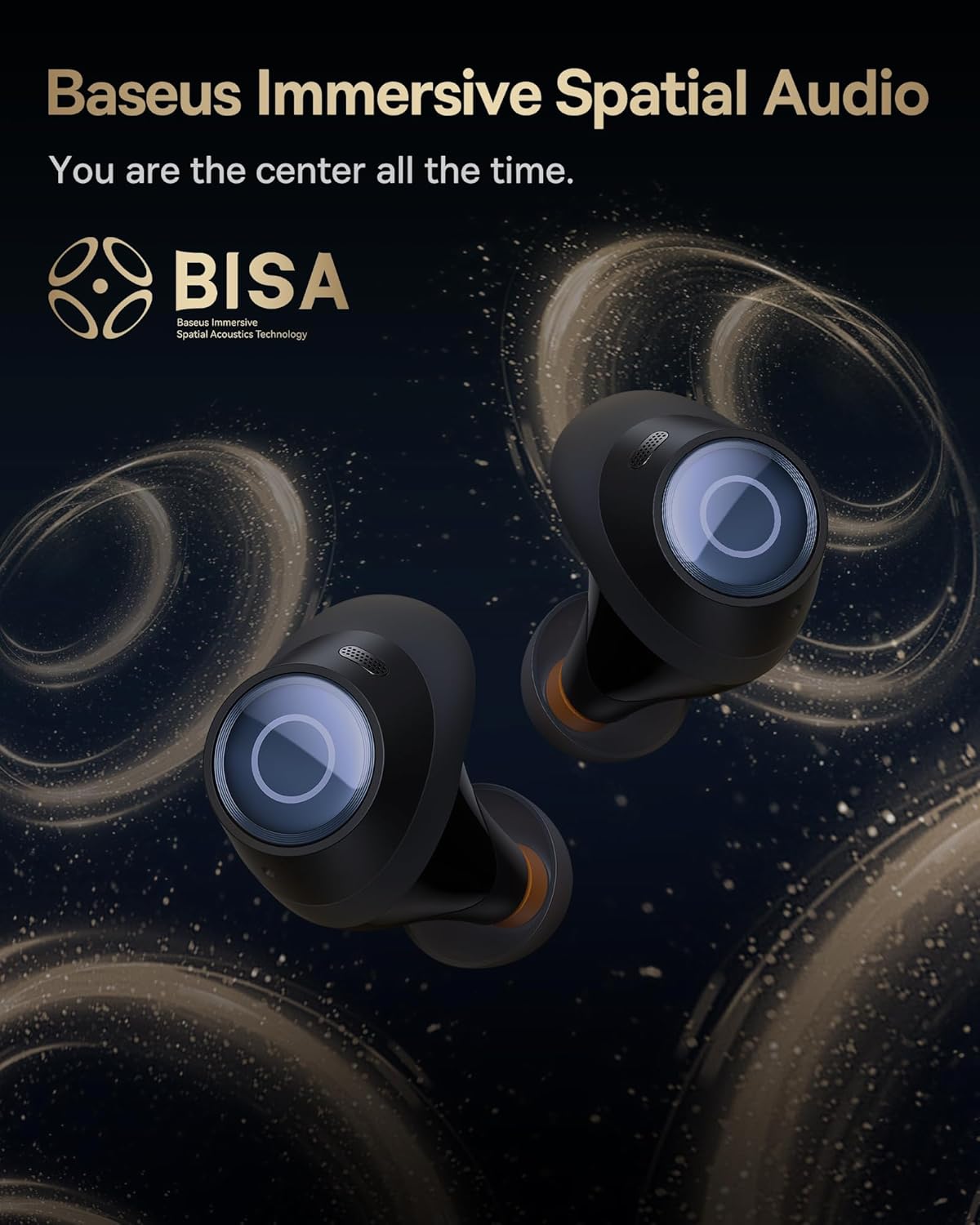
Image: The Baseus Bowie MA10S earbuds highlighted with the "BISA" (Baseus Immersive Spatial Audio) logo, indicating their advanced audio positioning capabilities.
Glaodhan soilleir
The earbuds are equipped with 4 Environmental Noise Cancelling (ENC) microphones. These mics capture ambient noise, and an AI algorithm cancels it, ensuring crystal-clear call quality even in noisy environments.

Ìomhaigh: Coltach ri X-ghath view of the Baseus Bowie MA10S earbuds, illustrating the placement of the 4 Environmental Noise Cancelling (ENC) microphones designed for crystal-clear phone calls.
A 'cur cosgais
Earbud cosgais
Place the earbuds into the charging case. They will automatically begin charging. The case's digital display will show the charging status and battery level.
Case Charging (Wired & Wireless)
- Cìsean le sreang: Connect the provided USB-C cable to the charging port on the case and a USB power adapter.
- Cìs gun uèir: Simply place the charging case on a compatible wireless charging pad.
The case features a smart power display, showing the exact battery percentage at a glance.

Ìomhaigh: Sealladh dlùth view of the Baseus Bowie MA10S charging case's built-in digital display, clearly showing "100%", indicating a full charge.
A quick 10-minute wired charge can provide up to 2 hours of playtime.

Image: The Baseus Bowie MA10S charging case connected for fast wired charging, with a graphic indicating "10m = 2H", signifying 10 minutes of charge provides 2 hours of playtime.
Cumail suas
Glanadh
- Glan na fònaichean-cluaise gu cunbhalach, gu h-àraidh cinn na cluaise agus na ceanglaichean cosgais, le clò bog, tioram, gun lint.
- Thoir air falbh cinn-cluaise agus glan cèir-cluaise no sprùilleach sam bith bho cheann-fhiosan nan cluais-fòn le bhith a’ cleachdadh bruis bheag no swab cotain.
- Glan a’ chùis cosgais le clò bog, tioram.
- Na cleachd innealan-glanaidh sgrìobach, deoch làidir, no fuasglaidhean ceimigeach.
Stòradh
Nuair nach eilear gan cleachdadh, stòraich na fònaichean-cluaise anns a’ chùis cosgais aca gus an dìon agus an cumail fo chasaid. Stòraich a’ chùis ann an àite fionnar, tioram air falbh bho theodhachd anabarrach.
Seasmhachd uisge (IPX4)
The Baseus Bowie MA10S earbuds are IPX4 waterproof, meaning they are resistant to splashing water from any direction. This makes them suitable for workouts and light rain. However, they are not designed for swimming or submersion in water. Do not expose them to pressurized water or high-velocity water, such as showering or bathing.

Image: The Baseus Bowie MA10S earbuds shown with water splashing over them, indicating their IPX4 waterproof rating, suitable for sweat and light rain.
Fuasgladh thrioblaidean
If you encounter issues with your Baseus Bowie MA10S earbuds, please refer to the following common solutions:
- Fònaichean-cluaise gun a bhith a’ paidhreachadh:
- Dèan cinnteach gu bheilear a’ cur cosgais air na earbuds.
- Cuir Bluetooth dheth agus air air an inneal agad.
- Cuir na fònaichean-cluaise air ais anns a’ chùis, dùin am mullach, feith beagan dhiog, agus an uairsin fosgail a-rithist gus modh càraid a-rithist.
- Forget "Baseus Bowie MA10S" from your device's Bluetooth list and try pairing again.
- Gun fhuaim no meud ìosal:
- Thoir sùil air an ìre fuaime air an inneal agad agus air na fònaichean-cluaise.
- Ensure earbuds are properly seated in your ears and the ear tips provide a good seal.
- Glan sprùilleach sam bith bho cheann-fhuinneagan nan cluais-fòn.
- Try resetting the earbuds (refer to Baseus App or online resources for specific reset instructions if needed).
- Cùisean cosgais:
- Dèan cinnteach gu bheil an càball USB-C ceangailte gu tèarainte ris a’ chùis agus ris an stòr cumhachd.
- Feuch càball USB-C eadar-dhealaichte no inneal-atharrachaidh cumhachd.
- For wireless charging, ensure the case is correctly placed on the wireless charging pad.
- Glan na ceanglaichean cosgais air an dà chuid na fònaichean-cluaise agus taobh a-staigh a’ chùis.
- Chan eil ANC èifeachdach:
- Ensure ANC mode is activated (long press earbud).
- Check that the ear tips provide a proper seal in your ear canal. Try different sizes of ear tips for a better fit.
For further assistance, please refer to the official Baseus support channels.
Sònrachaidhean
| Feart | Mion-fhiosrachadh |
|---|---|
| Ainm Modail | Baseus Bowie MA10S |
| Teicneòlas ceangail | Gun Uèir (Bluetooth 5.3) |
| Raon Bluetooth | 10 Meatair |
| Smachd fuaim | Cur às do fhuaim gnìomhach measgaichte (suas ri -48dB) |
| Micreofon | 4 ENC Mics for Clear Calls |
| Seòrsa fuaim driver | Dynamic Driver (Titanium-plated PU composite diaphragm) |
| Raon tricead | 20 Hz - 20,000 Hz |
| Beatha Bataraidh (Cluais-fònaichean) | 8 Uairean (aon chosgais) |
| Beatha Bataraidh (Iomlan leis a’ Chùis) | 38 Uairean |
| A 'cur cosgais | USB-C Wired, Wireless Charging |
| Latency claisneachd | 38 Mille-diogan (Modh Gèam) |
| Frith-aghaidh uisge | IPX4 uisge-dhìonach |
| Modh smachd | Suathadh, Aplacaid |
| Innealan co-fhreagarrach | Fònaichean-làimhe, innealan le comas claisneachd Bluetooth (iOS, Android, Windows, Mac OS, Switch), coimpiutairean-uchd, tablaidean |
| Cuideam nì | 4.6 unnsa |
| UPC | 850060076268 |
Barantas agus Taic
For information regarding product warranty, returns, or technical support, please visit the official Baseus weblàrach-lìn no cuir fios chun t-seirbheis teachdaiche aca gu dìreach. Cùm do chuidhteas ceannach mar dhearbhadh ceannach airson tagraidhean barantais sam bith.
Bùth Oifigeil Baseus: Bùth Amazon Baseus