
1. Ro-ràdh
This manual provides essential information for the safe and effective operation of your TopTes TS-501B Sound Level Meter and TS-710 Light Meter. These devices are designed for accurate environmental monitoring, allowing users to measure noise levels and light intensity in various settings. Please read this manual thoroughly before use and retain it for future reference.
2. Toradh thallview
The TopTes TS-501B Sound Level Meter and TS-710 Light Meter are a combined solution for environmental assessment. The TS-501B measures sound levels, while the TS-710 measures light intensity, ambient temperature, and humidity. Both devices feature a 2.25-inch backlit LCD screen for clear readings and user-friendly functions.
2.1 TS-501B Sound Level Meter
The TS-501B is equipped with a 1/2 inch electric condenser microphone for precise sound measurement. It offers A/C weighting options to analyze sound based on human ear perception (A-weighting) or for general noise analysis (C-weighting). The measurement range is 30 to 130 dB.

Figear 1: TS-501B Sound Level Meter showing A-Weighting measurement. This mode measures sound levels as perceived by the human ear, typically ranging from 30 to 130 dBA.
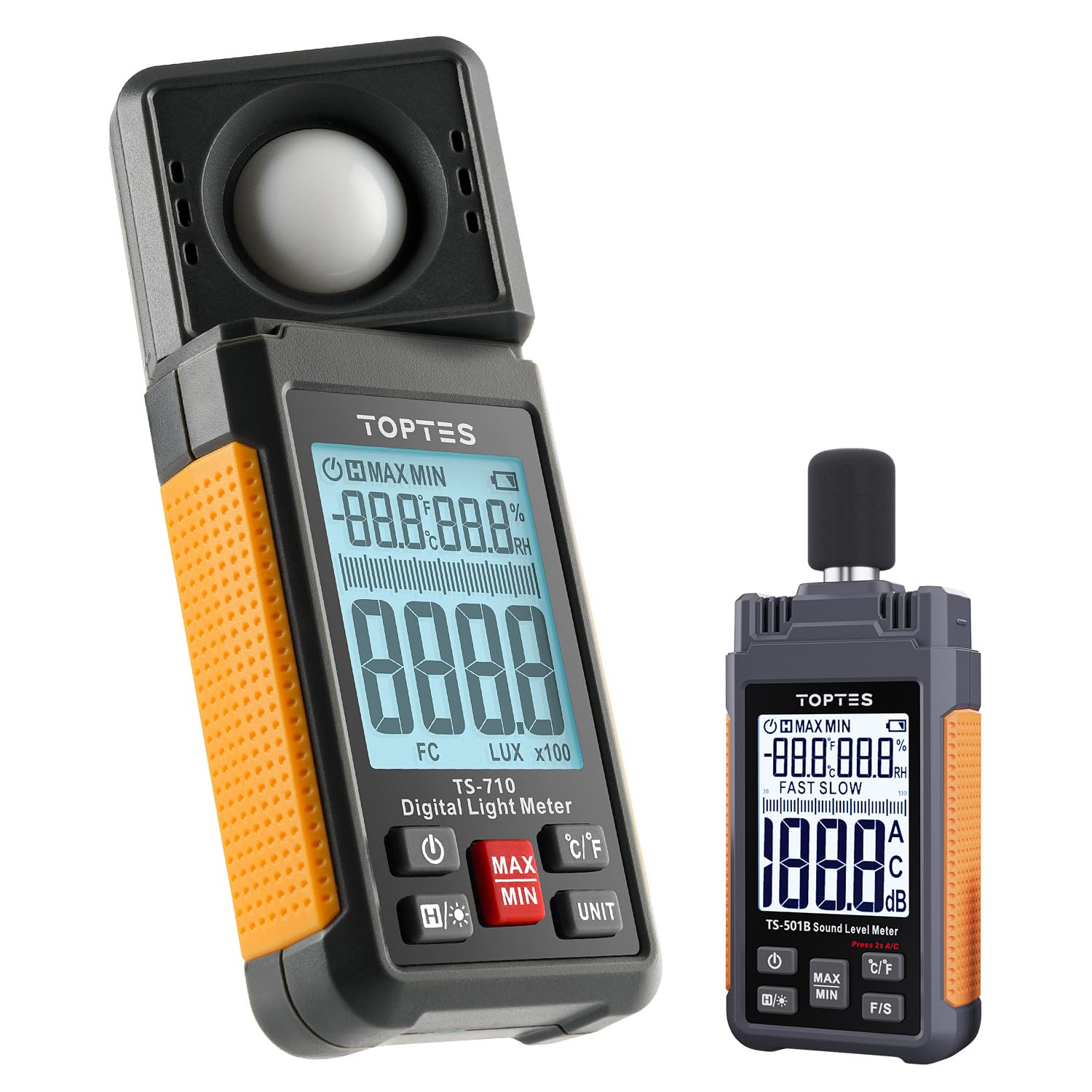
Figear 2: TS-501B Sound Level Meter showing C-Weighting measurement. This mode is suitable for general noise analysis, with a range of 30 to 130 dBC.

Figear 3: Faisg air làimh view of the TS-501B's 1/2 inch Electric Condenser Microphone, protected by a windshield ball for high precision measurements.
2.2 TS-710 Light Meter
The TS-710 features a 180° rotating sensor for flexible light measurement from various directions. It measures light intensity from 0.1 to 200,000 lux (or 0.1 to 20,000 FC) and also provides readings for ambient temperature and humidity.
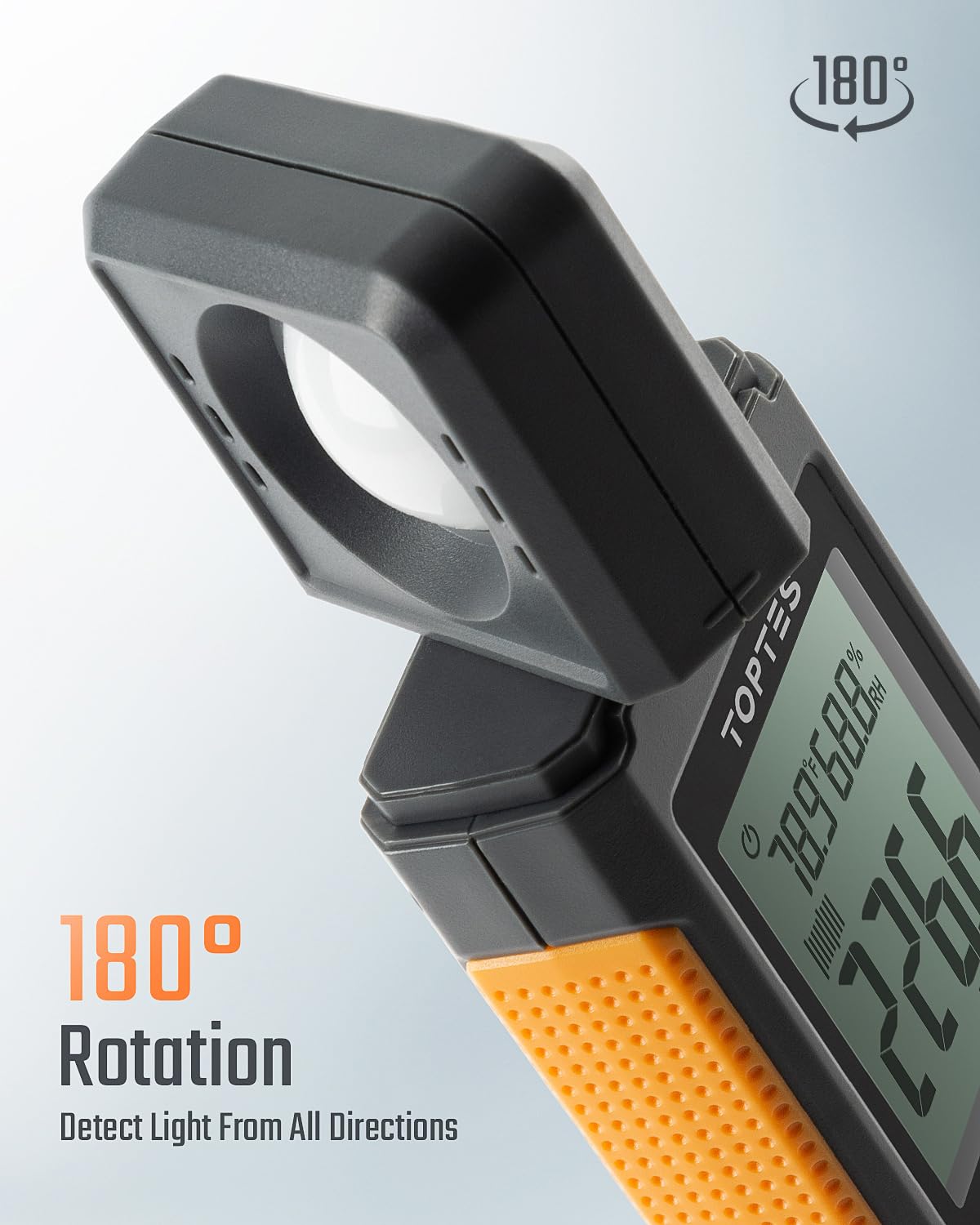
Figear 4: TS-710 Light Meter demonstrating its 180° rotating sensor, allowing detection of light from all directions.
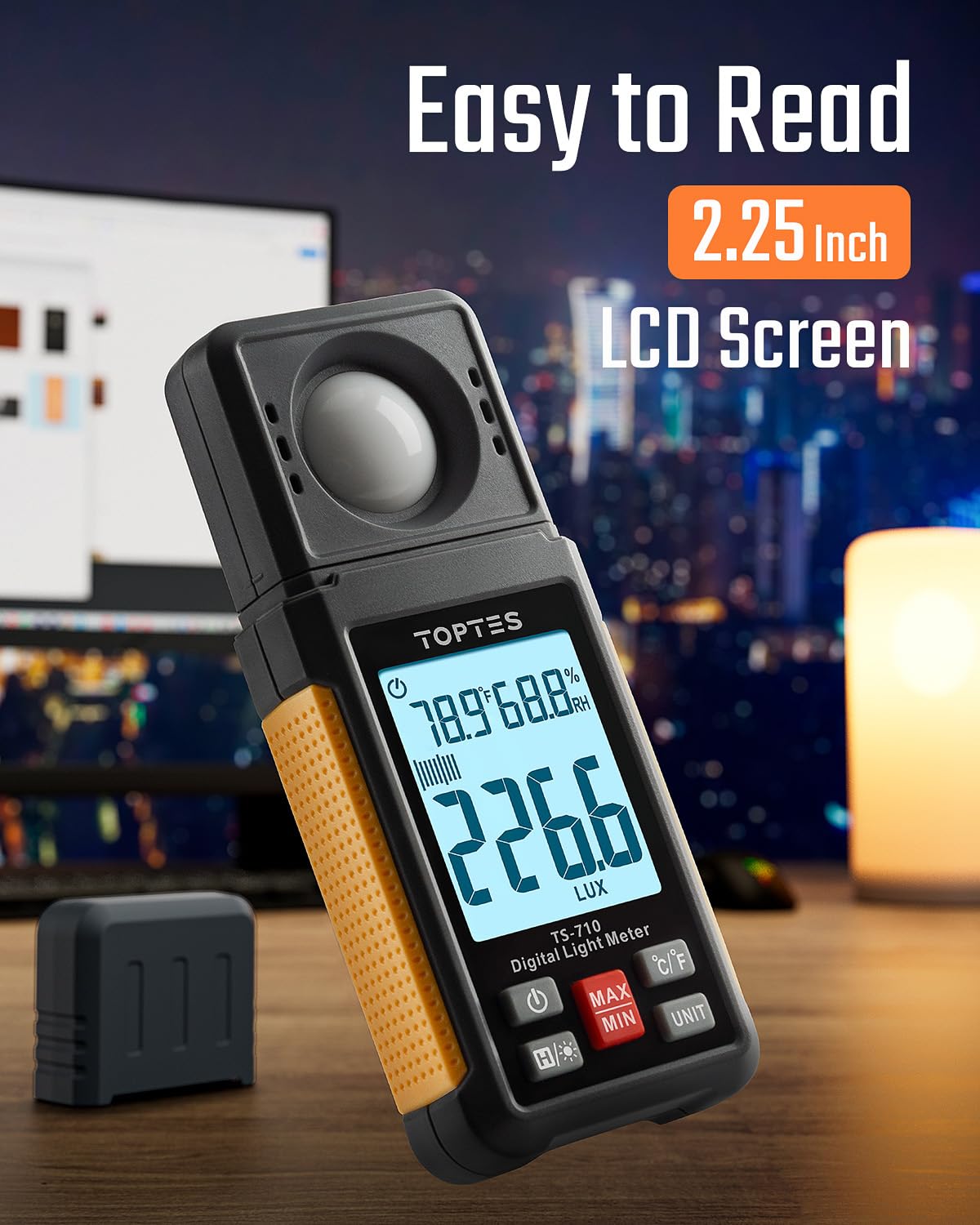
Figear 5: TS-710 Light Meter with its easy-to-read 2.25-inch backlit LCD screen, showing current light, temperature, and humidity readings.

Figear 6: TS-710 Light Meter illustrating its capability for dual measurement units: LUX (0.1~200,000 LUX) and Foot-Candle (0.1~20,000 FC).
3. Fiosrachadh Sàbhailteachd
Observe the following safety precautions to prevent injury and avoid damage to the devices:
- Do not attempt to open or modify the devices.
- Keep the devices away from water, high humidity, and extreme temperatures.
- Seachain na h-innealan a leigeil sìos no a chur fo bhuaidhean làidir.
- Remove batteries if the devices will not be used for an extended period.
- Cuir às do bataraidhean a rèir riaghailtean ionadail.
4. Pasgan-susbaint
Dèan cinnteach gu bheil a h-uile nì anns a’ phacaid:
- 1 x TopTes TS-710 Light Meter
- 1 x TopTes TS-501B Sound Level Meter
- 2 x Carrying Cases (one for each device)
- AAA Batteries (pre-installed or included separately)
- Leabhar-làimhe cleachdaiche (an sgrìobhainn seo)
5. Suidhich
5.1 Stàladh bataraidh
- Locate the battery compartment on the back of each device.
- Fosgail an còmhdach bataraidh.
- Insert the AAA batteries, ensuring correct polarity (+/-).
- Dùin an còmhdach bataraidh gu tèarainte.
5.2 A’ cur cumhachd air/dheth
Brùth an Cumhachd button (usually marked with a power symbol) on each device to turn it on. Press and hold the same button to turn it off. Both devices feature an automatic power-off function to conserve battery life after a period of inactivity.
6. Stiùireadh Obrachaidh
6.1 General Functions (Both Devices)
- Clàradh MAX/MIN: Brùth an MAX/MIN button to display the maximum or minimum recorded value during a measurement session. Press again to cycle through MAX, MIN, and current readings.
- Cumail dàta: Brùth an LAOIDH button (or similar icon) to freeze the current reading on the display. Press again to release.
- Cùl-solais: Brùth an Cùl-sholais button (often marked with a light bulb symbol) to activate or deactivate the screen backlight for improved visibility in low-light conditions.

Figear 7: Explanation of MAX and MIN functions. MAX displays the highest value measured, while MIN displays the lowest value measured over a given period.
6.2 TS-501B Sound Level Meter Operation
- Tionndaidh air an inneal.
- Select Weighting (A/C): Brùth an A/C button to switch between A-weighting (for human ear perception) and C-weighting (for general noise analysis).
- Select Response Time (FAST/SLOW): Brùth an F/S button to choose between Fast (125ms) or Slow (1s) response times, depending on the nature of the sound being measured.
- Point the microphone towards the sound source. The current sound level in decibels (dB) will be displayed.
6.3 TS-710 Light Meter Operation
- Tionndaidh air an inneal.
- Rotate Sensor: Adjust the 180° rotating sensor to face the light source directly or to capture ambient light as needed.
- Select Unit (LUX/FC): Brùth an AONAD button to switch between Lux and Foot-Candle measurement units.
- The device will display the light intensity, ambient temperature, and humidity.
7. Cumail suas
- Glanadh: Use a soft, dry cloth to clean the device surfaces. Do not use abrasive cleaners or solvents. For the TS-710's light sensor, ensure it remains clean and free of dust for accurate readings.
- Stòradh: Store the devices in their protective carrying cases in a cool, dry place when not in use. Avoid areas with high humidity or extreme temperatures.
- Ath-nuadhachadh bataraidh: Cuir bataraidhean ùra an àite a’ bhataraidh sa bhad nuair a nochdas comharra bataraidh ìosal air an taisbeanadh gus dèanamh cinnteach gum bi e ag obair gu ceart agus gu leantainneach.
8. A ’dèanamh trioblaid
| Trioblaid | Adhbhar a dh’fhaodadh a bhith ann | Fuasgladh |
|---|---|---|
| Chan eil cumhachd aig an inneal. | Bataraidhean ìosal no marbh; polarachd bataraidh ceàrr. | Cuir bataraidhean ùra an àite a chèile; dèan cinnteach gu bheil am polarachd ceart. |
| Leughaidhean neo-mhearachdach. | Sensor obstruction (TS-710); microphone obstruction (TS-501B); environmental interference. | Clean the sensor/microphone; ensure no obstructions; re-measure in a stable environment. |
| Tha an taisbeanadh dorcha no bàn. | Bataraidh ìosal; solas-cùil dheth | Replace batteries; press the backlight button. |
| Automatic power-off occurs too quickly. | Default auto-off setting. | This is a feature to conserve battery. Refer to specific device settings if adjustable (not all models allow adjustment). |
9. Sònrachaidhean
9.1 TS-501B Sound Level Meter
- Raon Tomhais: 30 gu 130 dB
- Cuideam: A/C
- Micreofon: 1/2 inch Electric Condenser Microphone
- Taisbeanadh: LCD cùl-sholais 2.25-òirleach
- Gnìomhan: MAX/MIN recording, Data Hold, Auto Power-Off
9.2 TS-710 Light Meter
- Light Measurement Range: 0.1 to 200,000 Lux / 0.1 to 20,000 FC
- Sensor: 180° Rotating Sensor
- Tomhais a bharrachd: Ambient Teòthachd, Taiseachd
- Taisbeanadh: LCD cùl-sholais 2.25-òirleach
- Gnìomhan: MAX/MIN recording, Data Hold, Auto Power-Off
10. Barantas agus Taic
TopTes products are designed for reliability and performance. For warranty information, technical support, or service inquiries, please refer to the contact information provided on the TopTes official website or your purchase documentation. Please have your model numbers (TS-501B, TS-710) and purchase date available when contacting support.